Content ITV PRO
This is Itvedant Content department
Website Setup & Design
Business Scenario
Welcome back.
As a Digital Marketing Executive, you’ve already planned the website structure in the previous lab.
Now it’s time to bring that plan to life inside WordPress.
This is where most beginners make mistakes —
they jump into design without a plan and end up with a messy website.
But you’re not just building a website…
you’re building a marketing asset that should attract, engage, and convert users.
Pre-Lab Preparation
In this lab, you will learn how to:
Set up your website properly
Apply a clean and professional design
Structure pages and navigation
Make your website ready for users
Think of this step as turning your blueprint into a real restaurant setup —
where everything is arranged perfectly before customers walk in.
Topic : Website Design Basic
1) Wordpress Setup
2) Themes Installation
3) Plugins Installation
4) Templates Inserting
5) Pages Creation
6 ) Menu Setup
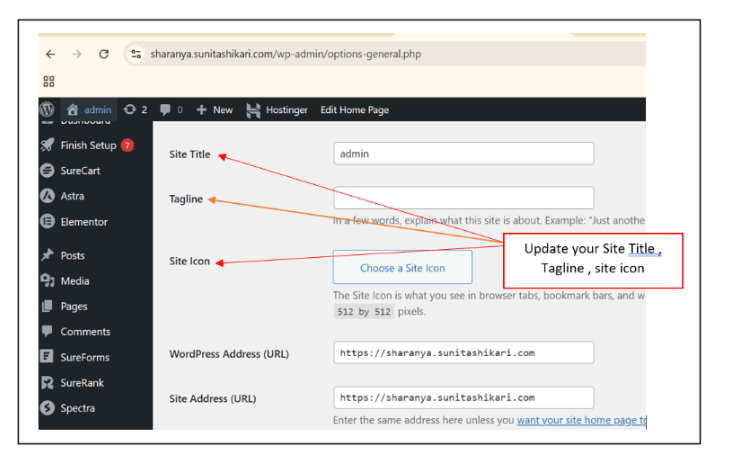
7) Site Name, tagline, icon setup
Task 1: Set up Spice Garden WordPress; implement basic design
You are now working on the Savannah Restaurant website, and your WordPress is ready.
Let’s execute the setup step-by-step.
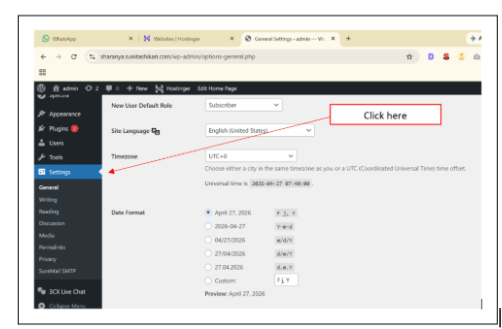
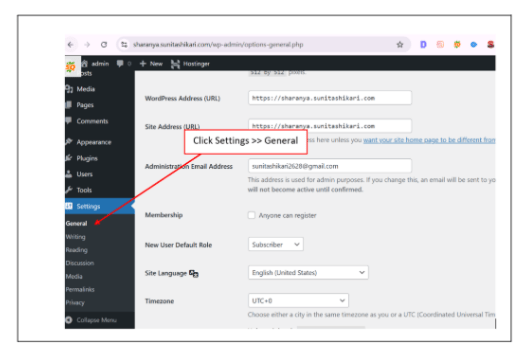
Go to WordPress Dashboard → Settings
This builds your brand identity from the start.
Configure Basic Website Settings
1
Install & Activate Theme
2
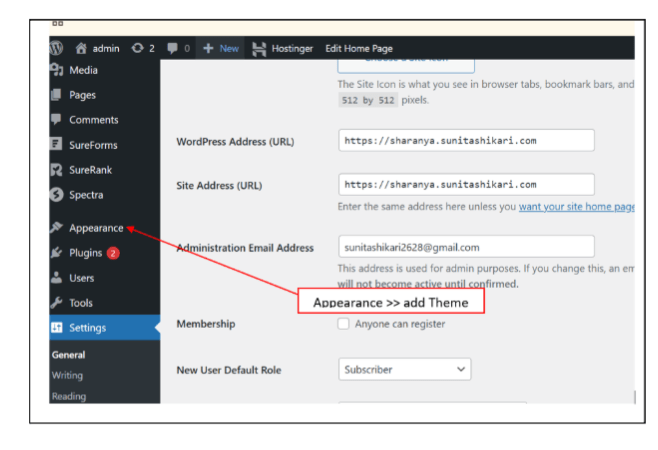
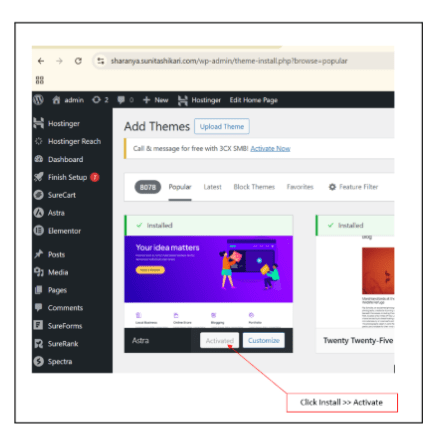
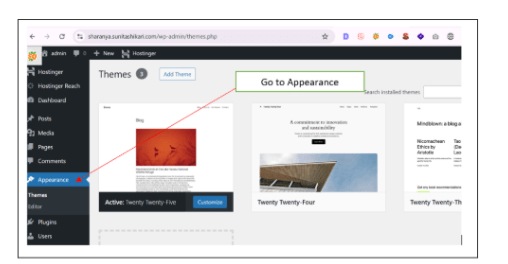
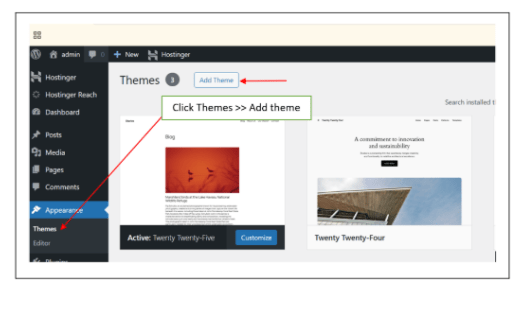
Go to Appearance → Themes
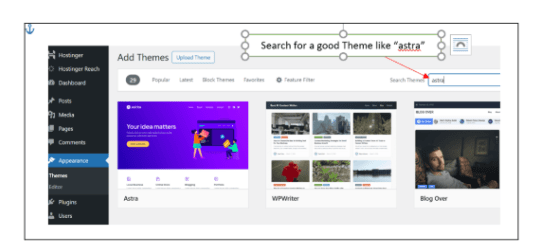
Choose a clean restaurant-friendly theme (e.g., Astra, Neve)
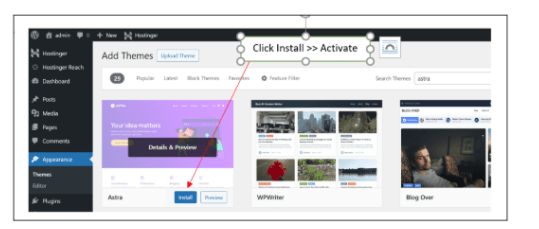
Install and Activate
Theme controls the overall look and layout of your website.
Install Essential Plugins
3
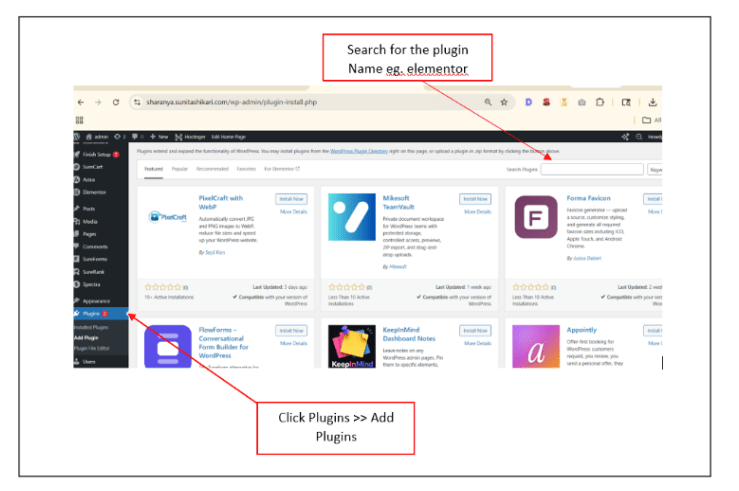
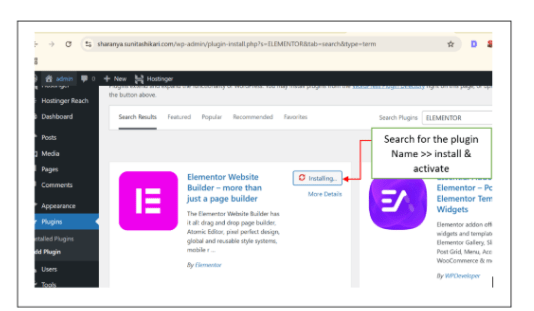
Go to Plugins → Add New
Install basic plugins such as:
Plugins add functionality to your website.
Create Website Pages
4
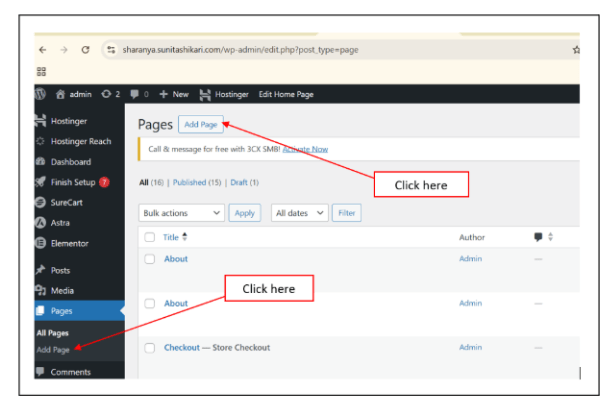
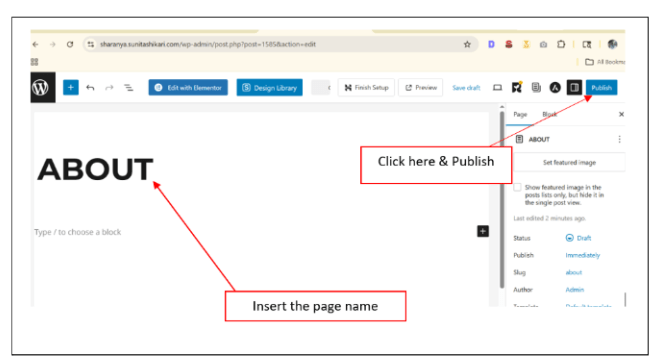
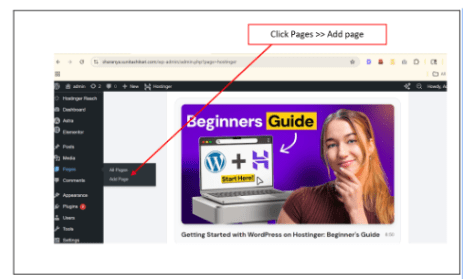
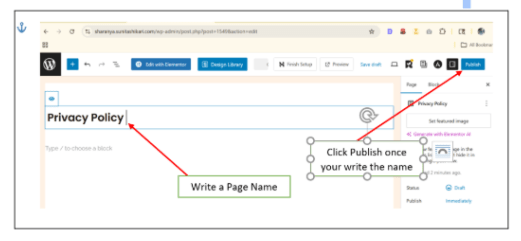
Go to Pages → Add New
Create pages planned earlier:
These are the core pages of your website.
Design Pages Using Template / Builder
5
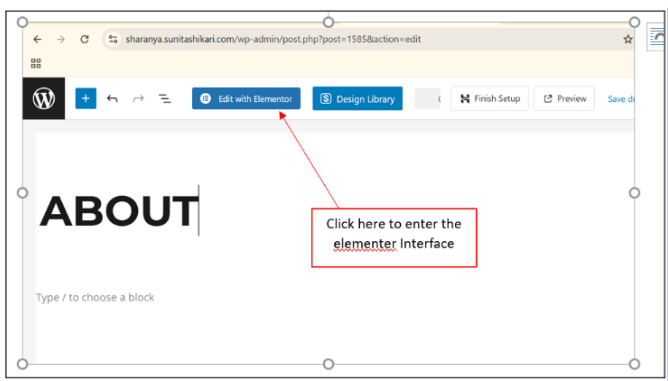
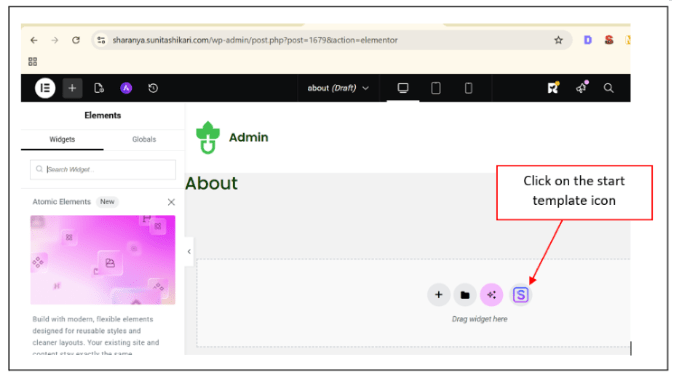
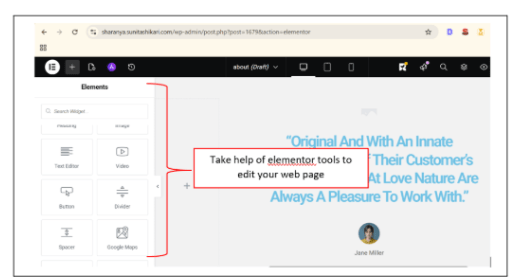
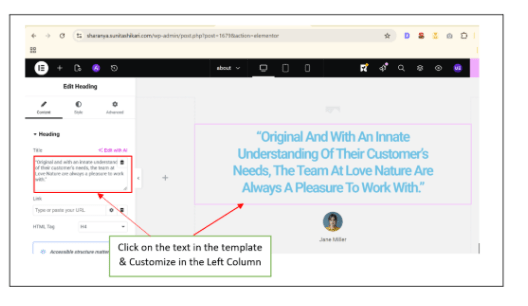
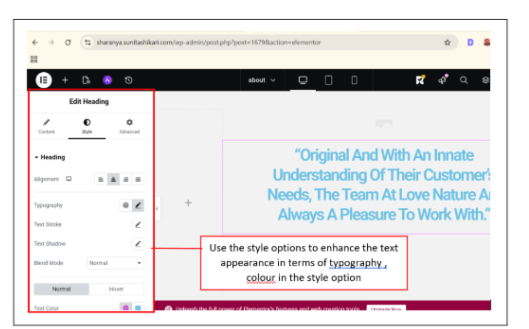
Edit pages using your builder:
Add sections (Hero, Menu, About, etc.)
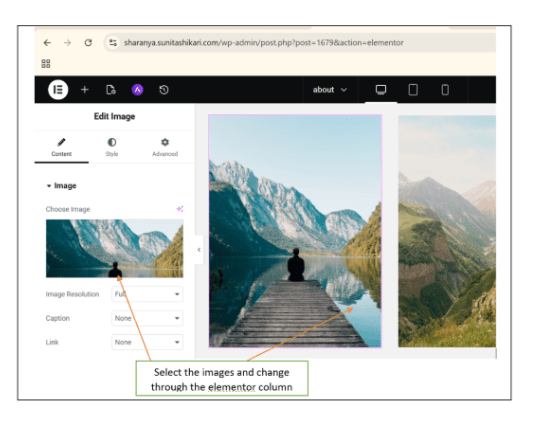
Insert images and text
Add CTA buttons (e.g., “Book Now”)
Focus on clarity, not complexity.
Setup Navigation Menu
6
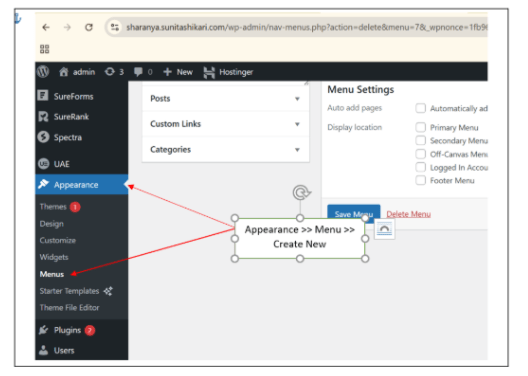
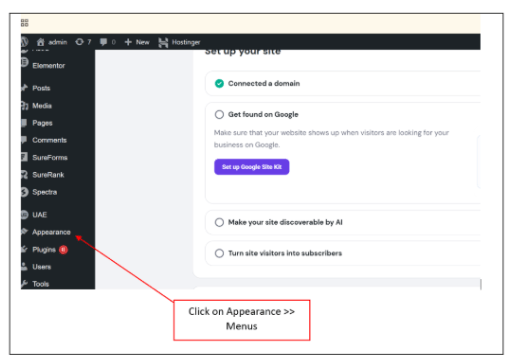
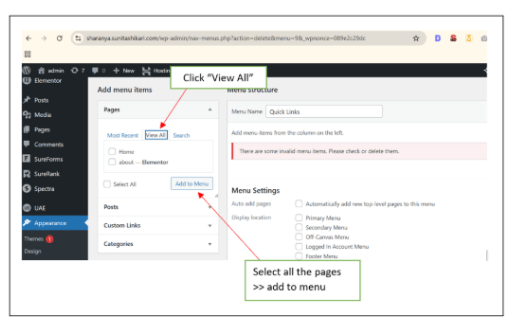
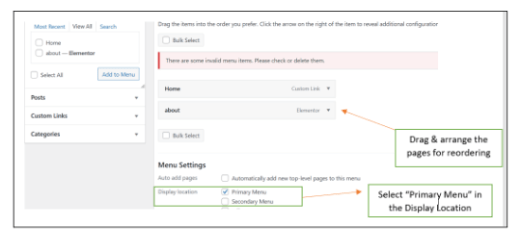
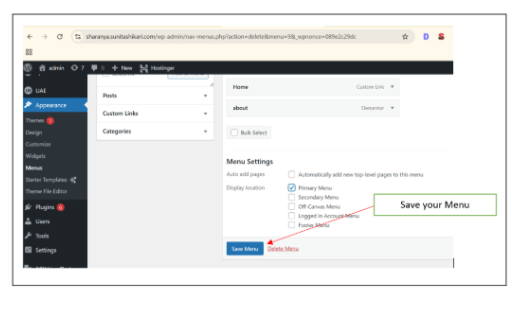
Go to Appearance → Menus
Create Main Menu
Add all pages
Arrange in logical order:
Home → About → Menu → Reservation → Contact
Navigation should be simple and user-friendly.
Final Check (User Experience)
7
Before finishing, ask:
Is everything easy to find?
Does the website look clean?
Are CTAs clearly visible?
Always think like a user, not just a creator.
Activity
Setup Basic Website Details
1
Add Site Name & Tagline
Upload Site Icon
Now it’s your turn to implement the same process.
You are working on the Spice Garden Restaurant website.
Install Theme
2
Install Required Plugins
3
Page builder - Elementor
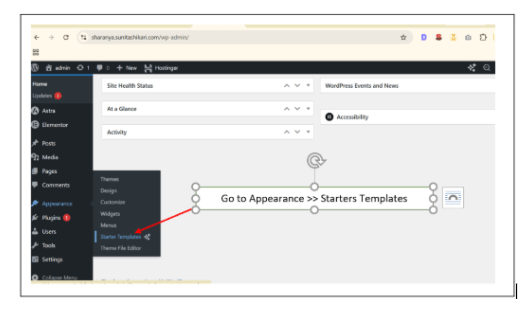
Theme Template - Starter Templates
Contact form - WP Forms
SEO plugin - Yoast SEO
Same way install the other plugin like Wp forms & Yoast seo
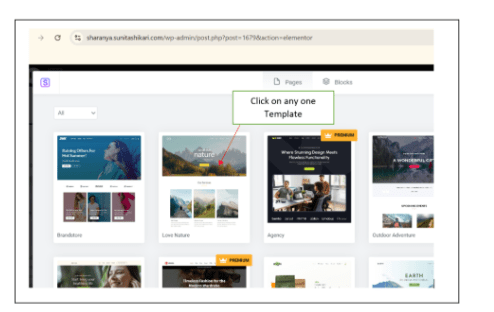
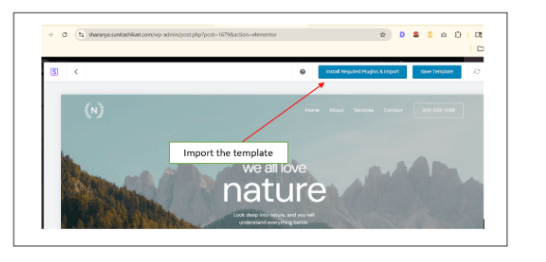
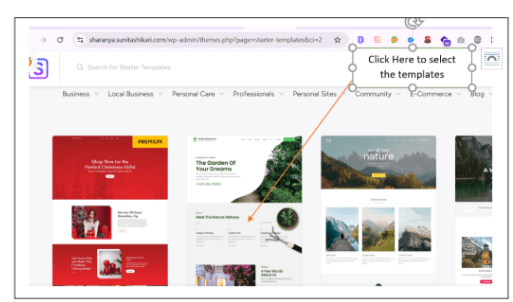
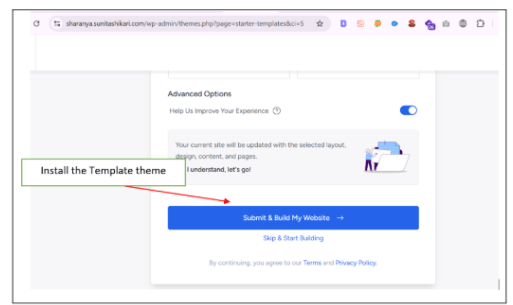
Insert Template (If Available)
4
Import a restaurant template OR start from scratch
For creating extra pages that are not present in the starter template plugin theme - Create Pages manually.
5
Create all planned pages:
(Home, About, Menu, Contact, etc.)
Setup Navigation Menu
6
Congratulations!
You have successfully completed Website Structure & Pages
What You Learned :
Checkpoint
Next-Lab Preparation
Topic : Advanced Website Designing
1) Home Page Design
2) About Page Design
3) Header & Footer Design
4) Contact Form Setup
5) Mobile Friendly Website
6) Speed Optimization
7) Website Security & Blogs Creation
By Content ITV