
Content ITV PRO
This is Itvedant Content department
FinCheck Project Initiation & Banking Domain Understanding
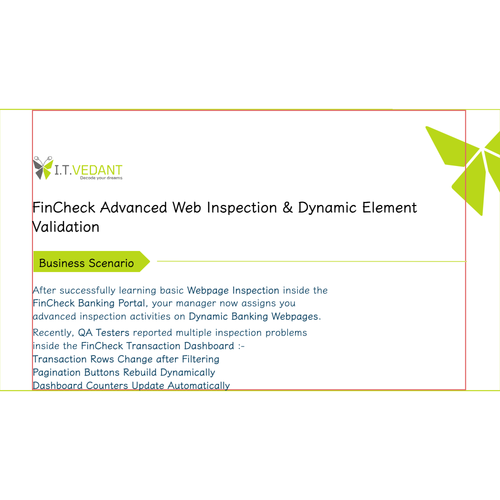
Business Scenario
Welcome!
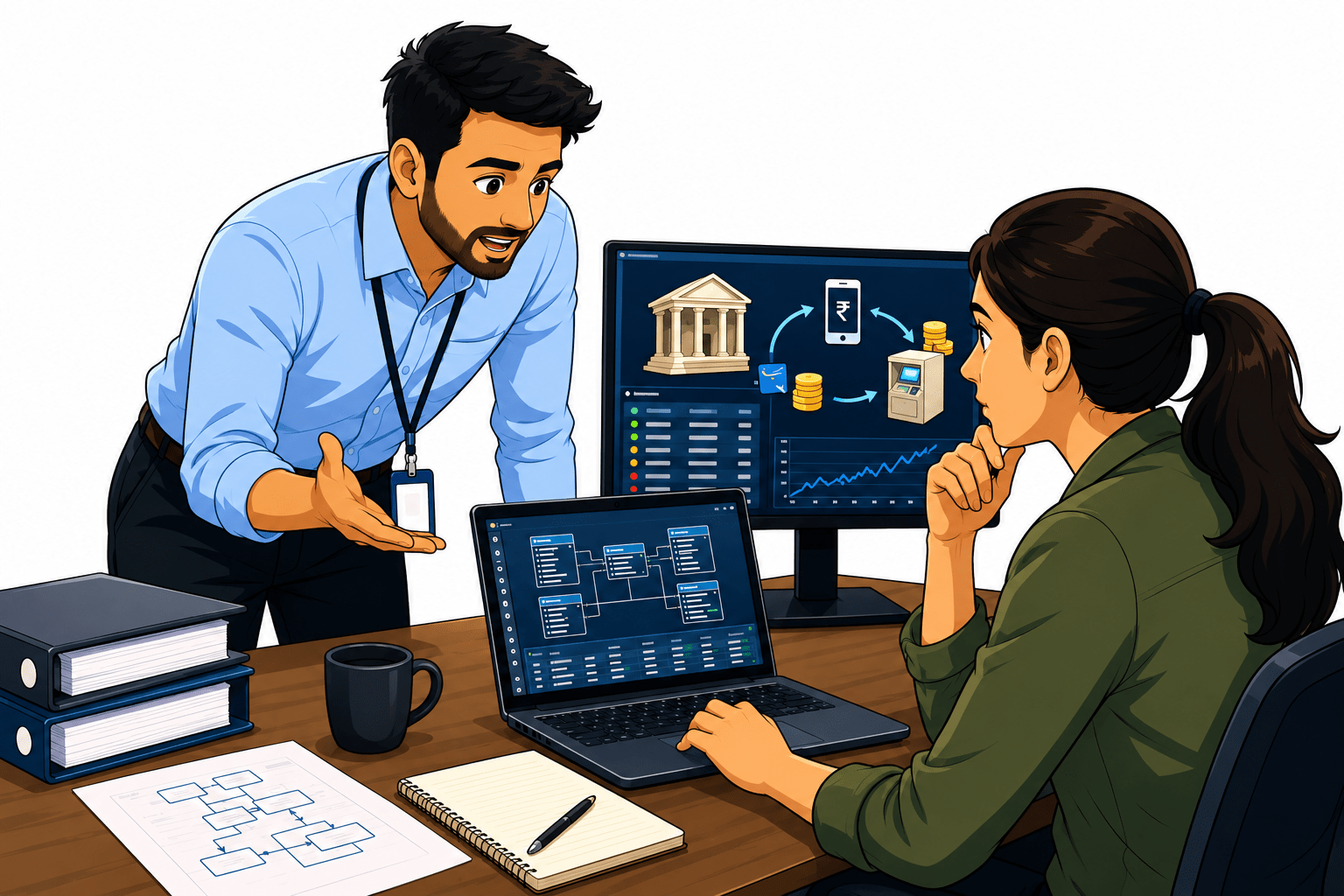
You are joining the FinCheck project as a Database Tester in a banking system.
On your first day, your manager highlights a serious issue: customers are reporting wrong account balances after transactions like UPI payments, salary credits, and ATM withdrawals.
Pre-Lab Preparation
The system processes thousands of transactions daily, and even a small error can lead to incorrect balances or duplicate money entries.
Before you start testing the database, your manager clearly says:-
If you don’t understand how money moves in banking, you cannot test the data correctly.
Topic: SQL for Testers
1)Database Basics, DDL/DML Commands
2)Joins, Aggregates, and Data Validation with SQL
git pull origin branchNameGit Pull
Task 1: Understand Banking Transaction Flow
Understand Debit
1
1
What is Debit?
Debit means money goes OUT from a customer account.
Whenever a customer :
Withdraws money
Makes payment
Transfers funds
The account balance decreases
In banking systems, debit transactions are extremely important because they directly affect customers' money.
Types of Debit Transactions
ATM Withdrawal- Customer withdraws money using ATM.
UPI Payment-Customer sends money through UPI apps.
Online Shopping Payment - Money is deducted at the time of purchase.
Utility Bill Payment: Electricity, gas, and mobile recharge.
Bank Transfer - Money transferred to another account
Types of Debit Transactions
UPI Payment - Customer sends money through UPI apps.
Online Shopping Payment - Money is deducted at the time of purchase.
Utility Bill Payment - Electricity, gas, and mobile recharge payments.
Bank Transfer - Money transferred to another account.
How Debit Works
When a customer performs a debit transaction:
Customer initiates transaction.
System validates:1. Account number, 2. PIN/password, 3. Available balance
The transaction request is processed.
Amount is deducted from the balance.
Updated balance is stored in the database.
Transaction history is recorded.
Real Life Example
Rahul has ₹10,000 in his account.
He withdraws ₹2,000 using an ATM.
Calculation
Previous Balance = ₹10,000
Debit Amount = ₹2,000
New Balance = ₹8,000
Database Representation
Understand Credit
1
2
What is Credit?
Credit means money comes INTO a customer account.
Credit transactions increase customer balance.
Types of Credit Transactions
How Credit Works
Txn_id | Account_no | Txn_type | Amount | Balance |
|---|---|---|---|---|
TXN1001 | 101001 | Debit | 2000 | 8000 |
The customer receives money.
System validates the receiving account.
Transaction gets processed.
Amount added to the balance.
Updated balance stored in the database.
Transaction history updated.
Real Life Example
Rahul has ₹10,000 in his account.
He deposited ₹2,000 in his account using Self UPI Transfer
Calculation
Previous Balance = ₹10,000
Credit Amount = ₹2,000
New Balance = ₹12,000
Understand Balance
1
3
Database Representation
Txn_id | Account_no | Txn_type | Amount | Balance |
|---|---|---|---|---|
TXN1001 | 101001 | Credit | 2000 | 8000 |
What is Balance?
Balance is the total amount of money currently available in the customer account.
Balance changes after every debit and credit transaction.
Types of Balance?
Available Balance - Money that the customer can use immediately.
Current Balance - Total account amount.
Ledger Balance - Balance maintained by bank records.
Minimum Balance - Minimum required balance.
How Balance Works
Balance changes based on transactions.
Formula
New Balance=Previous Balance+Credit−Debit
Real Life Example
A customer performs:
ATM withdrawal
UPI payment
Salary credit
System recalculates balance after each transaction.
| Txn_id | Txn_type | Amount | Balance |
|---|---|---|---|
| TXN1001 | Debit | 2000 | 8000 |
| TXN1002 | Credit | 5000 | 13000 |
Database Representation
Understand Transaction Lifecycle
1
3
What is Transaction Lifecycle?
The transaction lifecycle represents the complete flow of transaction processing within the banking system.
Types of Transactions
Debit Transaction - Money goes out.
Credit Transaction - Money comes in.
How Transaction Lifecycle Works
System validates: 1. Account Number 2. Balance 3. Account Status
Balance updated in the accounts table.
Transaction saved in the transactions table.
Understand Transaction Lifecycle
1
3
Real Life Example
Customer performs a UPI payment of ₹500.
Flow:-
User initiates payment
System validates balance
₹500 deducted
Updated balance stored
Transaction history create
Database Representation
| Txn_id | Account_no | Txn_type | Amount | Txn_timestamp |
|---|---|---|---|---|
| TXN2001 | 101001 | Debit | 500 | 2026-05-06 10:30:00 |
Understand Account Number
1
1
What is the Account Number?
An account number is a unique identity assigned to every customer account.
It helps the system identify ownership of money.
Types of Account Numbers
Savings Account
Current Account
Salary Account
Joint Account
How Account Number Works
System uses account number to:-
identify customer
Task 2: Identify Key Data Fields
process transaction
maintain balance
track history
Real Life Example
Rahul sends ₹500 to Priya.
System transfers money using:
101001 → 101002
The database uses account numbers instead of names.
Database Representation
| Account_No | Customer_Name |
|---|---|
| 101001 | Rahul |
| 101002 | Priya |
Understand the Amount Field
1
2
What is the Amount Field?
The amount field stores the transaction money value.
Types of Amounts
Debit amount
Credit amount
Refund amount
How the Amount Field Works
Whenever a transaction occurs :
Amount gets validated
Amount stored in the database
Balance calculation uses the amount.
Understand the Amount Field
1
2
Real Life Example
The customer pays ₹500 online.
Database stores:
amount = 500
Database Representation
Transaction Table Representation
| Txn_id | Account_no | Txn_type | Amount | txn_timestamp | remarks |
|---|---|---|---|---|---|
| TXN1001 | 101001 | Debit | 2000 | 2026-05-06 10:30:00 | ATM Withdrawal |
| TXN1002 | 101002 | Credit | 5000 | 2026-05-06 11:00:00 | Salary Credit |
| TXN1003 | 101003 | Debit | 500 | 2026-05-06 11:15:00 | UPI Payment |
| TXN1004 | 101004 | Credit | 10000 | 2026-05-06 12:00:00 | Cash Deposit |
Understand Timestamp Field
1
3
What is Timestamp?
Timestamp stores the exact transaction date and time.
Types of Timestamp Usage
Transaction sequencing
Audit validation
Fraud tracking
Daily reconciliation
How Timestamp Works
Every transaction receives :
date
time
sequence order
System processes transactions using timestamp order.
Database Representation
Transaction Table Representation
| Txn_id | Account_no | Txn_type | Amount | txn_timestamp | remarks |
|---|---|---|---|---|---|
| TXN1001 | 101001 | Credit | 25000 | 2026-05-06 10:00:00 | Salary Credit |
| TXN1002 | 101002 | Debit | 5000 | 2026-05-06 11:00:00 | ATM Withdrawal |
Task 3: Define Validation Objectives
Understand Data Validation
1
1
What is Data Validation?
Data validation means checking whether the data stored in the database is accurate and complete.
Types of Validation
Null validation
Duplicate validation
Balance validation
Timestamp validation
Format validation
How Validation Works
Tester compares :
Expected data
Actual database data.
Defects are identified and reported.
Real Life Example
Asha has ₹10,000 in her bank account.
She withdraws ₹2,000 from an ATM.
According to banking rules:
Previous Balance = ₹10,000
Debit Amount = ₹2,000
Expected Balance = ₹8,000
However, when the tester checks the database after transaction processing, the system shows:
Updated Balance = ₹12,000
Instead of reducing the balance, the system incorrectly increased it.
This indicates a serious financial calculation defect inside the banking application.
Database Representation
Task 1: Understanding BRD
Before you start building anything, you need to clearly understand what the client actually wants.So, let’s begin by understanding the BRD (Business Requirement Document) shared by the client.
BRD Full Form is Business Requirement Details.BRD like a plan for building a house. This plan helps the builder understand what to build.In the same way,BRD tells developers what the client wants to build
Click to download BRD : BiteBox_BRD.pdf
Activity
After going through BRD list down the Core Features and Web Pages in the tabulated Format as shown Below.
Task 1: Understanding BRD
Before you start building anything, you need to clearly understand what the client actually wants.So, let’s begin by understanding the BRD (Business Requirement Document) shared by the client.
BRD Full Form is Business Requirement Details.BRD like a plan for building a house. This plan helps the builder understand what to build.In the same way,BRD tells developers what the client wants to build
Click to download BRD : BiteBox_BRD.pdf
Activity
After going through BRD list down the Core Features and Web Pages in the tabulated Format as shown Below.
Col 1 | Col 2 | Col 3 |
|---|---|---|
Row 1 | ||
Row 2 | ||
Row 3 |
Formula
Profit = Revenue - Cost
Task 2: Create WireFrame
Now that you understand the requirements, don’t jump into coding yet. Before development, we always visualize the layout.
Now lets create a simple wireframe for the homepage.
A wireframe is like a layout plan of a house. Before building, you decide where rooms, doors, and windows will be placed.Similarly, a wireframe helps you plan where elements like headers, images, and buttons will appear on a webpage—before adding design or colours.
Task 3: Code Editor Installation
Good work on completing the planning phase.
Now we will start development. Before that, make sure your system is ready with the required tools.
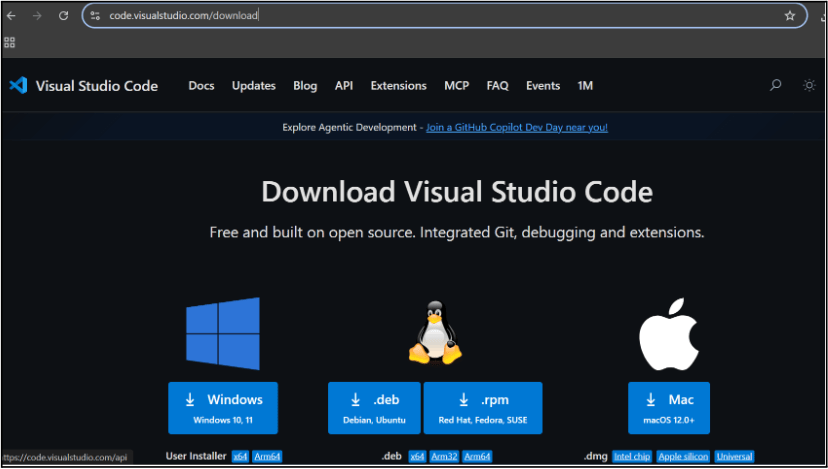
In this step we will install the VS code editor that will help to Write code efficiently,Organize files , Run and test your application
Go to the visual studio code official website
1
Click to download Homepage Wireframe : Homepage Wireframe
Choose your operating system(windows / Mac) and download the installation file.
Double click on the download app and Accept the agreement and click next
2
It is a long established fact that a reader will be distracted
b
Sub Steps
a
Double click on the download app and Accept the agreement and click next
public class MathSample {
    public static void main(String[] args) {
        int x = 10;
        int y = 20;
        int sum = x + y;

        System.out.println("The sum is: " + sum);
    }
}
public class MathSample {
public static void main(String[] args) {
int x = 10;
int y = 20;
int sum = x + y;
System.out.println("The sum is: " + sum);
}
}
public class MathSample {
public static void main(String[] args) {
int x = 10;
int y = 20;
int sum = x + y;
System.out.println("The sum is: " + sum);
}
}
Great job!
You have successfully completed your first lab on BiteBox Project Onboarding.
In this lab, you have: Understood the BRD, Created a wireframe, Set up your development environment, Organised your project structure, Run your first program
You are now ready to move to the next stage of development
Checkpoint
Next-Lab Preparation
Git Push
git push origin branchNameTopic : Working with a Text and Listin HTML
1) Power of HTML text tags
2) Customizing your style with CSS
3) Listing it right using HTML
4) HTML Link up , attributes of tag, block vs inline elements
Text box Width : 887
Business Scenario, Pre-lab Preparation, Next-lab Preparation, Task, Activity, Checkpoint : 90%.
Steps : 1,2,3 [Sub Steps - a,b,c]
Normal Text, Topic Name : 80%
Subtopic : 70%
Code Box font Size : 16px
By Content ITV