
Content ITV PRO
This is Itvedant Content department
Exploration of Investment Banking Intermediaries
Business Scenario
It’s 9:30 AM — markets just opened.
Your manager messages,
“Give me a quick market update in 10 minutes.”
No theory. No time. Only action.
Pre-Lab Preparation
You move to the Market Operations Desk, where screens are flashing with:
Your Mission is to
|
Topics: Market Participants & Infrastructure 1) Issuers, Investors, Intermediaries. 2) Brokers and dealers 3) Clearing members & clearing houses 4) Role of stock exchanges. 5) Role of depositories
|
Task 1: Navigate Market Operations on National Stock Exchange of India Website.
Lets deep dive into stock exchange part-
A stock exchange is a regulated, centralized, and mostly electronic marketplace where buyers and sellers trade shares of publicly listed companies and other financial instruments.
But, first let us understand how exchange work in 1995 before digitization crash on us for now we will take example of BSE (Bombay Stock Exchange):
Click here to see video : Mumbai Money Madness
The National Stock Exchange of India (NSE), established in 1992 and based in Mumbai, is India's largest financial exchange and a global leader in derivatives volume.
It revolutionized Indian trading by introducing electronic, screen-based trading in 1994, offering a transparent, high-speed platform for equities, derivatives, and debt.
Now let's navigate through NSE stock exchange Step by Step to take an update on today’s market.
Visit official website of NSEINDIA
1
Link - https://www.nseindia.com/
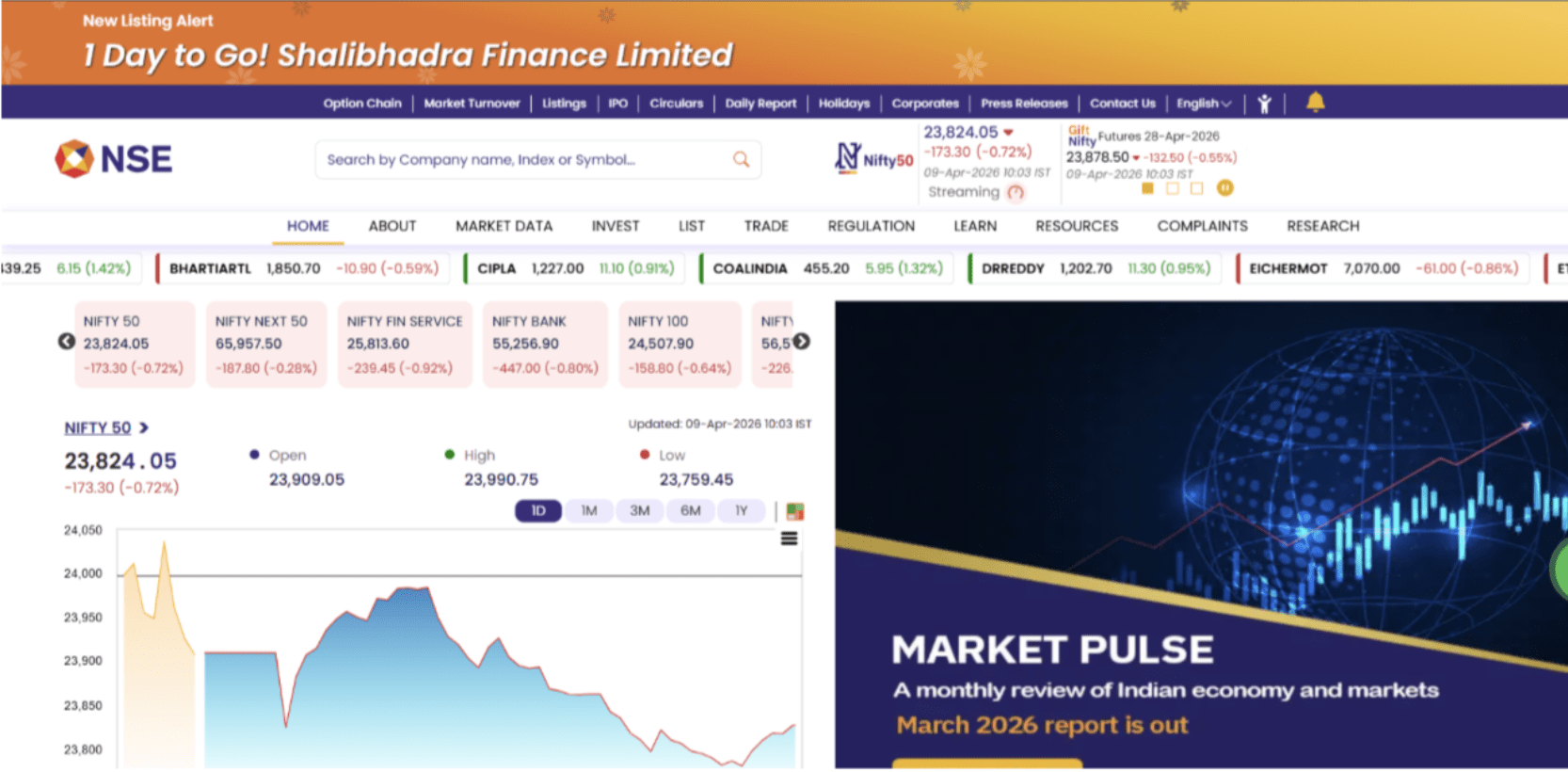
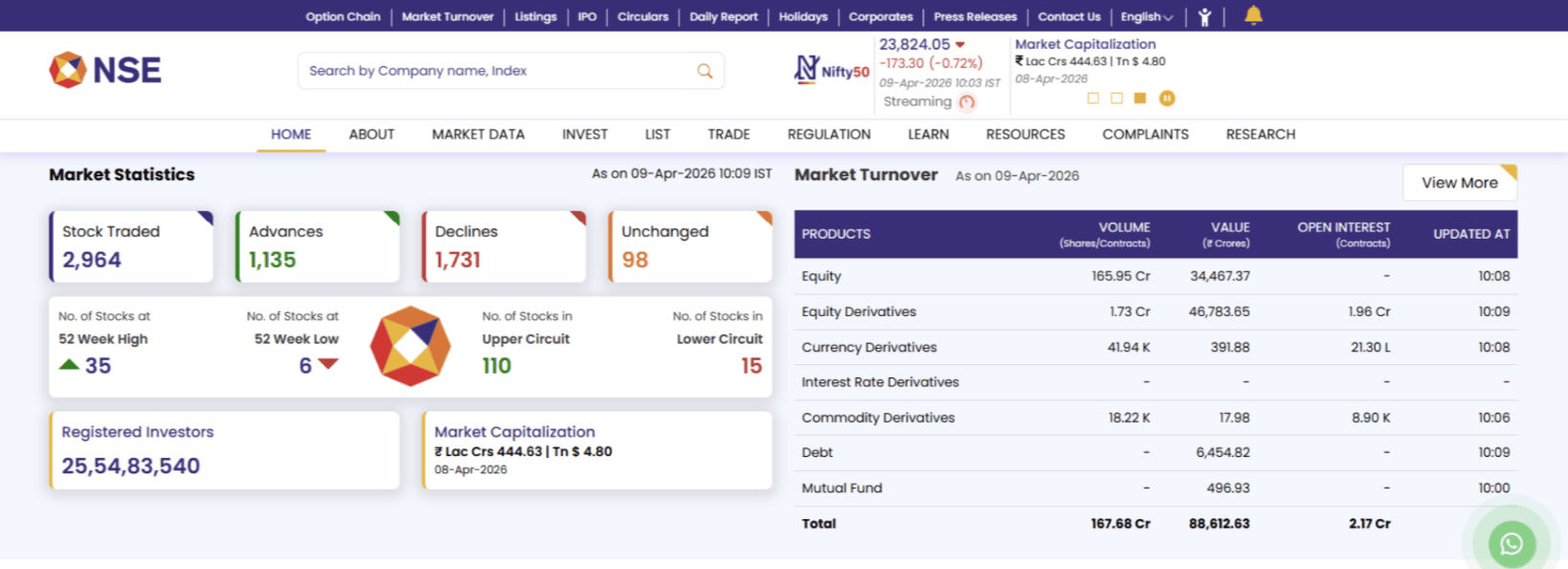
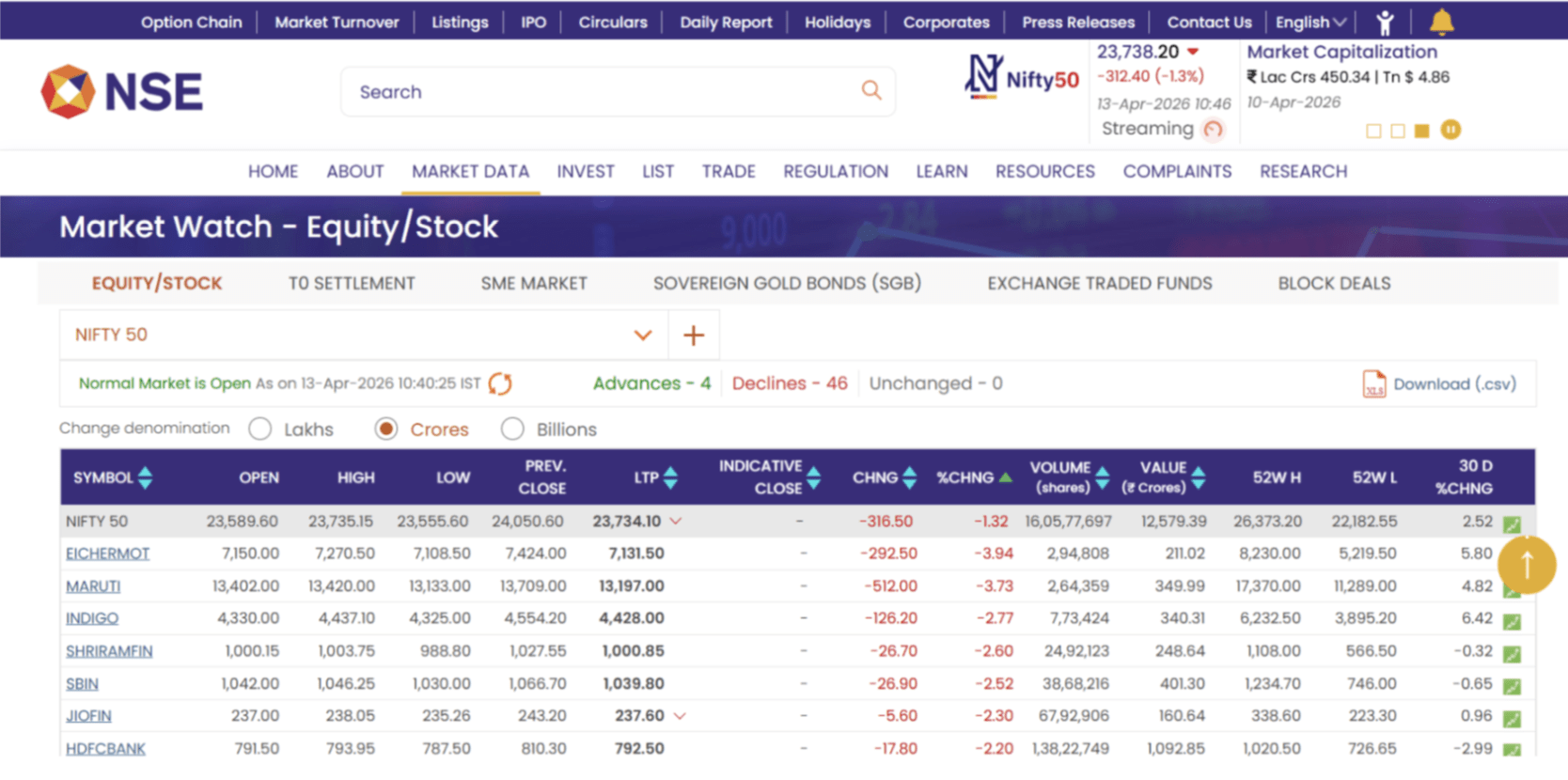
Here you will be able to see NIFTY 50 trading around 23,834 (-173) which shows the index is down 173 from yesterday's closing price.
Now scroll down a little below you will get market statistics in which you can see Stock traded, Advances, Declines and unchanged.
There is also 52 week high means stock are at one year peak and 52 week low means stock trading its lowest value from past one year
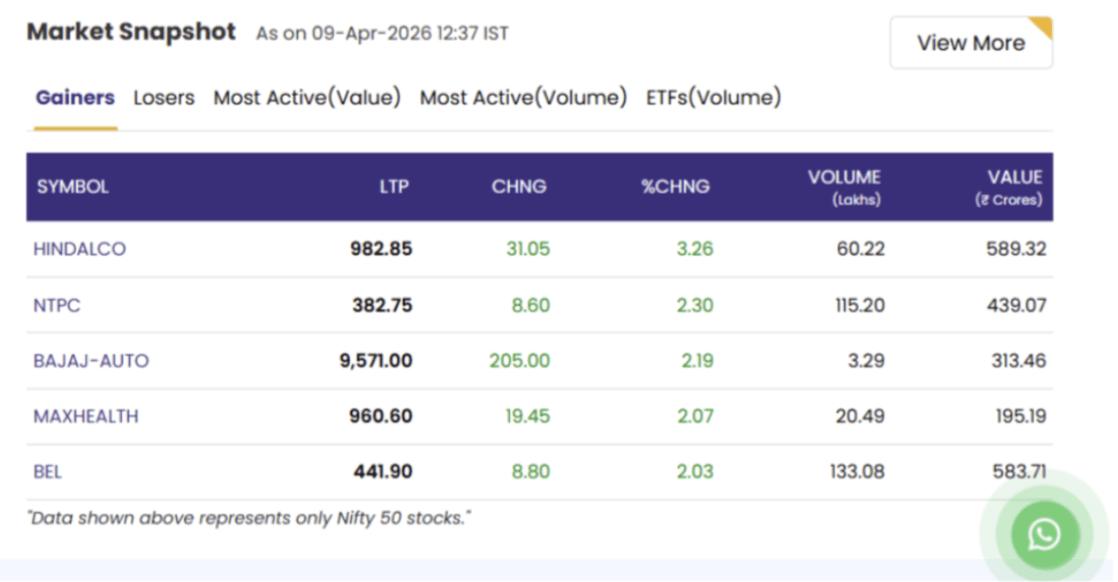
Scroll down to see the Market Snapshot section.
2
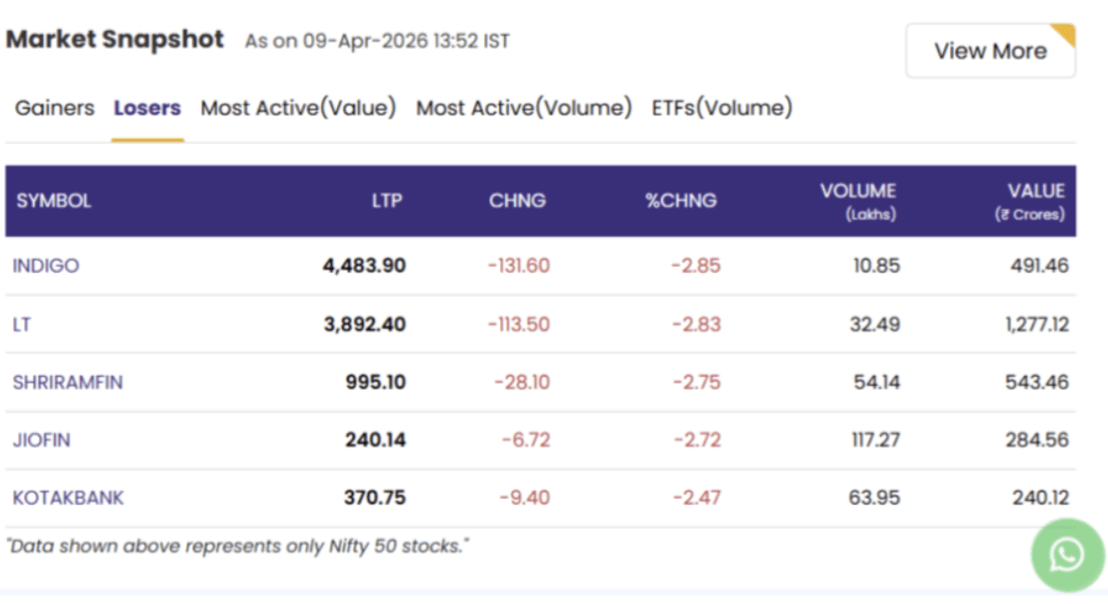
Top 5 Looser
You can see Top 5 Gainer
3
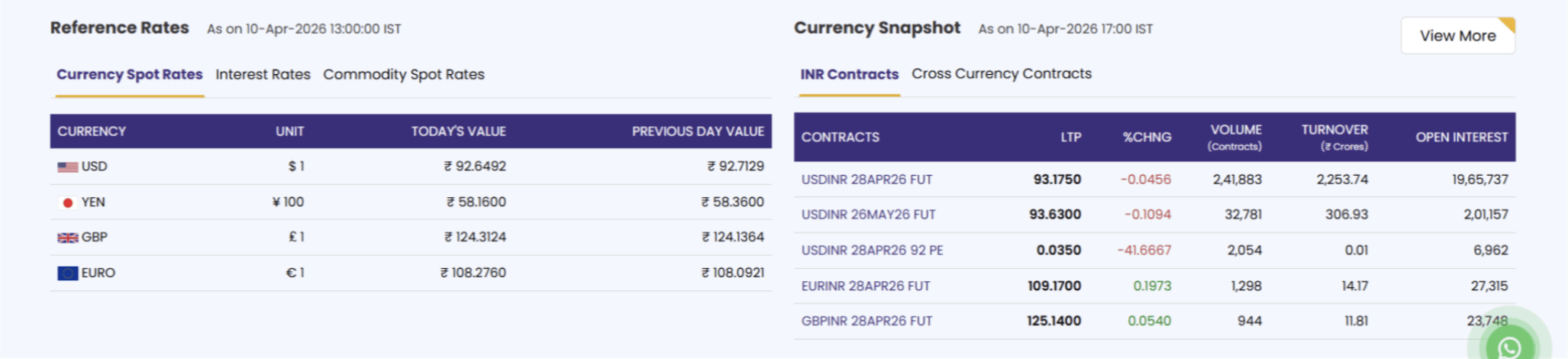
As you scroll down more you will see currency rates of all the trade currency in the Indian market
3
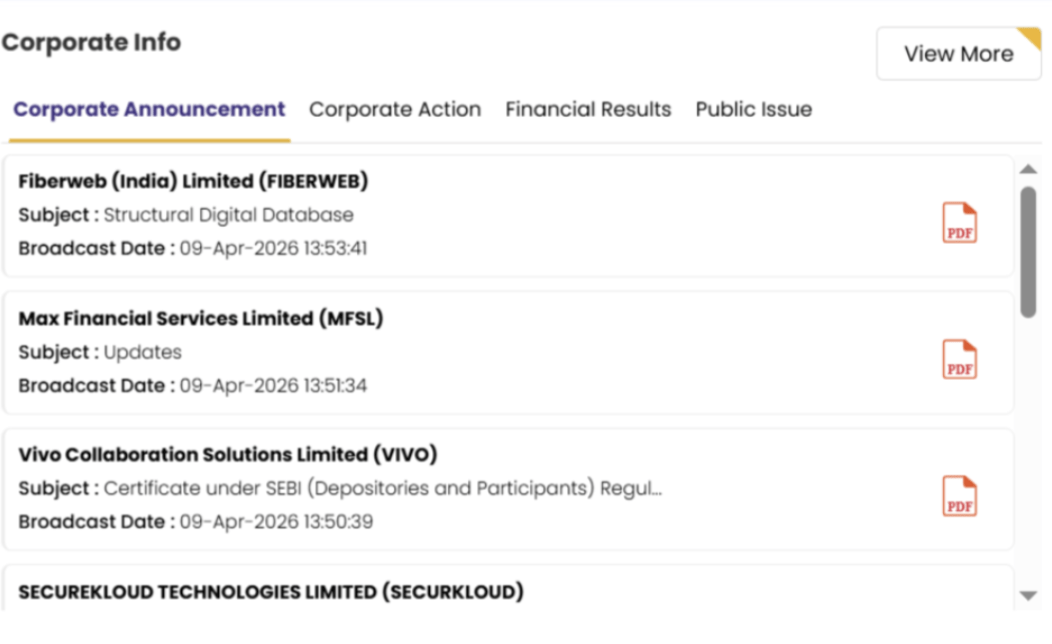
Scroll down more to see the Corporate Information of the Company.
3
4
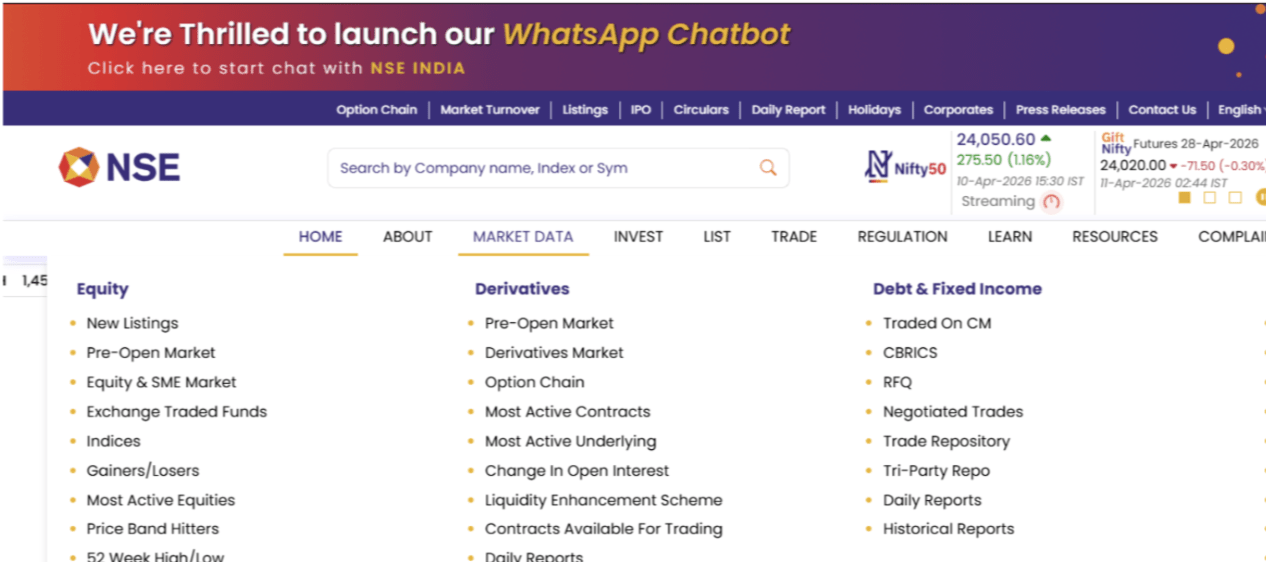
Click on market data menu as shown below in the image.
5
Now if you wanted to specifically information about NIFTY 50, then follow the below steps
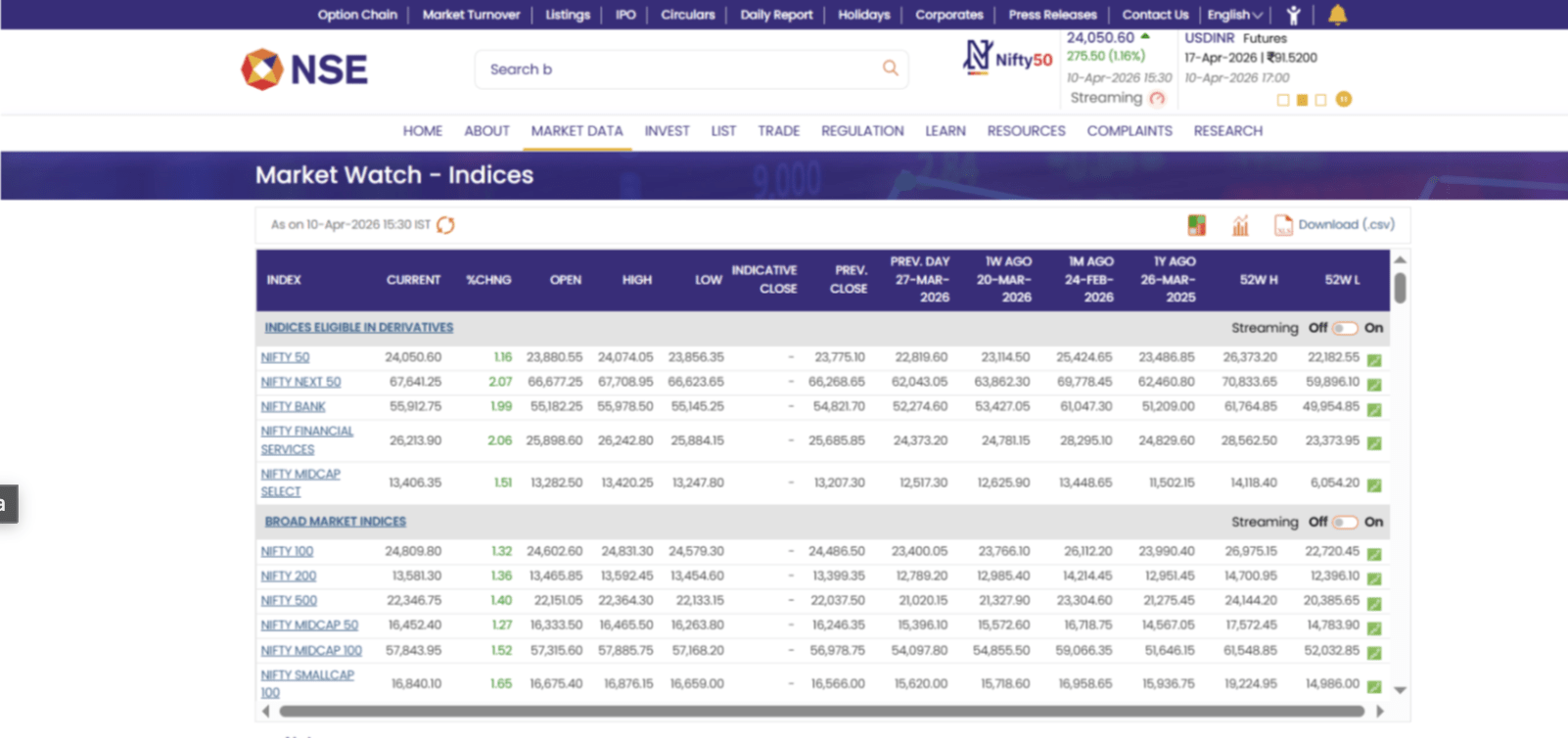
Now open NIFTY 50 Indices to see the whole index you are able to understand in detail.
7
click on the ‘indices’ in Equity column & latter click on NIFTY 50.
6
Activity
From above information fill the following table.
| Metrics | Values |
|---|---|
| Nifty 50 current market price & changes | |
| Nifty 50 top 5 gainer | |
| Nifty 50 top 5 losers | |
| Current USDINR rate |
Task 2: Explore Services Offered by a Stock Broker Platform
As you have got knowledge about exchange your manager asked you to perform trade in your account by observing the market.
For that purpose you need to understand brokers. Let's explore the services offered by a stock broker platform.
Let's continue with a mediator who will connect you with a stock exchange that is a broker there are n number of brokers in market first understand the types of broker.
There are two types of brokers: Full time service broker and Discounted broker.
Lets Understand Full time brokers first as they provide comprehensive services, including investment advice, research, and portfolio management. They charge higher fees and commissions.
Now lets look into Discount Broker Execute trades at low costs, often online, ideal for self-directed investors. They typically do not provide personalized advice.
One of those discount brokers we are going to see is zerodha. Zerodha has their own platform known as kite.
visit the following website to access Zerodha Kite Platform
1
Link - https://kite.zerodha.com/
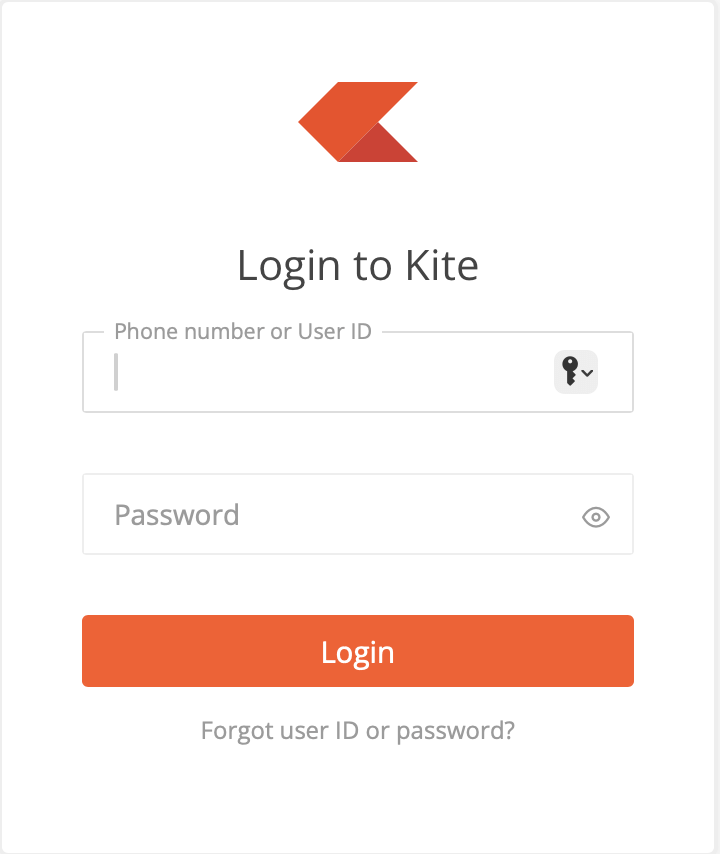
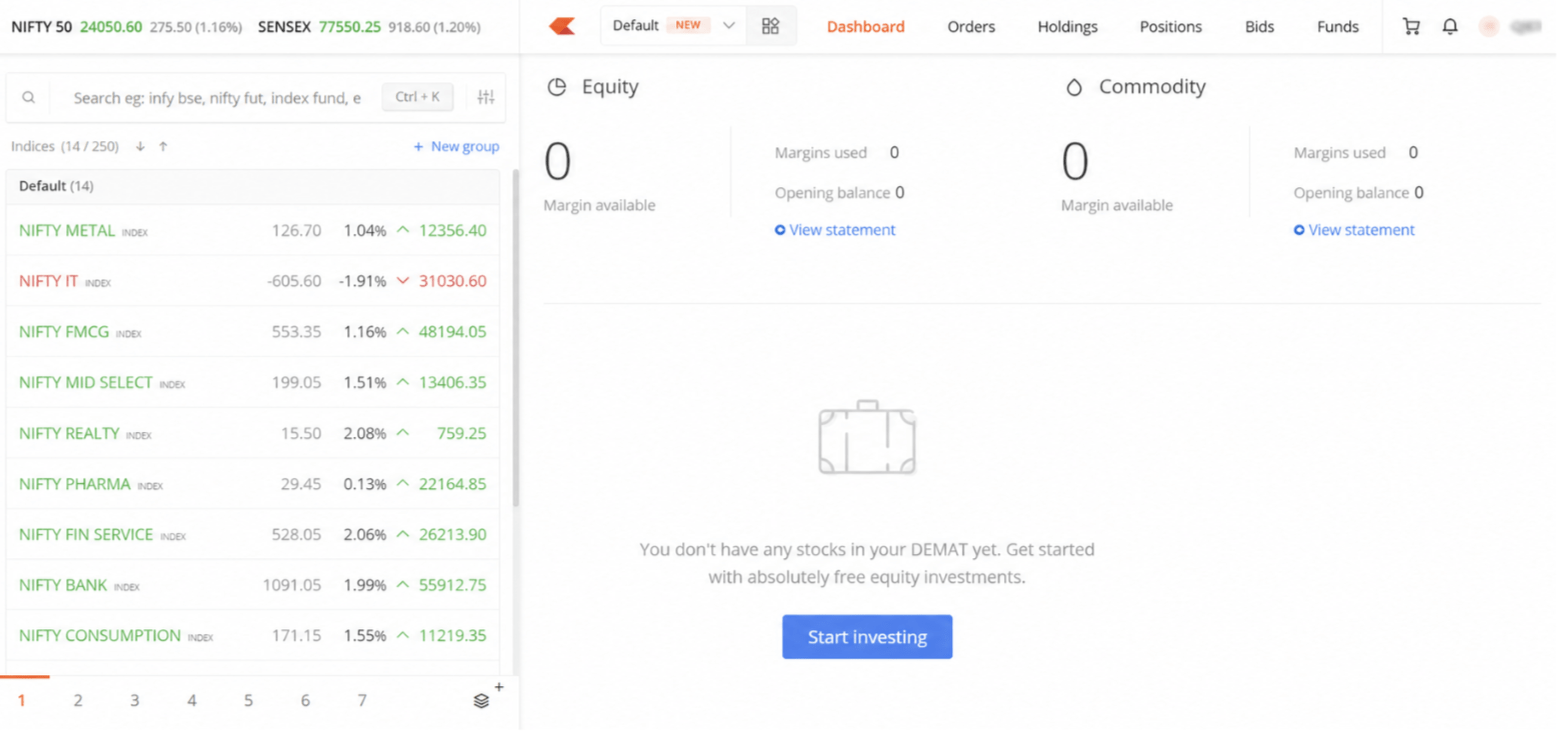
Enter User ID and Password , with valid credentials you will be directed to your dashboard which is shown below.
2
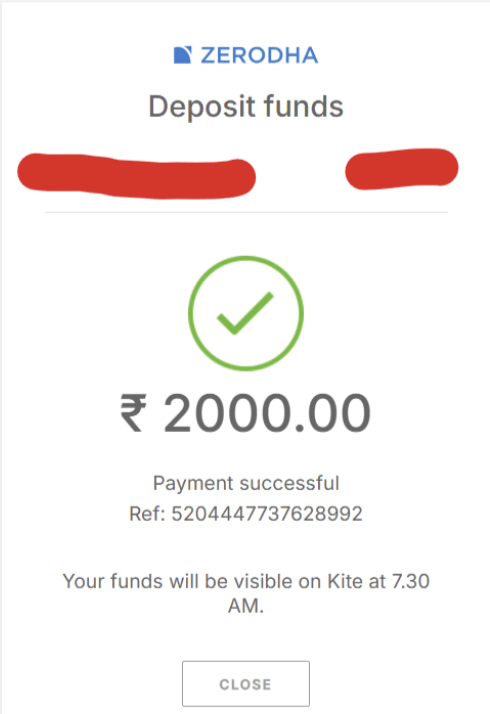
Click on the button start Investing and add some funds into your account.
3
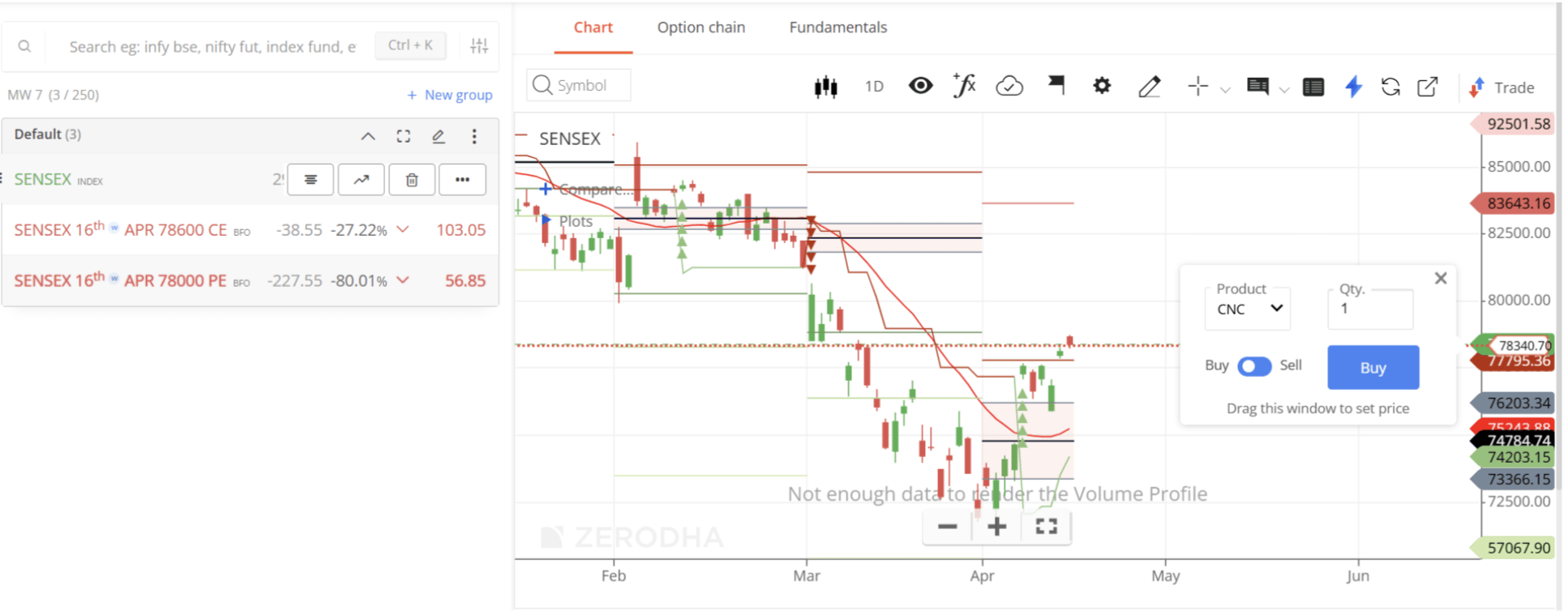
As funds are added to your account lets visit sensex, you're able to see opportunity in sensex for buy side you selected particular strike price in ce option.
3
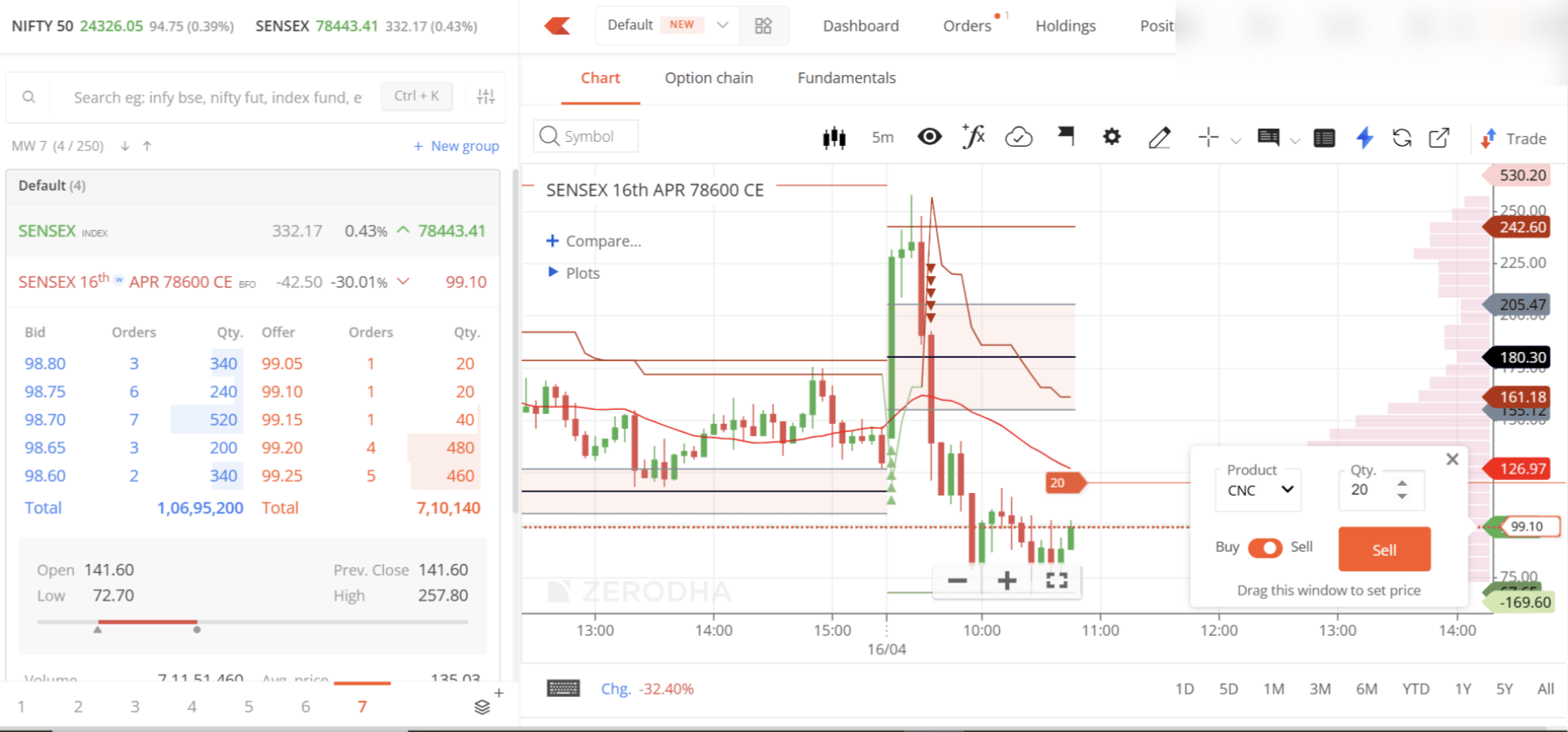
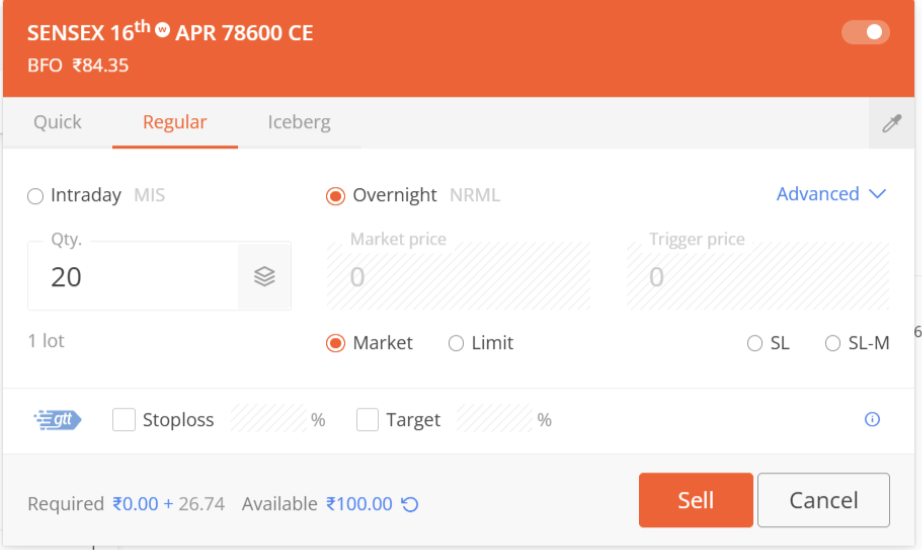
Lets select sensex 16th APR 78600 CE as our strike to purchase
4
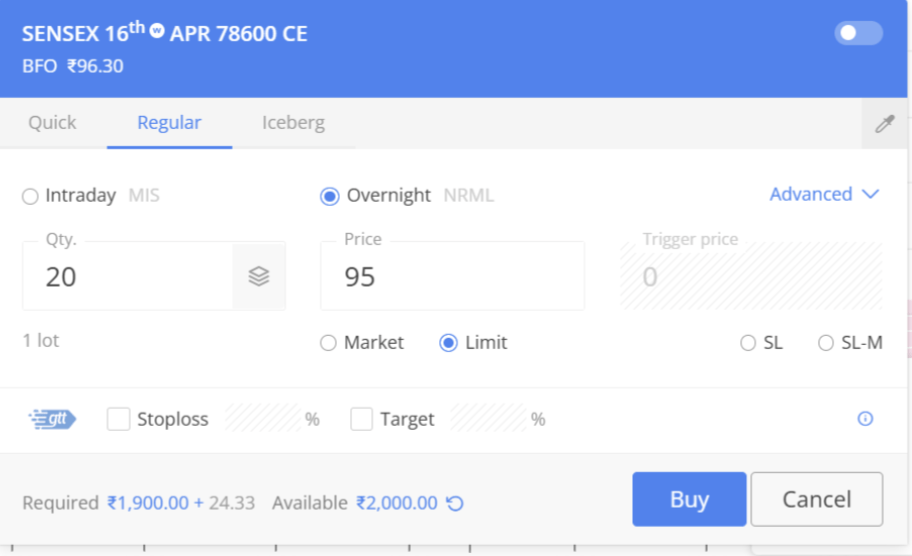
As you can see in the image the sell side window has been popped on the chart . Let's switch it to the buy side.
Now we have decided to buy this at Limit price of 95
5
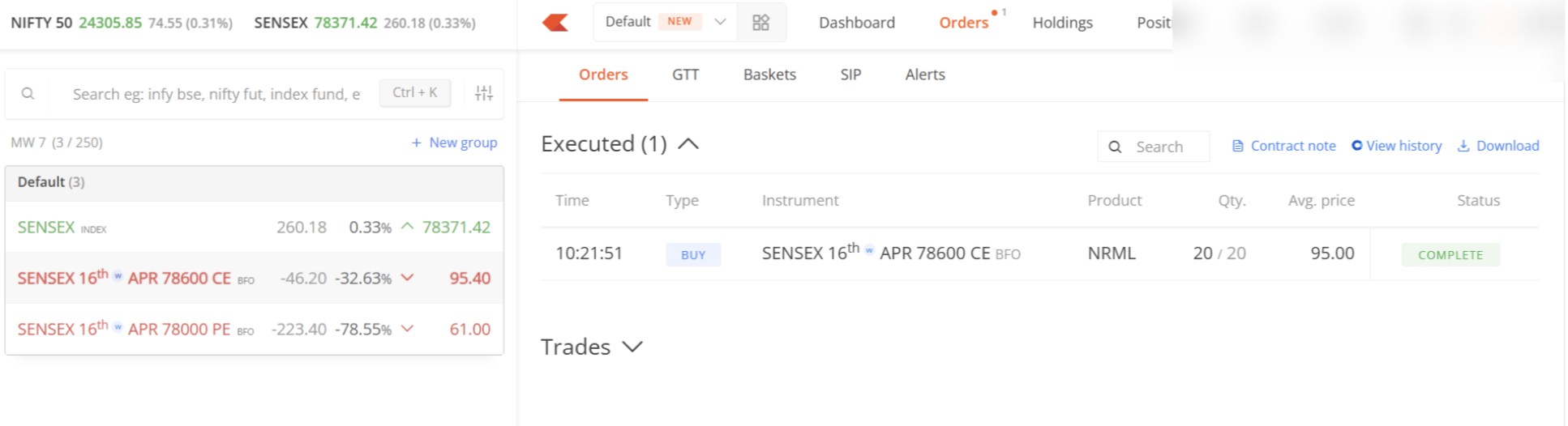
The order will get executed automatically when option price come at exact price of 95
6
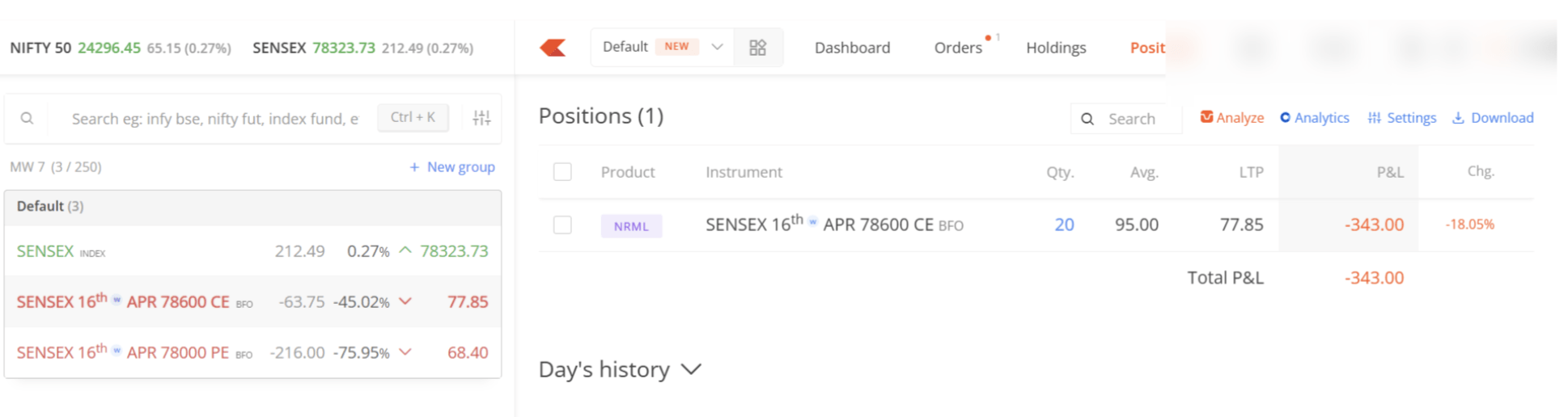
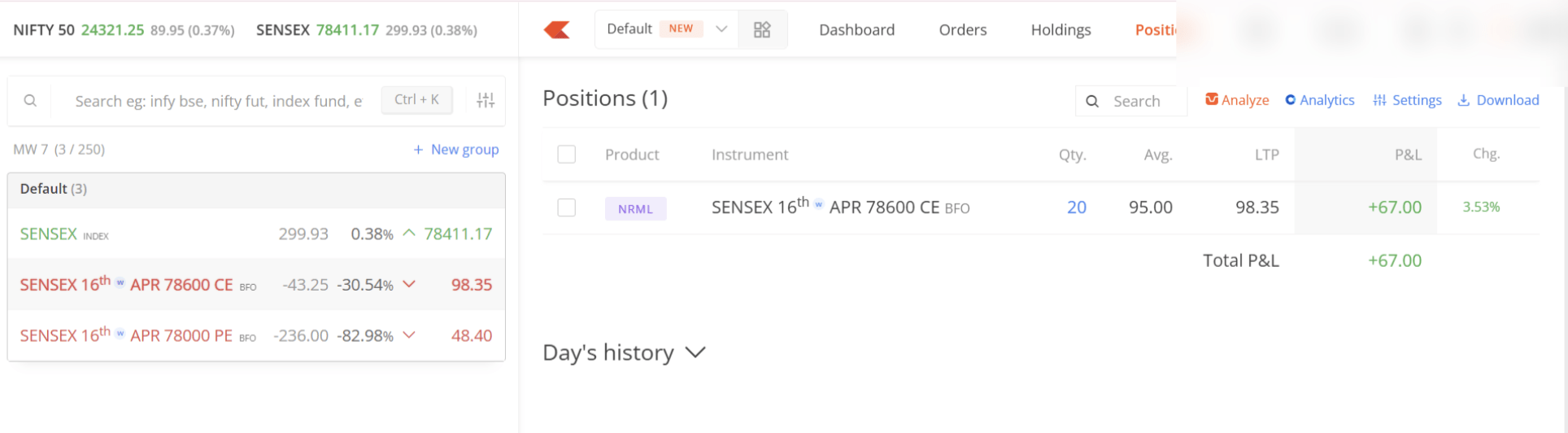
Now watch your order in position tab is it in profit or loss in running position.
7
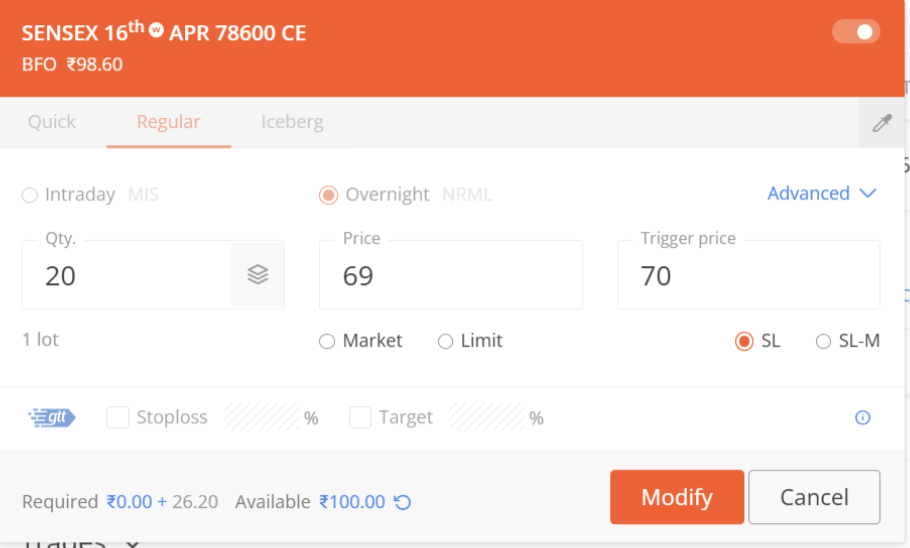
As your position in loss lets take precautionary measures lets put sl order in the system.
8
SL- Stop Loss order: A stop-loss order is a risk-management tool placed with a broker to automatically sell a security (or buy, if short) when it reaches a specific "stop price," limiting potential losses.
Once triggered, it becomes a market order, executing at the best available price. It removes emotion, ensures discipline, and eliminates the need for constant monitoring.
Open sell order window and put SL as shown below.
9
10
Now you have been put SL into the system lets wait for some profit then we will modify this order into sell order
11
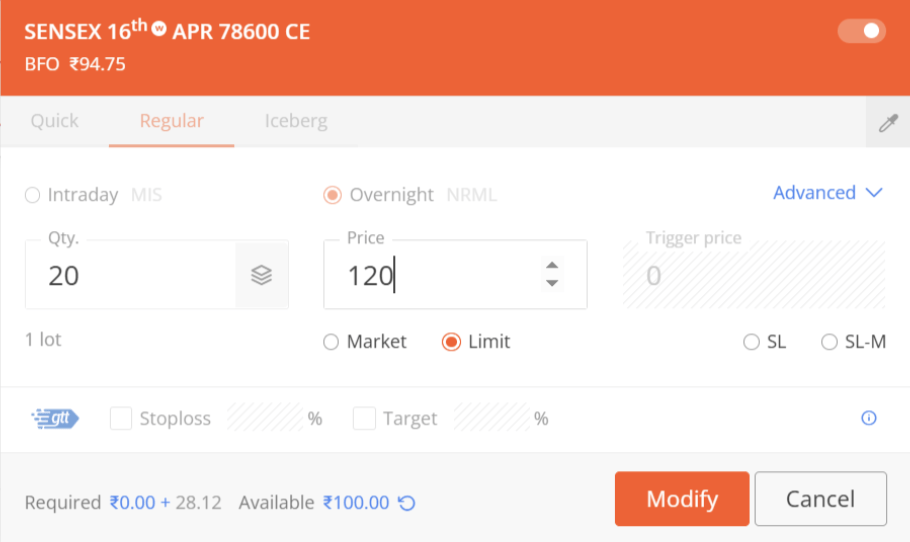
Lets put sell limit order at 120 rs for that we need to modify our sl order
Formula
Profit = Revenue - Cost
Task 2: Create WireFrame
Now that you understand the requirements, don’t jump into coding yet. Before development, we always visualize the layout.
Now lets create a simple wireframe for the homepage.
A wireframe is like a layout plan of a house. Before building, you decide where rooms, doors, and windows will be placed.Similarly, a wireframe helps you plan where elements like headers, images, and buttons will appear on a webpage—before adding design or colours.
Task 3: Code Editor Installation
Good work on completing the planning phase.
Now we will start development. Before that, make sure your system is ready with the required tools.
In this step we will install the VS code editor that will help to Write code efficiently,Organize files , Run and test your application
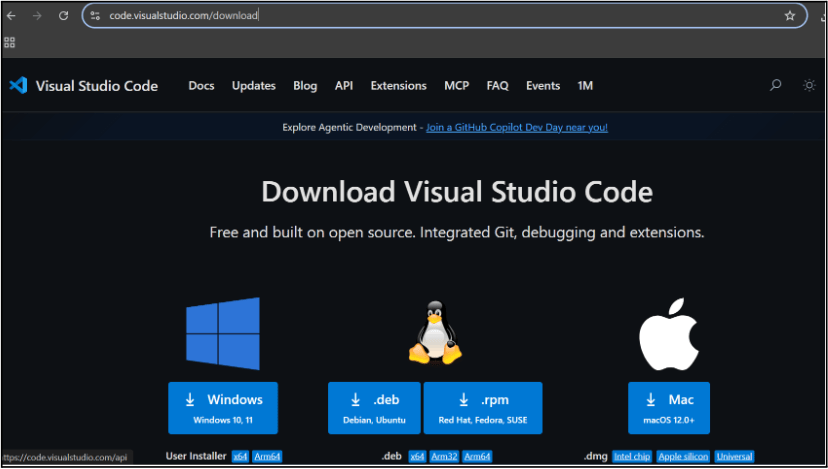
Go to the visual studio code official website
1
Click to download Homepage Wireframe : Homepage Wireframe
Choose your operating system(windows / Mac) and download the installation file.
Double click on the download app and Accept the agreement and click next
2
It is a long established fact that a reader will be distracted
b
Sub Steps
a
Double click on the download app and Accept the agreement and click next
public class MathSample {
    public static void main(String[] args) {
        int x = 10;
        int y = 20;
        int sum = x + y;

        System.out.println("The sum is: " + sum);
    }
}
public class MathSample {
public static void main(String[] args) {
int x = 10;
int y = 20;
int sum = x + y;
System.out.println("The sum is: " + sum);
}
}
public class MathSample {
public static void main(String[] args) {
int x = 10;
int y = 20;
int sum = x + y;
System.out.println("The sum is: " + sum);
}
}
Great job!
You have successfully completed your first lab on BiteBox Project Onboarding.
In this lab, you have: Understood the BRD, Created a wireframe, Set up your development environment, Organised your project structure, Run your first program
You are now ready to move to the next stage of development
Checkpoint
Next-Lab Preparation
Git Push
git push origin branchNameTopic : Working with a Text and Listin HTML
1) Power of HTML text tags
2) Customizing your style with CSS
3) Listing it right using HTML
4) HTML Link up , attributes of tag, block vs inline elements
Text box Width : 887
Business Scenario, Pre-lab Preparation, Next-lab Preparation, Task, Activity, Checkpoint : 90%.
Steps : 1,2,3 [Sub Steps - a,b,c]
Normal Text, Topic Name : 80%
Subtopic : 70%
Code Box font Size : 16px
By Content ITV