





Content ITV PRO
This is Itvedant Content department
Building Basic Output Programs
Business Scenario
Welcome!
Today is your second day as a Junior Data Analyst at the Indian Railways Reservation Department. In the previous lab, you successfully installed required softwares.
The department requires a basic program capable of displaying train details, passenger information and ticket confirmation messages in a properly formatted manner.
Pre-Lab Preparation
To complete this task successfully, you must understand core Python programming fundamentals such as:
Variables and Python Operators
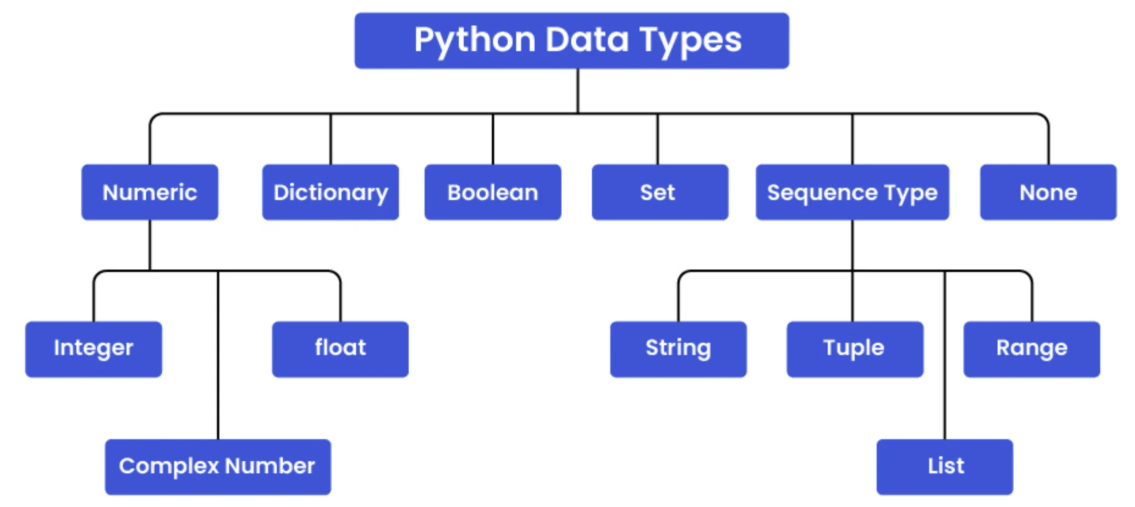
Data Types, Identifiers, and Literals
Type Casting
Comments
Topic : Build Basic Output Programs for Railway System
1) Display welcome message, train details, passenger info
2) Format output using print()
3) Simulate ticket confirmation message
git pull origin branchNameGit Pull
1
Task 1: Creating Variables for Railway Information
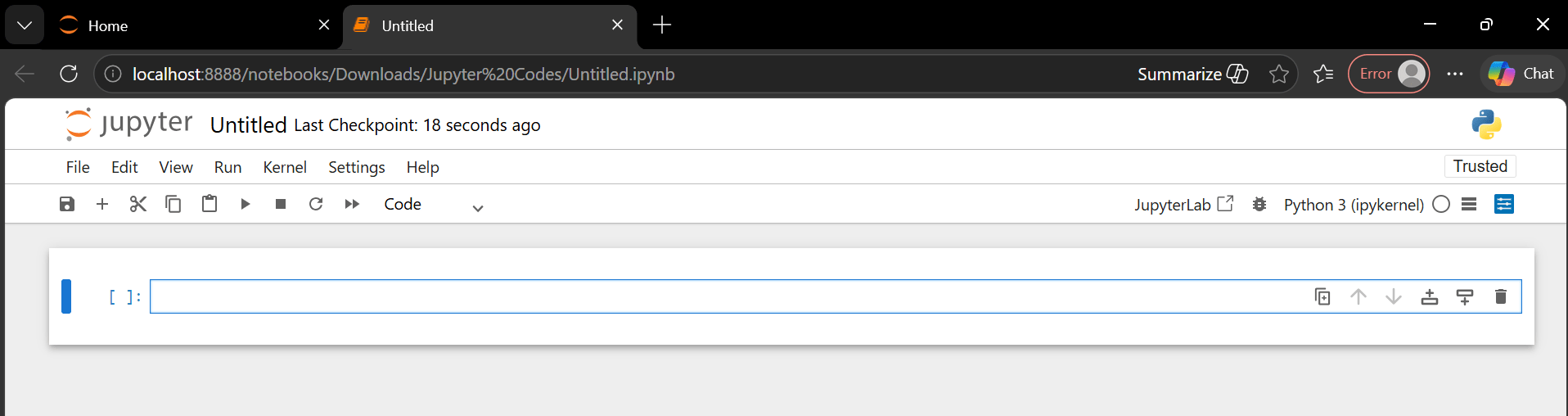
Open Jupyter Notebook.
A Variable in Python is a name used to store data or values in memory, which can be used and changed later in a program.
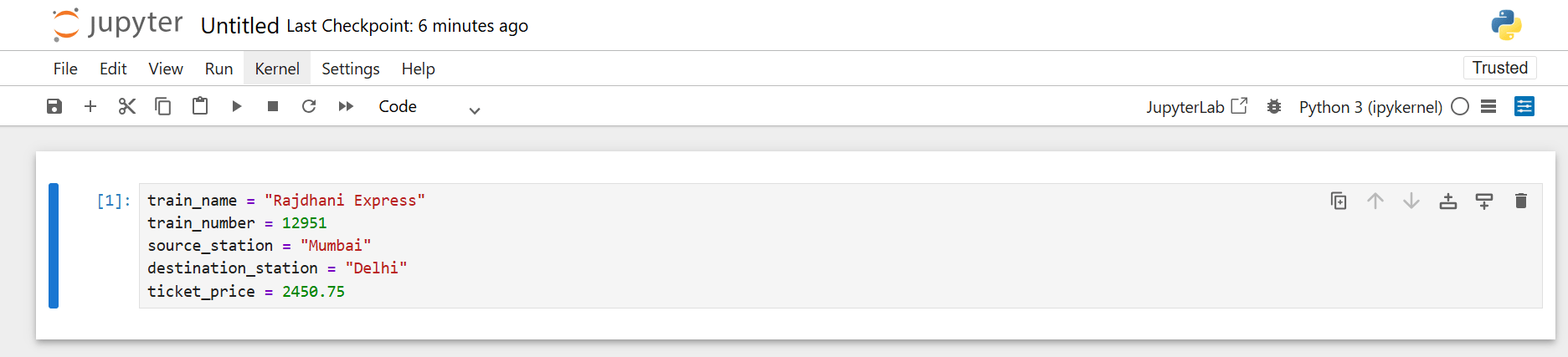
Declare variables for train and passenger information
2
train_name = "Rajdhani Express"
train_number = 12951
source_station = "Mumbai"
destination_station = "Delhi"
ticket_price = 2450.75
Run the Program
3
The code will be executed and you have successfully created a Variable
Task 2: Displaying Welcome Message and Train Details
1
Use the print() function to display railway system details
Execute the code and observe the output
2
print("Welcome to Indian Railway Reservation System")
print("Train Name :", train_name)
print("Train Number :", train_number)
print("Source Station :", source_station)
print("Destination Station :", destination_station)
You have successfully displayed the welcome message and train details
Task 3: Understanding Data Types and Identifiers
1
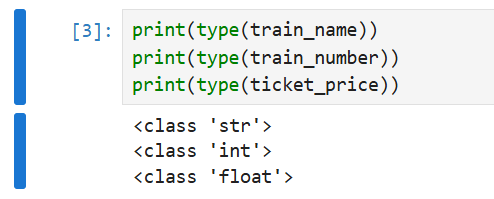
Use the type() function to identify data types
print(type(train_name))
print(type(train_number))
print(type(ticket_price))
Create valid identifiers and literals for passenger information.
2
The connection between identifiers and literals is that "identifiers" are used to store or refer to "literal" values in a program
Example:
age = 21
age → Identifier
21 → Literal
Here, the identifier age stores the literal value 21.
passenger_name = "Rahul Sharma"
seat_number = "B2-45"
is_confirmed = True
Execute the code, to create an "identifier" and "literal"
3
Task 4: Performing Type Casting
1
Convert float data into integer data type
Convert integer data into string format
2
ticket_price_integer = int(ticket_price)
print(type(ticket_price_integer))
train_number_string = str(train_number)
print(type(train_number_string))Task 5: Adding Comments in Python Program
1
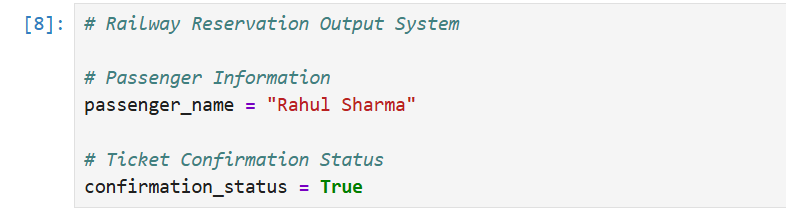
Add comments for the code
In Python, comments are lines in the code that are used to note, explain or describe the code and ignored while execution
Task 6: Simulating Ticket Confirmation Message
Create passenger confirmation variables
1
passenger_name = "Rahul Sharma"
seat_number = "B2-45"
confirmation_status = "Confirmed"
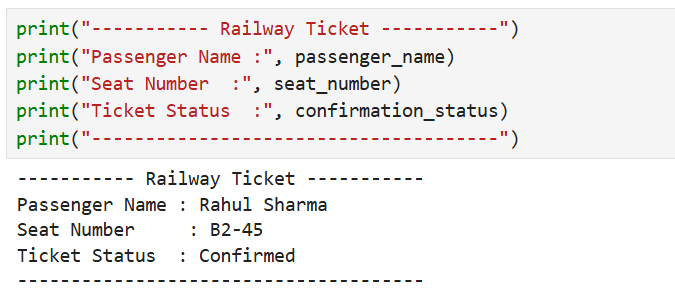
Display ticket confirmation message using formatted output
2
The final railway ticket output has been generated
Save the file as : railway_output_system.ipynb
3
Great job!
You have successfully created variables, explored data types, identifiers, literals and type casting concepts. Used comments to improve program readability and documentation.
Built beginner level railway system programs for displaying train details and ticket confirmation
Checkpoint
Git Push
git push origin branchNameNext-Lab Preparation
Topic: Store and Manage Data Using Variables
1) Storing details
2) Performing calculations
By Content ITV