Content ITV PRO
This is Itvedant Content department
Build Client-Server Communication Using Sockets
Business Scenario
Welcome!
You are working as a junior cybersecurity engineer
Tasked to develop and simulate this client-server communication system using socket programming.
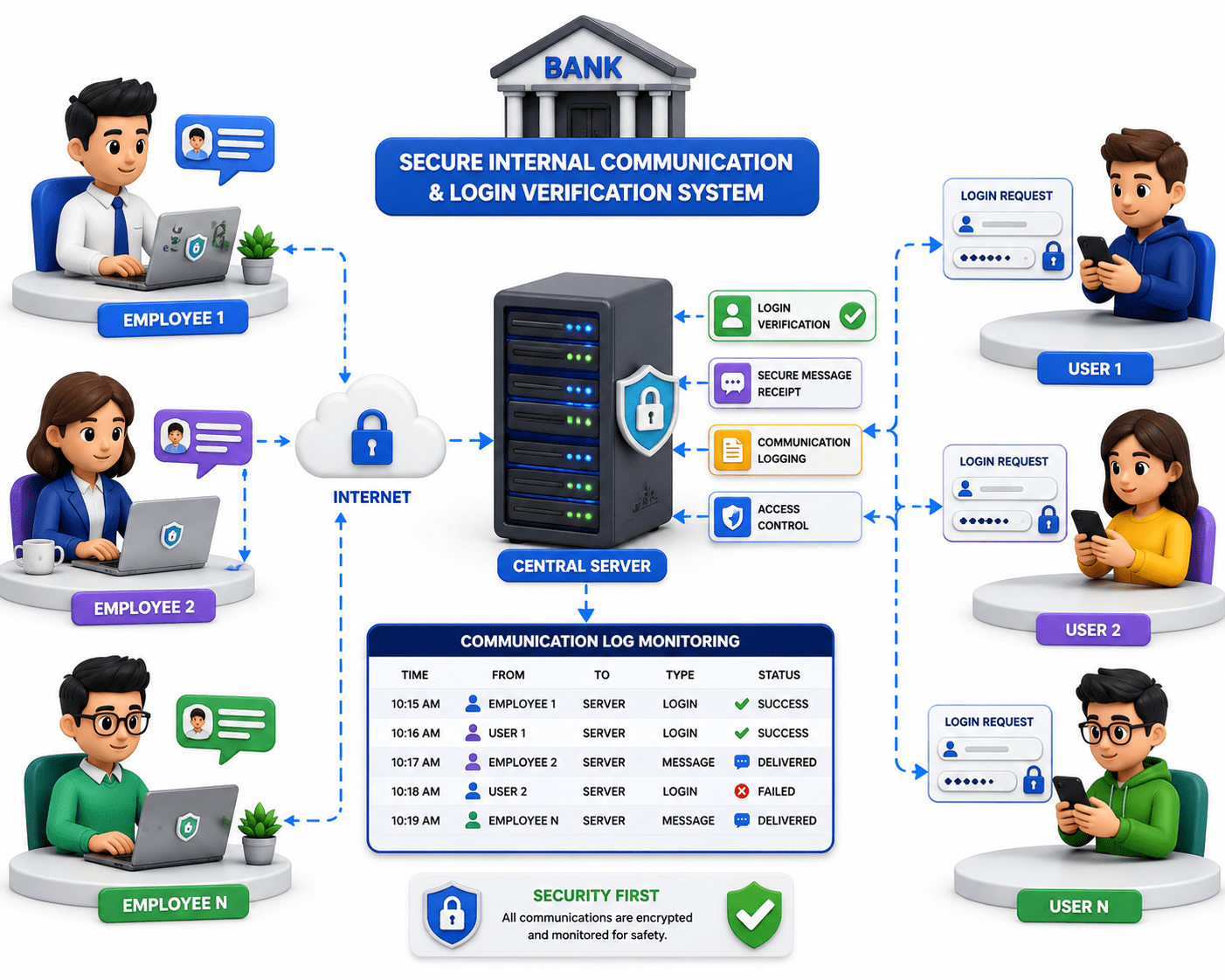
A bank wants to develop a secure internal communication and login verification system where employees and users can send messages and login requests to a central server.
Pre-Lab Preparation
The server receives data from multiple clients, verifies login credentials, and logs all communication for monitoring and security purposes.
Task 1: Secure Office Communication System
In this task, you will understand the basics of client-server architecture by creating a server that listens for incoming connections and a client that sends messages to the server. You will also establish communication between both systems to simulate real-time data exchange using socket programming.
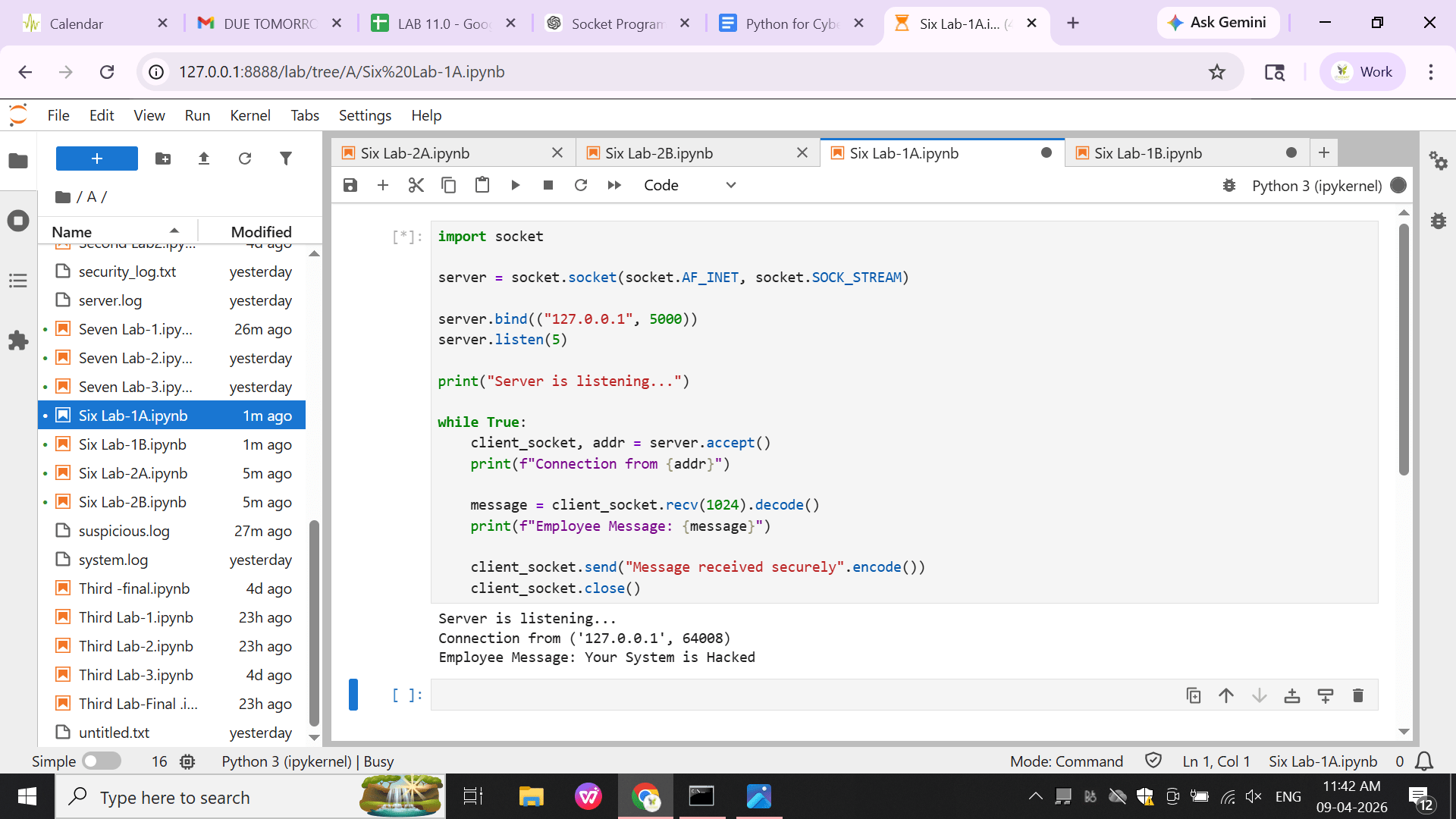
Server Code (Message Receiver)
1
Topic : Networking and Security Scripting with Python
1) Socket programming basics
2) Writing scripts for automation
3) Automating simple security tasks
import socket

server = socket.socket(socket.AF_INET, socket.SOCK_STREAM)

server.bind(("127.0.0.1", 5000))
server.listen(5)

print("Server is listening...")
while True:
   client_socket, addr = server.accept()
   print(f"Connection from {addr}")

   message = client_socket.recv(1024).decode()
   print(f"Employee Message: {message}")

   client_socket.send("Message received securely".encode())
   client_socket.close()
Output :
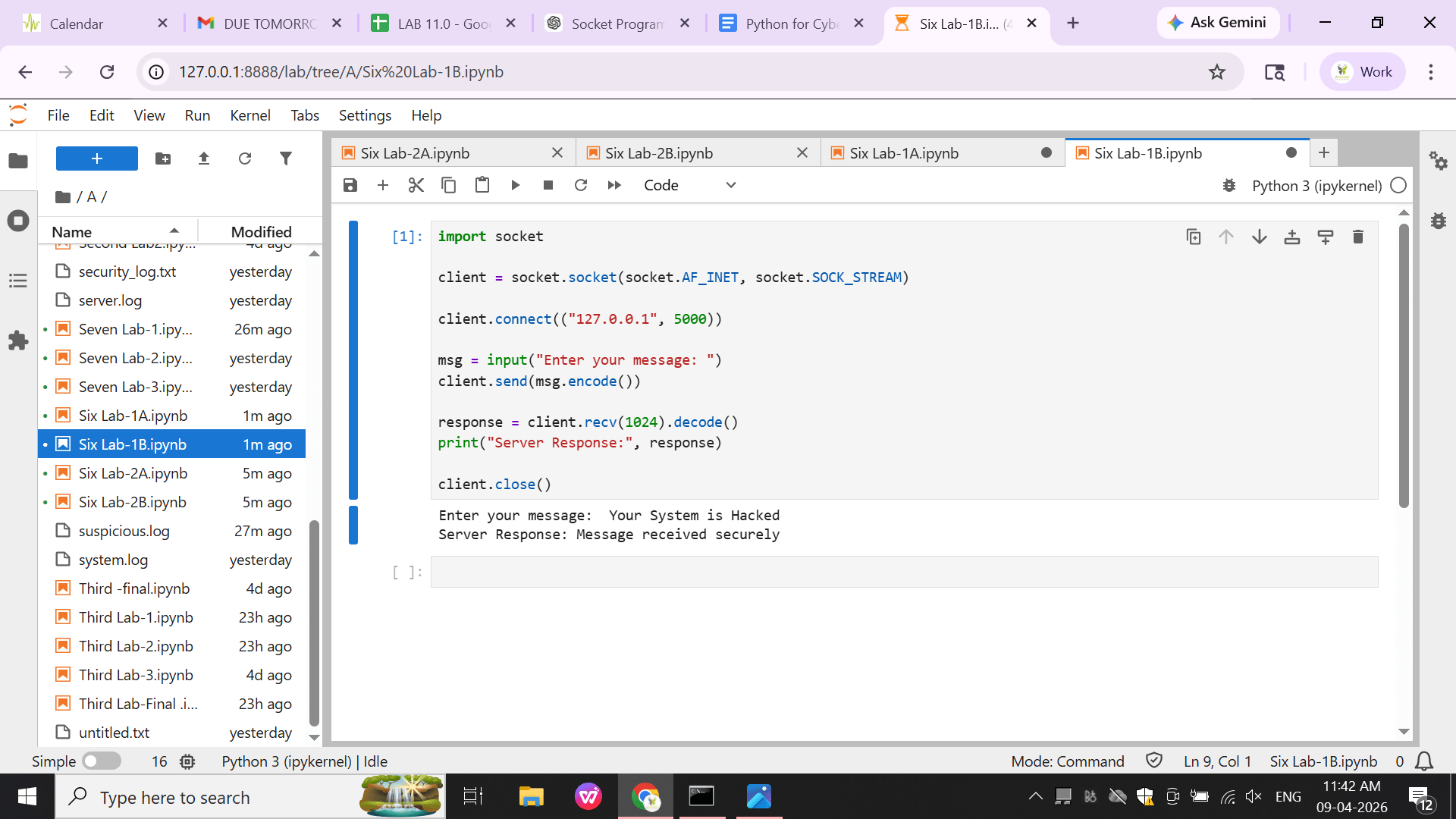
Client Code (Employee Sender)
2
import socket

client = socket.socket(socket.AF_INET, socket.SOCK_STREAM)

client.connect(("127.0.0.1", 5000))

msg = input("Enter your message: ")
client.send(msg.encode())

response = client.recv(1024).decode()
print("Server Response:", response)

client.close()
Output :
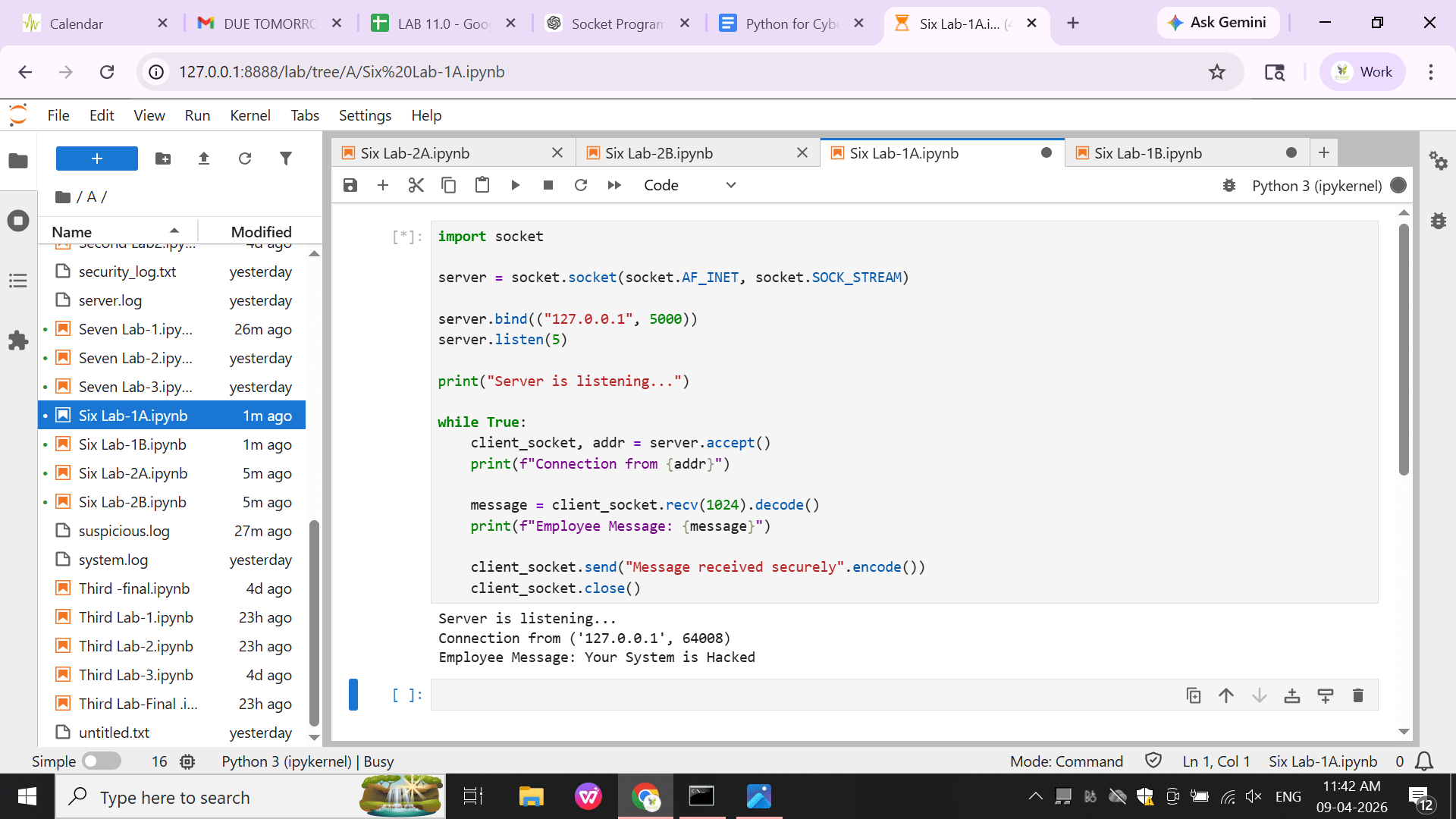
Final Output
3
Task 2: Bank Server Login Request System
In this task, you will build a server that verifies user login requests and create a client that sends login credentials to the server. You will also implement basic authentication logic to validate users and understand how real-world login systems work in client-server environments.
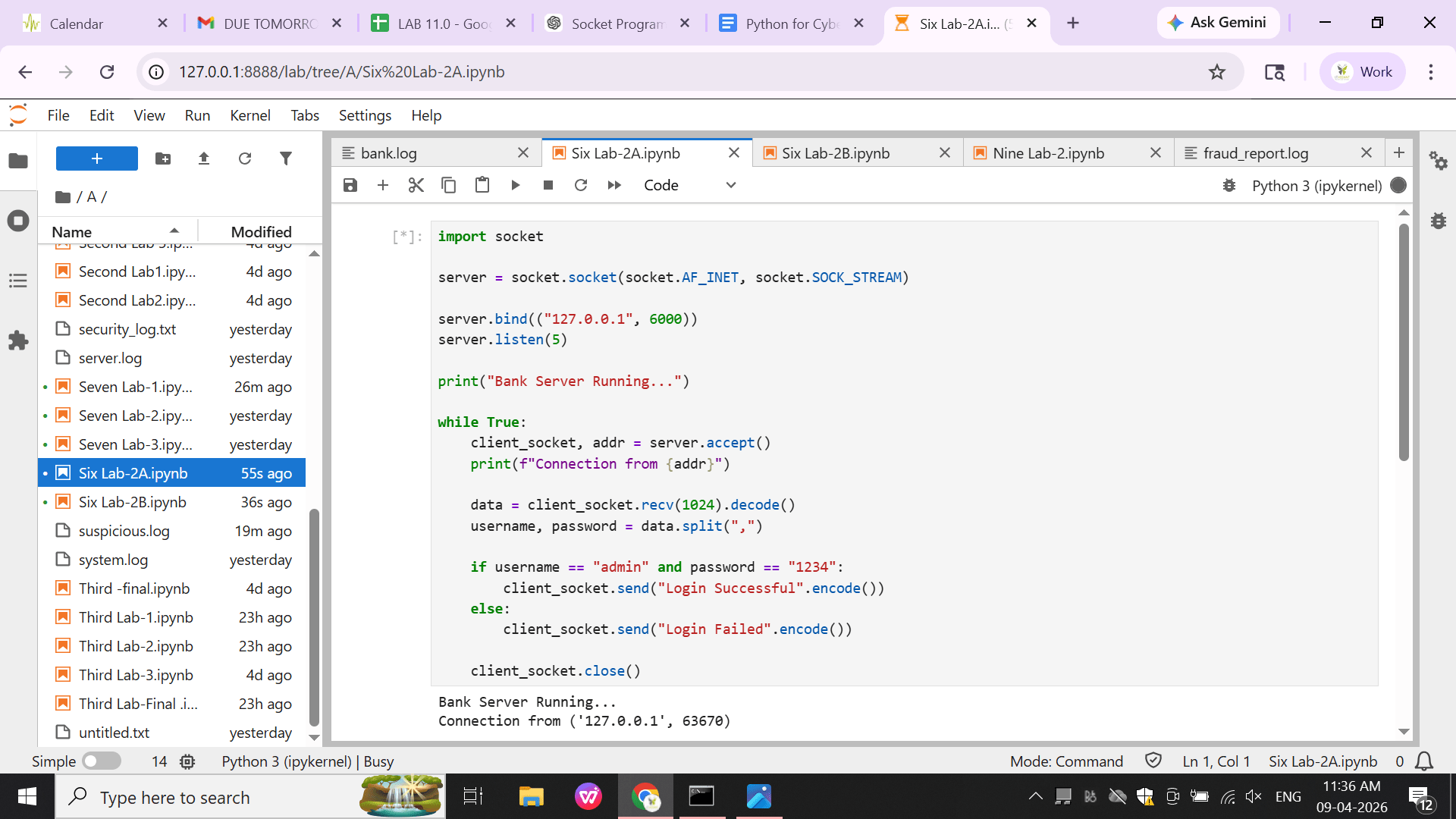
Server Code (Authentication Server)
1
import socket

server = socket.socket(socket.AF_INET, socket.SOCK_STREAM)

server.bind(("127.0.0.1", 6000))
server.listen(5)

print("Bank Server Running...")

while True:
   client_socket, addr = server.accept()
   print(f"Connection from {addr}")

   data = client_socket.recv(1024).decode()
   username, password = data.split(",")

   if username == "admin" and password == "1234":
       client_socket.send("Login Successful".encode())
   else:
       client_socket.send("Login Failed".encode())

   client_socket.close()
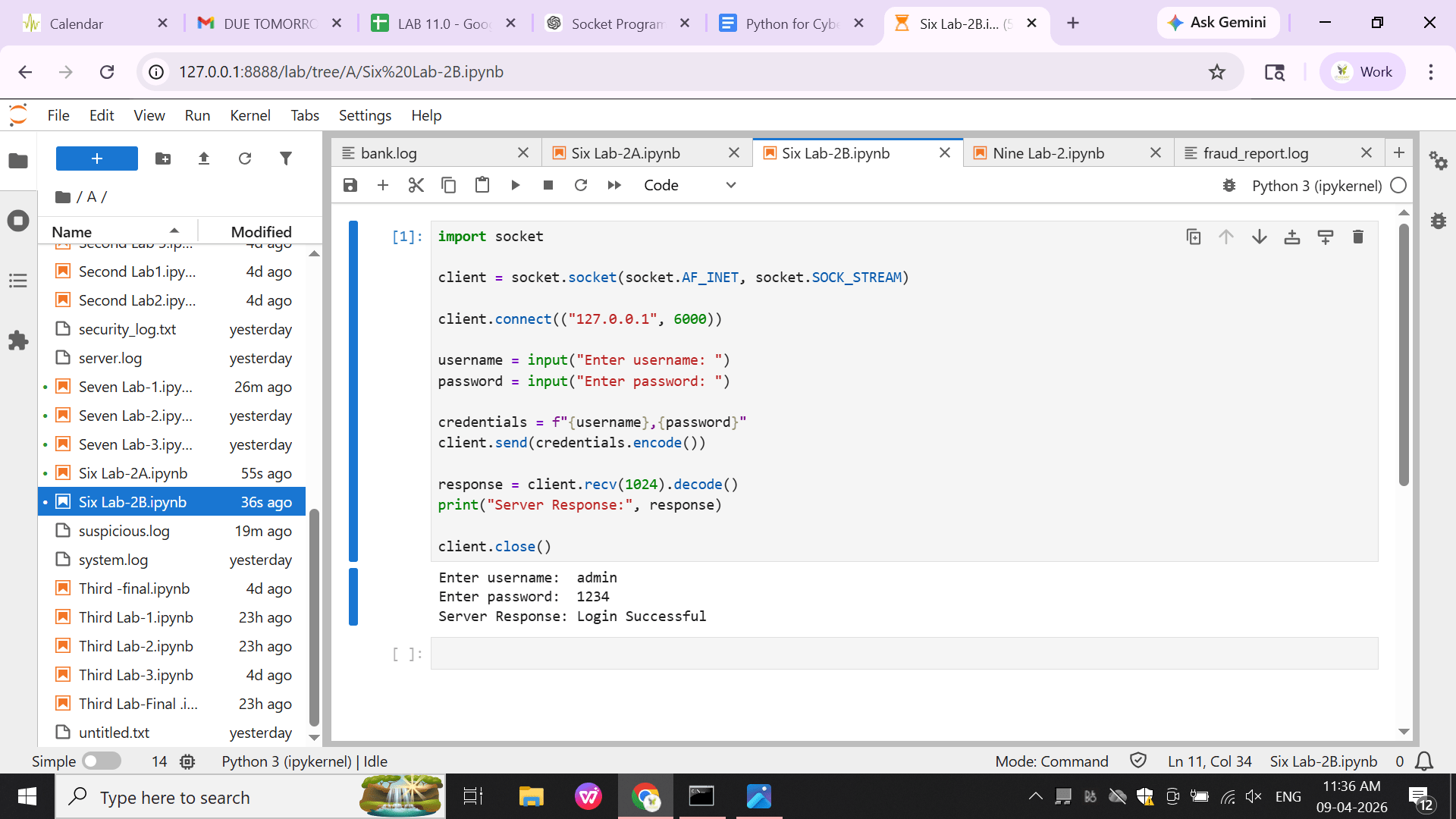
Client Code (User Login)
2
import socket

client = socket.socket(socket.AF_INET, socket.SOCK_STREAM)

client.connect(("127.0.0.1", 6000))

username = input("Enter username: ")
password = input("Enter password: ")

credentials = f"{username},{password}"
client.send(credentials.encode())

response = client.recv(1024).decode()
print("Server Response:", response)

client.close()
Output :
Final Output
3
Great job!
You have successfully completed your building client-server communication and login verification using sockets.
In this lab, you learned the basics of client-server architecture, created a server and client for communication, implemented basic login authentication, and understood how real-world systems exchange and verify data using socket programming
You are now ready to move to the next stage of cybersecurity training.
Checkpoint
Next-Lab Preparation
Topic : Networking and Security Scripting with Python
1) Socket programming basics
2) Writing scripts for automation
3) Automating simple security tasks
By Content ITV