

Next.js - optimizations
Next.js - optimizations
Images

<Image>
<Image>
<Image>
- The image is internal (= included in the build)
- Location: public
- Import using ESM import syntax
- Remember to use the alt tag!
import Image from "next/image";
import mountains from "@/../public/images/mountains-unsplash.jpg";

export default function Home() {
  return (
    <main>
      <Image src={mountains} alt="image of a beautiful mountain" />
    </main>
  );
}
<Image>
- The image is external
- Refer to a URL
- Put the domain and protocol in next.config.ts
- Specify width and height
import Image from "next/image";

export default function Home() {
  return (
    <main>
      <Image src="https://ahscdn.be/sites/default/files/styles/coursefinder_lg_2x/public/2024-03/ahs_headernew_hires.png?itok=BHQfd4rD" alt="image of a beautiful mountain" />
    </main>
  );
}
<Image>
// next.config.ts
import type { NextConfig } from "next";

const nextConfig: NextConfig = {
  images: {
    remotePatterns: [
      {
        protocol: "https",
        hostname: "ahscdn.be",
      },
    ],
  },
};

export default nextConfig;
<Image>
- To note:
- Lazy loading
- Only in production!
- Can be disabled with priority
- fill
- Lazy loading
Next.js - optimizations
Fonts
Fonts
- Next.js has great support for either:
- Using Google Fonts
- Using local fonts
Fonts
Google Fonts in Next.js
// Example for using Google Fonts with Next.js
import { Geist, Geist_Mono } from "next/font/google";

const geistSans = Geist({
  variable: "--font-geist-sans",
  subsets: ["latin"],
});

const geistMono = Geist_Mono({
  variable: "--font-geist-mono",
  subsets: ["latin"],
});

export default function RootLayout({
  children,
}: Readonly<{
  children: React.ReactNode;
}>) {
  return (
    <html lang="en">
      <body
        className={`${geistSans.variable} ${geistMono.variable} antialiased`}
      >
        {children}
      </body>
    </html>
  );
}
Fonts
- Specify details to minimize import size
- subsets (usually: "latin")
- weight (unless using a variable font)
- How to apply?
- Make the variable available on body
  return (
    <html lang="en">
      <body
        className={`${roboto.variable} antialiased`}
      >
        {children}
      </body>
    </html>
  );
Fonts with Tailwind
To use fonts imported from Google with Tailwind:
/* globals.css */
@import "tailwindcss";

@theme inline {
  --font-roboto: var(--font-roboto);
}
export default function Home() {
  return <p className="font-roboto">Hello there</p>;
}
Fonts with Tailwind
If you only use a single font, you can also use the className property directly
  return (
    <html lang="en">
      <body
        className={`${roboto.className} antialiased`}
      >
        {children}
      </body>
    </html>
  );
Next.js - optimizations
Search Engine Optimization (SEO)
SEO
- Improve the ranking in search engine results
- Search engines are not transparent about the criteria
-
Periodic table of SEO
- Performance
- Content
- Architecture
- ...
-
Periodic table of SEO
SEO
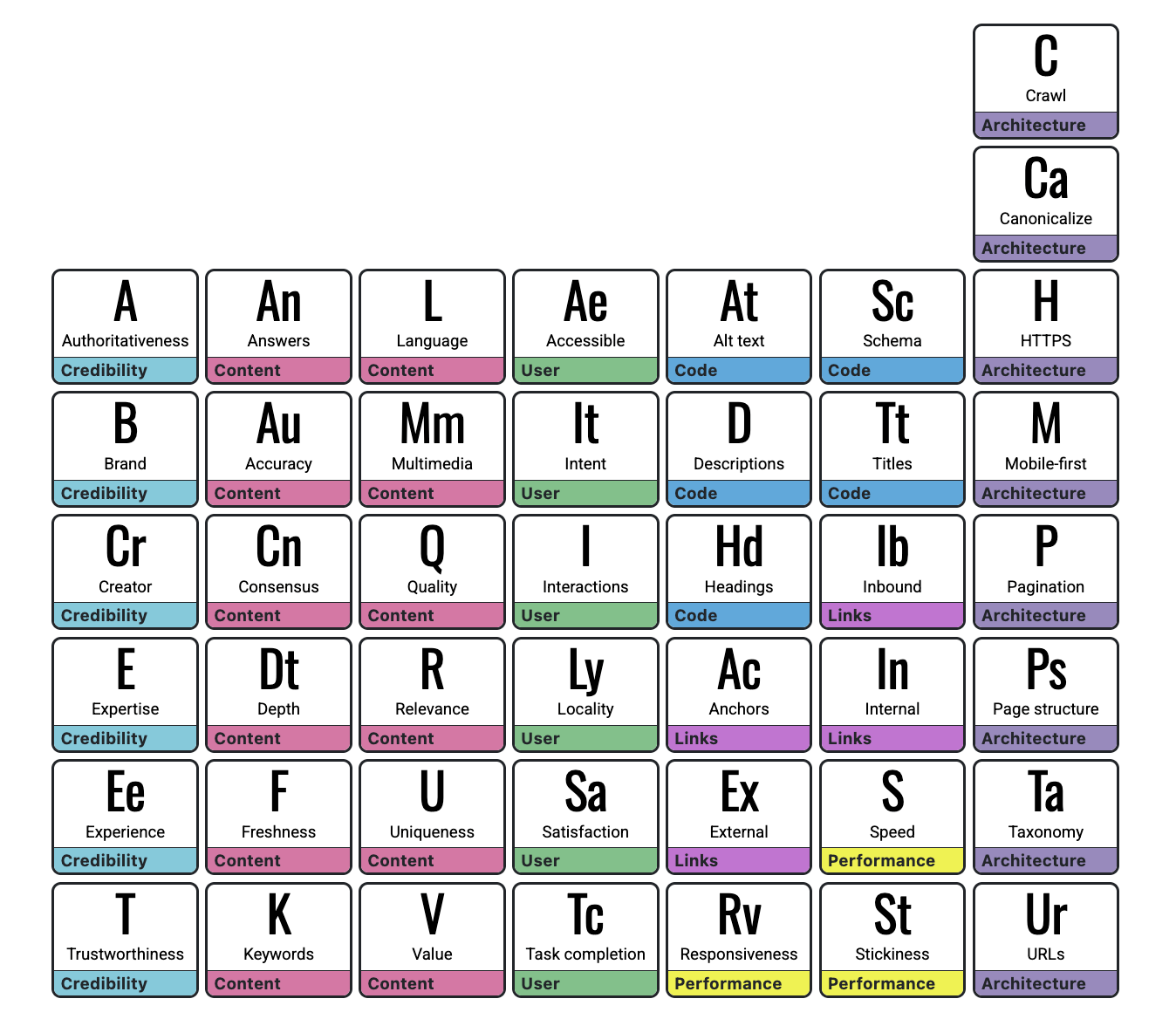
SEO in Next.js
- Next.js has a full tutorial on SEO
- What is relevant for this course:
- Unique title per page
- Unique meta description per page
SEO
<html>
  <head>
    <meta name="description" content="Some relevant description of your website, preferably around 150 characters long" />
    <title>My super awesome website</title>
  </head>
  <body>
    <p>Super awesome paragraph!</p>
  </body>
</html>
Search engine results
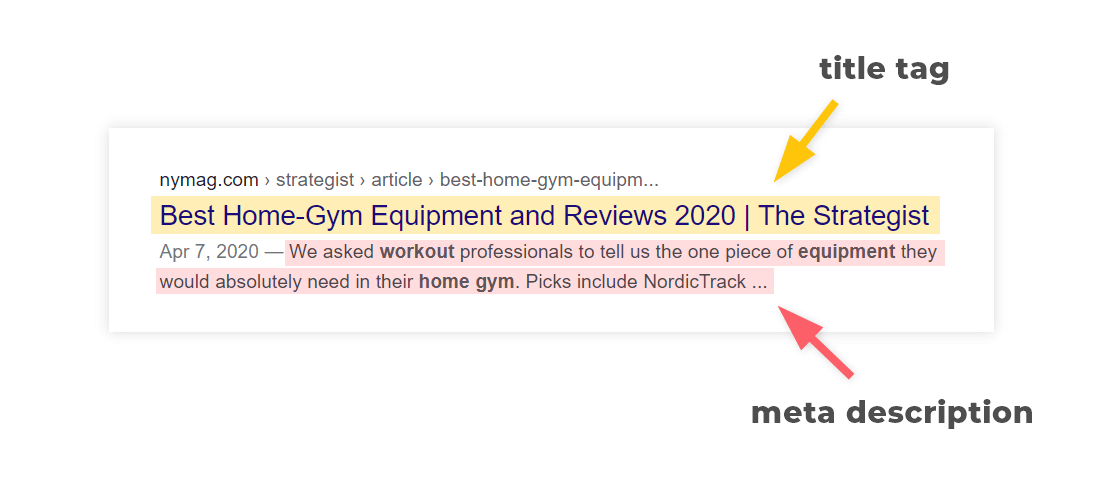
- Optimal length:
- title: 50-60 characters
- description: around 150 characters
Creating metadata
// Use either one or the other, you can NOT export both
export const metadata: Metadata = {
  title: "My awesome app",
  description: "Generated by create-next-app"
};

export async function generateMetadata(): Promise<Metadata> {
  // ...
}- 2 options:
- export metadata: static data
- export generateMetadata: asynchronous
Creating metadata
When using fetch inside generateMetadata,
the data is automatically cached
import type { Metadata, ResolvingMetadata } from 'next'

type Props = {
  params: Promise<{ id: string }>
  searchParams: Promise<{ [key: string]: string | string[] | undefined }>
}

export async function generateMetadata(
  { params, searchParams }: Props,
  parent: ResolvingMetadata
): Promise<Metadata> {
  // fetch data
  const product = await fetch(`https://.../${id}`).then((res) => res.json());
}

export default function Page({ params, searchParams }: Props) {}
PGM5/5 - Next.js: optimizations
By kareldesmet