
Content ITV PRO
This is Itvedant Content department
BiteBox Project Onboarding
Business Scenario
after successfully configuring Nginx and integrating S3 storage, the infrastructure was growing stronger—but network organization was still incomplete.
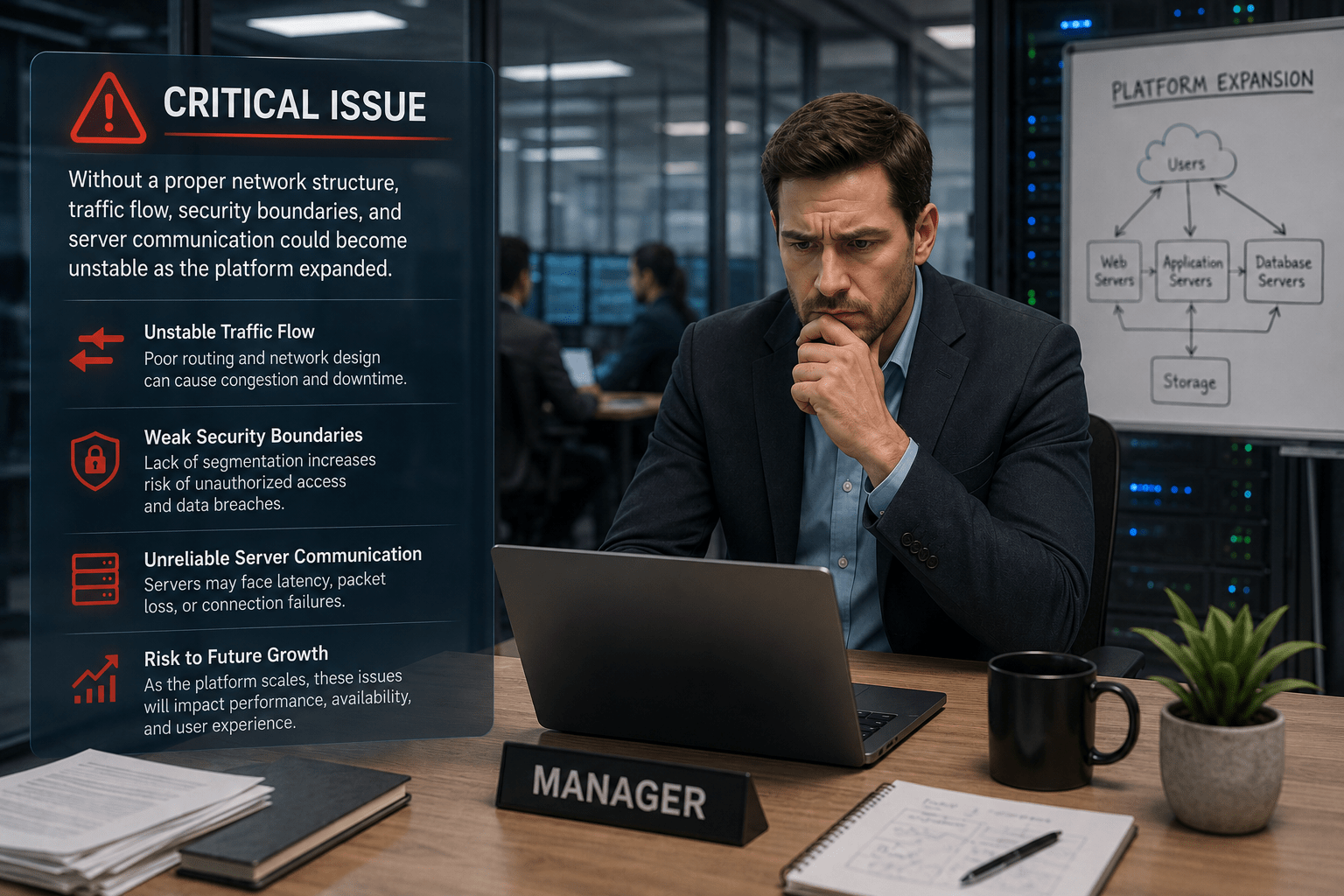
The manager identified a critical issue:
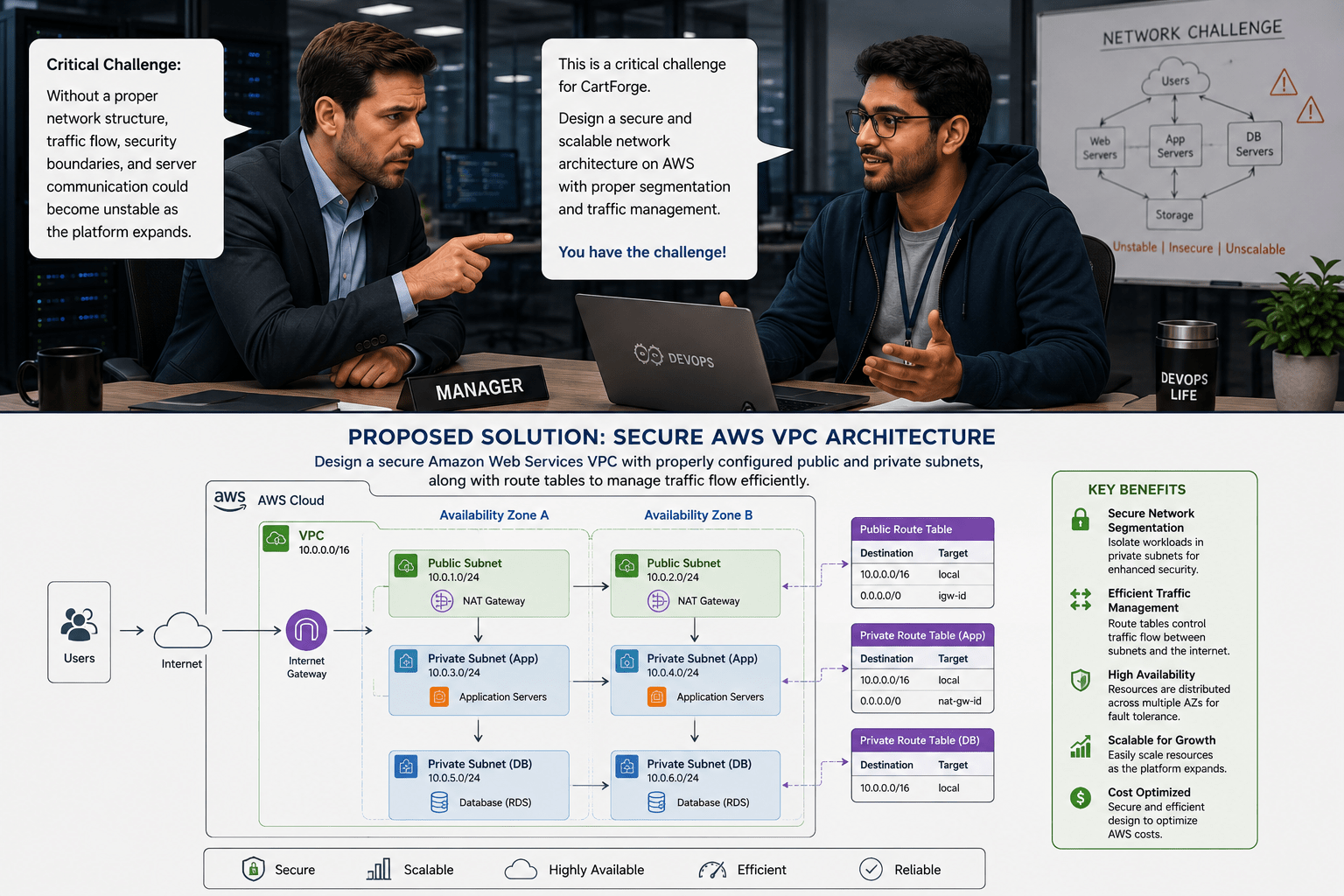
Without a proper network structure, traffic flow, security boundaries, and server communication could become unstable as the platform expanded.
He assigned the challenge to the junior DevOps engineer.
After careful analysis, the DevOps engineer proposed the ideal solution:
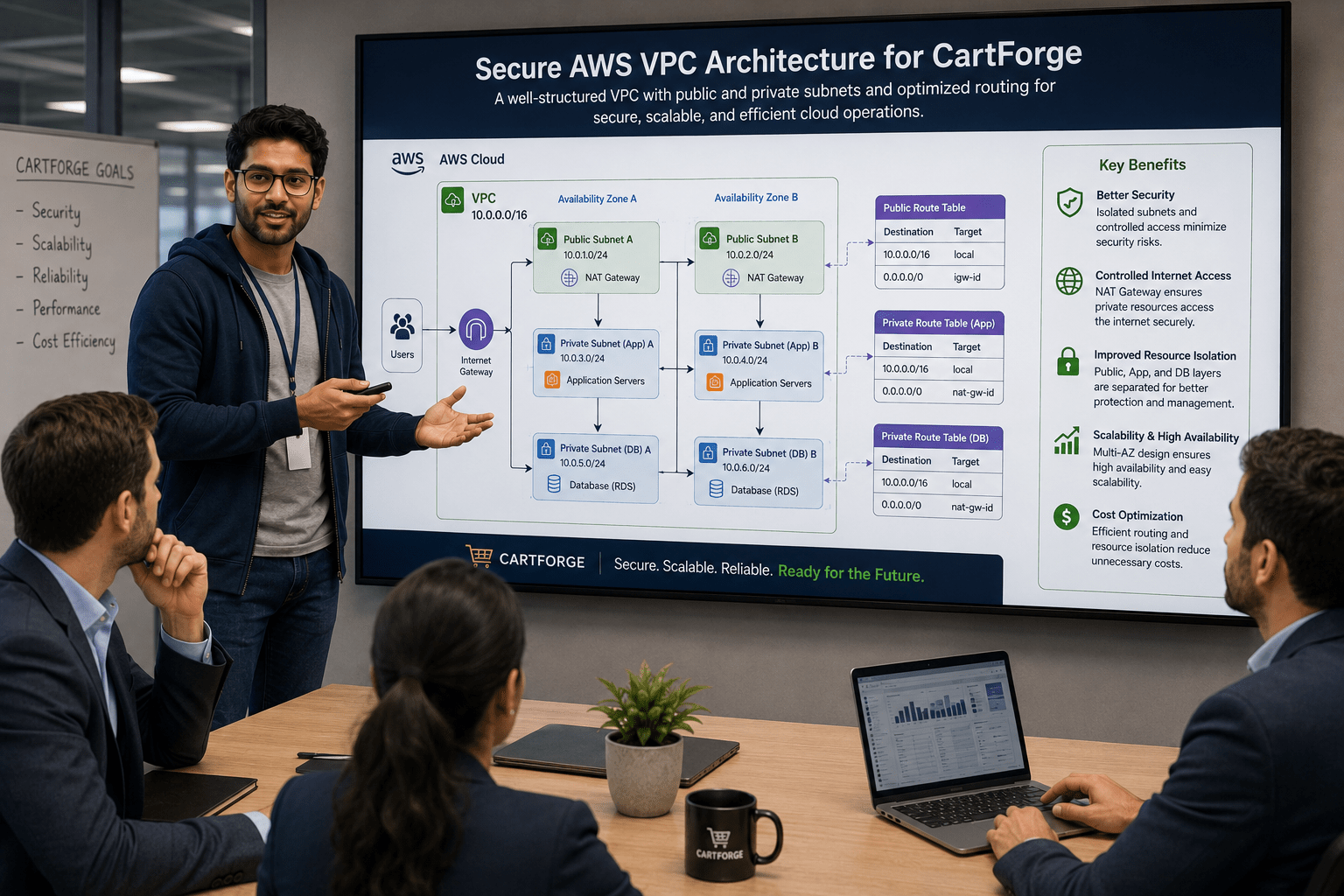
Design a secure Amazon Web Services VPC with properly configured public and private subnets, along with route tables to manage traffic flow efficiently.
The engineer then explained the implementation to the team:
By creating structured subnets and optimized routing, CartForge could achieve better security, controlled internet access, improved resource isolation, and a scalable cloud network architecture for future expansion.
Pre-Lab Preparation
What is VPC
Different between NAT AND IT / Public subnet vs Private SUbnet
What NACL and SG
Task 1:Build secure custom VPC network.
1
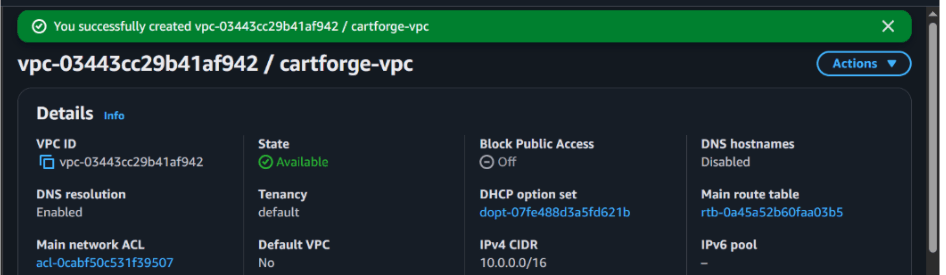
Create VPC
a
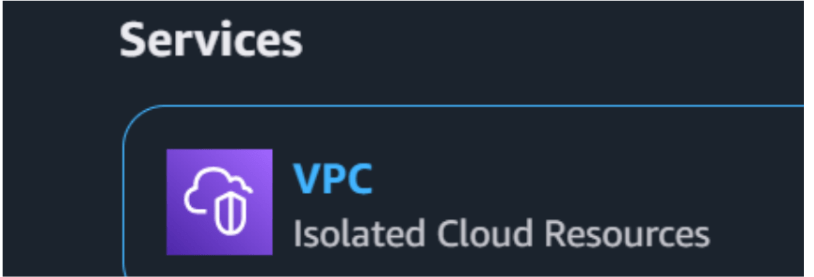
Search for VPC
b
Click Create VPC
c
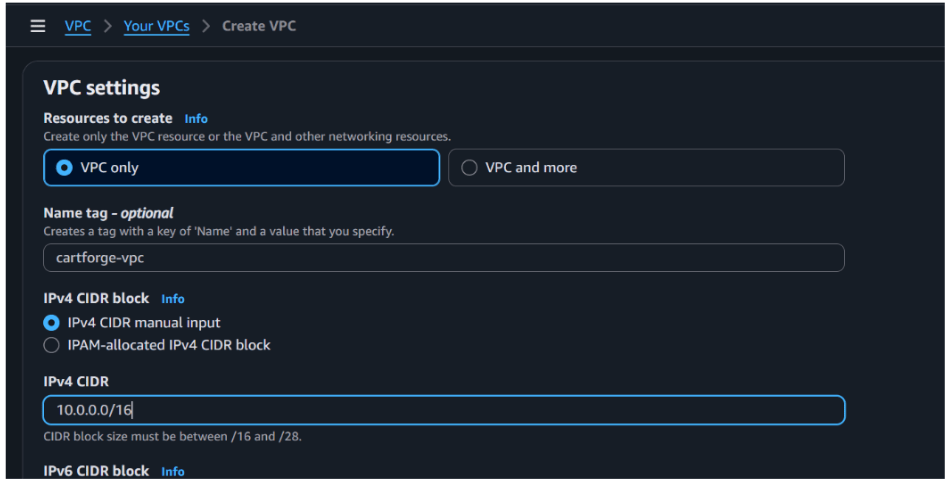
Configuration
Name: cartforge-vpc
d
Click Create VPC
2
Create Subnets
a
Public Subnet
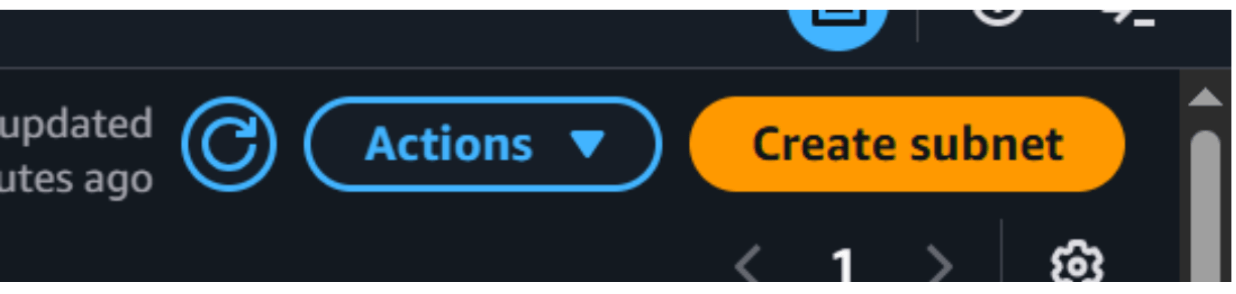
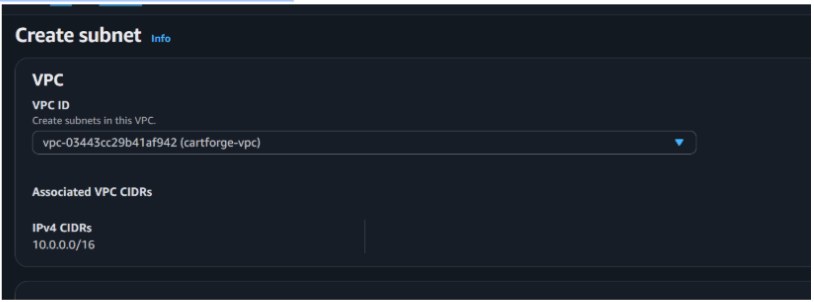
Go to Subnets → Create subnet
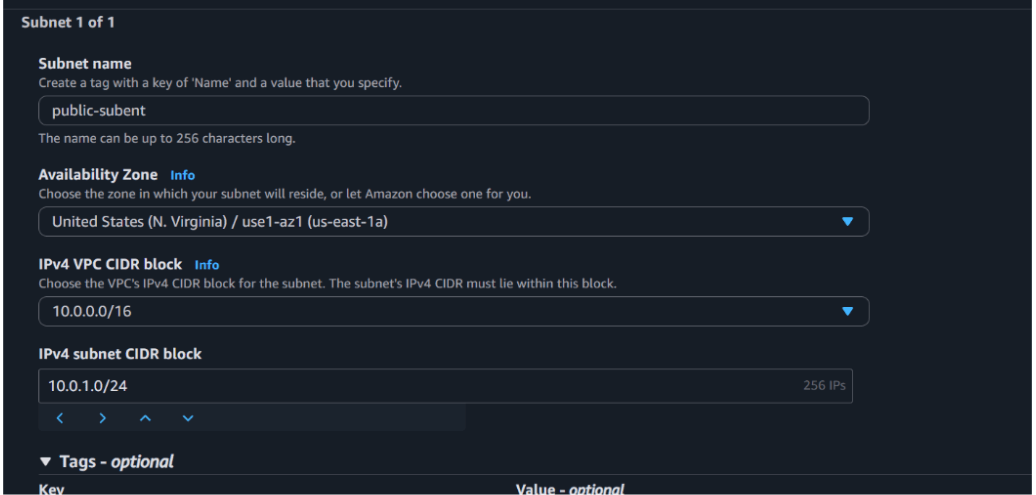
Name: cartforge-public-subnet
VPC: cartforge-vpc
CIDR: 10.0.1.0/24
Availability Zone: select any
Click Create
b
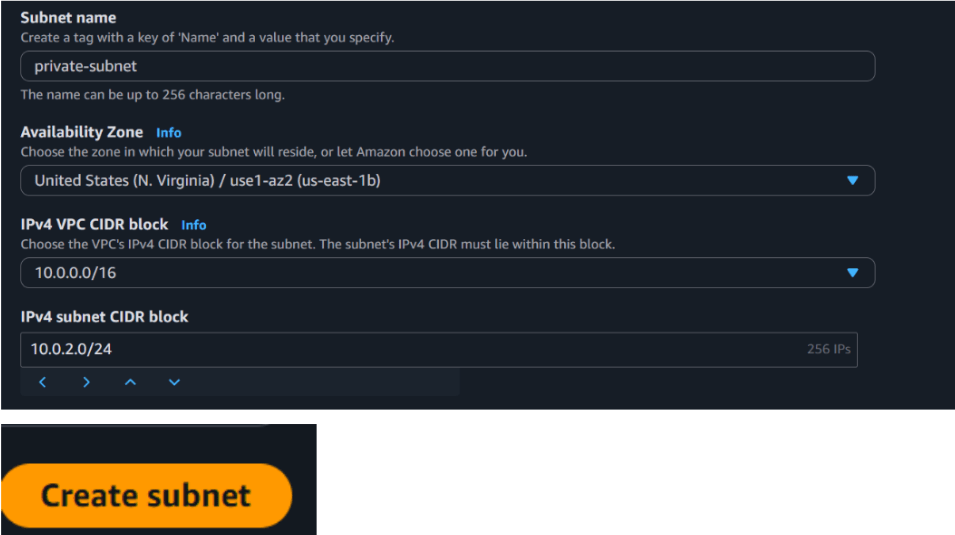
Private Subnet
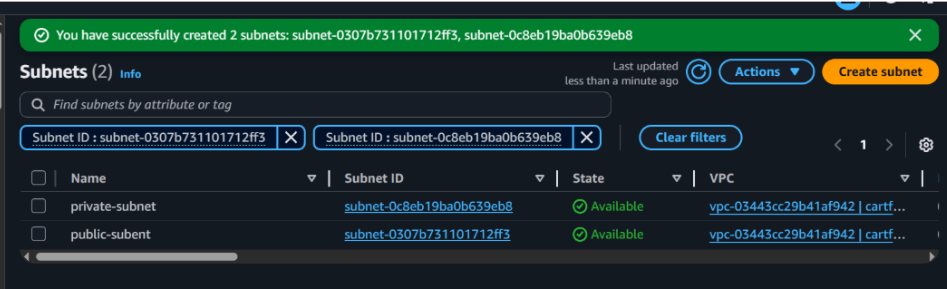
Create another subnet
Name: cartforge-private-subnet
VPC: cartforge-vpc
CIDR: 10.0.2.0/24
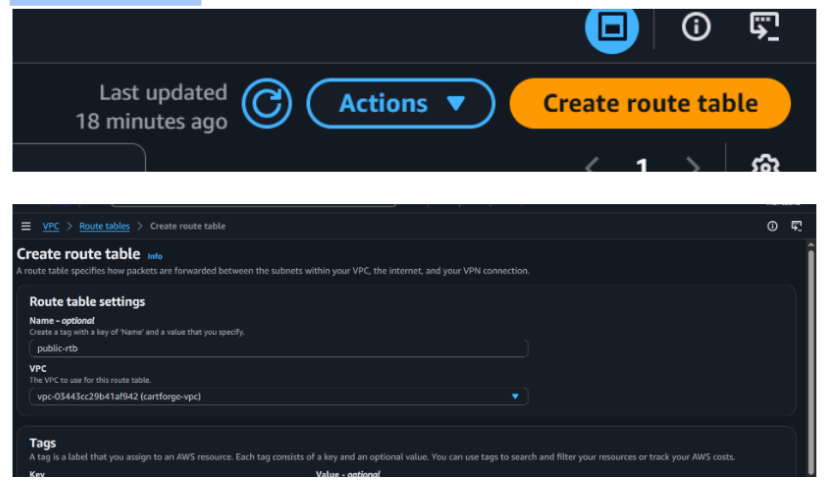
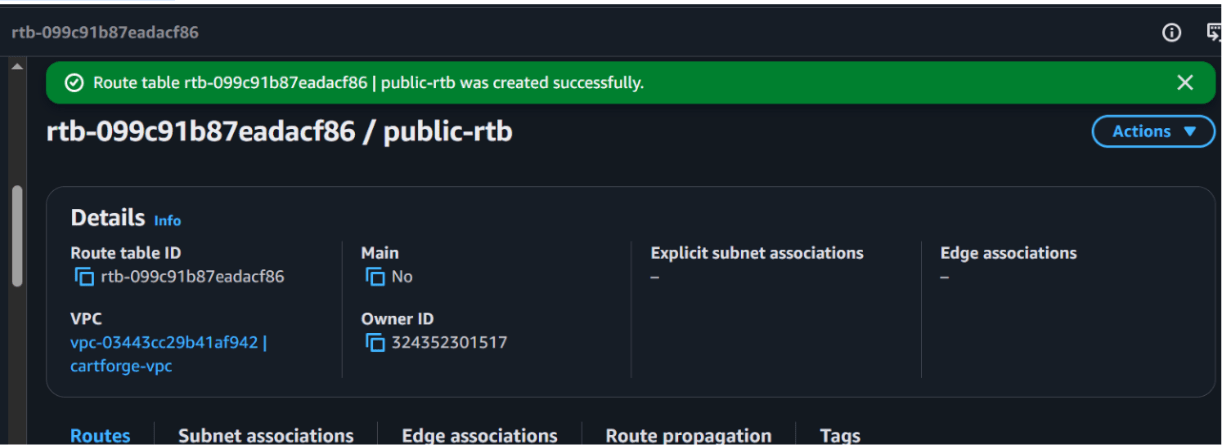
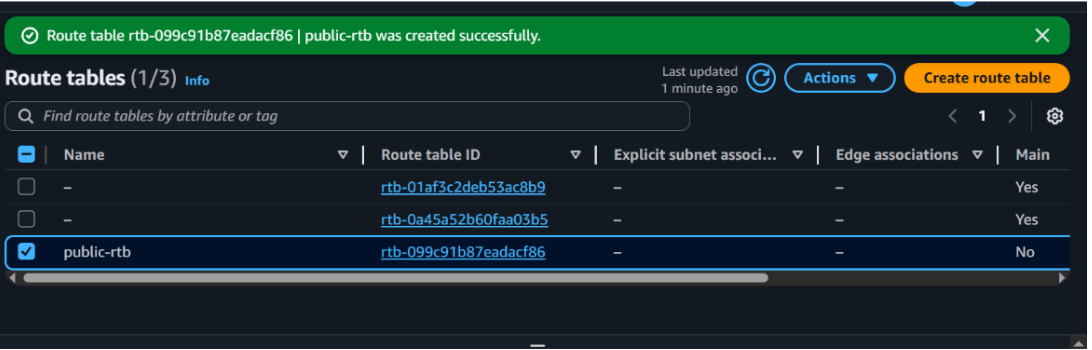
Lets create a route table for public ubnet
c
Go to route table
And it done
1
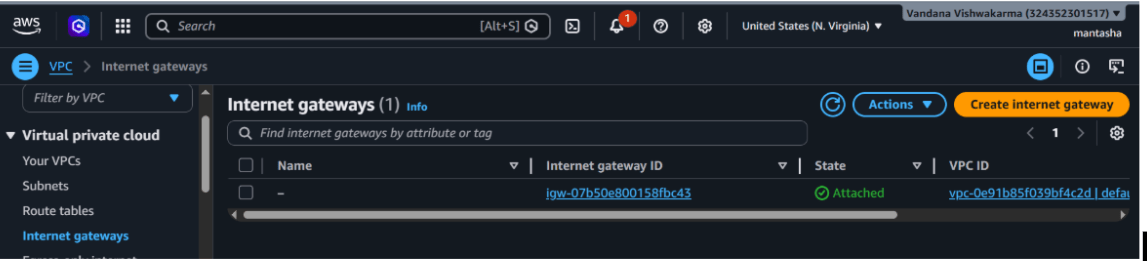
Create Internet Gateway
Go to AWS Console
Search for VPC
Click Internet Gateways
Click Create Internet Gateway
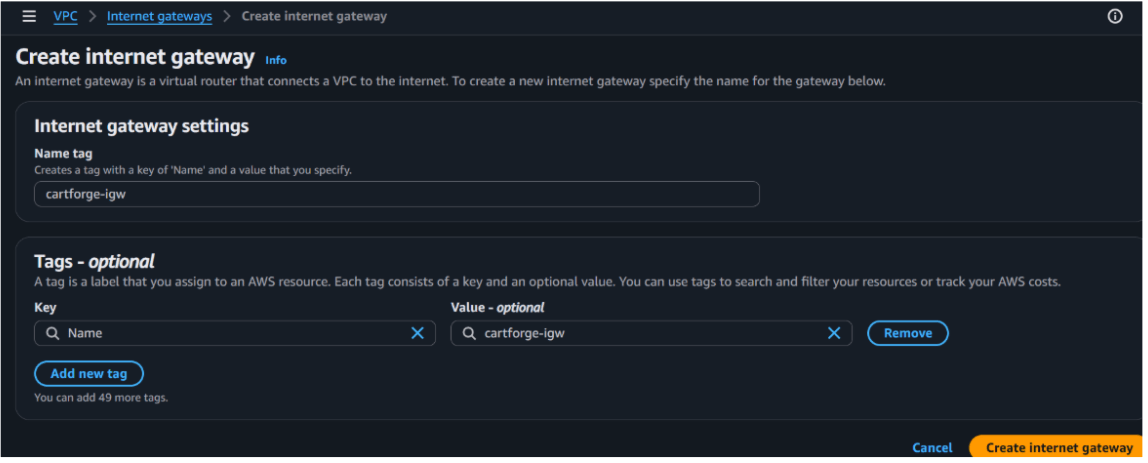
a
Configuration
Name: cartforge-igw
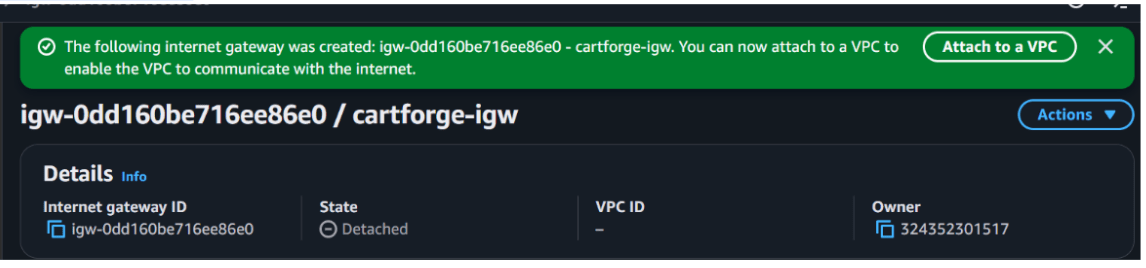
Click Create
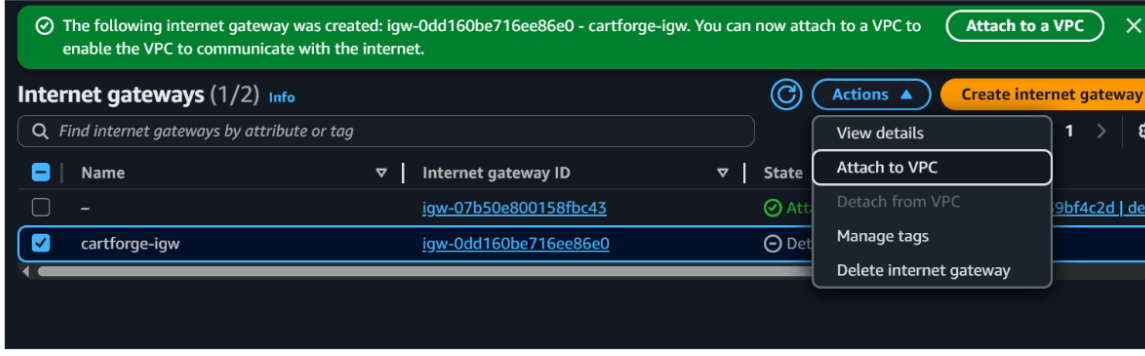
2
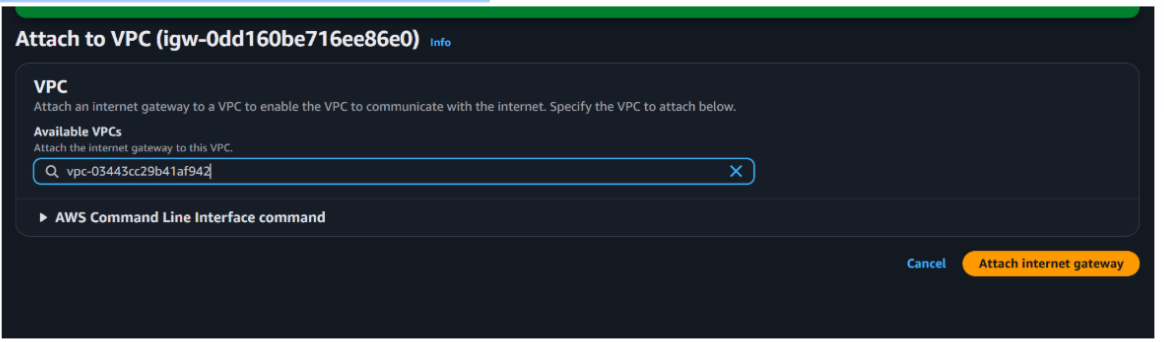
Attach Internet Gateway to VPC
Select your VPC (cartforge-vpc)
Click Attach
3
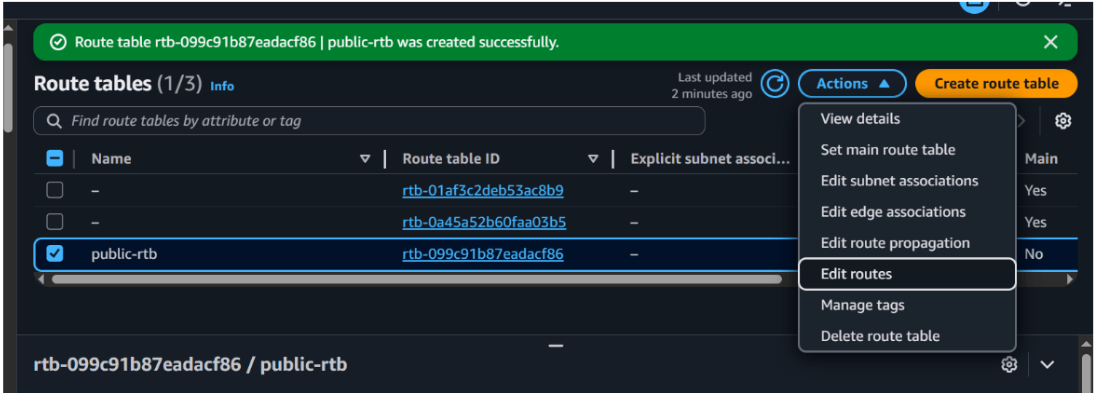
Update Route Table for Public Subnet
a
Go to Route Tables
Select your public route table (public-rt)
Pre-Lab Preparation
View food items and menus
Add items to cart
Place orders online
Topic : Weaving the world of Web
1) Navigating the world of Web
2) Building Blocks of Website,
3) Tag Titans: Fundamental Web Construct.
git pull origin branchNameGit Pull
Task 1: Understanding BRD
Before you start building anything, you need to clearly understand what the client actually wants.So, let’s begin by understanding the BRD (Business Requirement Document) shared by the client.
BRD Full Form is Business Requirement Details.BRD like a plan for building a house. This plan helps the builder understand what to build.In the same way,BRD tells developers what the client wants to build
Click to download BRD : BiteBox_BRD.pdf
Activity
After going through BRD list down the Core Features and Web Pages in the tabulated Format as shown Below.
| Col 1 | Col 2 | Col 3 |
|---|---|---|
| Row 1 | ||
| Row 2 | ||
| Row 3 |
Formula
Profit = Revenue - Cost
Task 2: Create WireFrame
Now that you understand the requirements, don’t jump into coding yet. Before development, we always visualize the layout.
Now lets create a simple wireframe for the homepage.
A wireframe is like a layout plan of a house. Before building, you decide where rooms, doors, and windows will be placed.Similarly, a wireframe helps you plan where elements like headers, images, and buttons will appear on a webpage—before adding design or colours.
Task 3: Code Editor Installation
Good work on completing the planning phase.
Now we will start development. Before that, make sure your system is ready with the required tools.
In this step we will install the VS code editor that will help to Write code efficiently,Organize files , Run and test your application
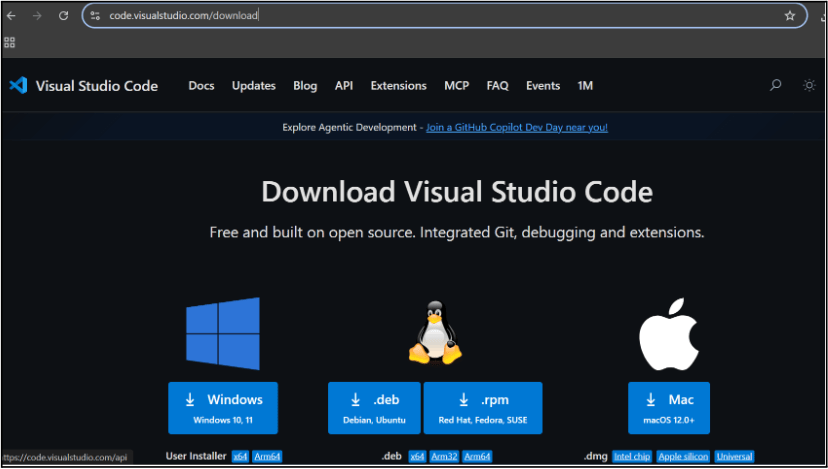
Go to the visual studio code official website
1
Click to download Homepage Wireframe : Homepage Wireframe
Choose your operating system(windows / Mac) and download the installation file.
Double click on the download app and Accept the agreement and click next
2
It is a long established fact that a reader will be distracted
c
Sub Steps
a
Double click on the download app and Accept the agreement and click next
public class MathSample {
    public static void main(String[] args) {
        int x = 10;
        int y = 20;
        int sum = x + y;

        System.out.println("The sum is: " + sum);
    }
}
public class MathSample {
public static void main(String[] args) {
int x = 10;
int y = 20;
int sum = x + y;
System.out.println("The sum is: " + sum);
}
}
public class MathSample {
public static void main(String[] args) {
int x = 10;
int y = 20;
int sum = x + y;
System.out.println("The sum is: " + sum);
}
}
Great job!
You have successfully completed your first lab on BiteBox Project Onboarding.
In this lab, you have: Understood the BRD, Created a wireframe, Set up your development environment, Organised your project structure, Run your first program
You are now ready to move to the next stage of development
Checkpoint
Next-Lab Preparation
Git Push
git push origin branchNameTopic : Working with a Text and Listin HTML
1) Power of HTML text tags
2) Customizing your style with CSS
3) Listing it right using HTML
4) HTML Link up , attributes of tag, block vs inline elements
Text box Width : 887
Business Scenario, Pre-lab Preparation, Next-lab Preparation, Task, Activity, Checkpoint : 90%.
Steps : 1,2,3 [Sub Steps - a,b,c]
Normal Text, Topic Name : 80%
Subtopic : 70%
Code Box font Size : 16px
By Content ITV