





Content ITV PRO
This is Itvedant Content department
Provisioning Basic Infrastructure using Terraform for ContentSphere
Business Scenario
Manager:
We have successfully installed Terraform and configured AWS authentication. Now it's time to start using Terraform to provision infrastructure for the ContentSphere platform
DevOps Engineer:
That's right. We will use Terraform configuration files to define and create cloud resources automatically instead of provisioning them manually.
Manager:
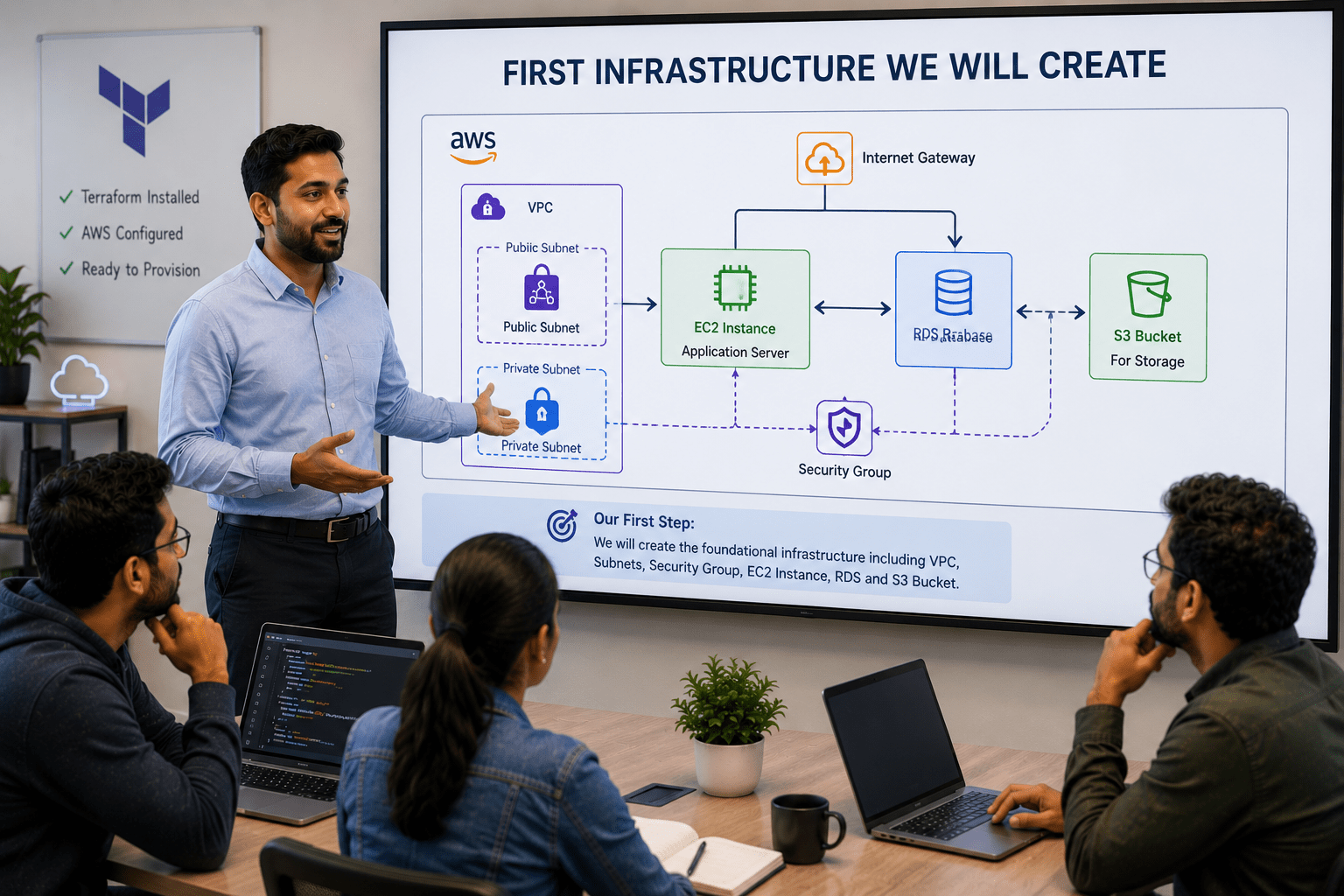
What infrastructure will we create first?
DevOps Engineer:
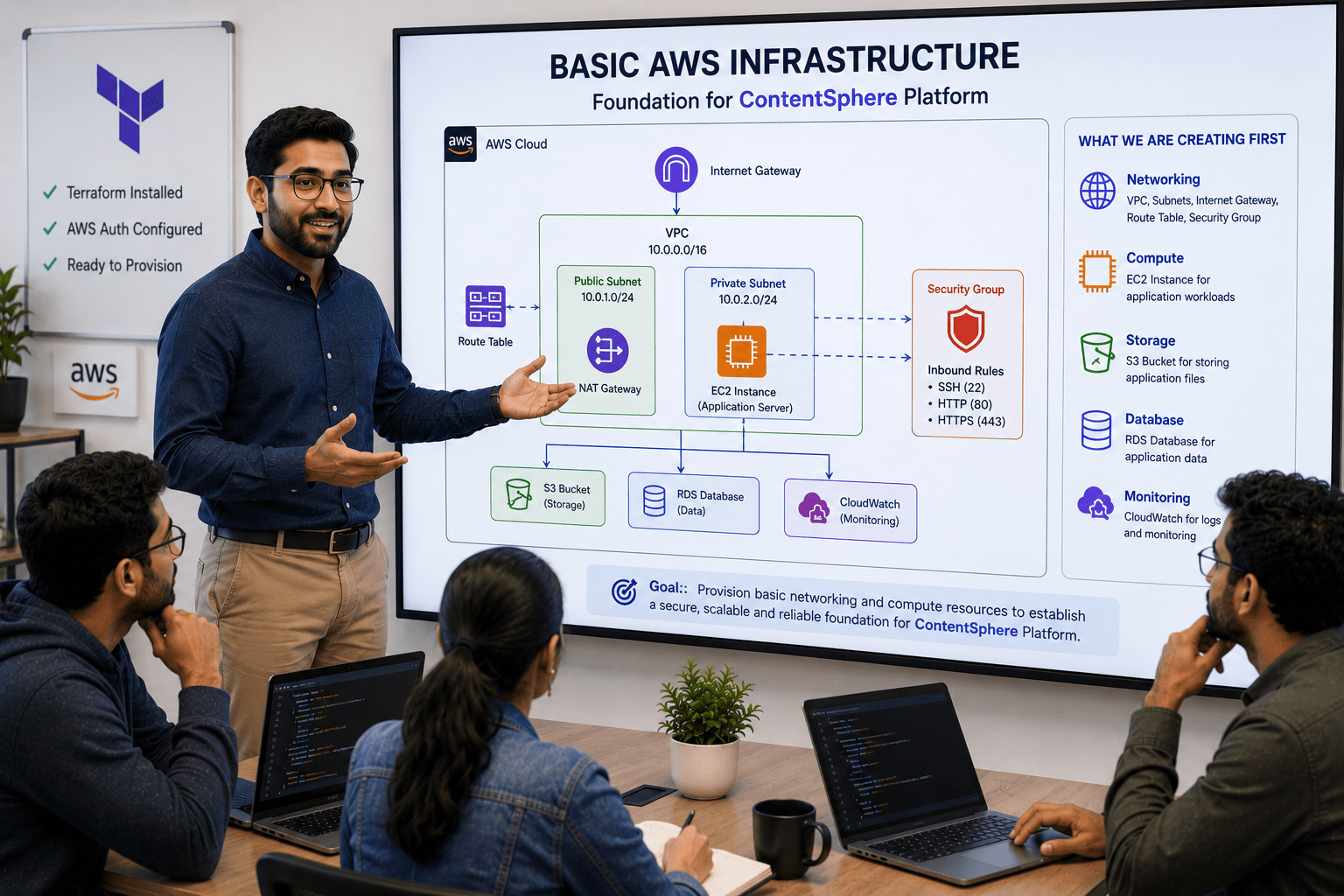
We will provision basic AWS infrastructure such as networking and compute resources to establish the foundation for the ContentSphere platform.
Manager:
How will Terraform help us here?
DevOps Engineer:
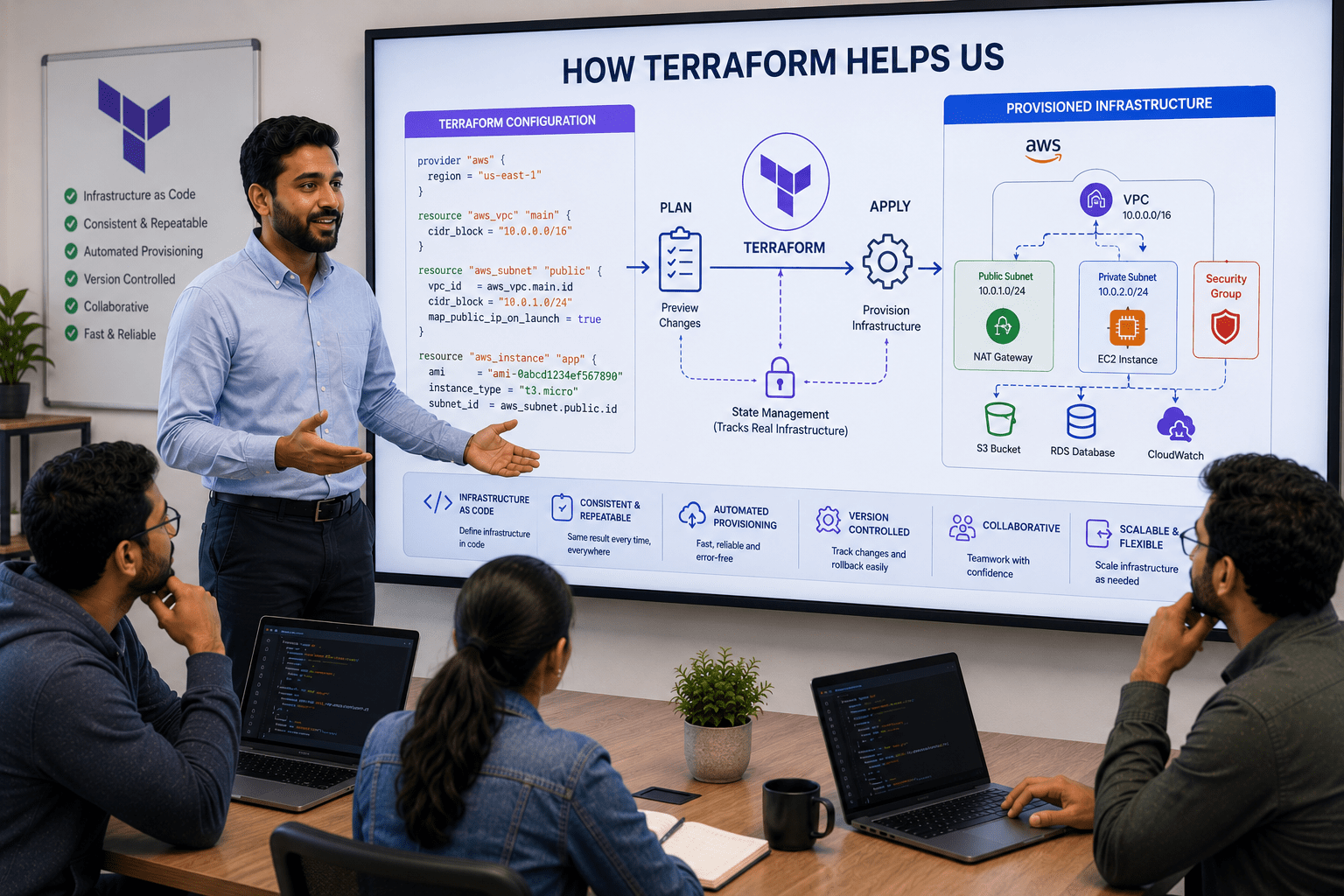
Terraform will create and manage resources consistently, reduce manual effort, and allow infrastructure to be version-controlled and easily reproducible.
Manager:
What is our implementation plan?
DevOps Engineer:
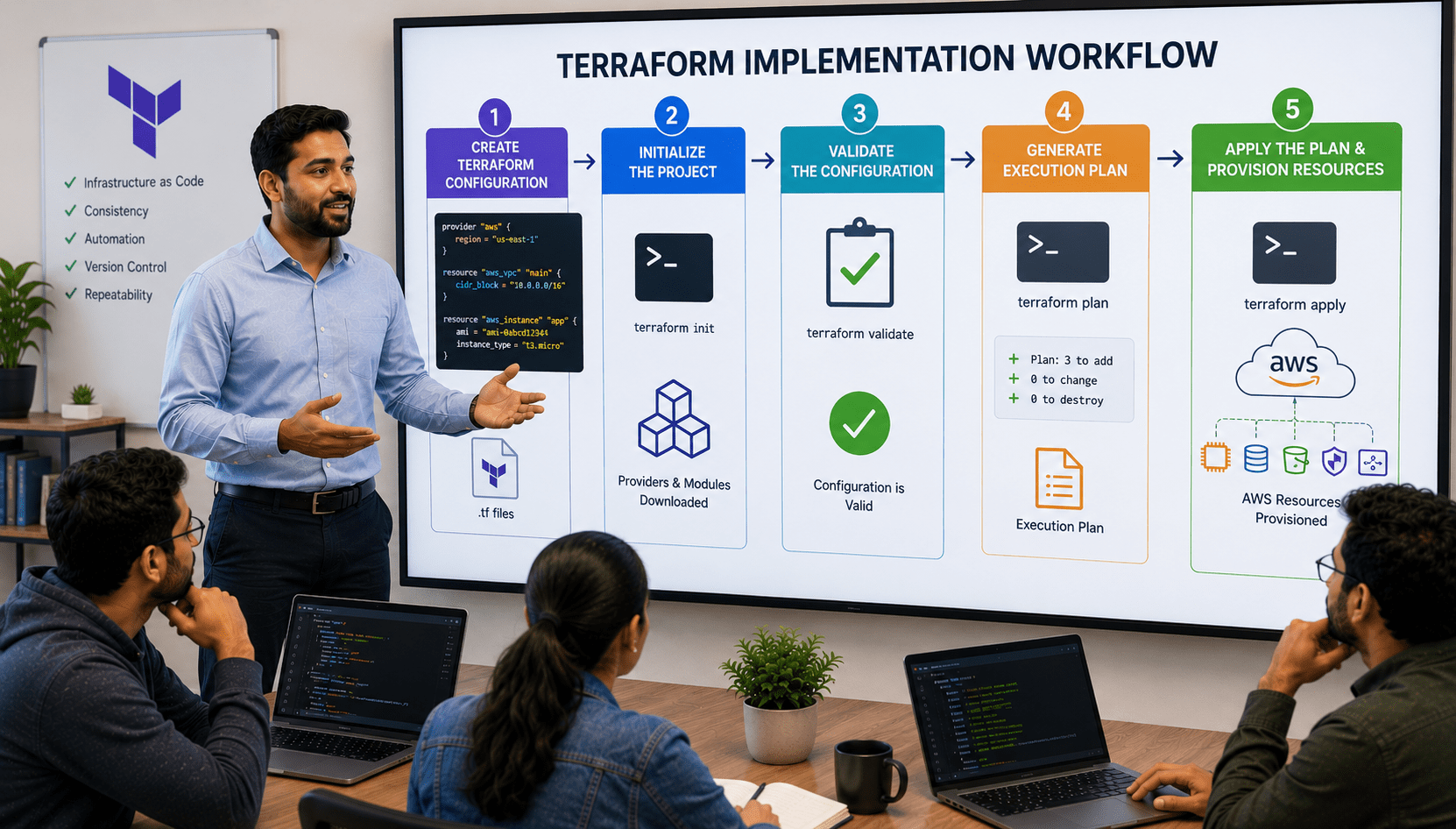
We will create Terraform configuration files, initialize the project, validate the configuration, generate an execution plan, and apply it to provision the required AWS resources.
DevOps Engineer to Team:
Team, we will write Terraform code for the basic infrastructure, execute Terraform commands to deploy resources, verify successful provisioning, and ensure the ContentSphere environment is ready for future deployments.
Team:
Understood. We will provision the basic infrastructure for ContentSphere using Terraform and establish a scalable foundation for the platform.
Pre-Lab Preparation
What is Infrastructure Provisioning?
Infrastructure provisioning is the process of creating and managing IT infrastructure resources such as servers, networks, and storage required to run applications.
For the ContentSphere platform, infrastructure provisioning involves creating resources such as:
EC2 Instances for application hosting
VPC for networking
Security Groups for access control
S3 Buckets for content storage
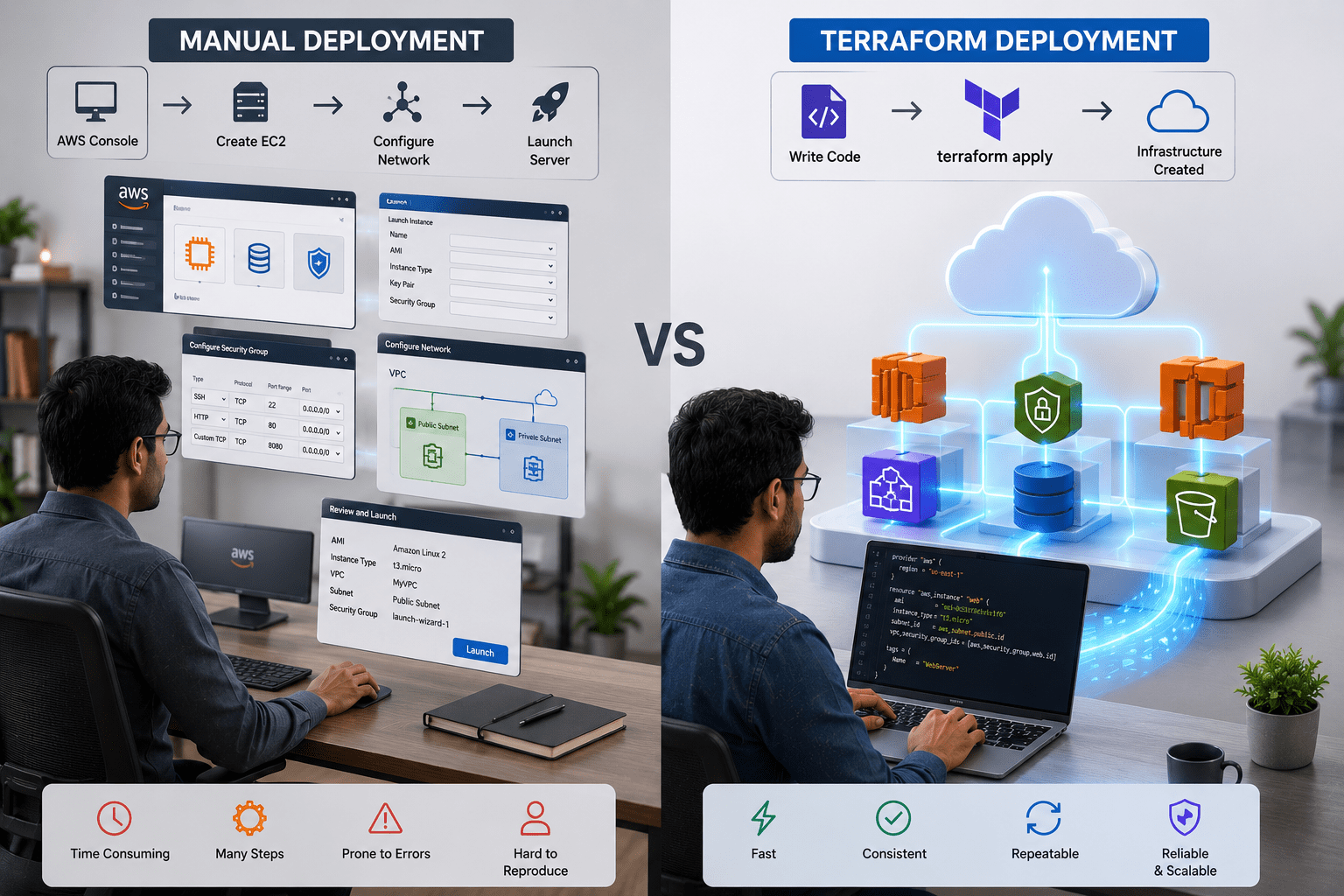
Traditionally, these resources are created manually through the AWS Console. Terraform automates this process using code.
What is Terraform?
Terraform is an Infrastructure as Code (IaC) tool developed by HashiCorp that allows users to define, provision, and manage infrastructure through configuration files.
Instead of manually creating resources, Terraform enables infrastructure deployment using code.
Example:
Manual Deployment
AWS Console → Create EC2 → Configure Network → Launch Server
Terraform Deployment
Write Code → terraform apply → Infrastructure Created
Why Use Terraform for ContentSphere?
As the ContentSphere platform grows, managing infrastructure manually becomes time-consuming and error-prone.
Terraform helps by providing:
Automated infrastructure deployment
Consistent environments
Reusable configurations
Easy infrastructure management
Faster deployment process
Terraform Configuration Files
Terraform uses configuration files with the .tf extension.
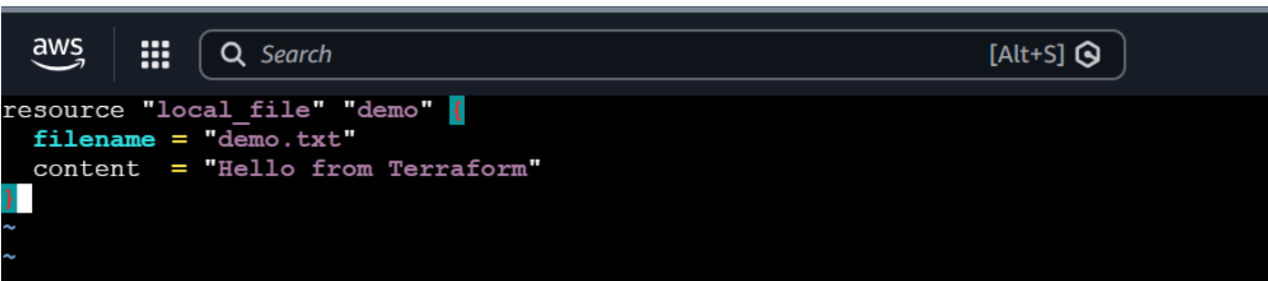
Example: demo.tf
1
Create a file named demo.tf add
resource "local_file" "demo" {
 filename = "demo.txt"
 content  = "Hello from Terraform"
}
These files contain instructions that define the infrastructure Terraform should create.
2
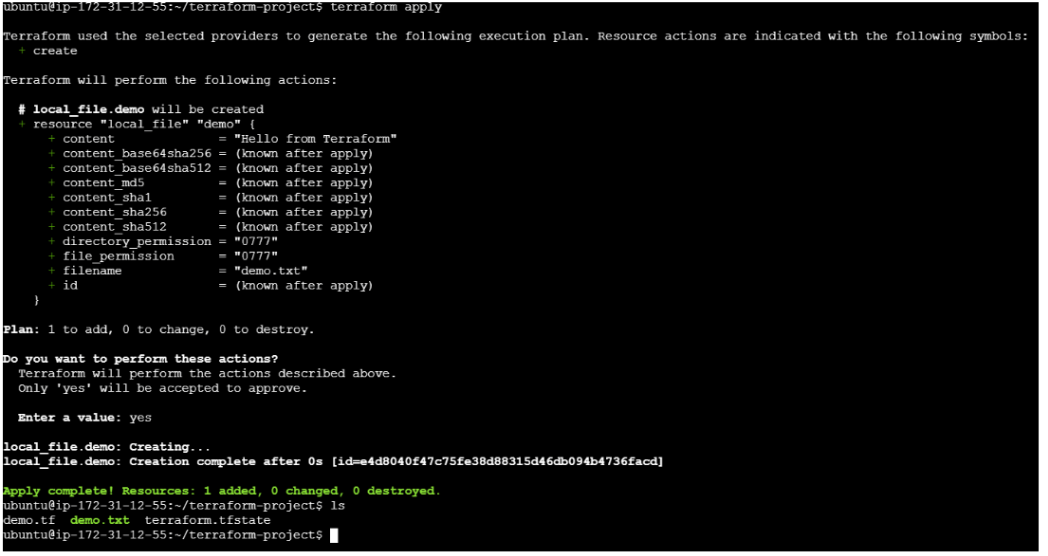
Run the following commands to initialize Terraform an provision the resources
terraform init
terraform apply
terraform init  - Initializes the Terraform working directory and downloads
required providers.

terraform plan  - Displays the execution plan and shows what resources
Terraform will create.

terraform apply - Creates the infrastructure defined in the
Terraform configuration files.

terraform destroy - Removes infrastructure managed by
Terraform.
Great job!
Understand how Terraform provisions infrastructure
Explain Providers, Resources, Variables, and Outputs
Understand the Terraform workflow
Deploy basic infrastructure using Terraform
Verify resources created through Terraform
Checkpoint
Next-Lab Preparation
Provisioning a VPC using Terraform
Creating and configuring an EC2 instance
Creating an S3 bucket for application storage
Configuring networking components for application access
Verifying resource deployment and connectivity
By Content ITV