
Content ITV PRO
This is Itvedant Content department
Demonstrate Cloud Visibility by Mapping Resources and Integrating Logs into SIEM
Business Scenario
You are a Cloud Security Analyst at CyberSecure Solutions. The organisation has several cloud resources but does not have a clear view of what is running or what is happening in the environment.
Your task is to identify and map cloud resources, enable logging, send cloud logs to a SIEM, and verify that the resources and security events are visible to the SOC team.
Pre-Lab Preparation
Git Pull
git pull origin branchNameTopic: Cloud Monitoring and Visibility
1) Cloud Environment Visibility & Architecture
2) Cloud Logging & Monitoring
3) Threat Detection in Cloud Environments
Objective
Create an inventory of resources in the cloud environment.
Log in to the authorised cloud account.
1
Open the cloud management console.
2
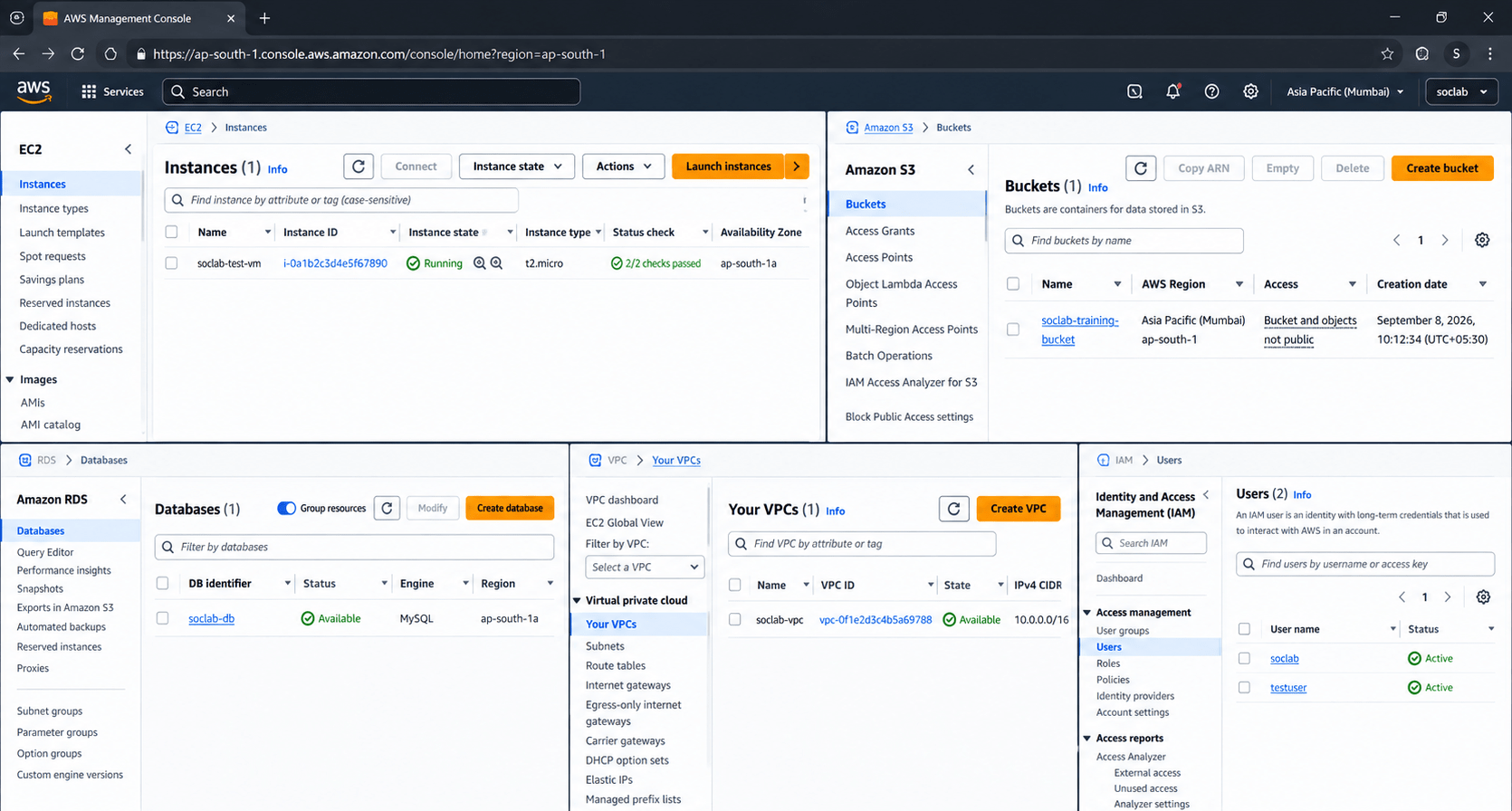
Identify available resources such as:
3
Task 1: Identify Cloud Resources
Virtual Machines
Storage
Databases
Networks
IAM users/roles
Expected Output
Record the resource name, type, region, and status.
4
Example
| Resource | Type | Region | Status |
|---|---|---|---|
| TEST-VM01 | Virtual Machine | Mumbai | Running |
| Training-Bucket | Storage | Mumbai | Active |
| TestDB | Database | Mumbai | Running |
Activity
A basic cloud resource inventory is created.
Objective
Understand how cloud resources are connected.
Identify the main cloud resources.
1
Identify their relationships.
2
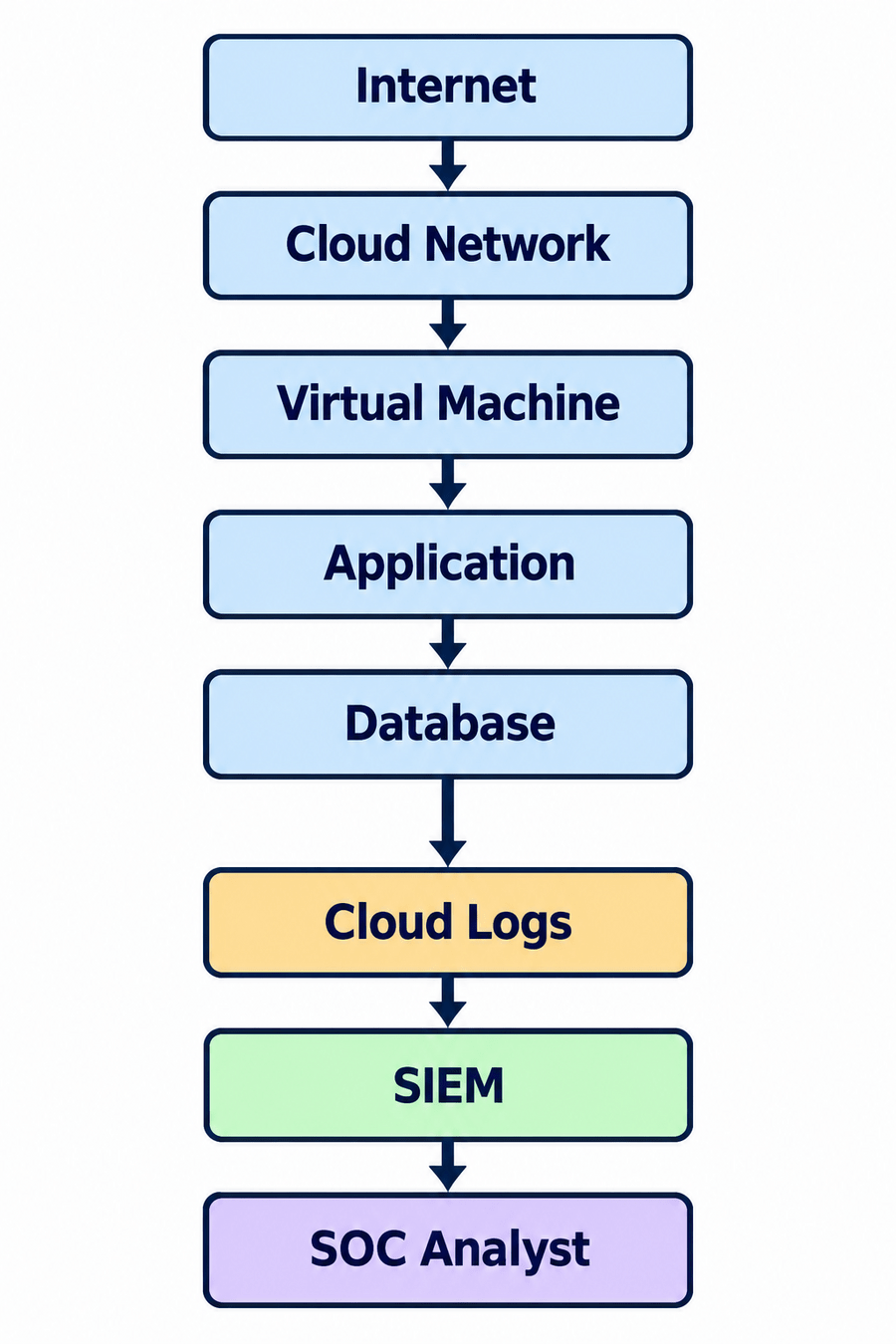
Create a simple architecture diagram.
3
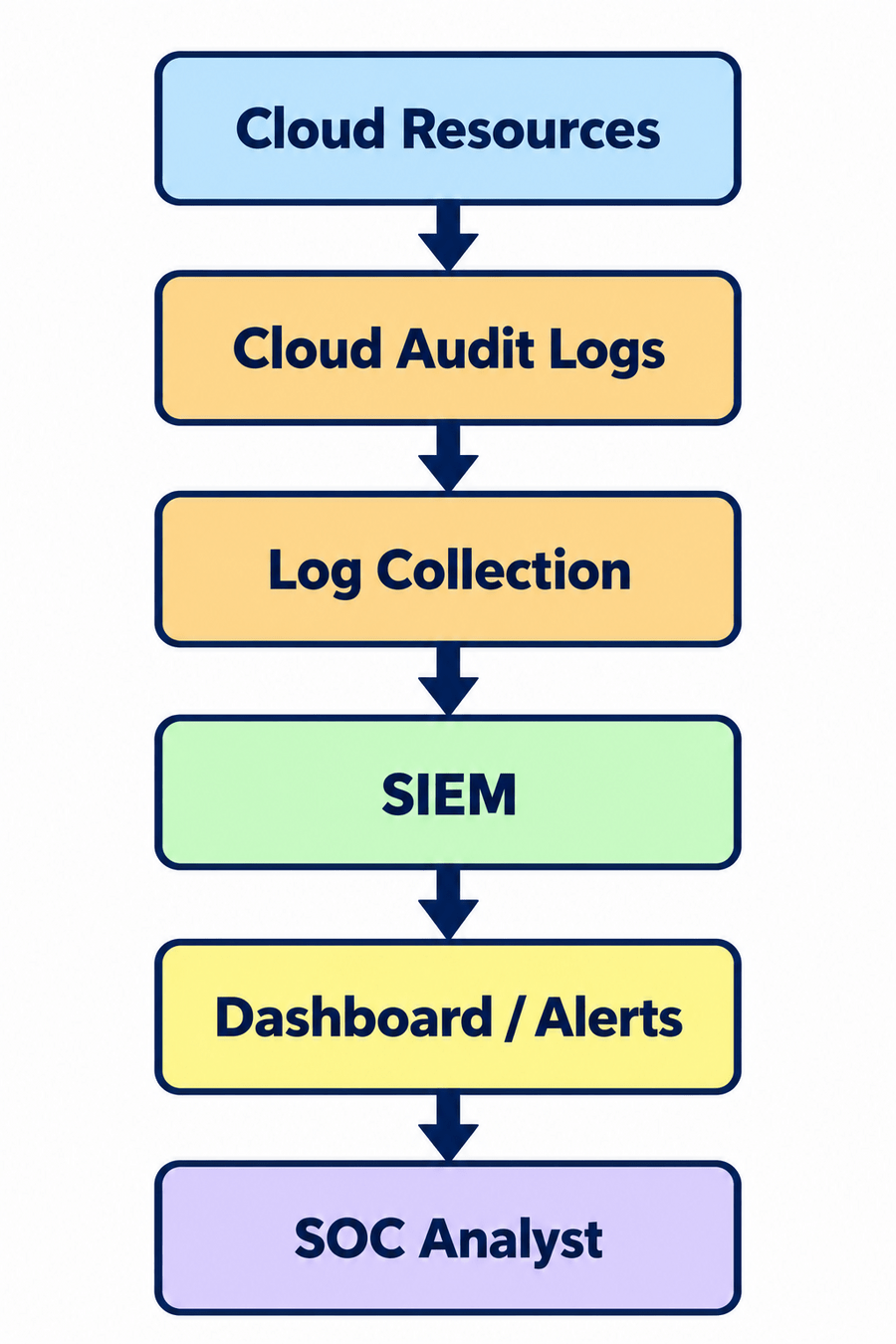
Task 2: Create a Cloud Resource Map
Example
Activity
Students create a basic cloud resource and visibility map.
Objective
Collect activity logs from cloud resources.
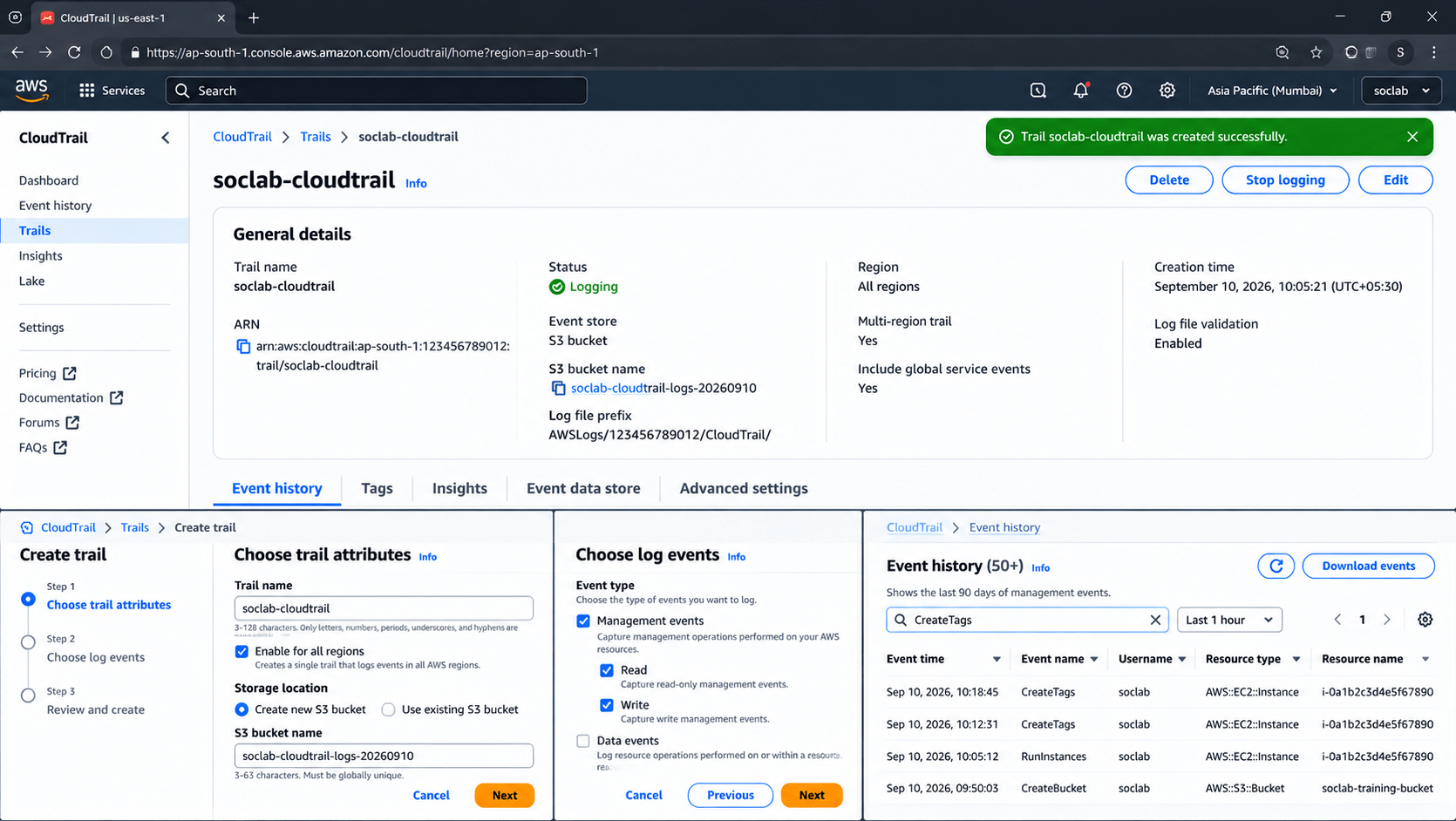
Open the cloud provider's logging/audit service.
1
Enable logging for the training environment.
2
Configure the required destination.
3
User login.
Resource creation.
Resource modification.
Resource deletion.
Task 3: Enable Cloud Logging
Generate simple test activities, such as:
4
Expected Output
Cloud activity is successfully recorded.
Verify that the activities are recorded in the cloud logs.
5
Objective
Send cloud security logs to the central SIEM.
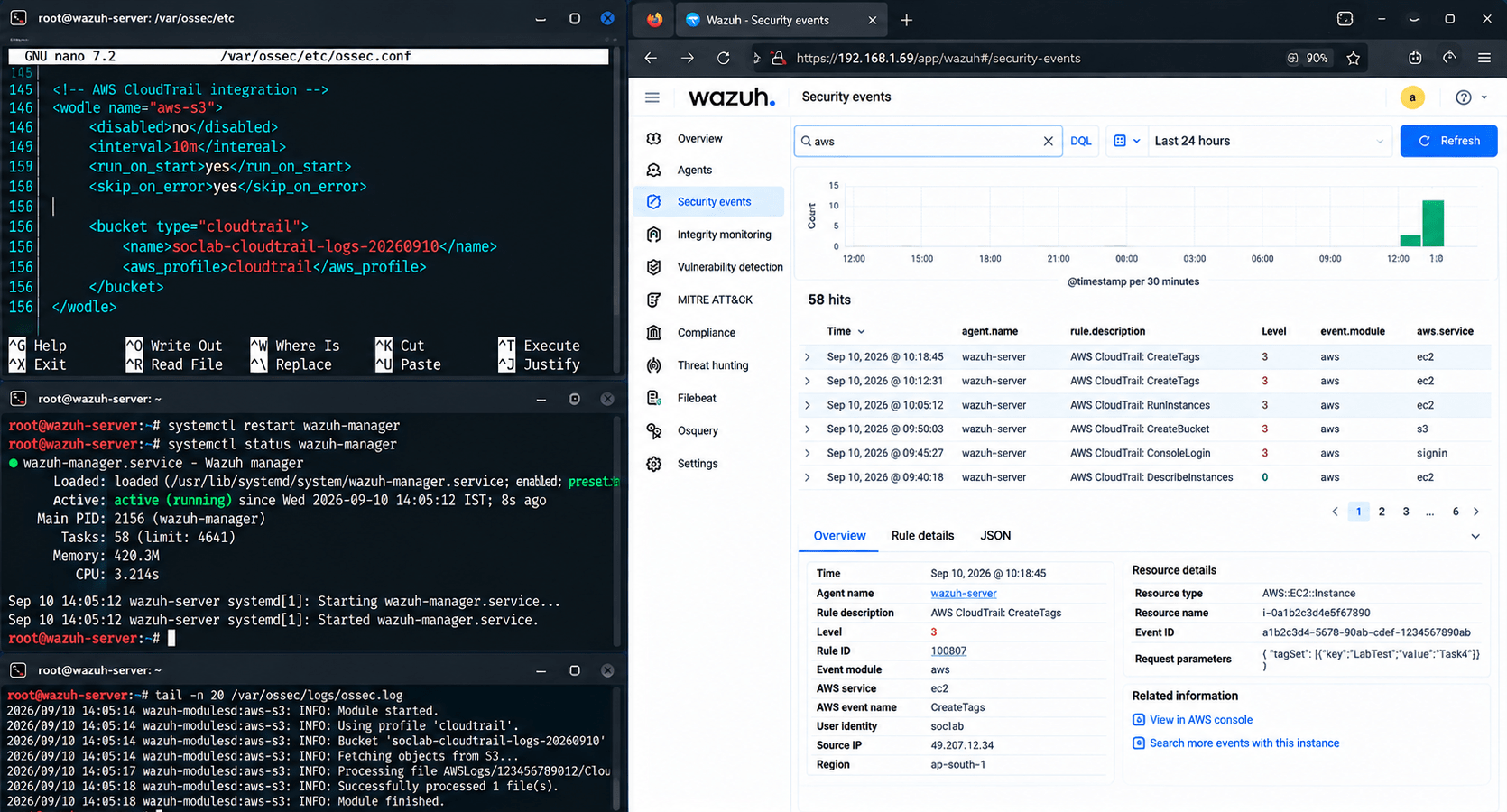
Task 4: Integrate Cloud Logs with SIEM
Open the SIEM configuration.
1
Wait for cloud events to appear.
5
Verify that the SIEM identifies the cloud log source correctly.
6
Configure the authorized cloud log source.
2
Provide the required authentication/configuration details.
3
Start log collection.
4
Example
Expected Output
Cloud logs are visible in the SIEM.
Objective
Confirm that cloud activity can be monitored centrally.
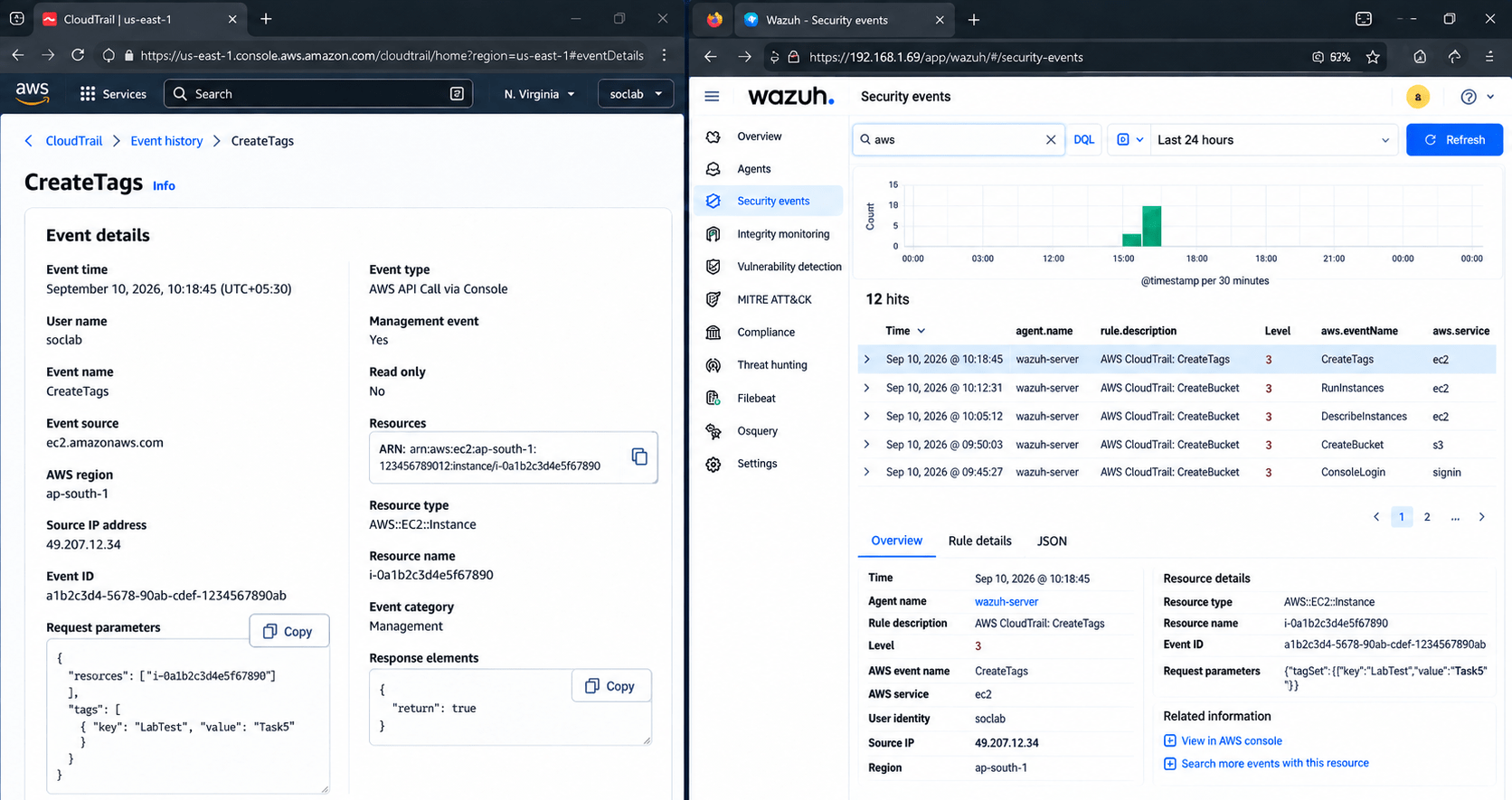
Perform a test activity on a cloud resource.
1
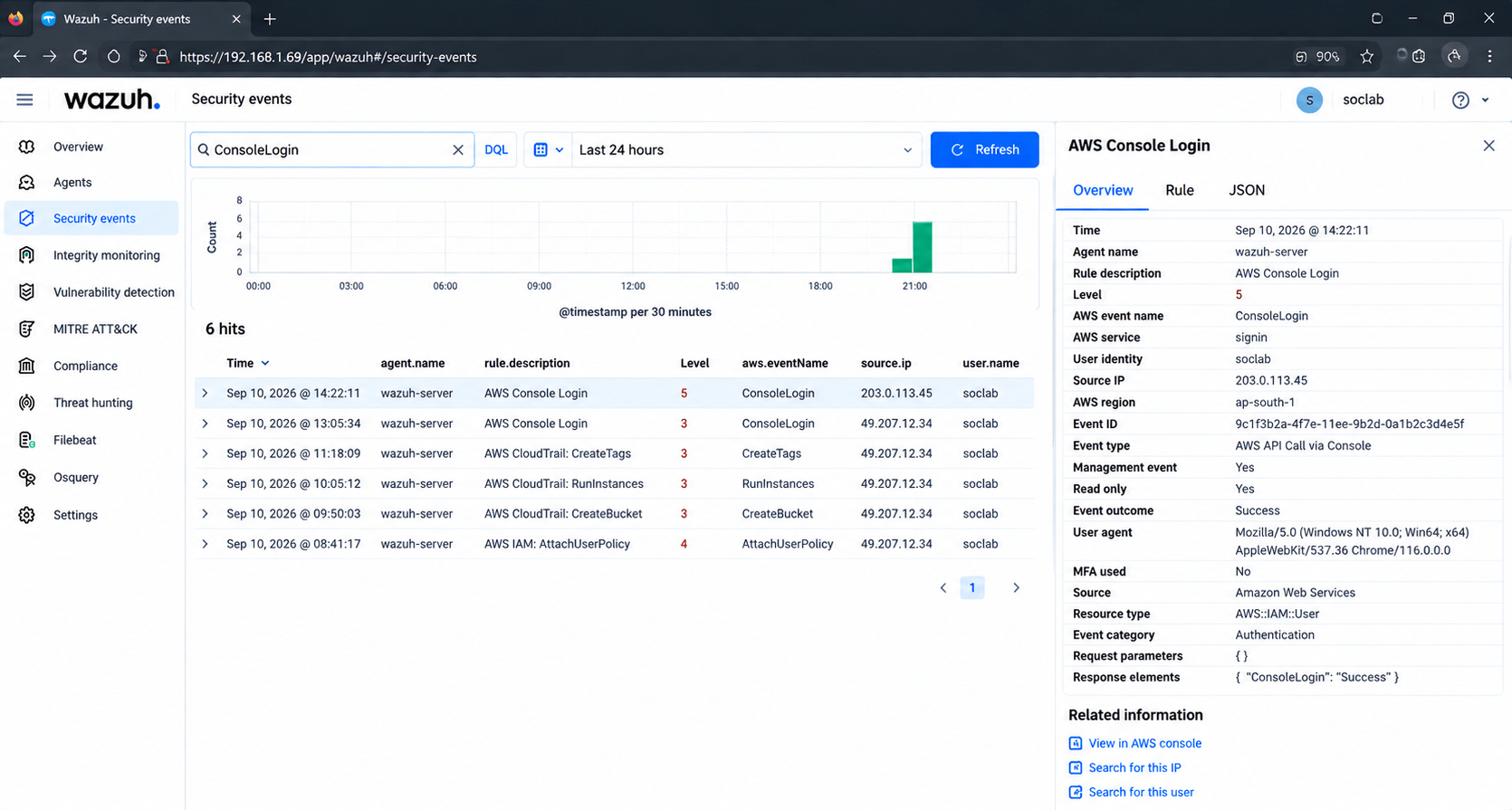
Open the SIEM dashboard.
2
Search for the corresponding event.
3
Task 5: Verify Cloud Visibility
Verify:
4
Cloud resource
User
Timestamp
Action
Source
Event status
Confirm that the event can be traced back to the cloud resource.
5
Expected Output
Cloud resource
User
Timestamp
Action
Source
Event status
Activity
Students can monitor cloud activity through the SIEM.
Objective
Use centralised cloud logs to identify suspicious activity.
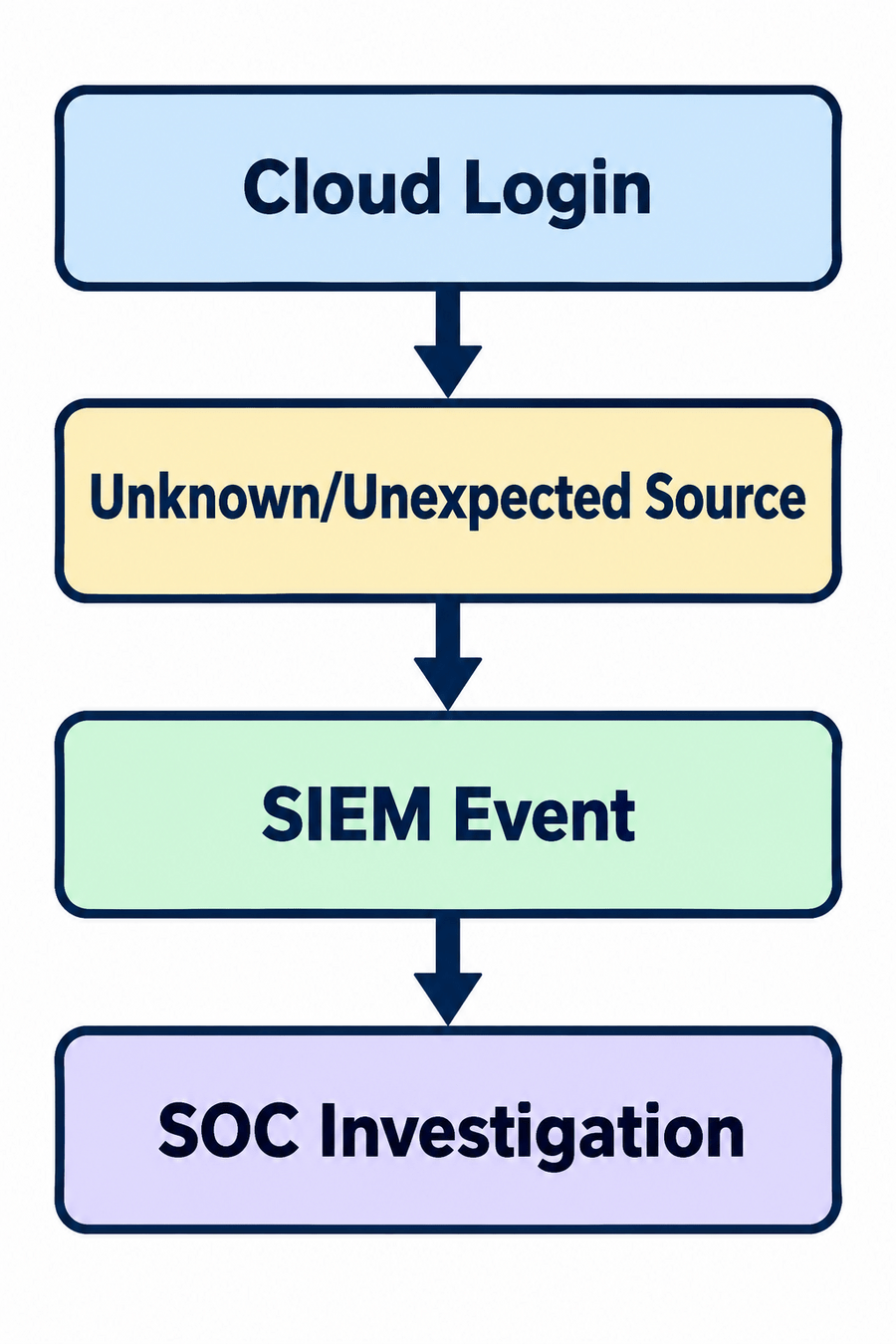
Task 6: Identify a Security Event
Review the collected cloud events.
1
Look for unusual activities such as:
2
Select one event.
3
Investigate the event using the available log information.
4
Example
Unexpected login.
Unauthorised access attempt.
Unusual resource modification.
Unexpected privilege change.
Record the finding.
5
Expected Output
Task 7: Document Cloud Visibility
Objective
Create a basic cloud visibility report.
Record:
Activity
Students identify and document a potential cloud security event.
| Field | Example |
|---|---|
| Resource | TEST-VM01 |
| Resource Type | Virtual Machine |
| Region | Mumbai |
| Logging | Enabled |
| SIEM | Wazuh |
| Log Source | Cloud Audit Logs |
| Events Received | Yes |
| Monitoring Status | Active |
Example Finding
Resource: TEST-VM01
Visibility:
The cloud resource was mapped and its activity logs
were integrated into the SIEM.
Verification:
Test cloud activities were successfully observed
through the SIEM dashboard.
Status:
Cloud visibility successfully implemented.
Expected Output
Example Finding
Resource: TEST-VM01
Visibility:
The cloud resource was mapped and its activity logs
were integrated into the SIEM.
Verification:
Test cloud activities were successfully observed
through the SIEM dashboard.
Status:
Cloud visibility successfully implemented.
Great job!
After completing this lab, students will be able to identify cloud resources, create a cloud asset inventory, map relationships between resources, enable cloud activity logging, integrate cloud logs with a SIEM, centrally monitor cloud resources, and identify basic cloud security events.
Checkpoint
Git Push
git push origin branchNameNext-Lab Preparation
Topic: Cloud Monitoring and Visibility
1) Cloud Environment Visibility & Architecture
2) Cloud Logging & Monitoring
3) Threat Detection in Cloud Environments
By Content ITV