



















Content ITV PRO
This is Itvedant Content department
Master RDS in a Flash
Learning Outcome
5
Understand Multi-AZ deployments and Read Replicas
4
Learn how to create an RDS database
3
Understand instance classes (CPU, memory, storage)
2
Understand database engines (SQL, NoSQL, In-Memory)
1
Understand what Amazon RDS is
Earlier, we learned that
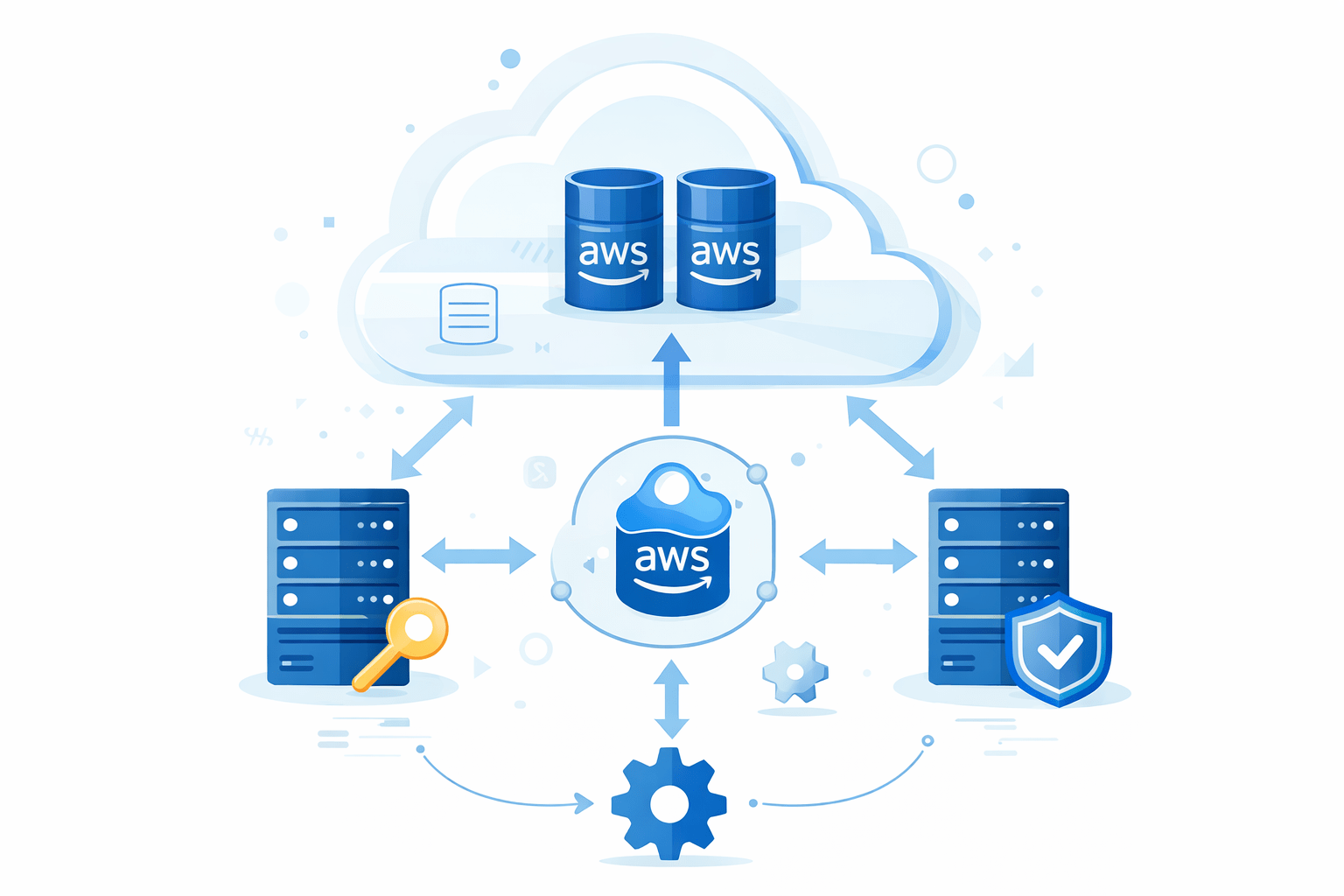
Amazon Relational Database Service (RDS) is a managed database service
AWS manages installation, patching, backups
Easy to scale and secure
Supports multiple database engines
RDS is like renting a ready-to-use database instead of building one from scratch
A Database Instance is the running database server in RDS
Has CPU, memory, and storage
Hosts one or more databases
Can be resized when needed
Like a computer that runs your database software
Database Engines
SQL (Relational Databases)
Structured data (tables, rows, columns)
Uses SQL language
Examples
MySQL
PostgreSQL
Oracle
SQL Server
MariaDB
NoSQL Databases
Flexible schema
Used for large-scale, unstructured data
Example
DynamoDB
In-Memory Databases
Data stored in memory
Very fast access
Examples
Amazon ElastiCache (Redis, Memcached)
Instance classes define the power of your database
They control
Network capacity
Example
db.t3 – low cost, small workloads
db.r5 – memory-optimized workloads
General Purpose SSD (gp2/gp3): Balanced performance
Magnetic (Legacy): Low cost, not recommended
Storage size and type impact performance and cost.
Open AWS Management Console
Go to RDS Create database
Choose database engine
Select instance class and storage
Configure credentials and network
Enable backups and Multi-AZ (optional)
Create database
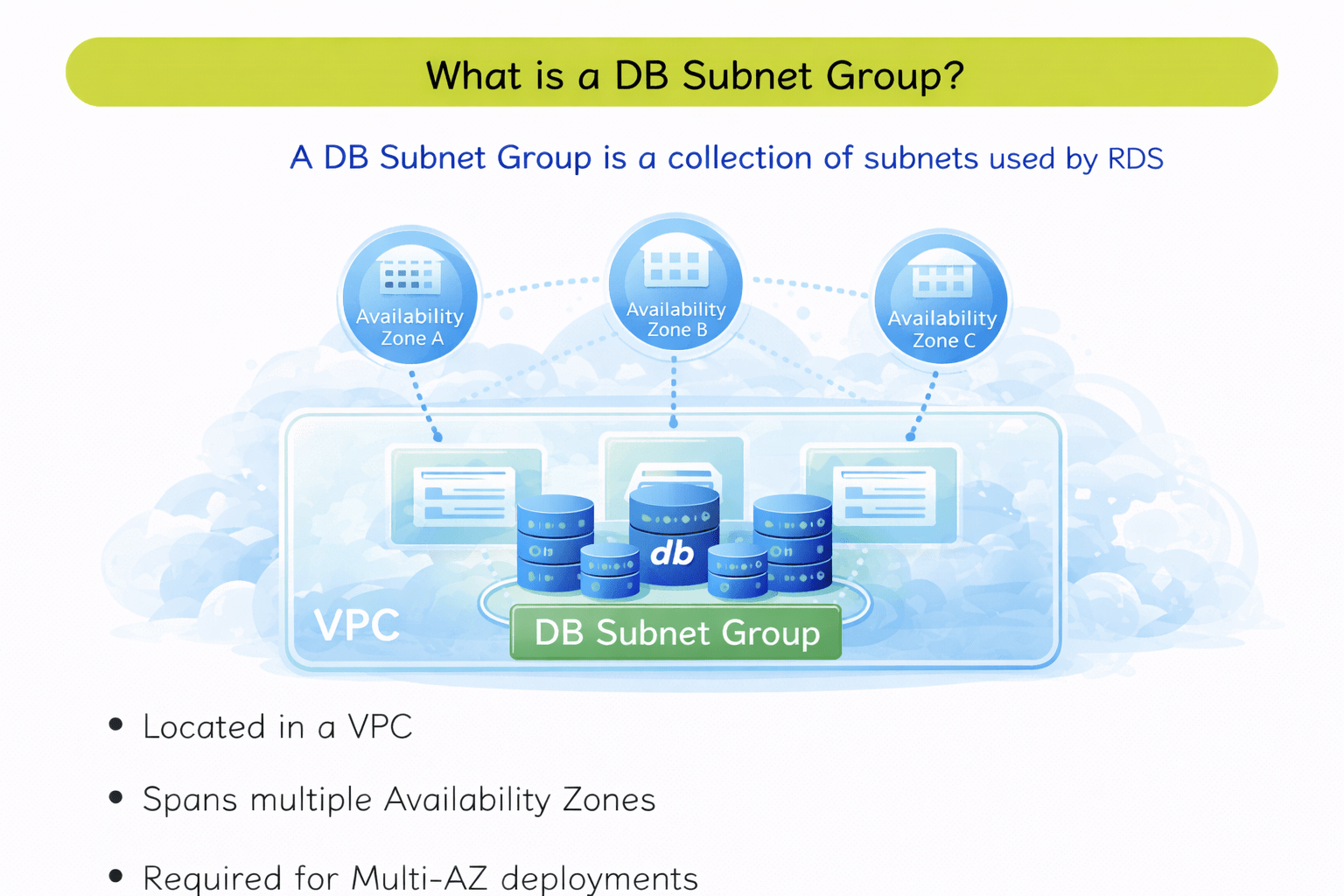
A DB Subnet Group is a collection of subnets used by RDS
Located in a VPC
Spans multiple Availability Zones
Required for Multi-AZ deployments
It controls where the database is placed
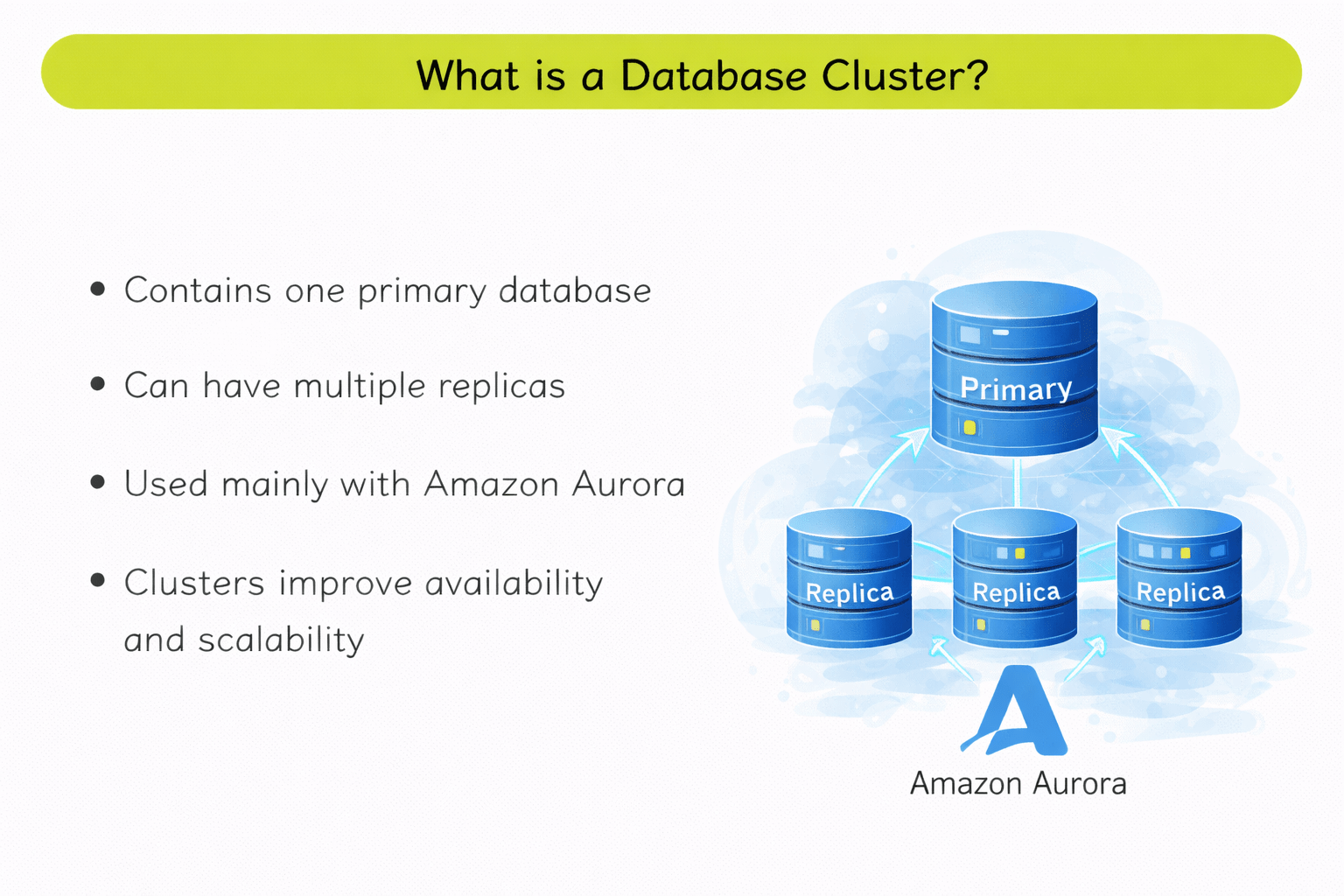
A Database Cluster
Contains one primary database
Can have multiple replicas
Used mainly with Amazon Aurora
Clusters improve availability and scalability
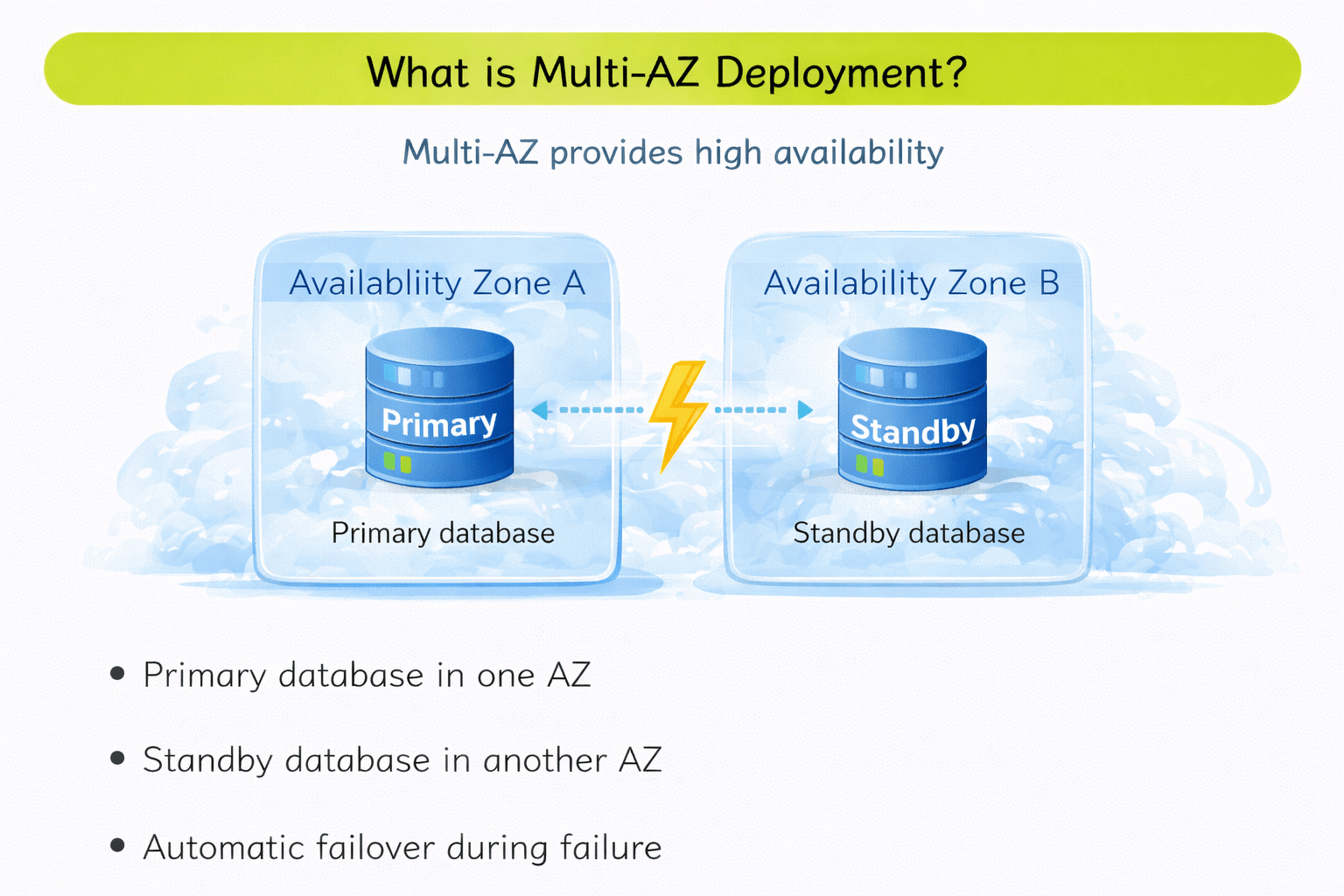
Multi-AZ provides high availability
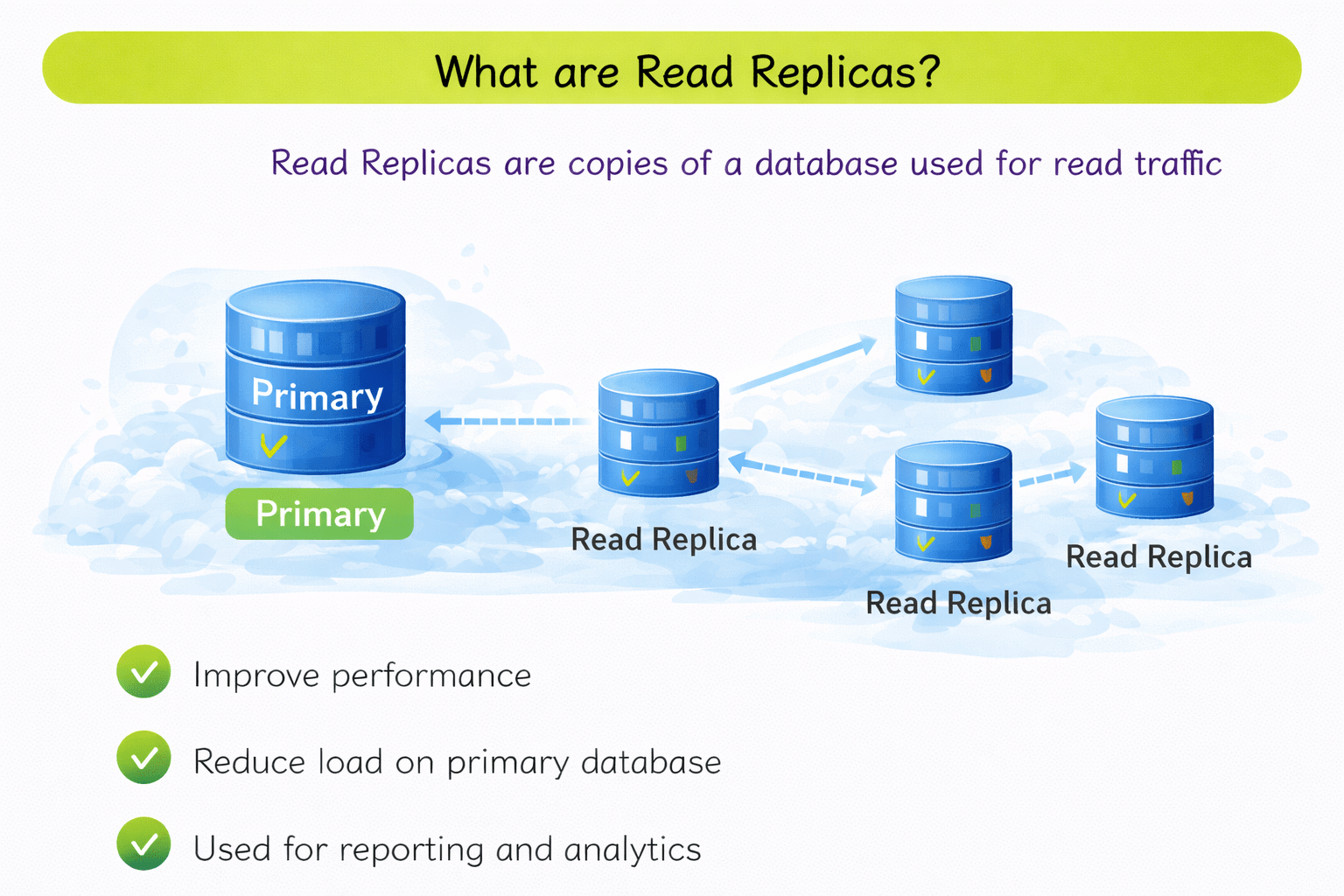
What are Read Replicas?
Read Replicas are copies of a database used for read traffic
Reduce load on primary database
Used for reporting and analytics
Reads go to replicas, writes go to primary
3
Snapshots and backups protect data
2
Instance classes define CPU and memory
1
Amazon RDS is a fully managed database service
4
Multi-AZ provides high availability
5
RDS simplifies database management
Quiz
What is a DB instance?
A. Backup file
B. Running database server
C. Storage volume
D. Network configuration
Quiz-Answer
What is a DB instance?
A. Backup file
B. Running database server
C. Storage volume
D. Network configuration
What does the Round Robin algorithm do?
A. Sends requests one by one to each server in order
B. Sends requests random
C. Blocks extra user requests
D. Sends all requests to one server
By Content ITV