
Content ITV PRO
This is Itvedant Content department
Demonstrate Essential Linux commands, file handling, and permission management
Business Scenario
Welcome!
You are a Network Security Intern at SkyLink Networks, where you are learning essential Linux skills using Kali Linux. Your task is to perform file and directory operations, navigate the system using Linux commands, and manage file permissions and ownership. By practicing real commands and modifying access controls, you build a strong foundation for secure system management and ethical hacking tasks.
Pre-Lab Preparation
Topic : Linux Commands
1) Basic Linux commands (ls, cd, pwd, mkdir, rm, cp, mv).
2) File permissions and ownership.
Task 1: Performing essential file and directory operations using basic linux commands managing ffile access through permissions and ownership in linux
1
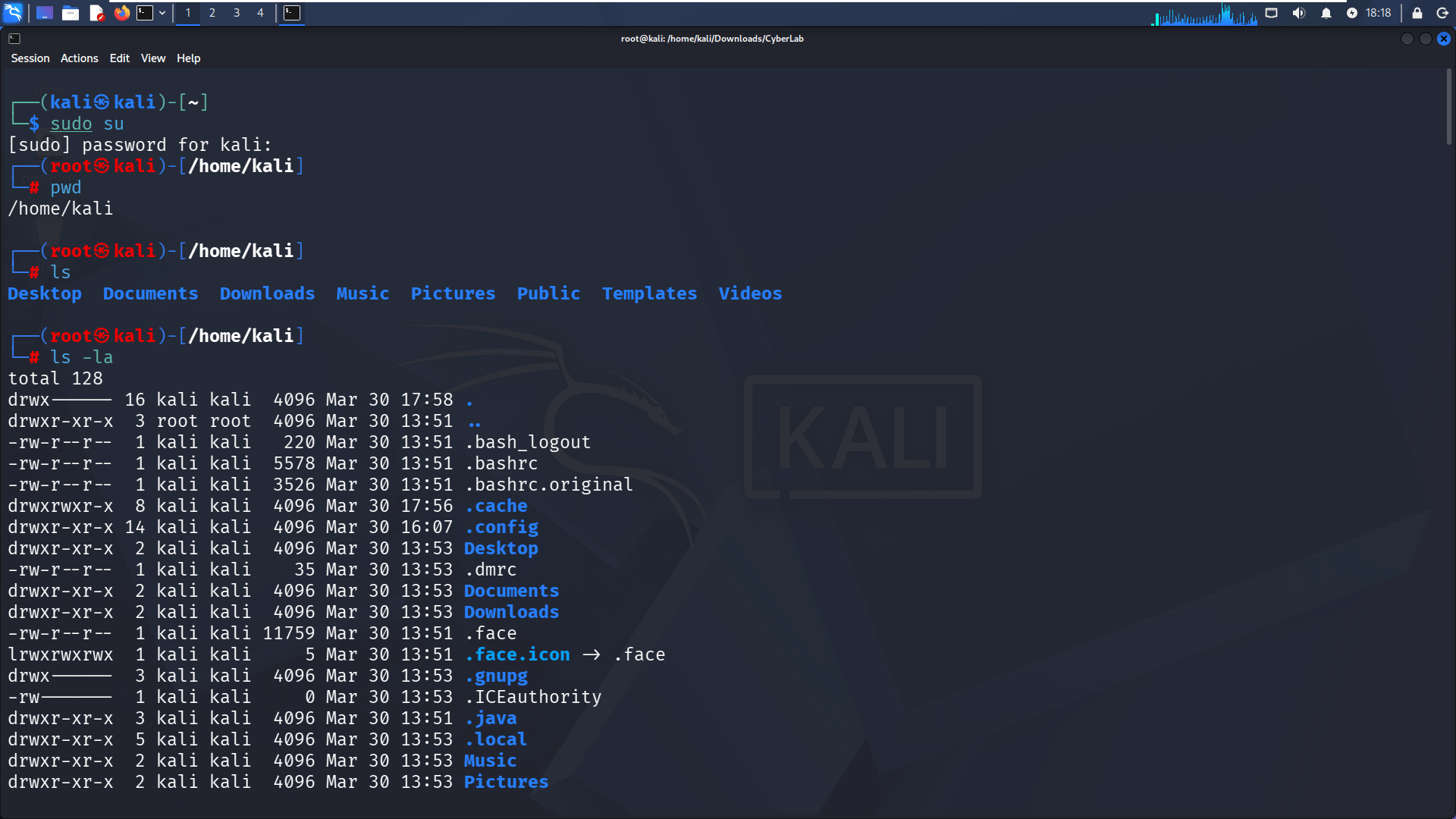
Switch to Root User & Check Current Directory
a
Open terminal
b
Run:
sudo supwdYou should see /home/kali
2
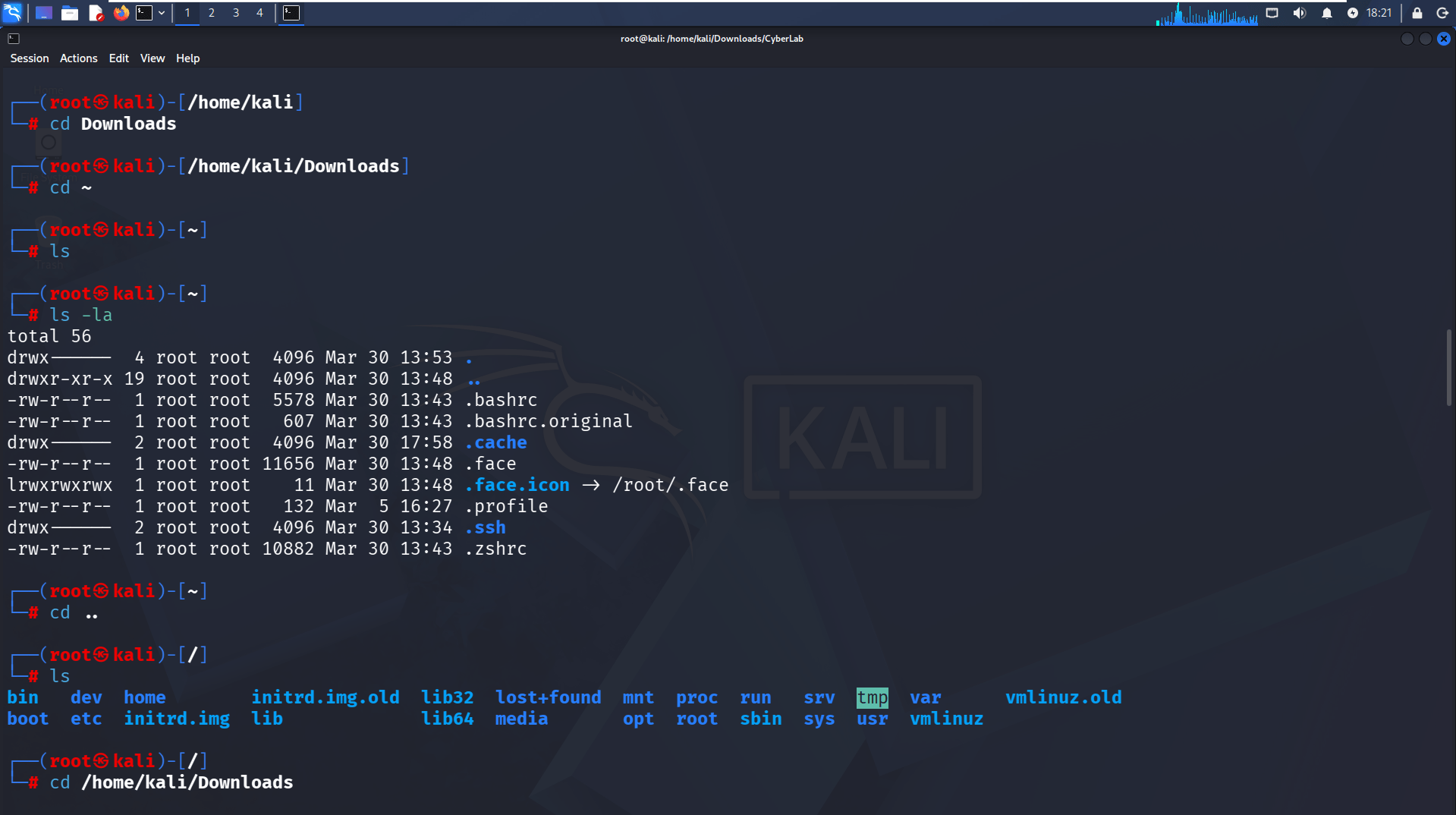
List Files in Home Directory
a
Run:
lsb
Observe folders like: Desktop, Documents, Downloads, Music, etc.
3
View Hidden Files & Detailed Info
a
Run:
ls -lab
Observe hidden files (starting with . like .bashrc, .config)
Goal: Understand hidden/system files
4
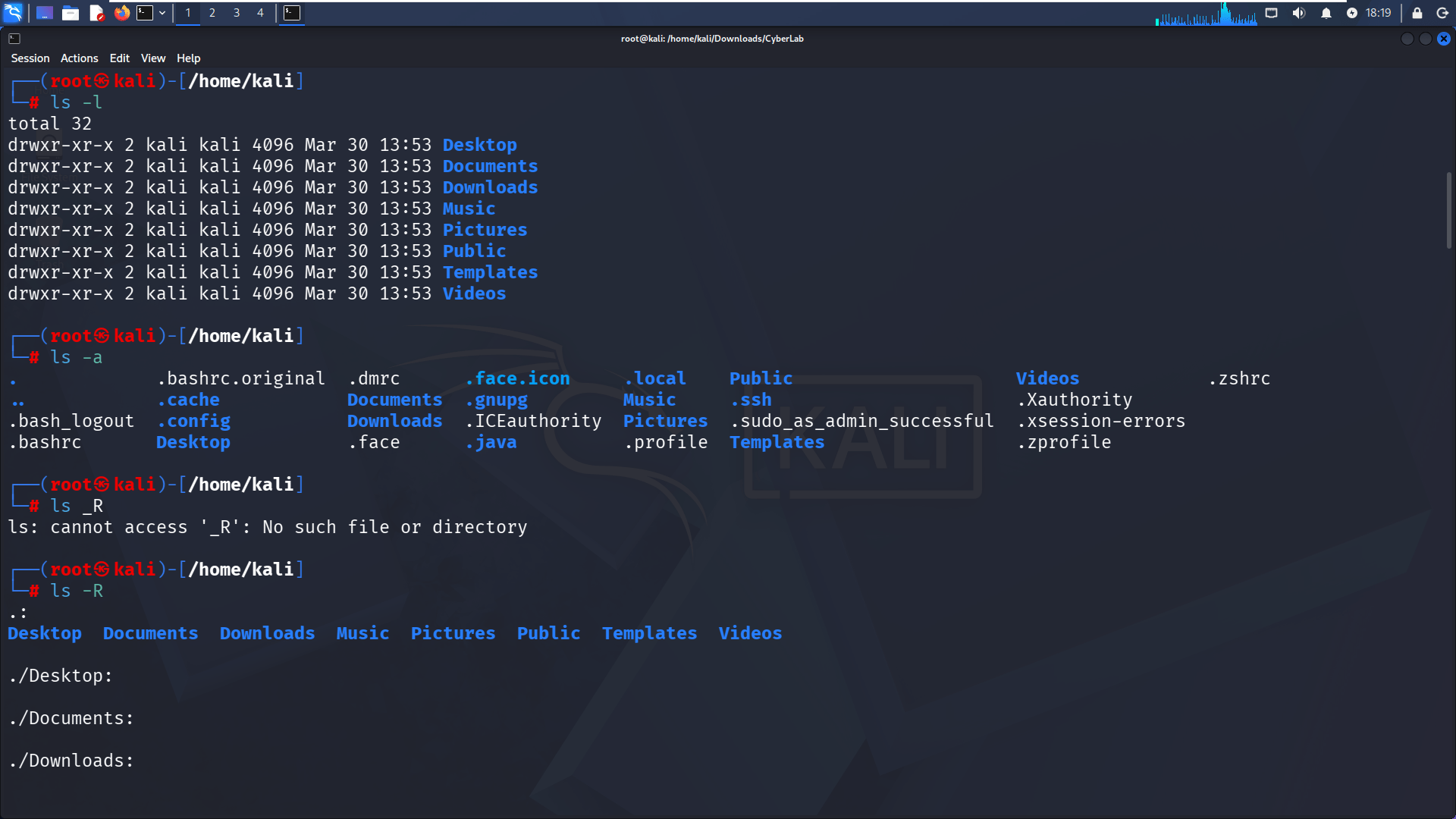
Use Advanced Listing Options
a
Run:
ls -lls -a5
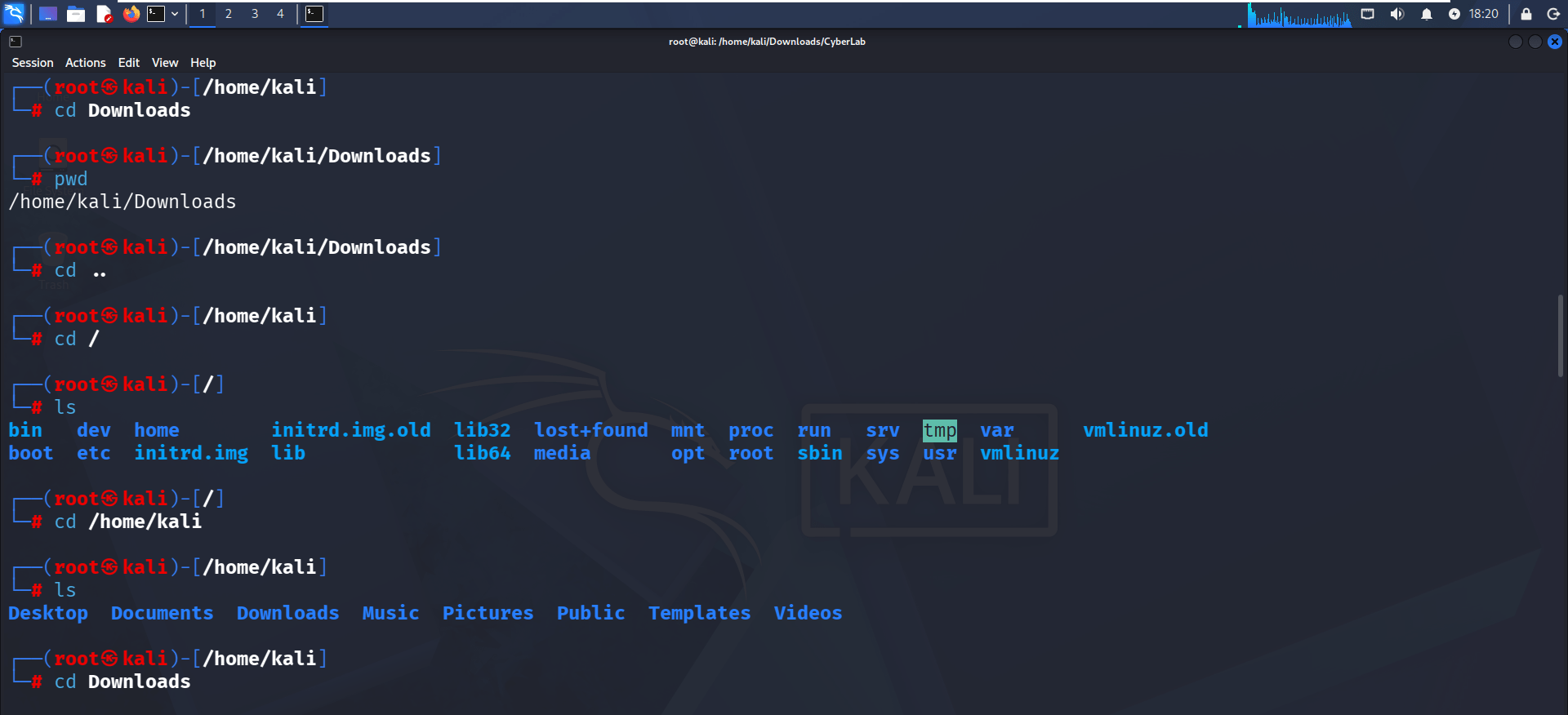
Navigate Between Directories
a
Run:
cd Downloadsls -RTry wrong command:
ls _R (Goal: Learn correct vs incorrect command usage)
pwdcd ..cd /lscd /home/kaliGoal: Practice navigation (absolute & relative paths)
6
Use Shortcut Navigation
a
Run:
cd Downloadscd ~lsls -lacd ..7
Create a Project Directory
a
Run:
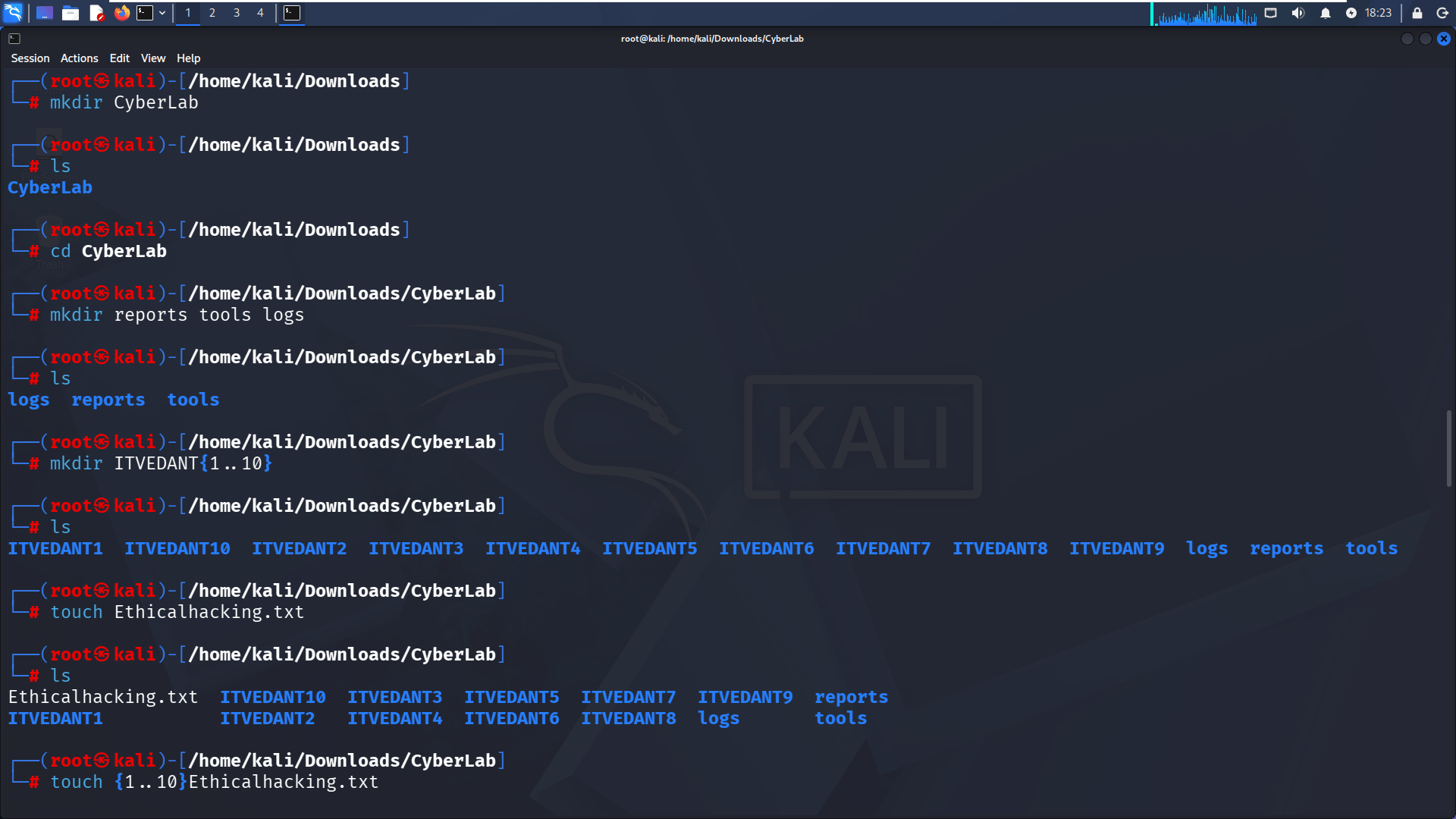
cd /home/kali/Downloadsmkdir CyberLabcd CyberLabGoal: Create and enter working directory
8
Create Multiple Folders
a
Run:
mkdir reports tools logslsGoal: Organize folders for lab structure
9
Create Multiple Directories (Bulk)
a
Run:
mkdir ITVEDANT{1..10}ls10
Create Files
a
Run:
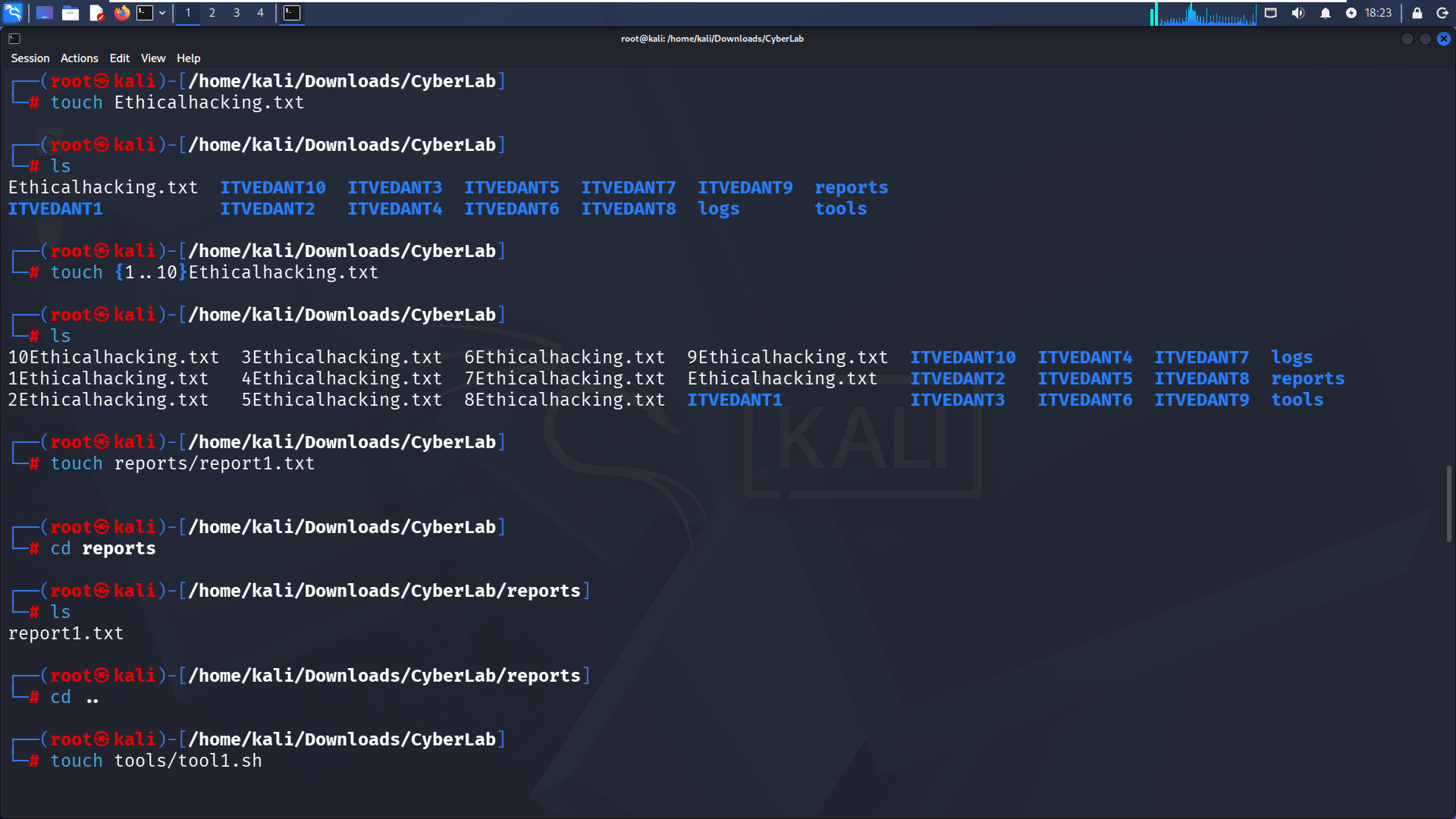
touch Ethicalhacking.txttouch {1..10}Ethicalhacking.txtlsGoal: Create single & multiple files
11
Create Files Inside Folders
a
Run:
touch reports/report1.txtcd reportslscd ..12
Create Tool & Log Files
a
Run:
touch tools/tool1.sh12
Create Tool & Log Files
a
12
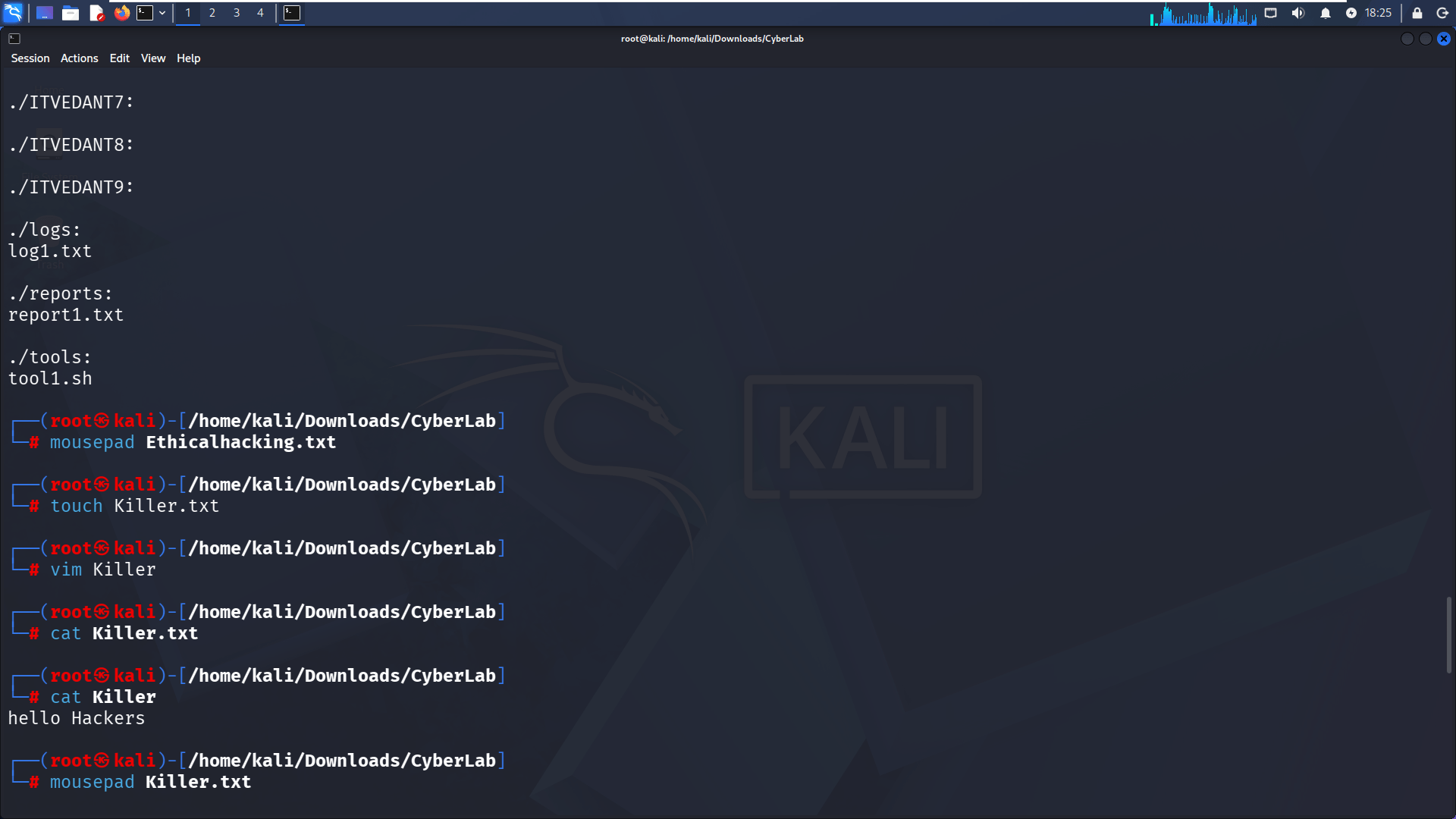
Edit & View File Content
a
Run:
13
a
mousepad Ethicalhacking.txttouch Killer.txtvim Killercat KillerAdd text like: hello Hackers
Goal: Create and read file content
12
Copy Files
a
14
a
Run:
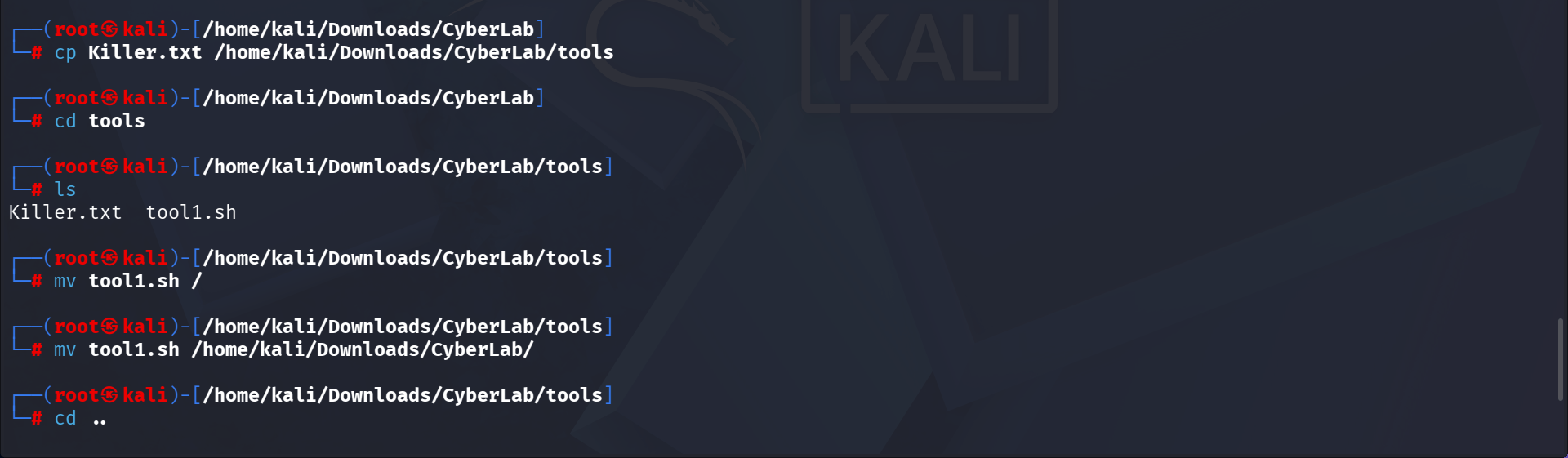
cp Killer.txt /cp Killer.txt /home/kali/Downloads/CyberLab/toolscd toolsls12
Move Files
a
15
a
Run:
mv tool1.sh /mv tool1.sh /home/kali/Downloads/CyberLab/cd ..ls12
Delete Directories
a
16
a
Run:
rmdir ITVEDANT112
Create Files in Specific Directories
a
17
a
Run:
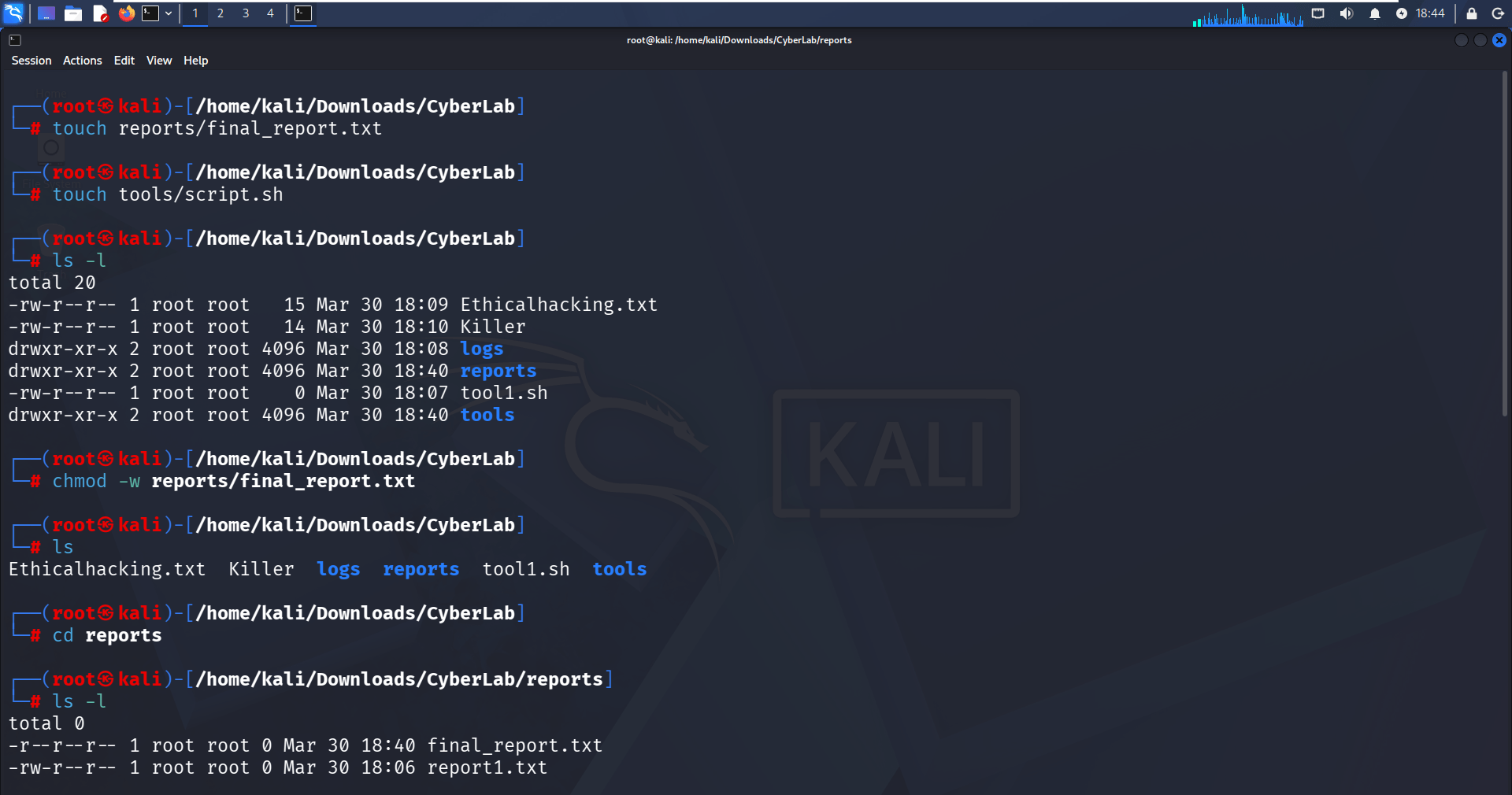
touch reports/final_report.txttouch tools/script.shGoal: Create files inside specific folders without entering them
12
View Detailed File Information
a
18
a
Run:
ls -la
b
Observe:
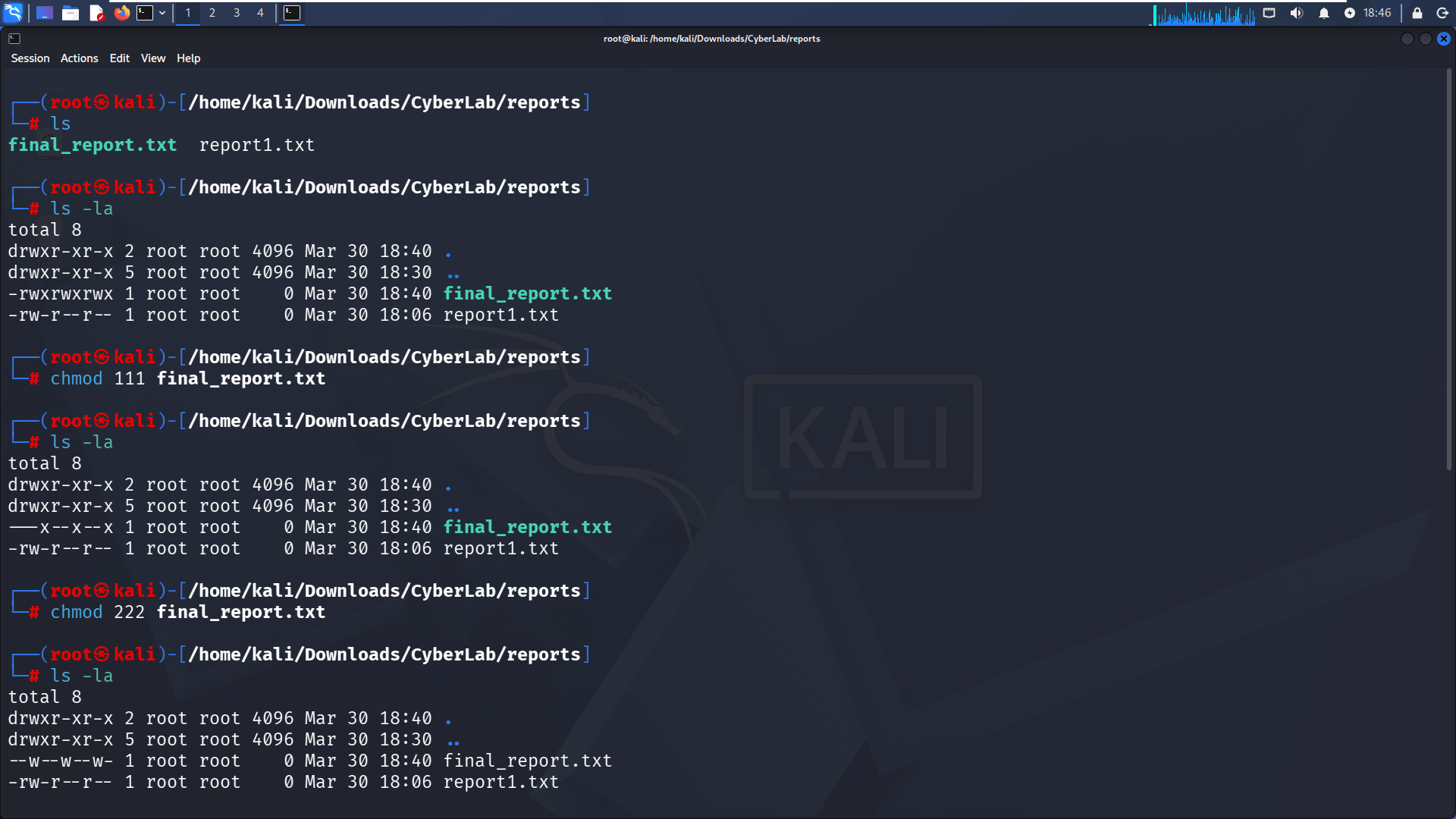
File permissions (-rw-r--r--)
Owner (root)
Goal: Understand file metadata
12
Remove Write Permission
a
19
a
Run:
chmod -w reports/final_report.txta
b
Check:
ls -lGoal: Modify file permissions (remove write access)
12
Navigate into Reports Folder
a
20
a
Run:
cd reportsls -lGoal: Verify file permission changes
12
Understand Numeric Permissions
a
21
a
Run:
chmod 111 final_report.txta
b
Result:
Goal: Learn numeric permission system
12
Change Permissions Again
a
22
a
Run:
chmod 222 final_report.txta
b
Result:
Goal: Practice permission variations
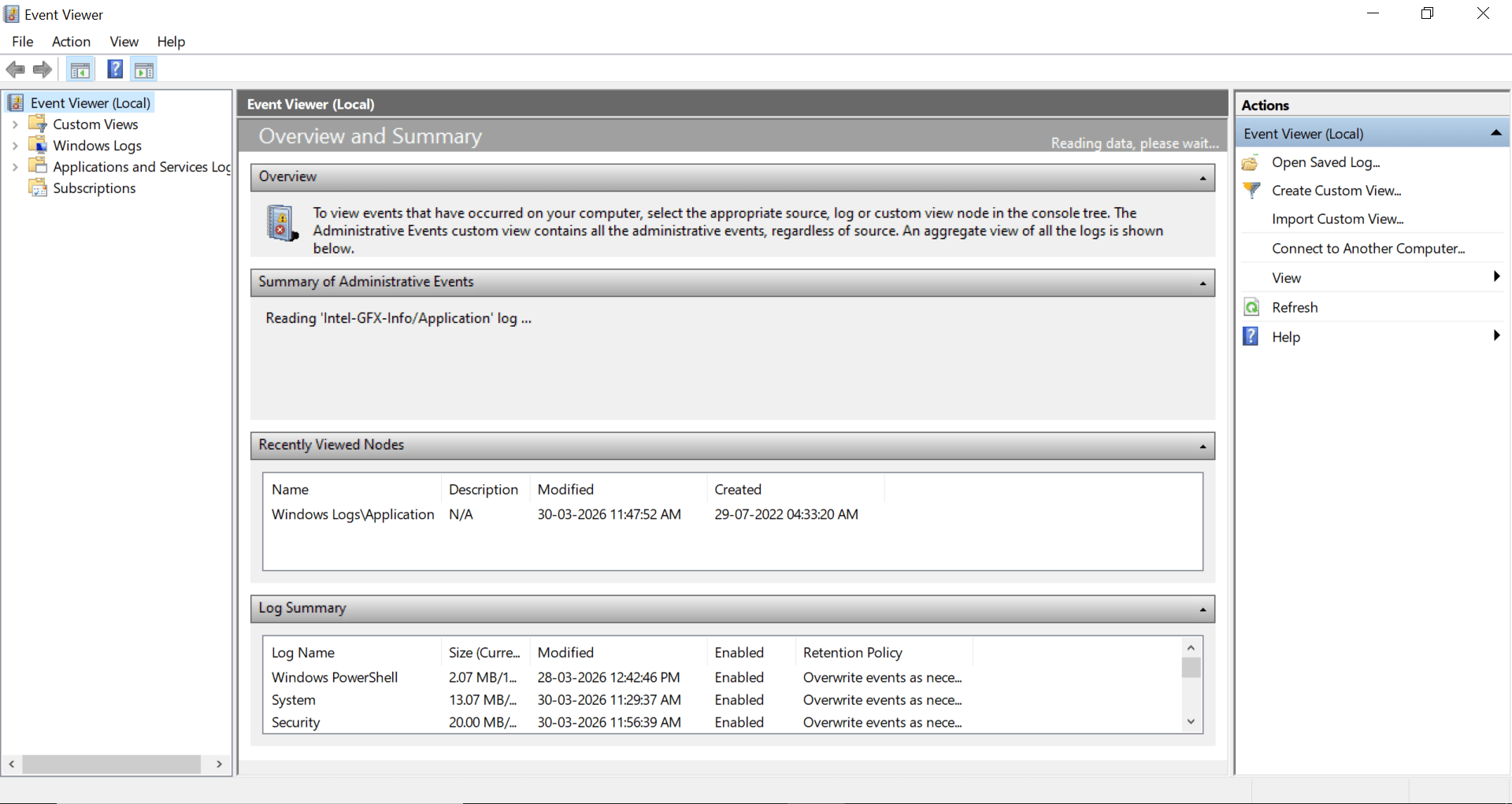
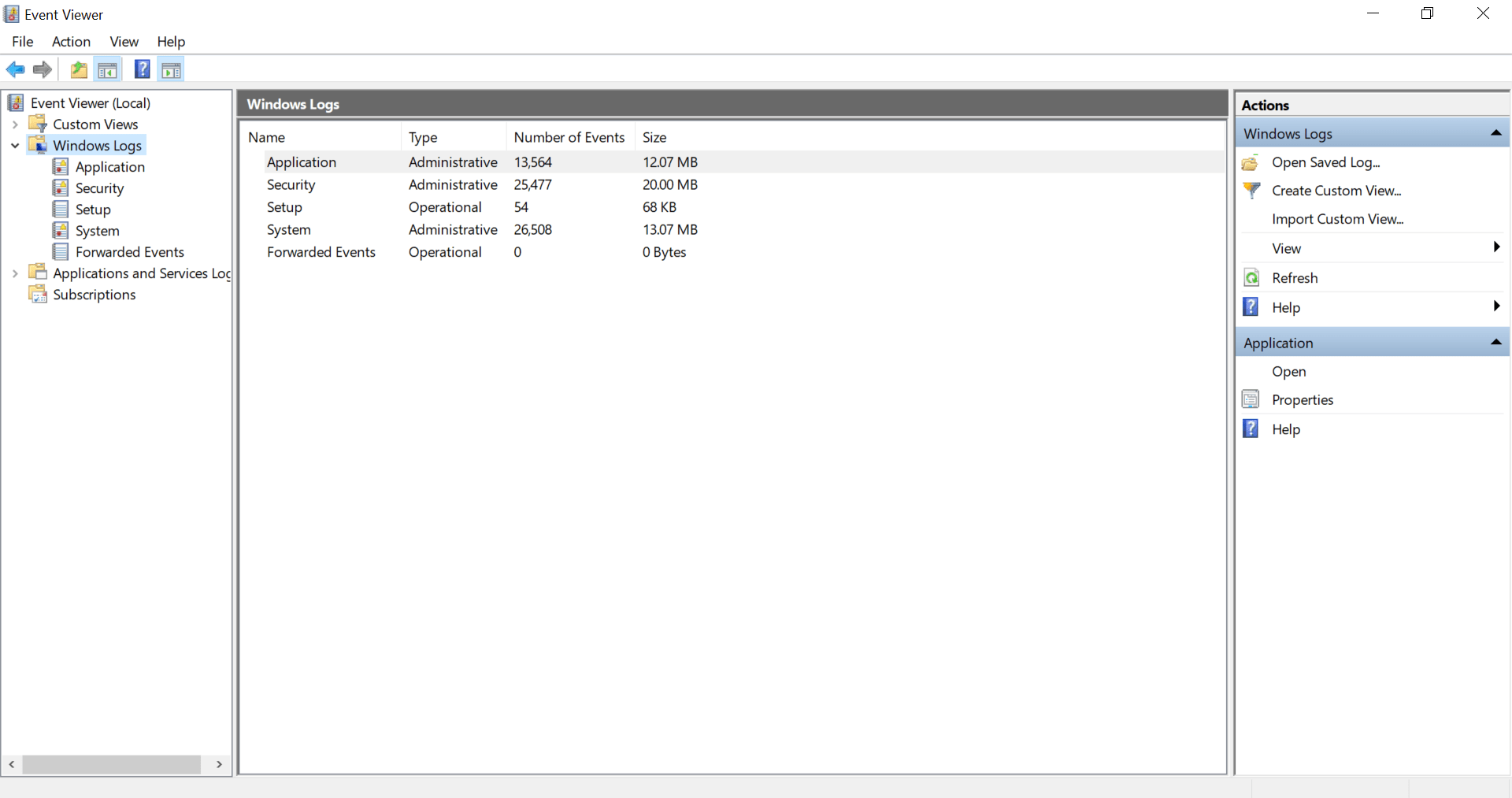
Navigate: Windows logs
b
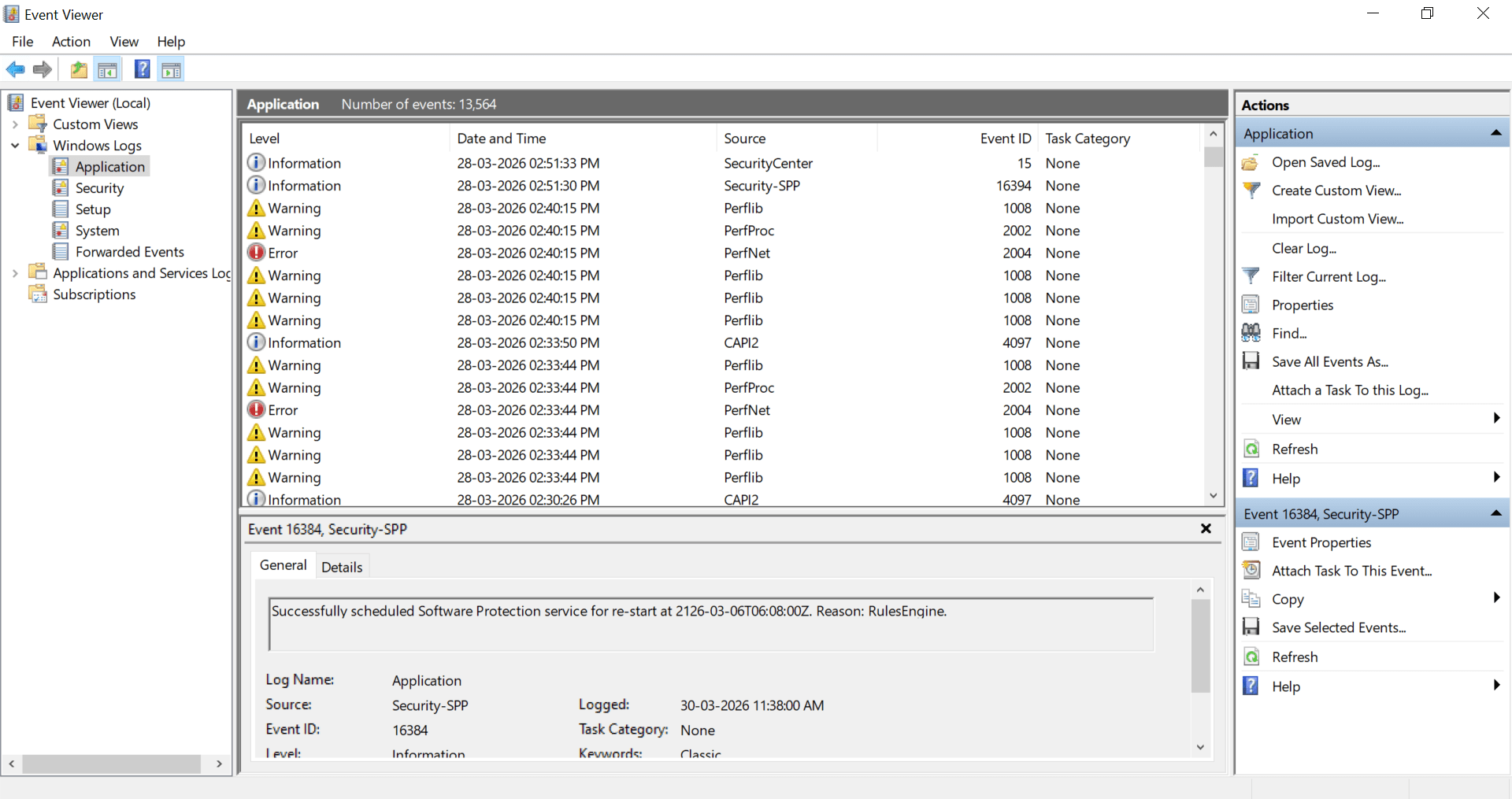
This is the Windows Event Viewer showing logs under Windows Logs → Application.
It displays events like Information, Warning, and Error with details such as date, source, and Event ID.
The bottom pane shows detailed information for a selected event (Event ID 16384 – Security-SPP service).
Now go to Application
Great job!
You have successfully completed your lab on Advanced Windows Tasks and System Security Monitoring.
In this lab, you have: Managed and controlled Windows background services, Automated tasks using Task Scheduler, Created and analyzed Registry persistence mechanisms, Investigated Event Viewer logs, and monitored important Windows security operations.
You are now ready to move to the next stage of Windows administration and security management.
Checkpoint
Next-Lab Preparation
Topic : Linux & Kali Linux Environment
1) Introduction to Kali Linux and Installation using VirtualBox/VMware
2) Understanding the Kali Linux environment
3) Linux file system structure
By Content ITV