




Content ITV PRO
This is Itvedant Content department
Learning Outcome
5
Connect connection fixes to Make’s tools.
4
Apply OAuth vs API key to real situations.
3
Recognize the risks of API keys.
2
Identify how OAuth 2.0 connections work.
1
Understand what an app connection is.
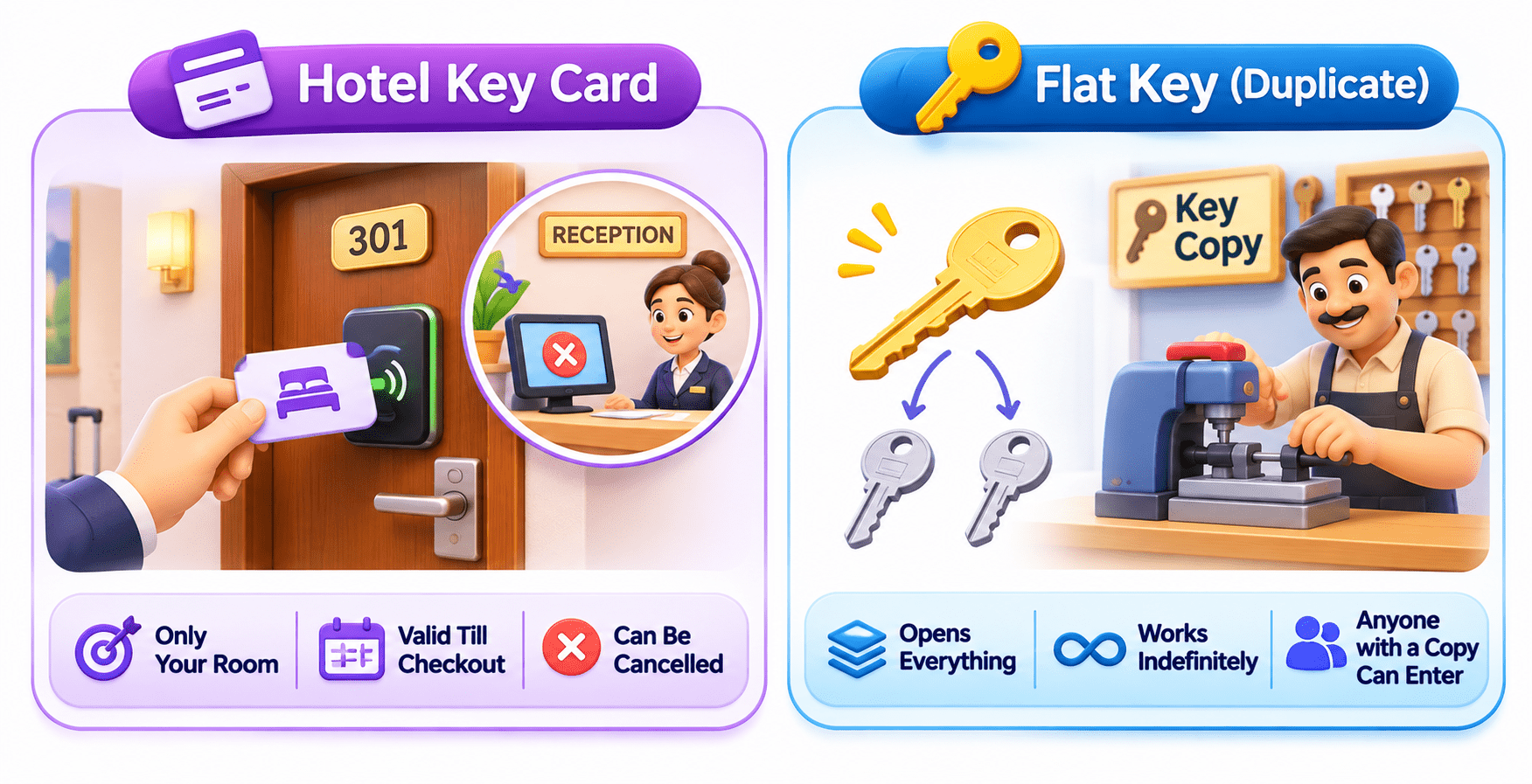
Hotel Key Card vs Flat Key
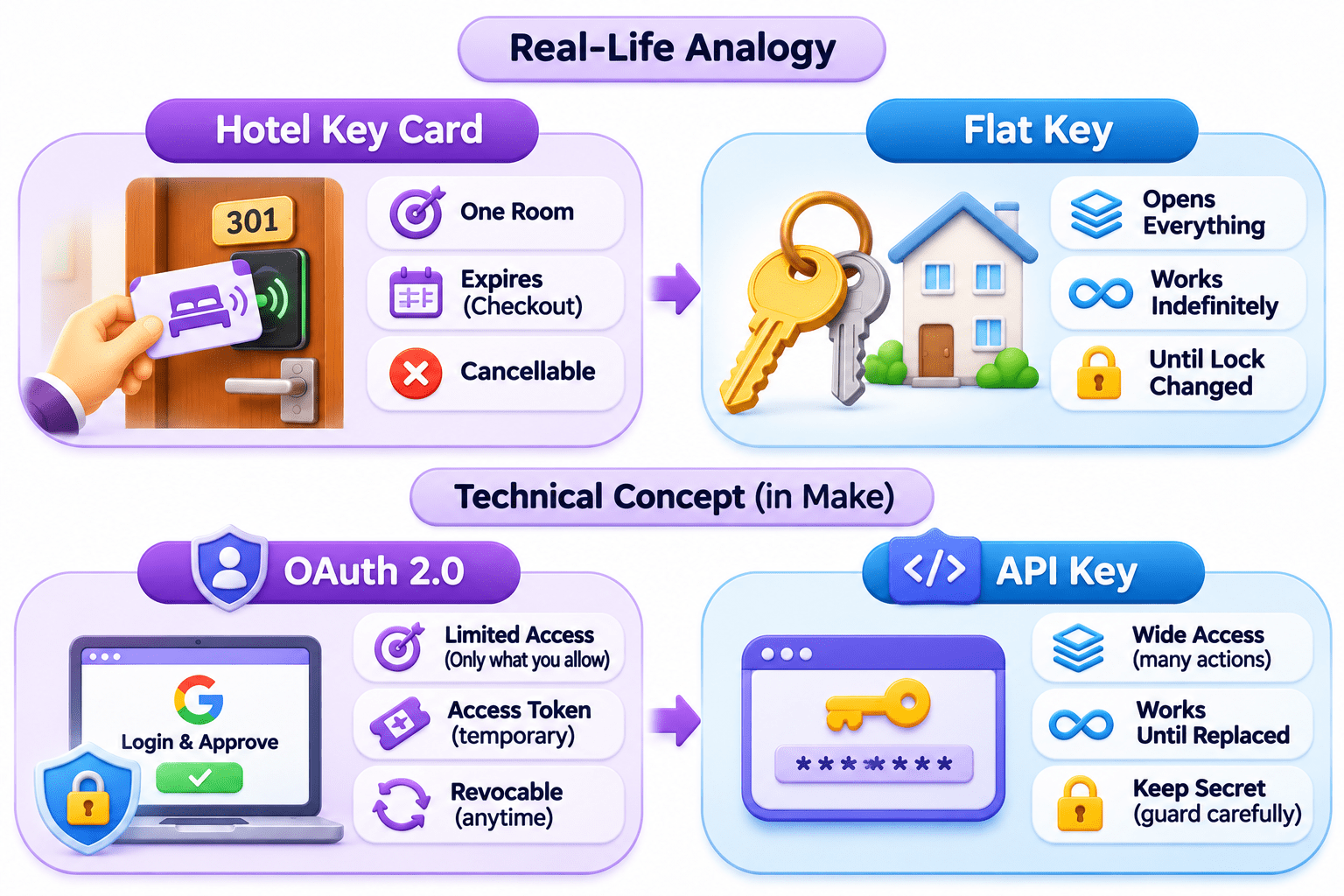
A hotel key card opens only your room, works until checkout, and reception can cancel it anytime without changing a lock.
A duplicate flat key opens everything, works until you change the lock, and anyone holding a copy can walk in.
Why does a hotel give you a key card instead of a master key?
Some keys give limited, cancellable access; others give full access until you change the lock.
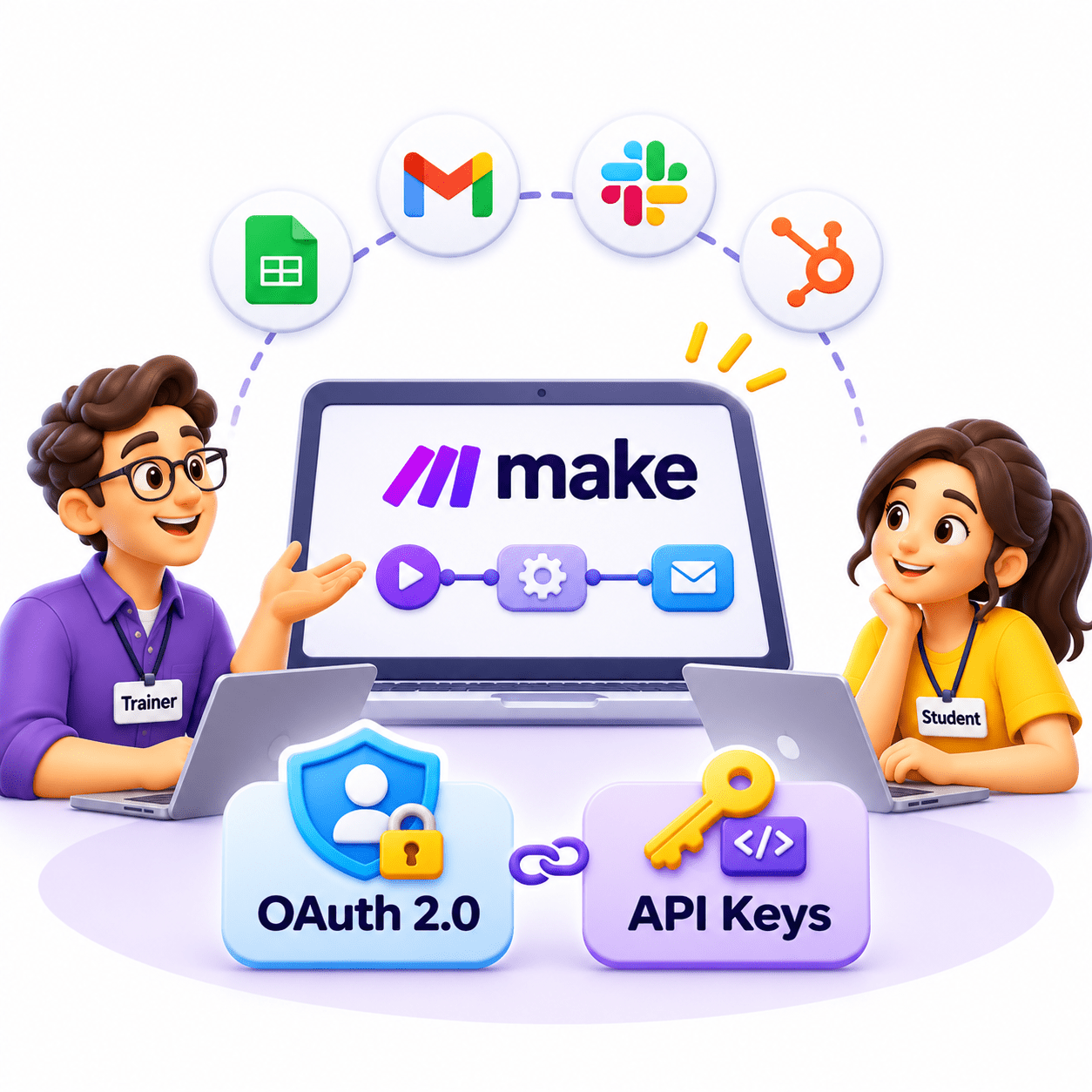
This is called Authentication and App Connections: OAuth 2.0 and API Keys.
Similarly, Make needs permission to work inside apps like Google Sheets or OpenAI, saved once as an app connection.
OAuth 2.0 works like the key card: you log in on the app’s own page, approve limited access, and can cancel it anytime.
An API key works like the flat key: a secret code with wide access until you replace it, so it must be guarded.
What is an App Connection?
The saved permission that lets Make act inside another app.
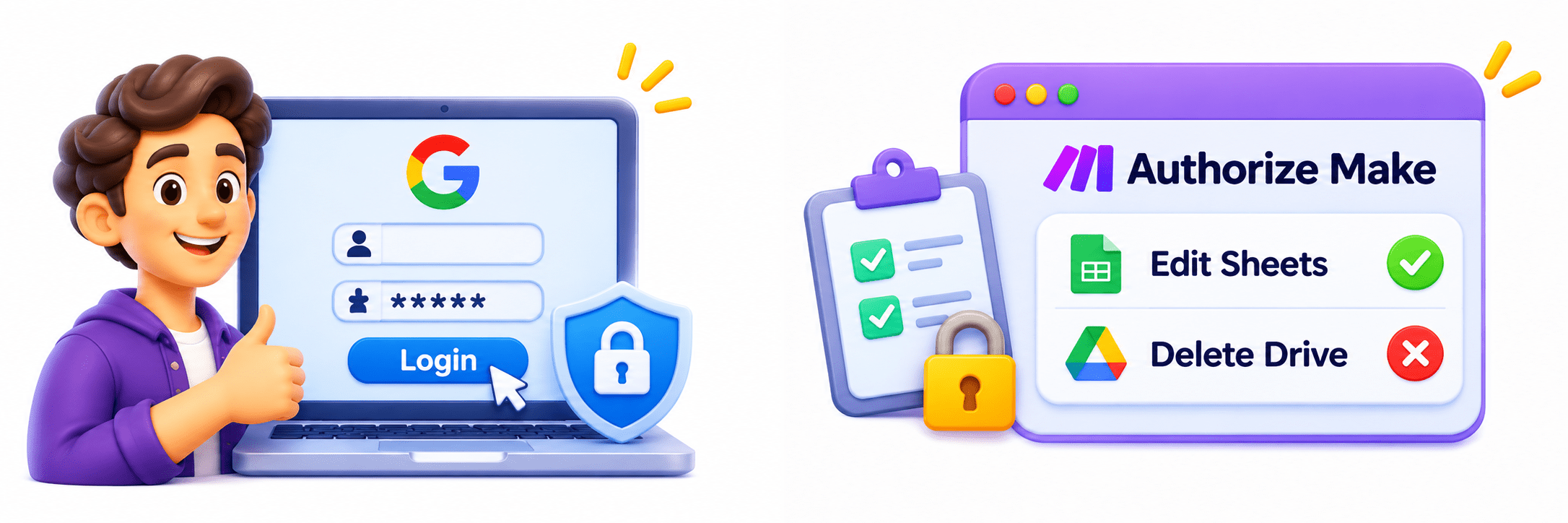
Authentication: proving who you are, e.g. logging in to Google
Authorisation: what Make may do, e.g. edit sheets but not delete Drive
What is OAuth 2.0?
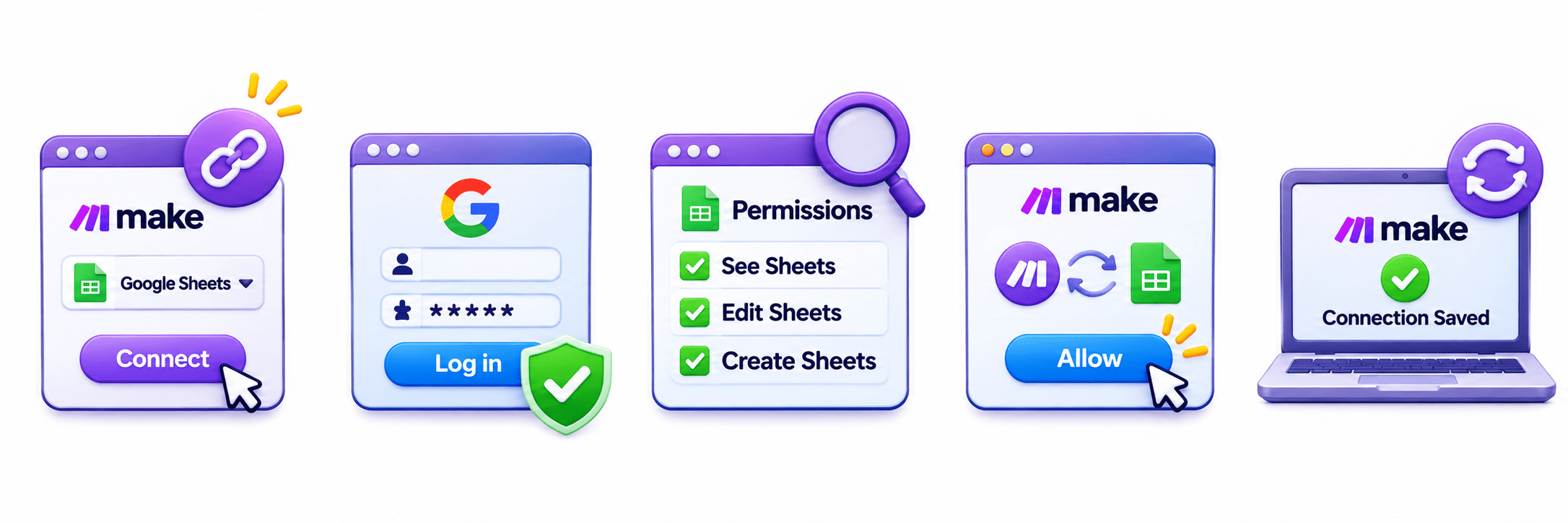
1. Create a connection
in the module
3. Review the scopes, e.g. “See, edit and create your Google Sheets”
4. Click Allow, and Make gets an access token
5. Connection saved and reused on every run
2. Log in on the app’s own page, never in Make
Key Point: Tokens are limited and time-bound. Cancel access anytime from the app’s security settings.
What is an API Key?
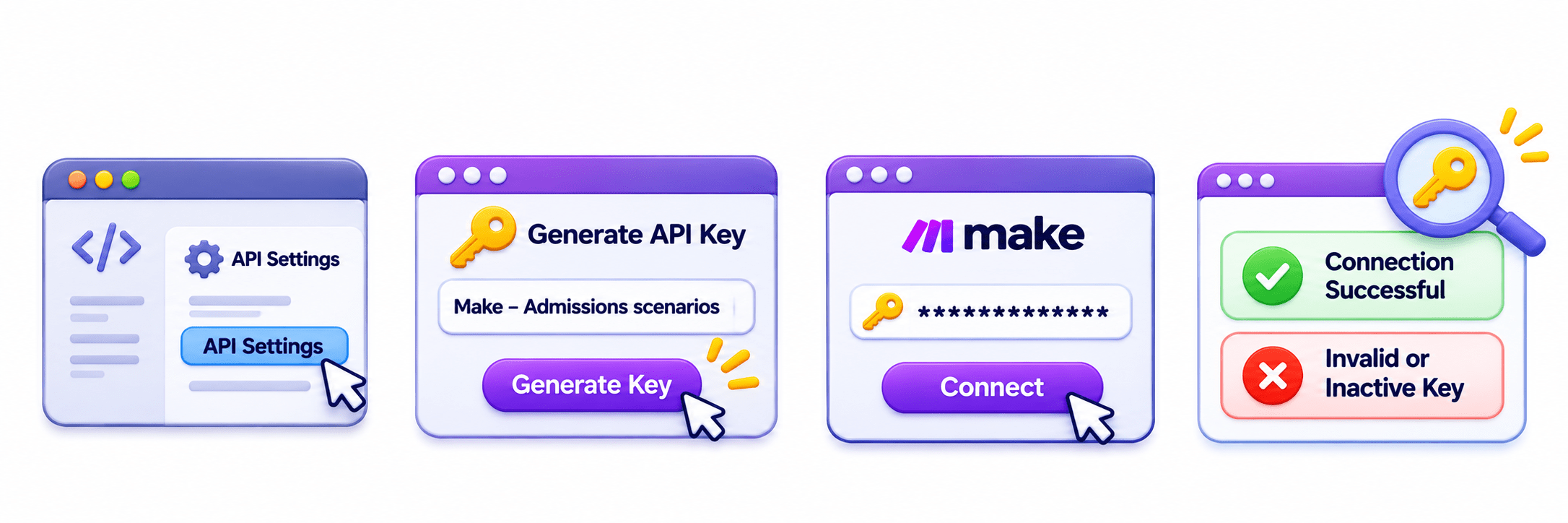
1. Open the app’s developer or API settings
2. Generate a key with a clear name, e.g. “Make – Admissions scenarios”
3. Paste it into Make’s connection field
4. Make tests it: a wrong or inactive key fails
Key Point: Keys work until deleted and often give wide access. Treat them like passwords, never in WhatsApp or email. Some apps use a Client ID/Secret instead.
Managing Connections in Make
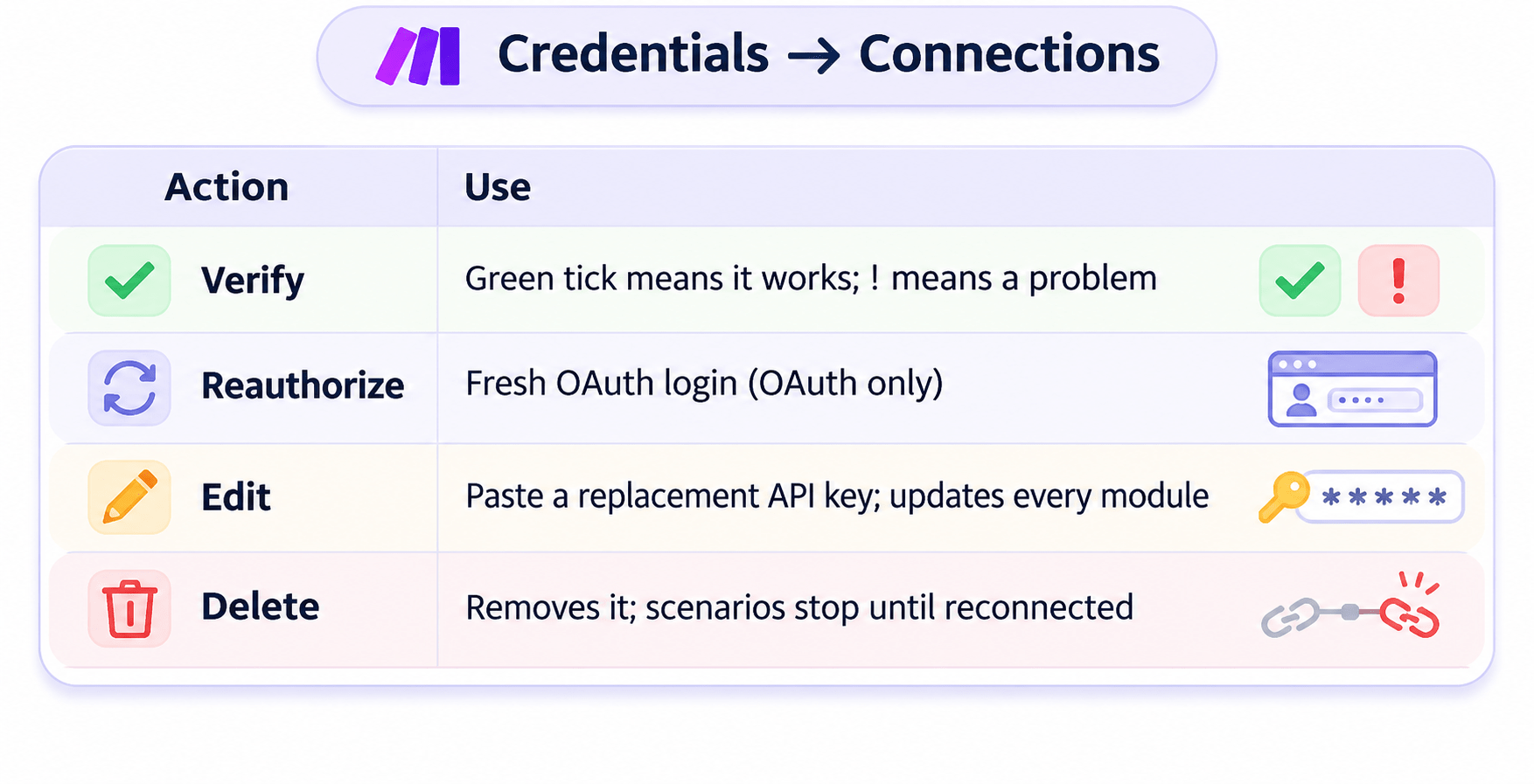
Credentials → Connections
Key Point: For apps with no ready-made module, Make has the HTTP app (covered later).
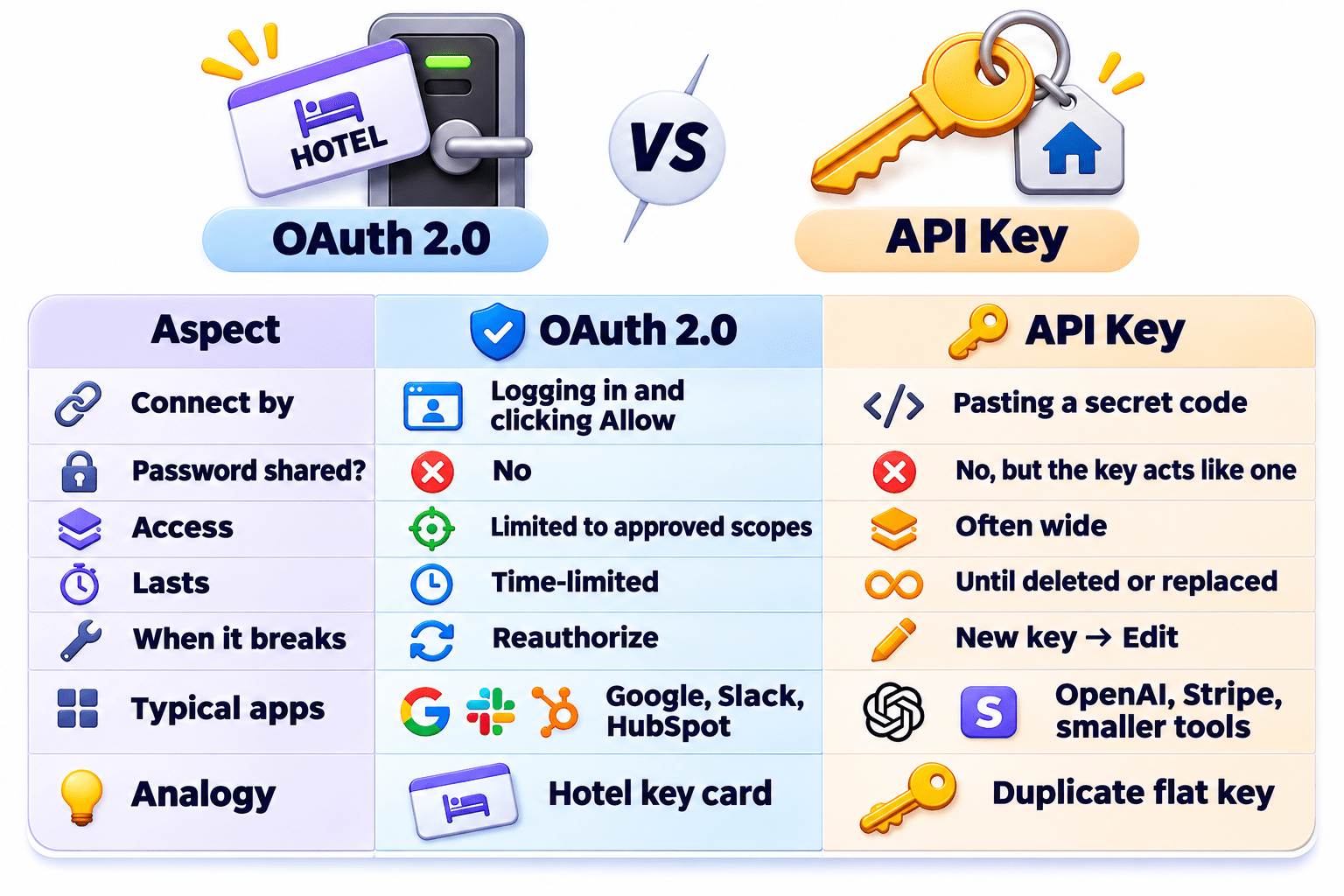
OAuth 2.0 vs API Key (Comparison)
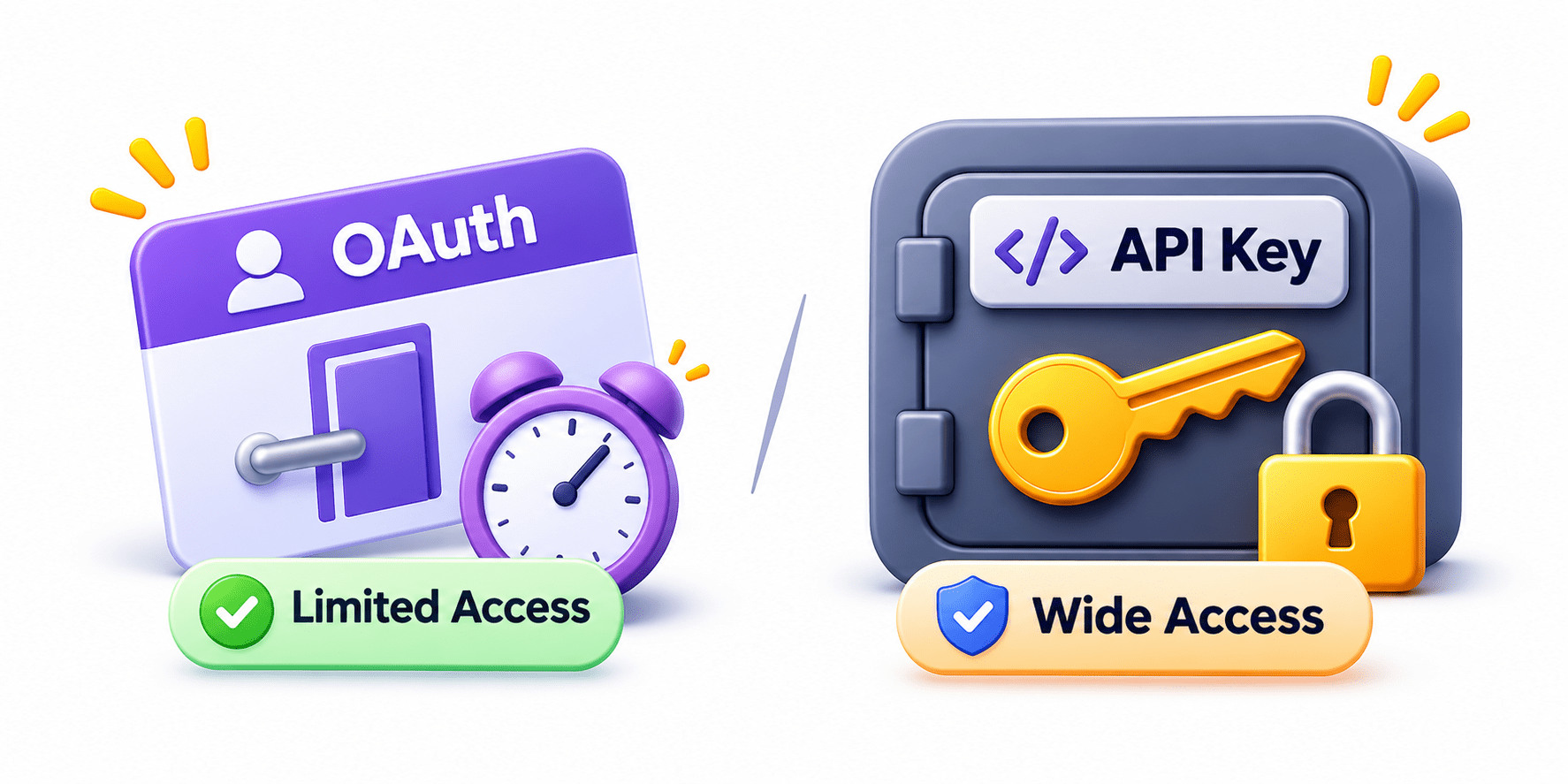
A Simple Way to Remember
API key: you hand Make a secret code that works until changed, so you must guard it.
OAuth: you log in, and Make gets a limited, expiring pass.
Think & Discuss: Personal accounts get scenarios running fastest, but they break when that person leaves. Why do businesses decide early whose accounts scenarios run under?
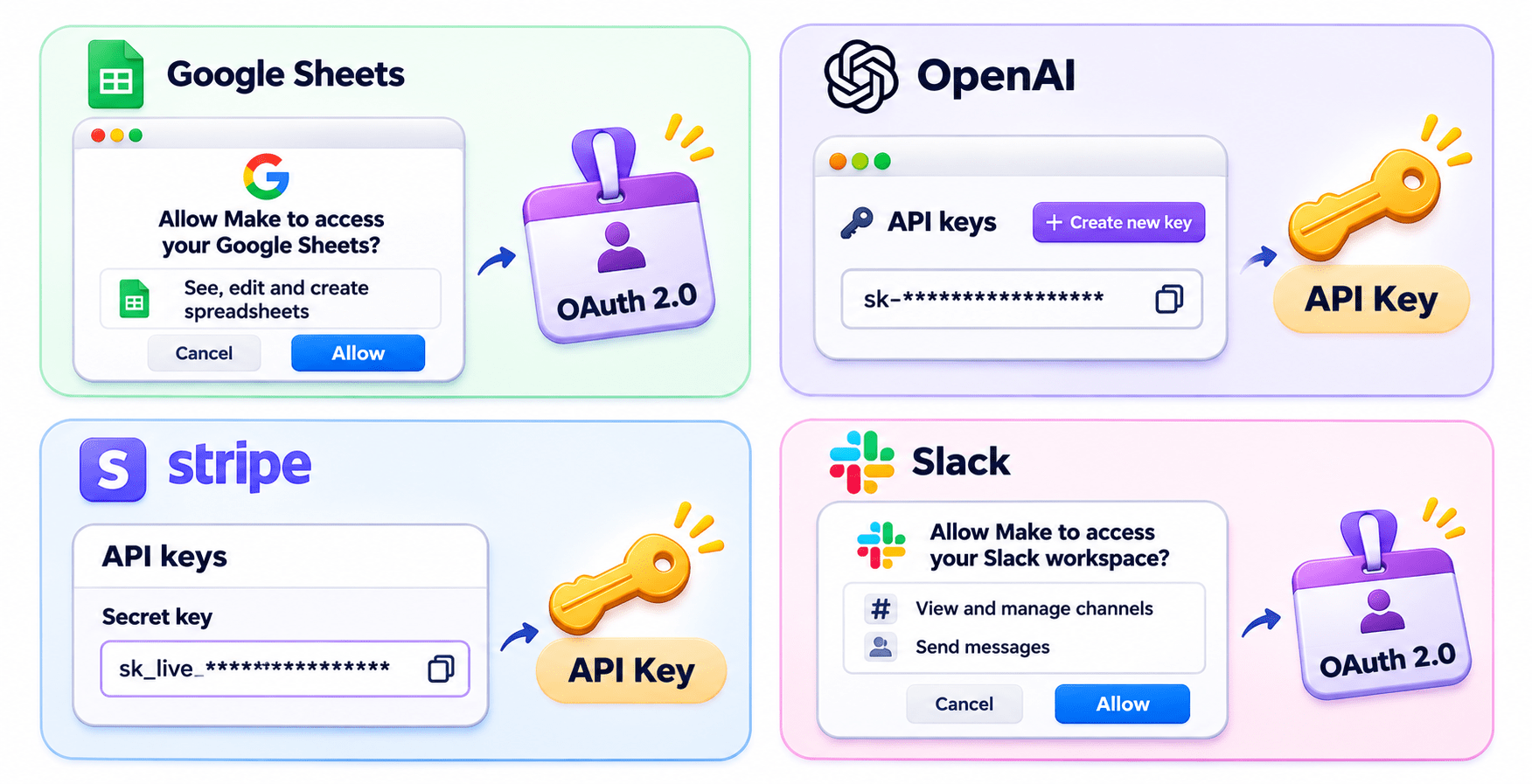
Real-World Applications: OAuth 2.0 or API Key?
Google pop-up asks you to approve spreadsheet access → OAuth 2.0
Secret code copied from the OpenAI dashboard → API Key
Real-World Applications: OAuth 2.0 or API Key?
Stripe secret key pasted into Make → API Key
Slack screen lists channels with an Allow button → OAuth 2.0
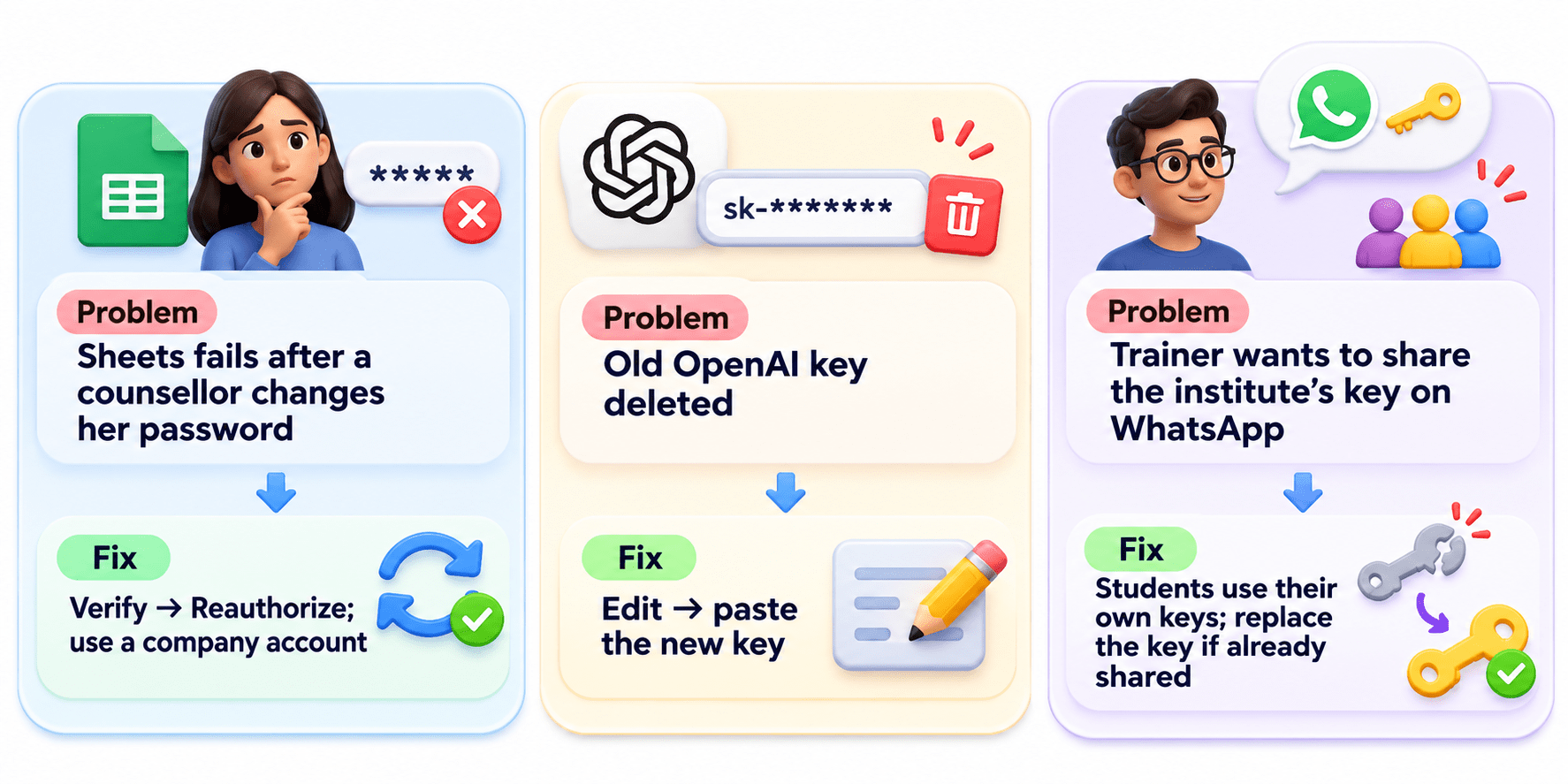
Fix the Connection
Summary
5
Best practice: Use company accounts for critical workflows.
4
Fix errors: OAuth → Reauthorize; API Key → Edit.
3
API Key: Secret code; keep it secure.
2
OAuth: Log in, approve access, receive a token.
1
Connection: Saved permission, reused across scenarios.
Quiz
An OpenAI API key was replaced. What fixes the connection?
A. Reauthorize
B. Edit and paste the new key
C. Delete the scenario
D. Verify only
An OpenAI API key was replaced. What fixes the connection?
A. Reauthorize
B. Edit and paste the new key
C. Delete the scenario
D. Verify only
Quiz-Answer
By Content ITV