























Content ITV PRO
This is Itvedant Content department
Learning Outcome
5
Connect clean input to reliable output.
4
Apply validation at the form and in the Zap.
3
Recognize validation vs data cleaning.
2
Identify how dirty data breaks automation.
1
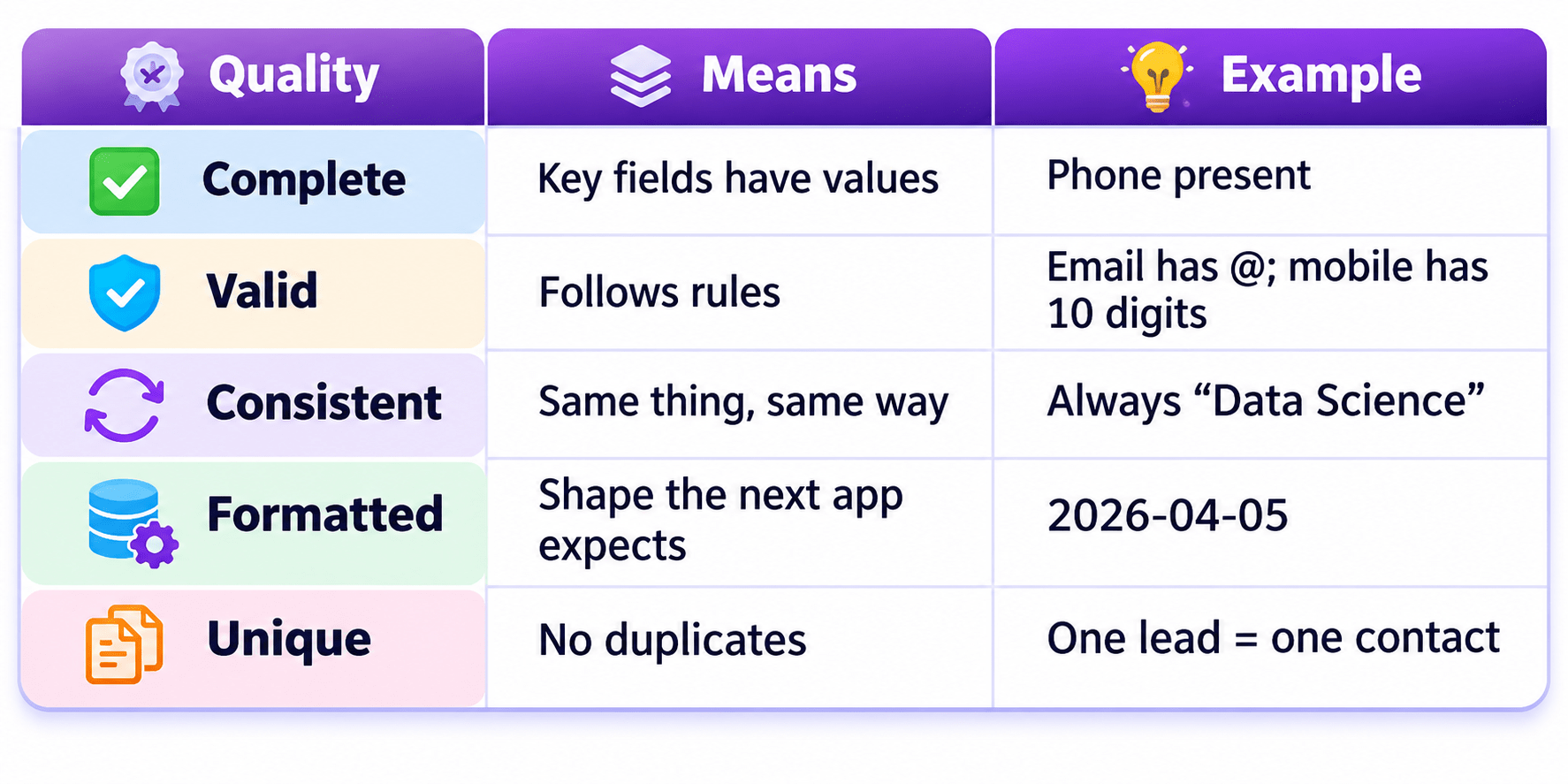
Understand the five qualities of clean data.
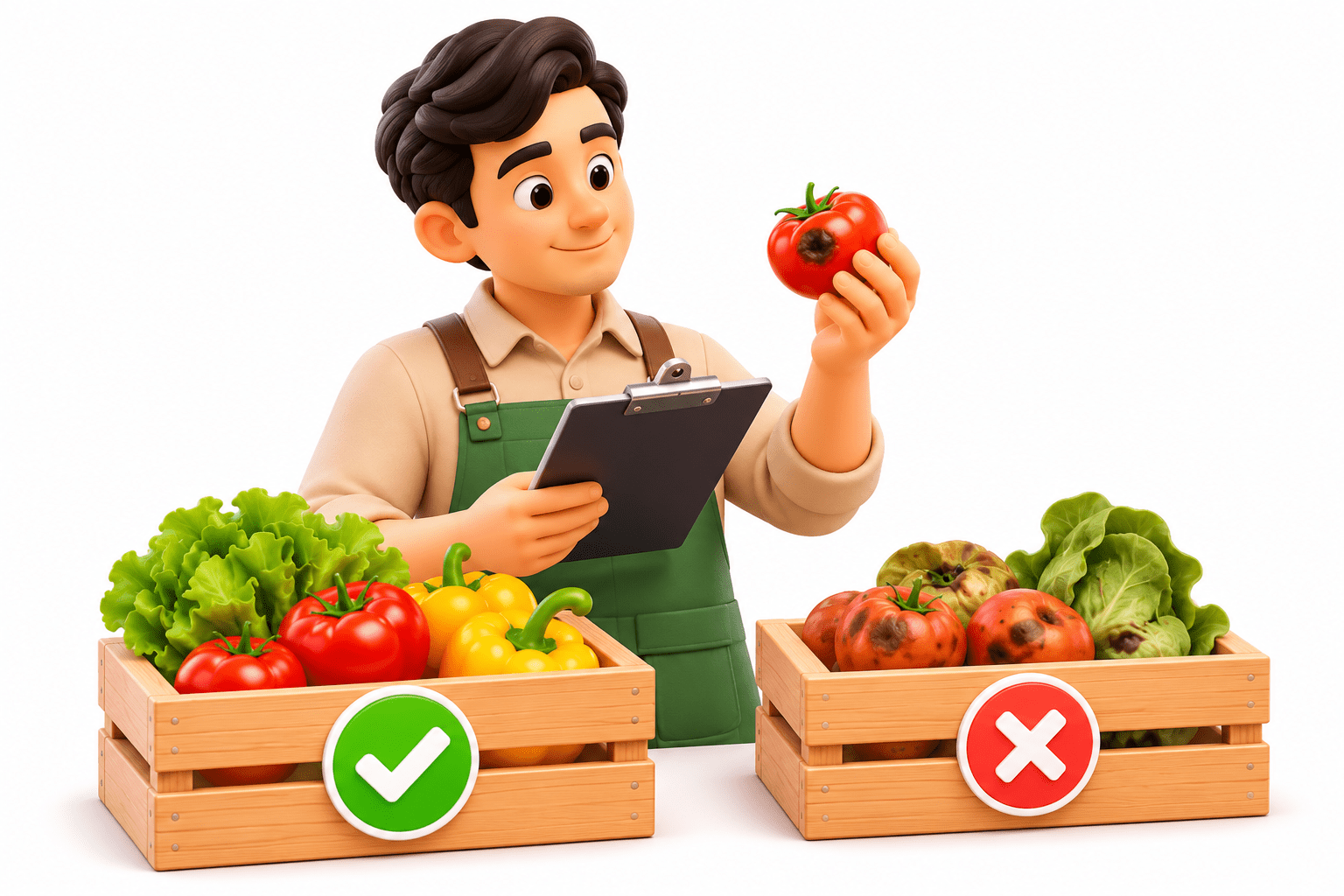
Imagine a restaurant kitchen receiving fresh vegetables for cooking.
Check the Ingredients
The storekeeper inspects every crate and rejects rotten vegetables, just like data validation removes invalid or poor-quality data.
Prepare the Ingredients
Accepted vegetables are washed, peeled, and cut consistently, just like data preprocessing cleans and transforms data.
Cook with What Reaches the Chef
The final dish depends on ingredient quality, just like a model’s output depends on the quality of its input data.
Now the Zap is the chef. A lead types “ rAHUL “, and the Zap serves it to the sheet, the CRM, and a “Hi
rAHUL” email. Whose mistake spread?
The input’s. Like the chef, a Zap cooks with whatever reaches the counter.
So what do clean ingredients look like?
What is Clean Data?
Why Dirty Data Breaks Automation
Embarrassing output:
“Hi ,” or “Hi rAHUL”
Wrong routing:
“data science” misses the “Data Science” rule
Failed steps:
the CRM rejects an invalid email
Why Dirty Data Breaks Automation
Wasted tasks and effort:
fixing the same error in five apps
Duplicates:
two calls, two emails, two records
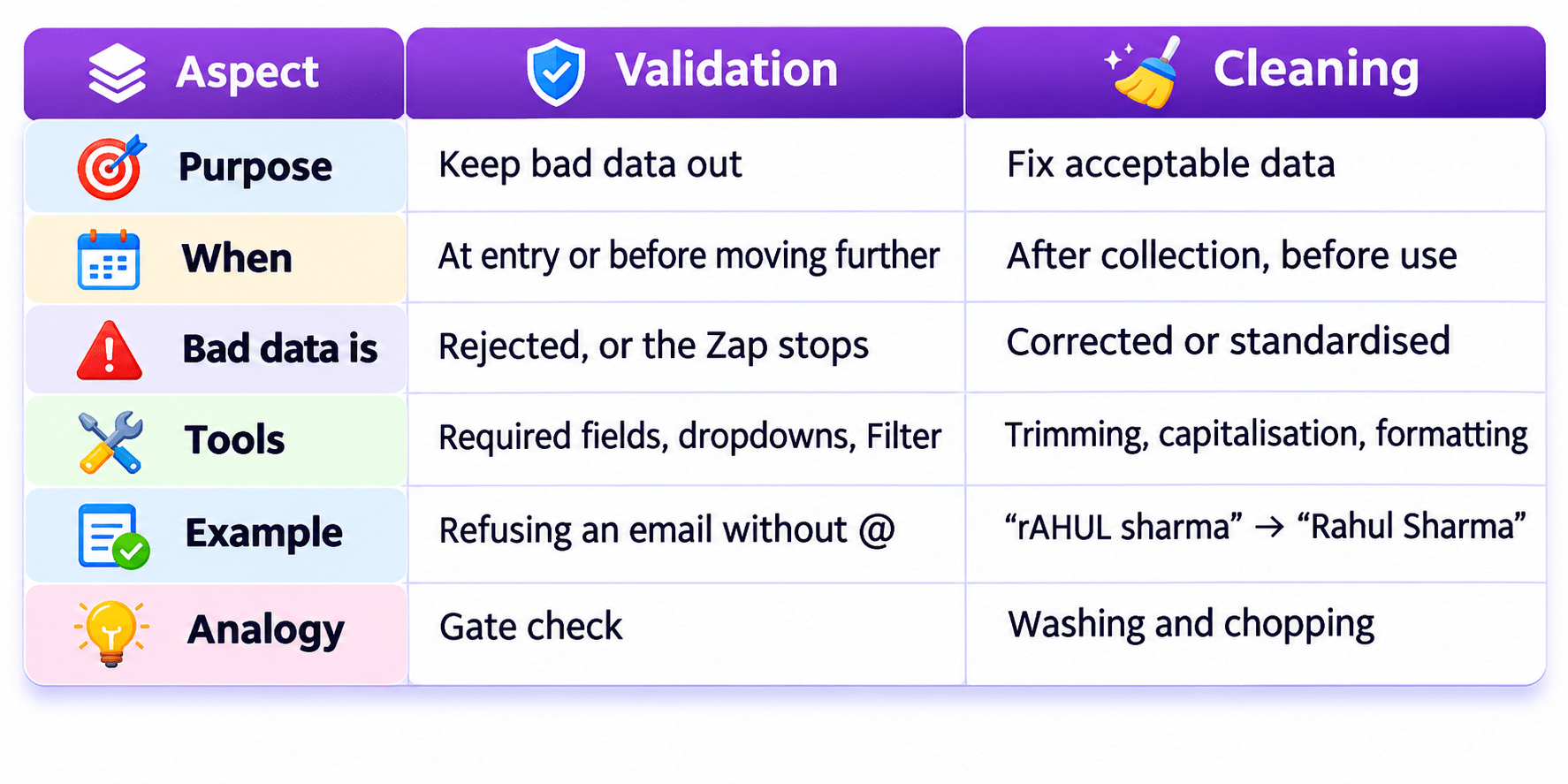
What is Input Validation?
Check data against rules before it moves further.
At the source (first line of defence): required fields, field types, dropdowns, and format rules like
“exactly 10 digits”.
Inside the Zap (second line): Filter by Zapier continues only if conditions are met, e.g. “Email contains
@”.
A failed filter gives a “Filtered” status. Later actions don’t run and use no tasks (paid plan
needed).
What is Data Cleaning?
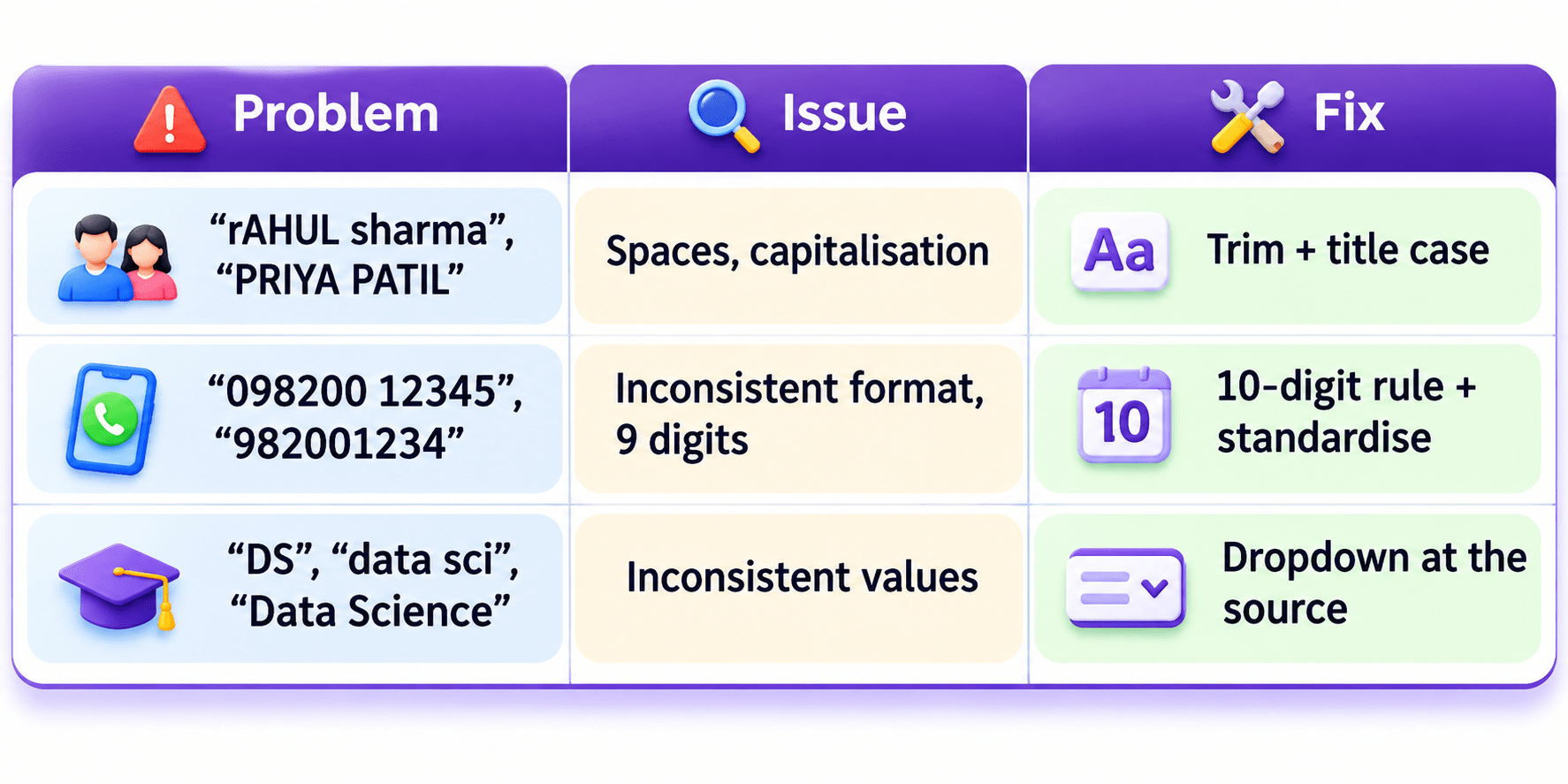
Trim spaces: “ rAHUL sharma “ → “Rahul Sharma”.
Fix capitalisation, and standardise phone and date formats.
Formatter by Zapier does this without code (covered in upcoming topics).
Fixes acceptable data so it’s consistent and usable.
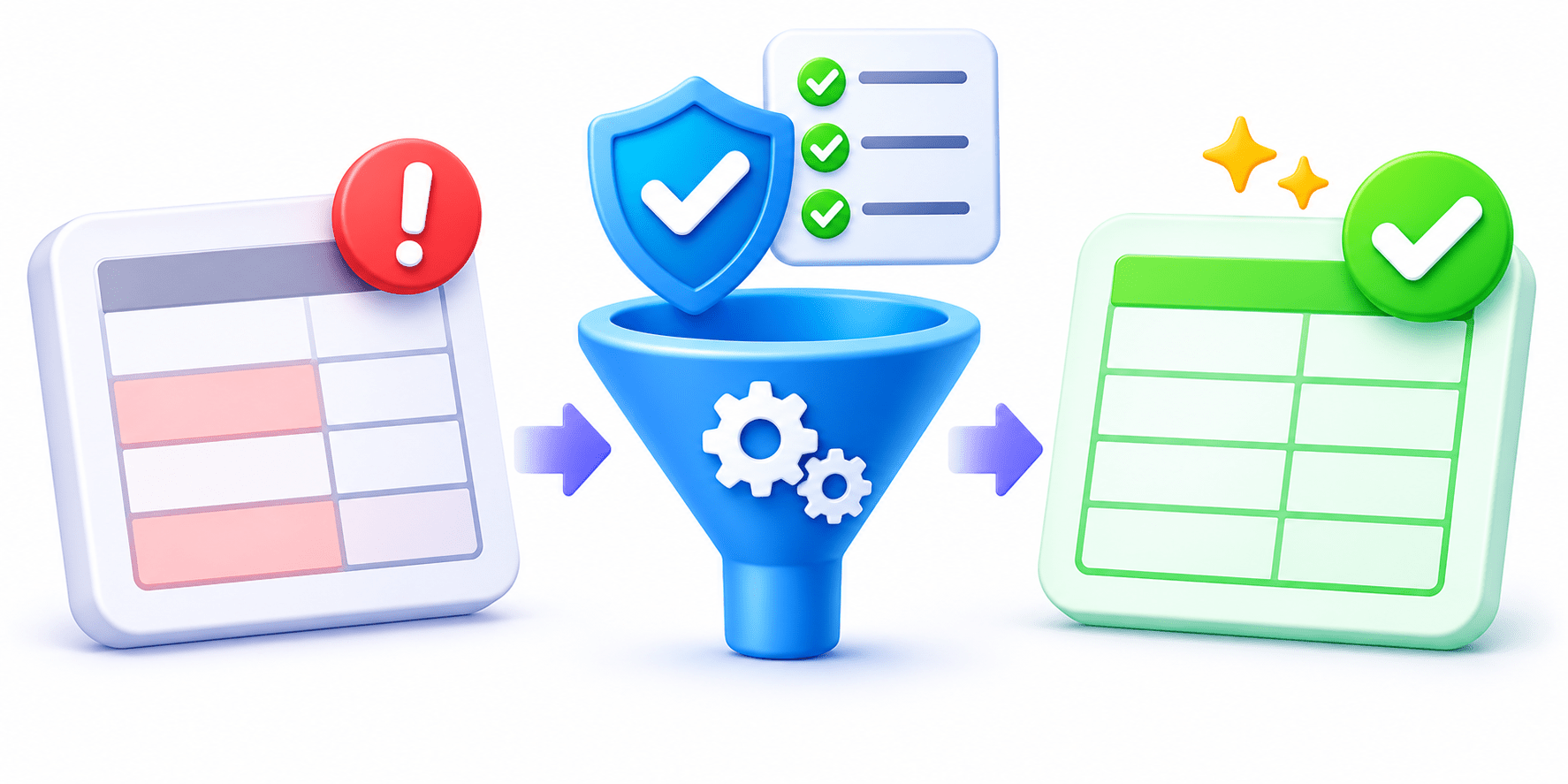
Input Validation vs Data Cleaning
A Simple Way to Remember
Validate to keep bad data out. Clean to tidy good data that’s in. Stopping a mistake at the form is cheaper
than fixing it everywhere.
Strict forms give cleaner data but more drop-offs. Which fields would you make
mandatory on a course enquiry form?
Real-World Applications: Validation or Cleaning?
Extra spaces trimmed from names
Cleaning
“data science” variants unified Cleaning
Filter stops emails without @ Validation
02
03
04
Phone made mandatory on the form Validation
01
Spot and Fix the Dirty Data
Fixing it later means fixing it in every app the Zap touched.
Summary
5
A Zap’s output is only as good as its input.
4
Validate at the form first, then with a Filter.
3
Validation keeps bad data out; cleaning tidies good data.
2
Dirty data causes failures, bad messages, wrong routing, and duplicates.
1
Clean data is complete, valid, consistent, formatted, and unique.
Quiz
The Course field has “DS”, “data sci”, and “Data Science”. What is the best fix at the source?
A. Add a Filter step
B. Use a dropdown of course names
C. Fix it manually in the CRM
D. Make the field optional
The Course field has “DS”, “data sci”, and “Data Science”. What is the best fix at the source?
A. Add a Filter step
B. Use a dropdown of course names
C. Fix it manually in the CRM
D. Make the field optional
Quiz-Answer
By Content ITV