Content ITV PRO
This is Itvedant Content department
Spice Garden Search Ad Setup
Business Scenario
You are working as a Digital Marketing Executive for Spice Garden Restaurant.
The restaurant owner wants to promote:
Table reservations
Online food orders
Restaurant visibility
Local customer reach
Your task is to create a Google Search Ad Campaign that helps Spice Garden appear in Google Search results when users search for restaurant-related keywords.
Pre-Lab Preparation
Topic : Search Ad
1) Search Ad Setup
2) Audience Targeting
3) Keyword Research
4) Ad Optimization & Ad Extension
Task 1: Access Google Ads Dashboard
Open Google Chrome Browser
1
Launch Google Chrome browser.
Launch Google Chrome browser.
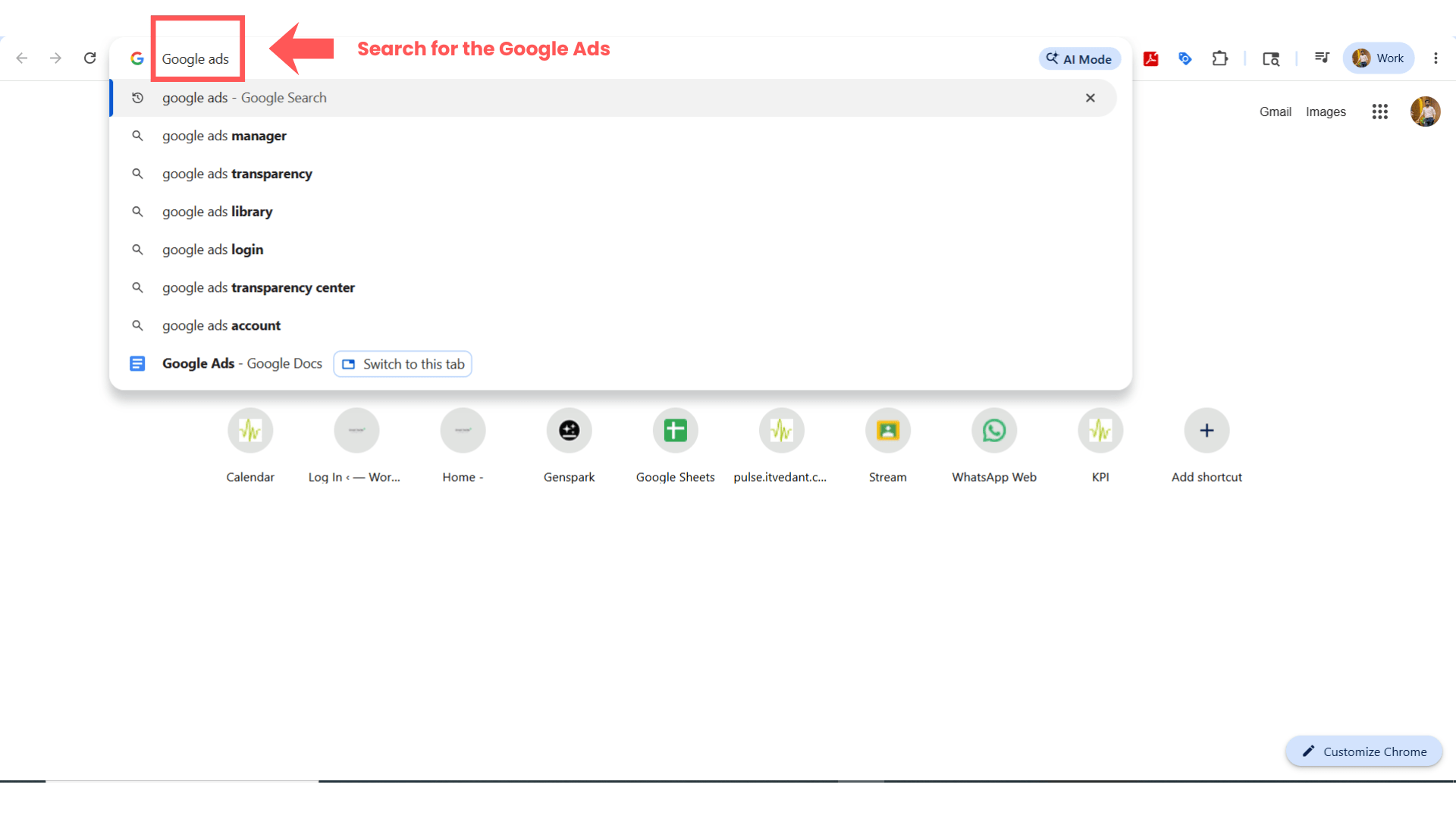
Open Google Ads Platform
2
Search:
Google Ads
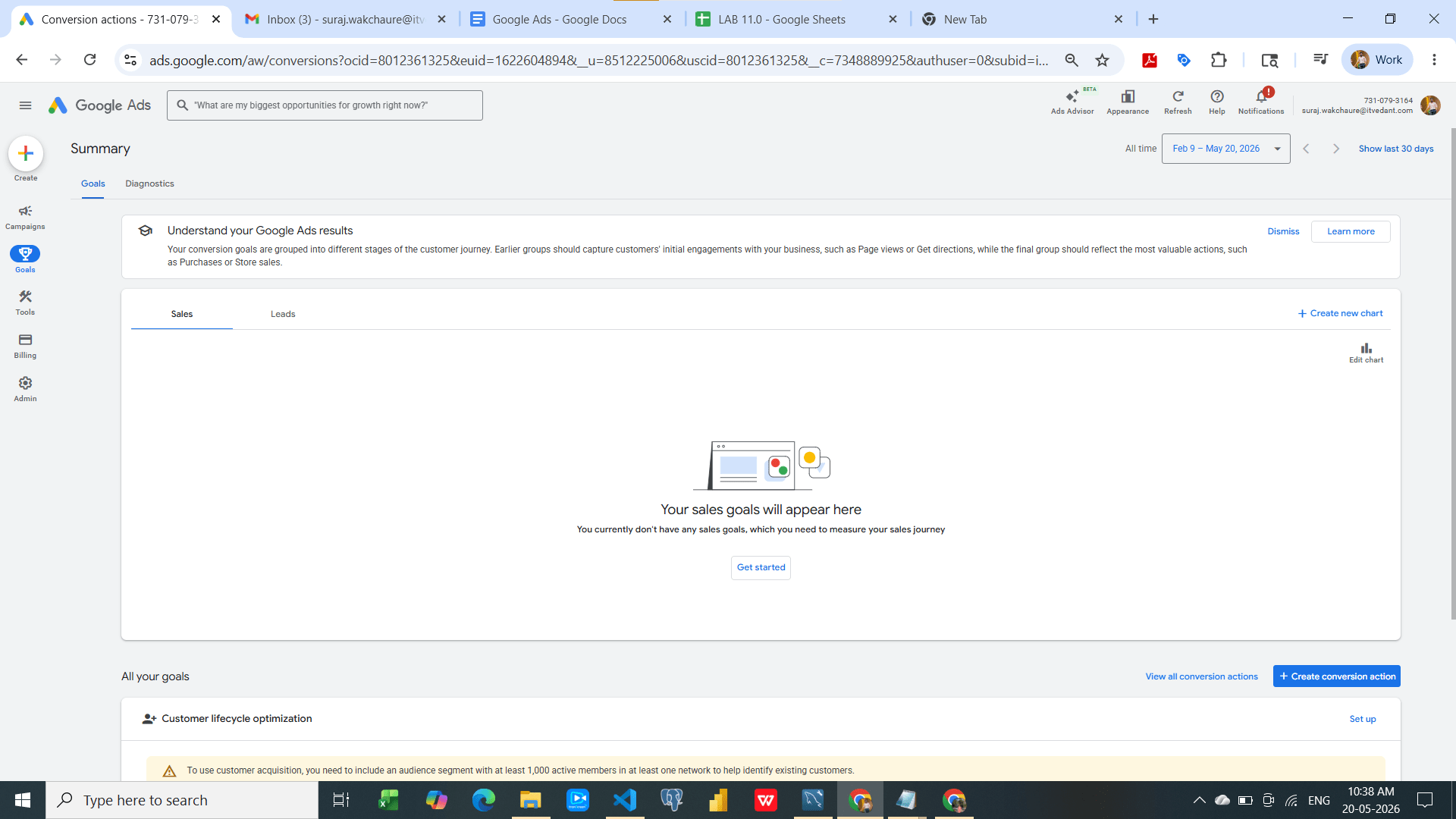
Open the official Google Ads website.
Click “Sign In”.
Task 2: Create New Campaign
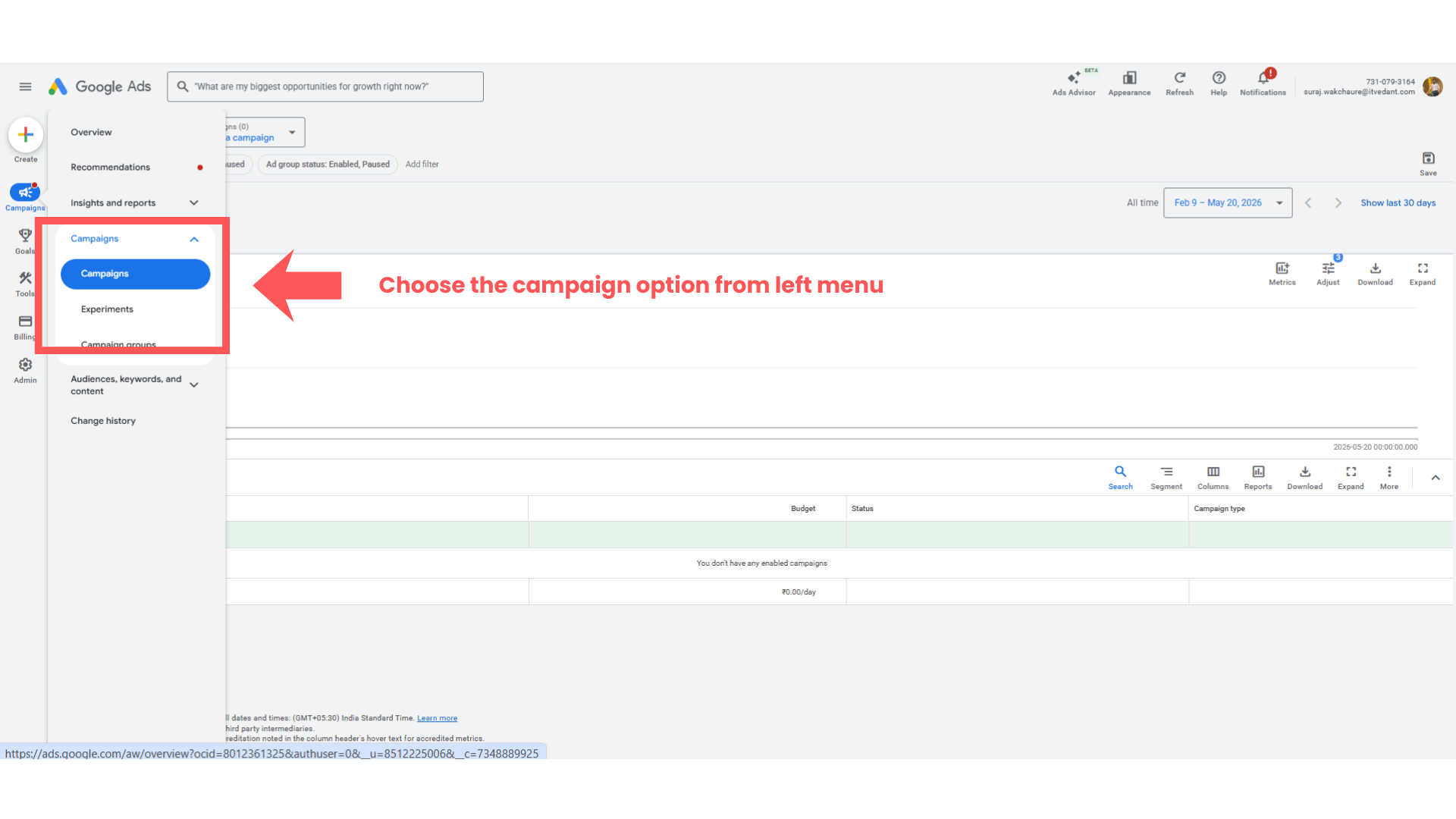
Open Campaign Section
1
From the left-side menu, click:
“Campaigns”
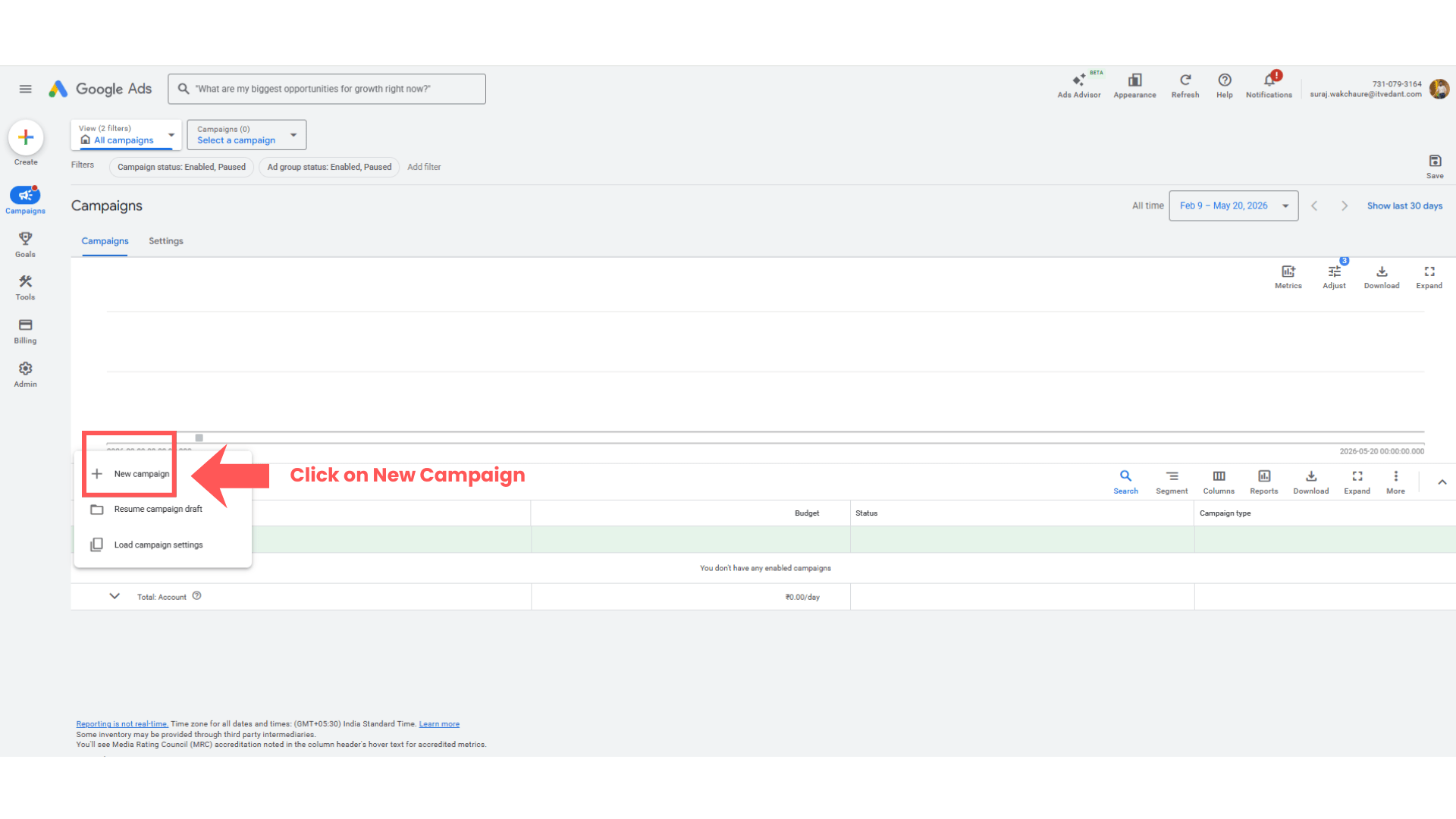
Click New Campaign
2
Click the blue “+” button.
Select:
“New Campaign”
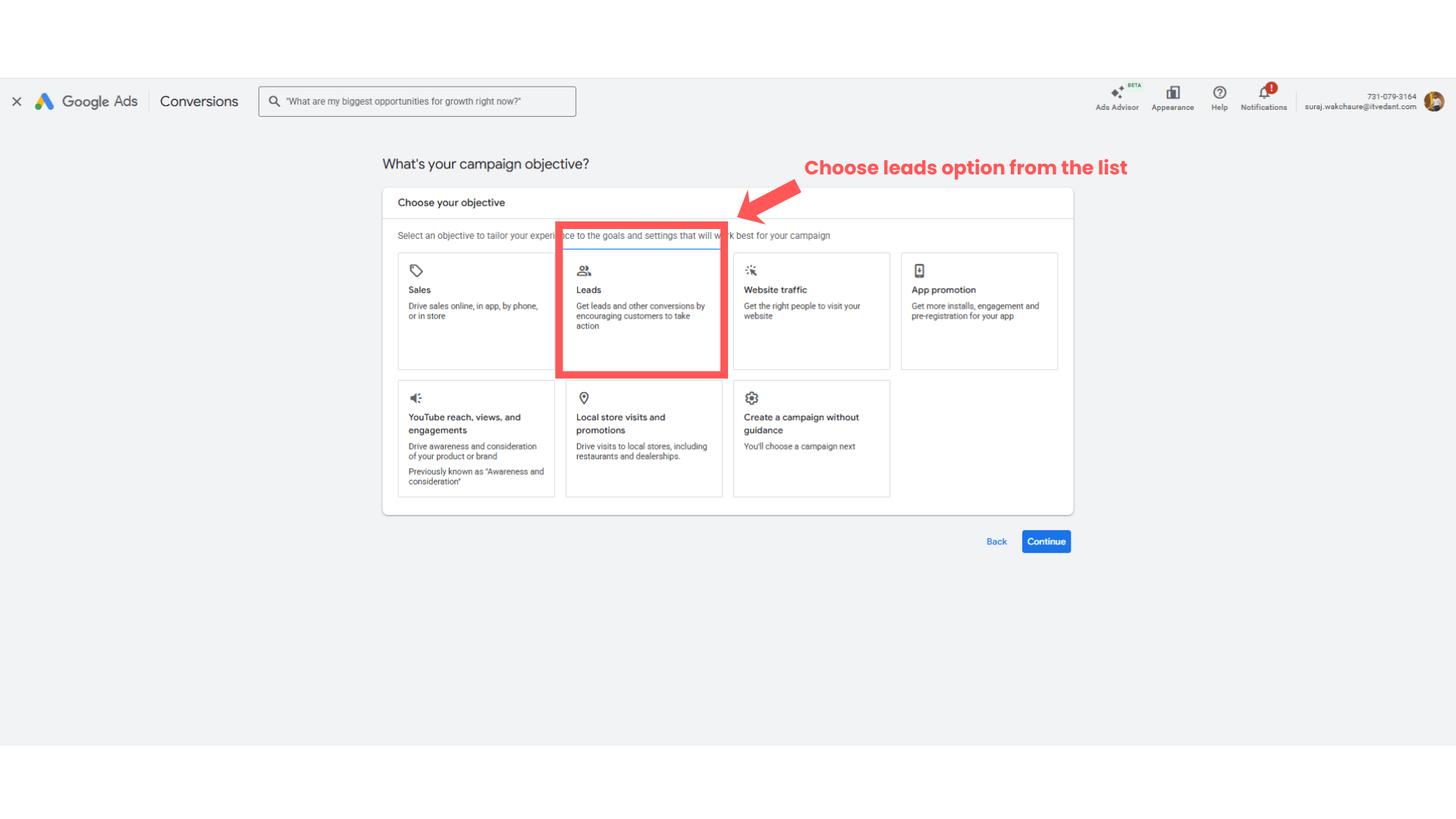
Select Campaign Objective
3
Choose campaign objective such as:
Website Traffic
OR
Leads
Then click:
“Continue”
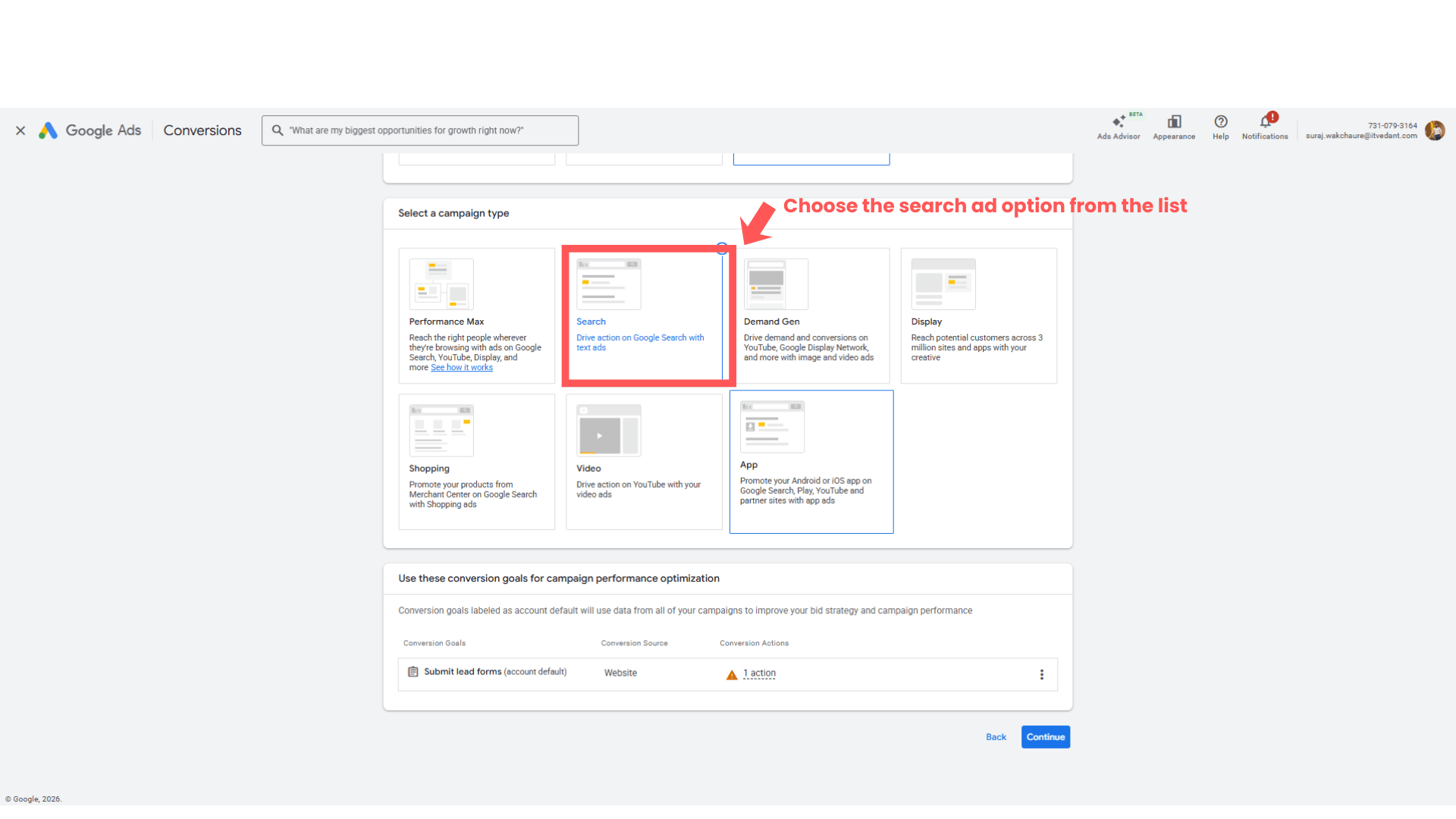
Select Campaign Type
4
Select:
“Search”
Click:
“Continue”
Task 3: Configure Campaign Settings
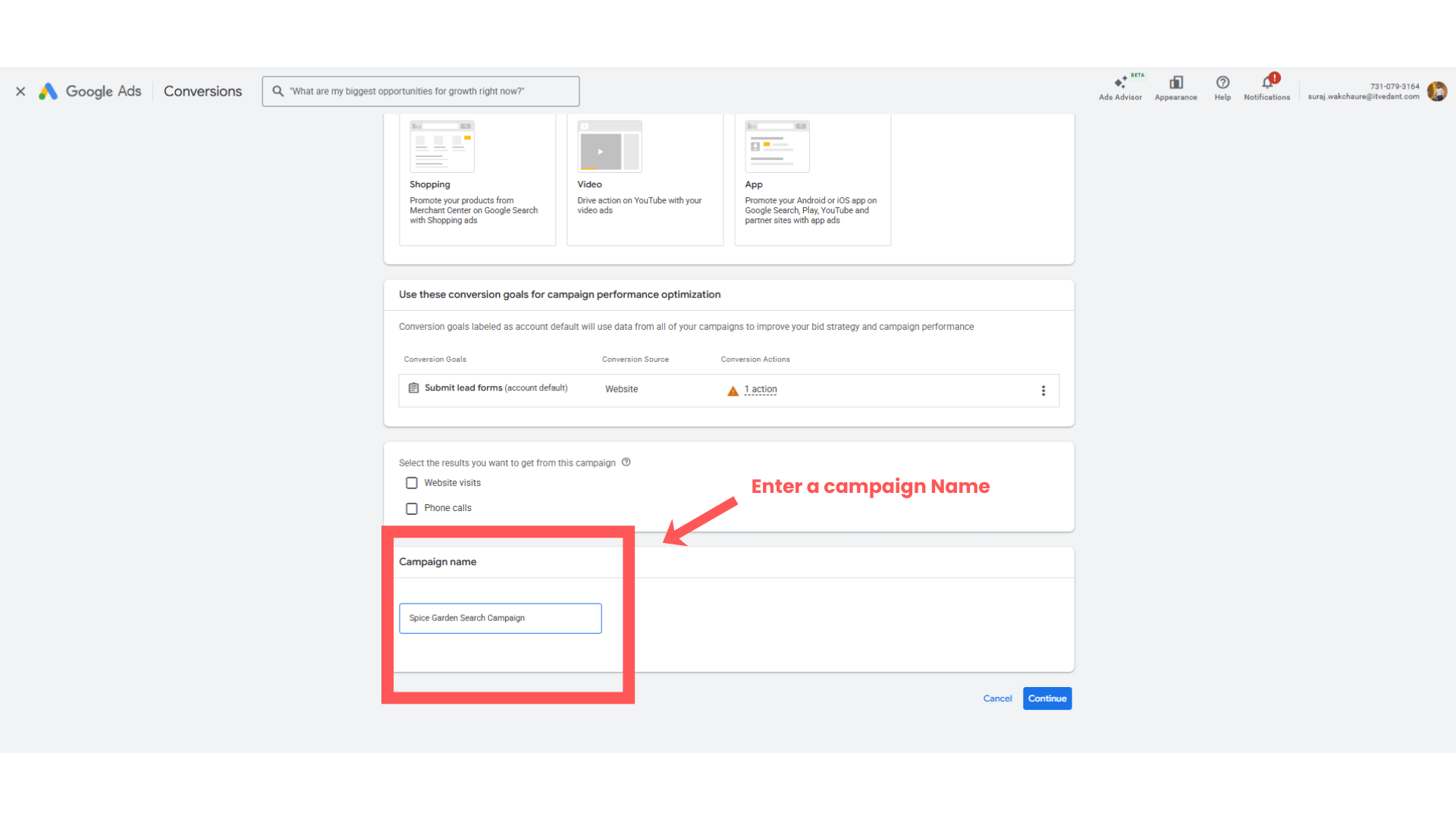
Enter Campaign Name
1
Enter campaign name:
Spice Garden Search Campaign
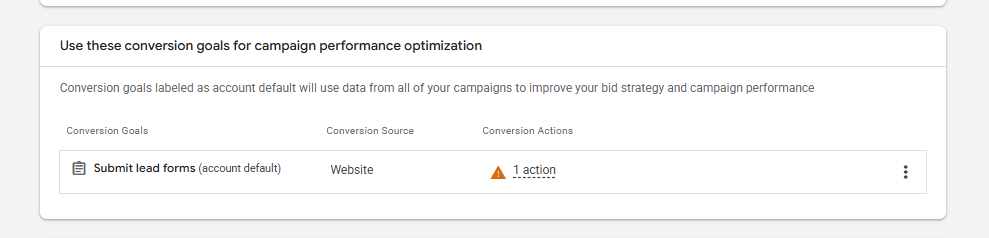
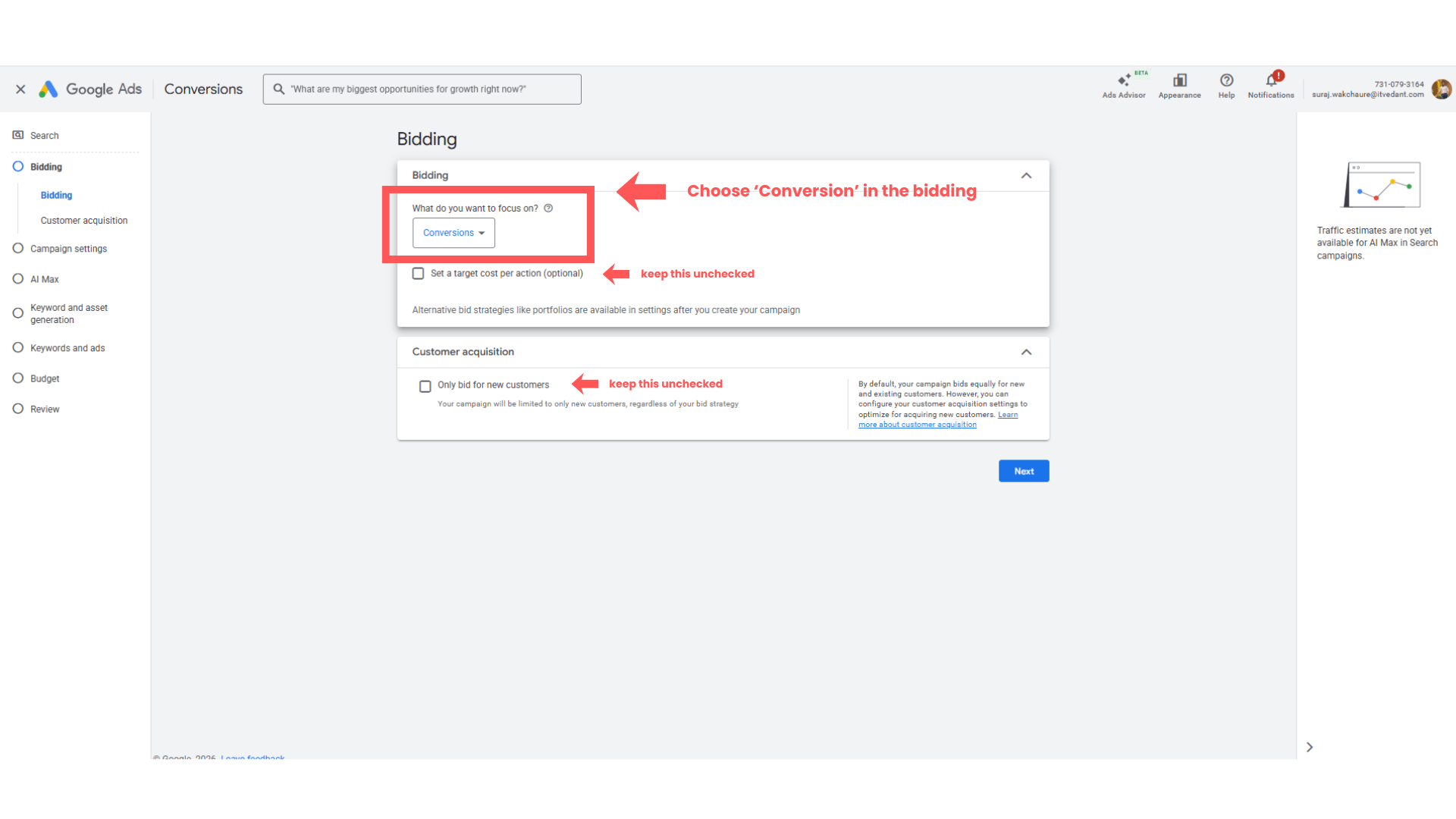
Select Conversion Goals
2
Configure Bidding Strategy
3
Choose conversion goals such as:
Reservation Form Submission
Keep:
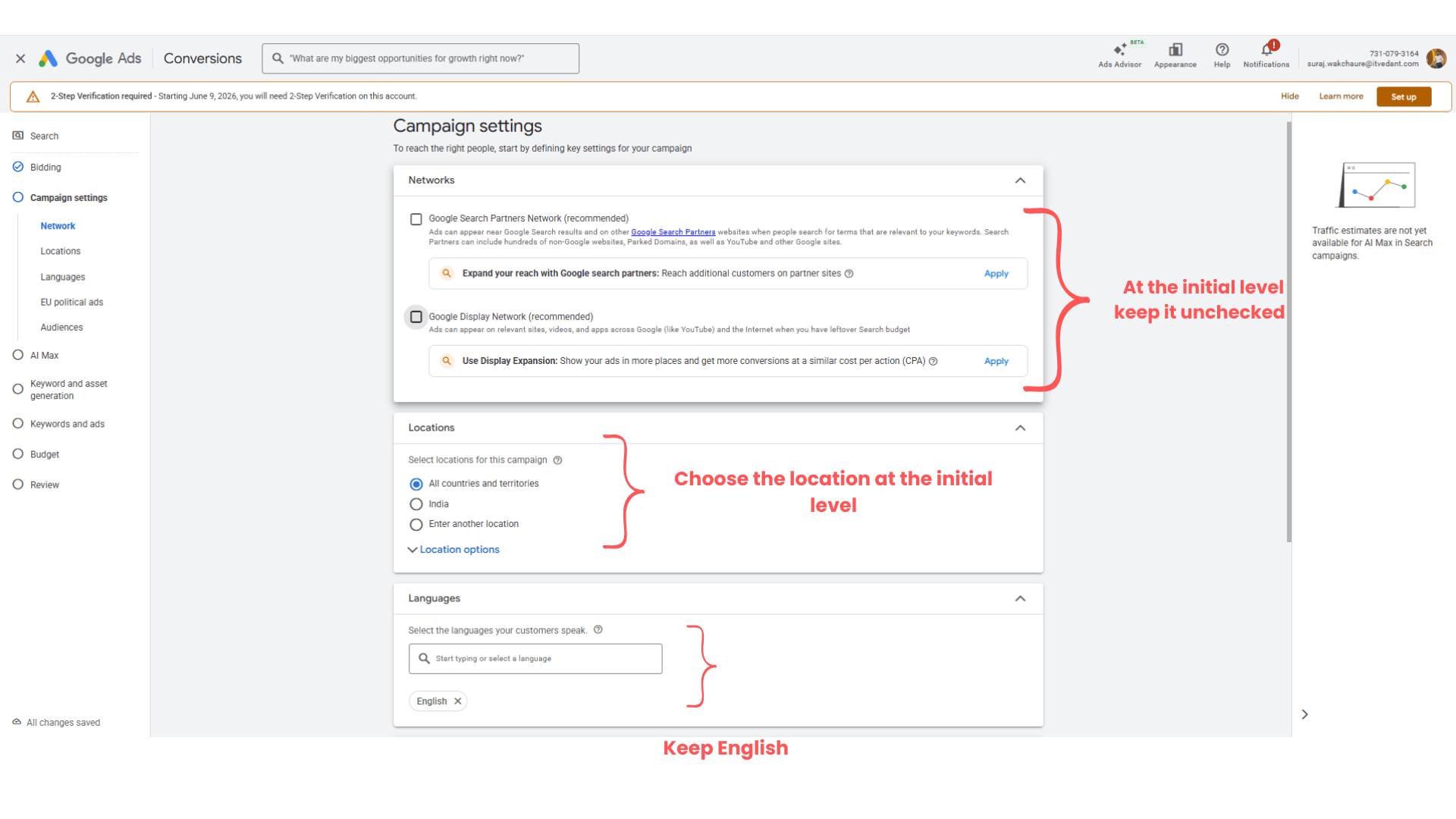
Configuring Campaign setup
4
Uncheck :
Google Search Partners Network (recommended)
Google Display Network (recommended)
Select Location
5
Ex - Pune, Pimpri-Chinchwad, Nashik
Select Language
6
Choose:
“English”
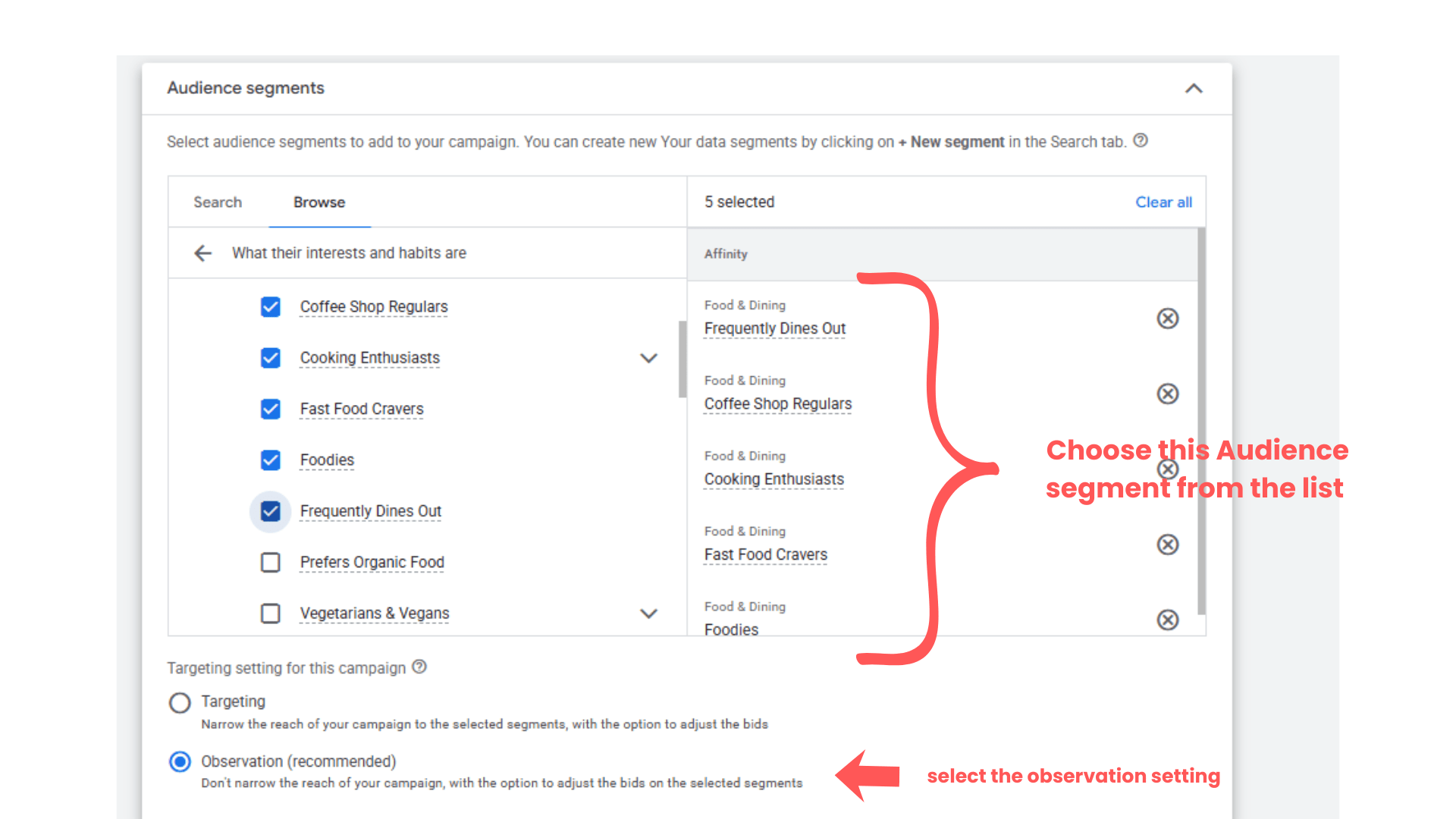
Defining the Audience Segment
7
Click → Browse → Choose Affinity → Food & Dining → Choose the category as mentioned in the above screenshot
Defining important setting
8
Keep other setting as it is as below -
Ad rotation - Optimize: Prefer best performing ads
Start and end date - ( specify if required )
Ad Scheduled - All day
Campaign URL option - No option set
Page feed - Add page feed to your campaign
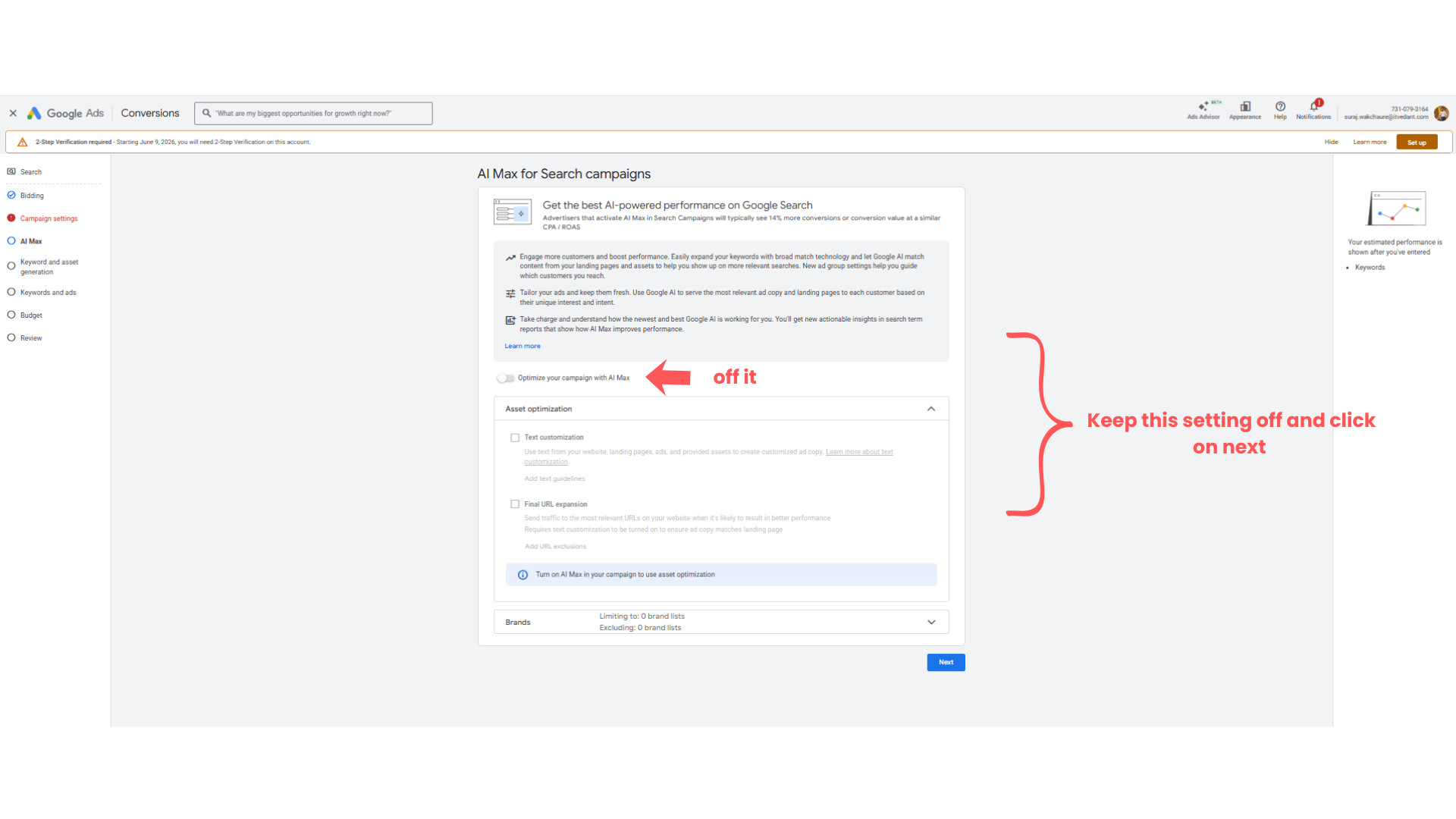
Task 4: Configuring AI-Max campaign setting
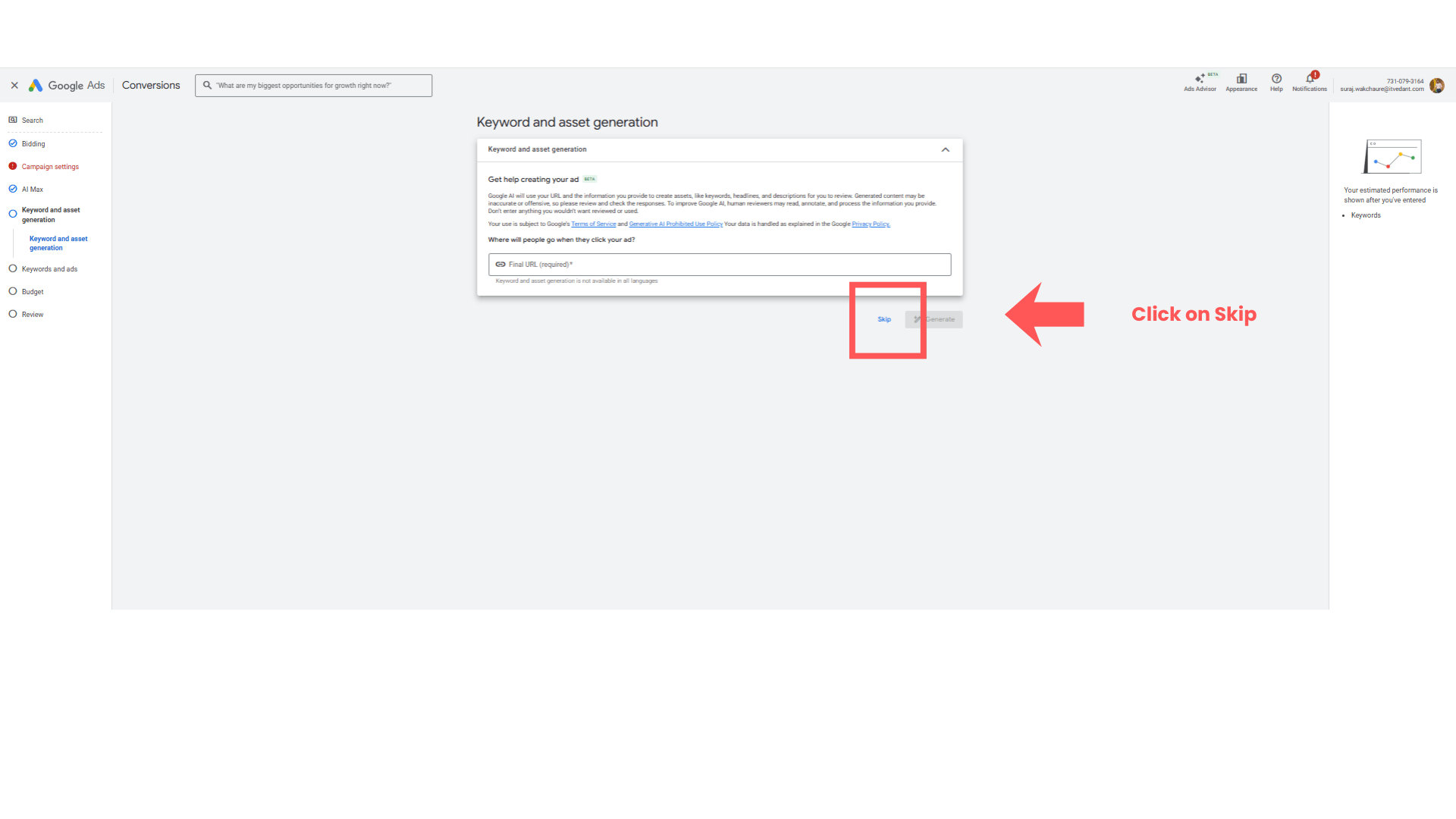
For now off the setting and click on next
1
Submit the website url if you have to generate the assets and keywords for the ads.
2
( Recommendation - Skip this part )
Task 5: Optimizing Keyword and Ads
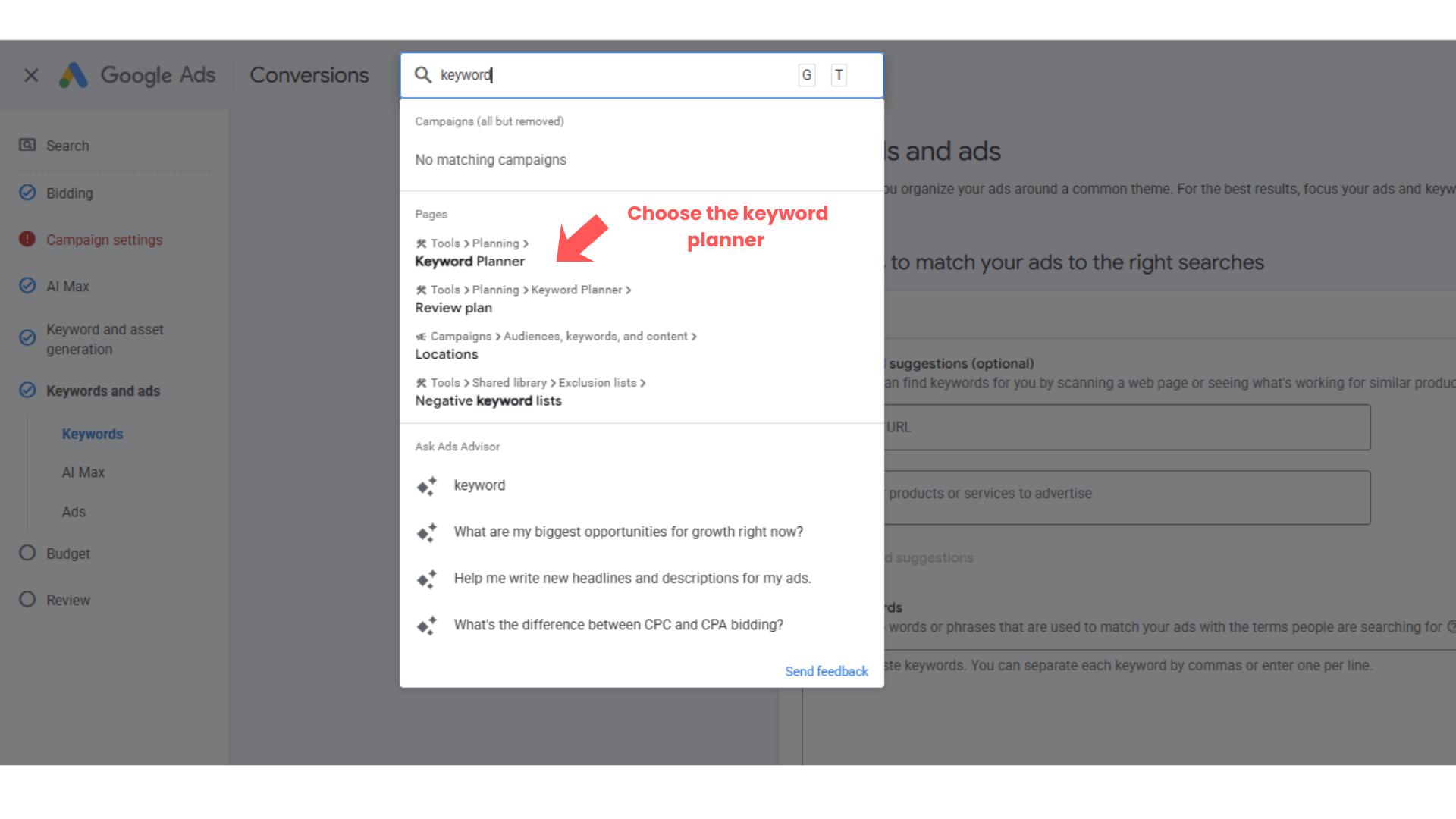
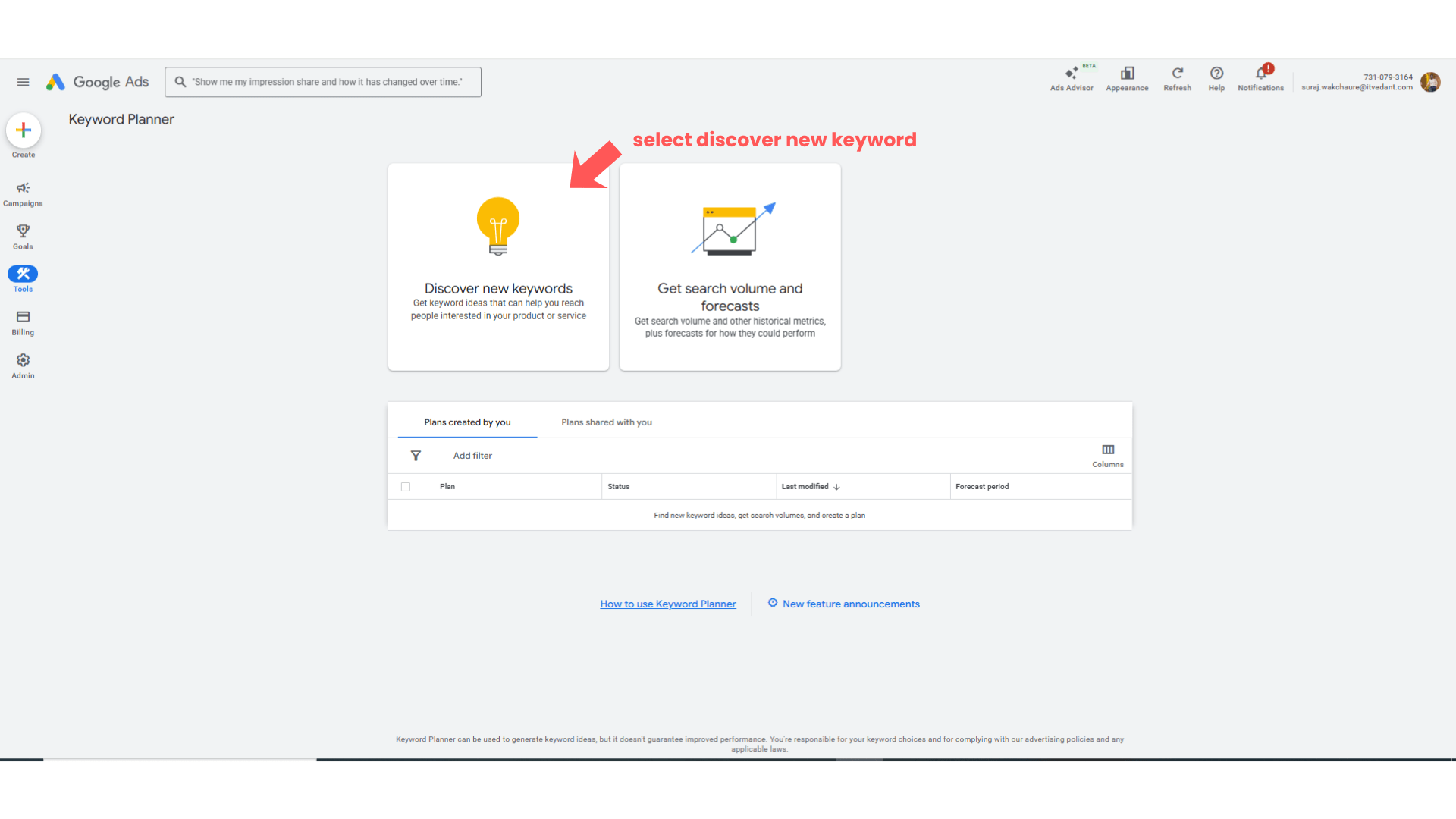
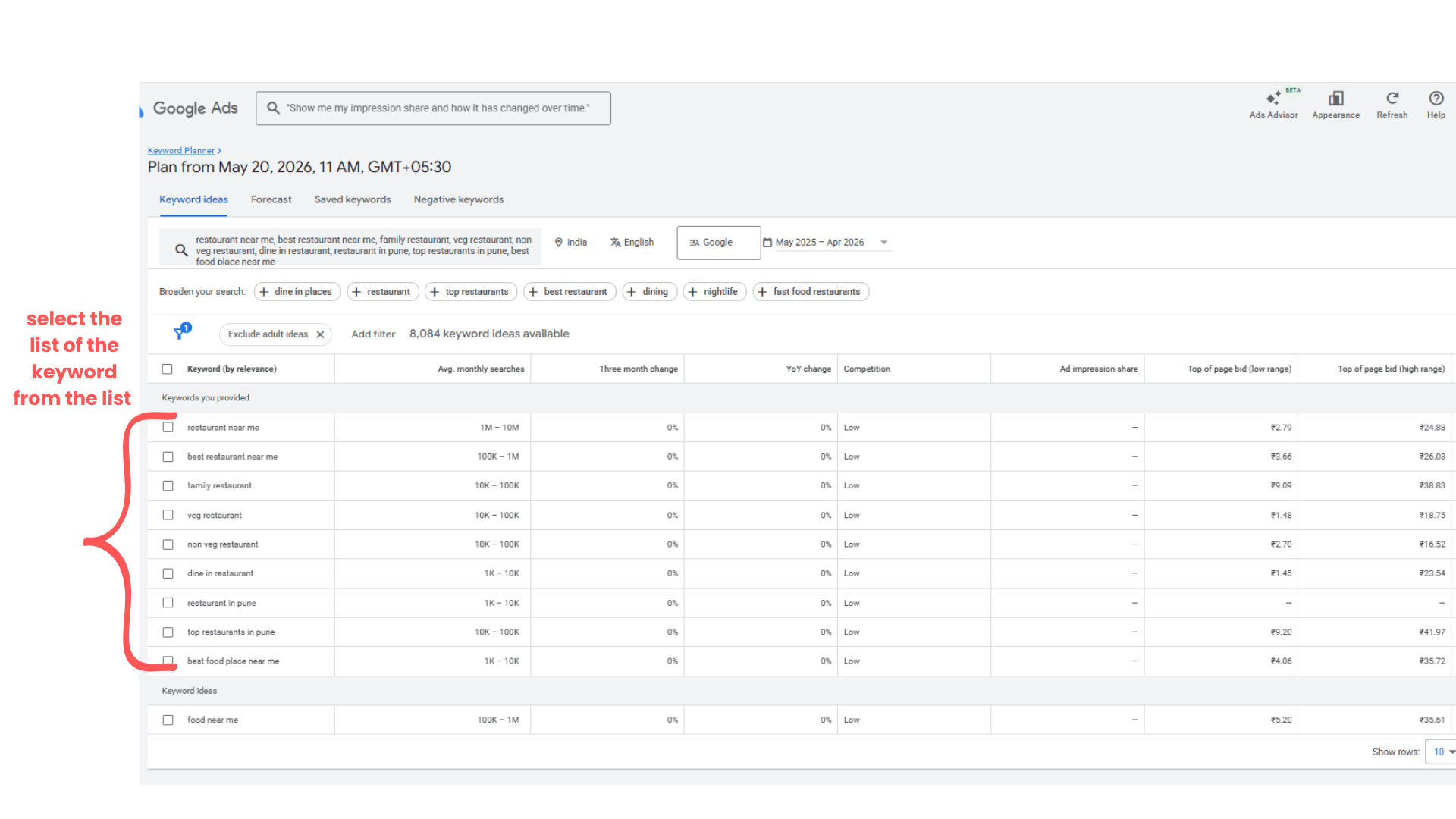
For the keyword research purpose use → Google Keyword Planner
Go to Search Bar and Search for → Google Keyword Planner.
1
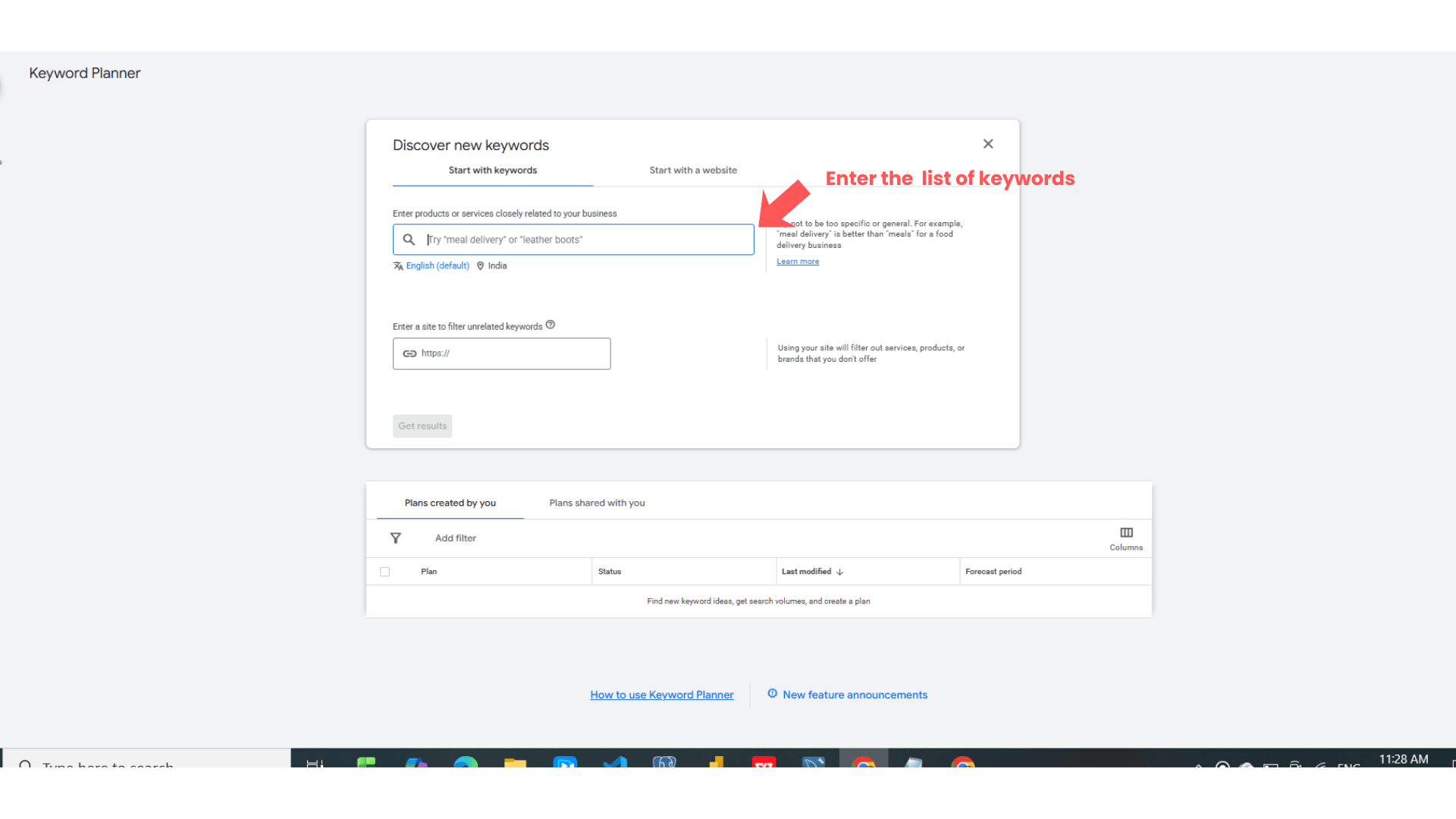
2
Put at least 4 to 5 keywords there
Ex . -
restaurant near me
best restaurant near me
family restaurant
veg restaurant
non veg restaurant
dine in restaurant
restaurant in pune
top restaurants in pune
best food place near me
fine dining restaurant
Put at least this keyword in the search box to get the search volume idea.
Select the high search volume keywords with high competition and copy it.
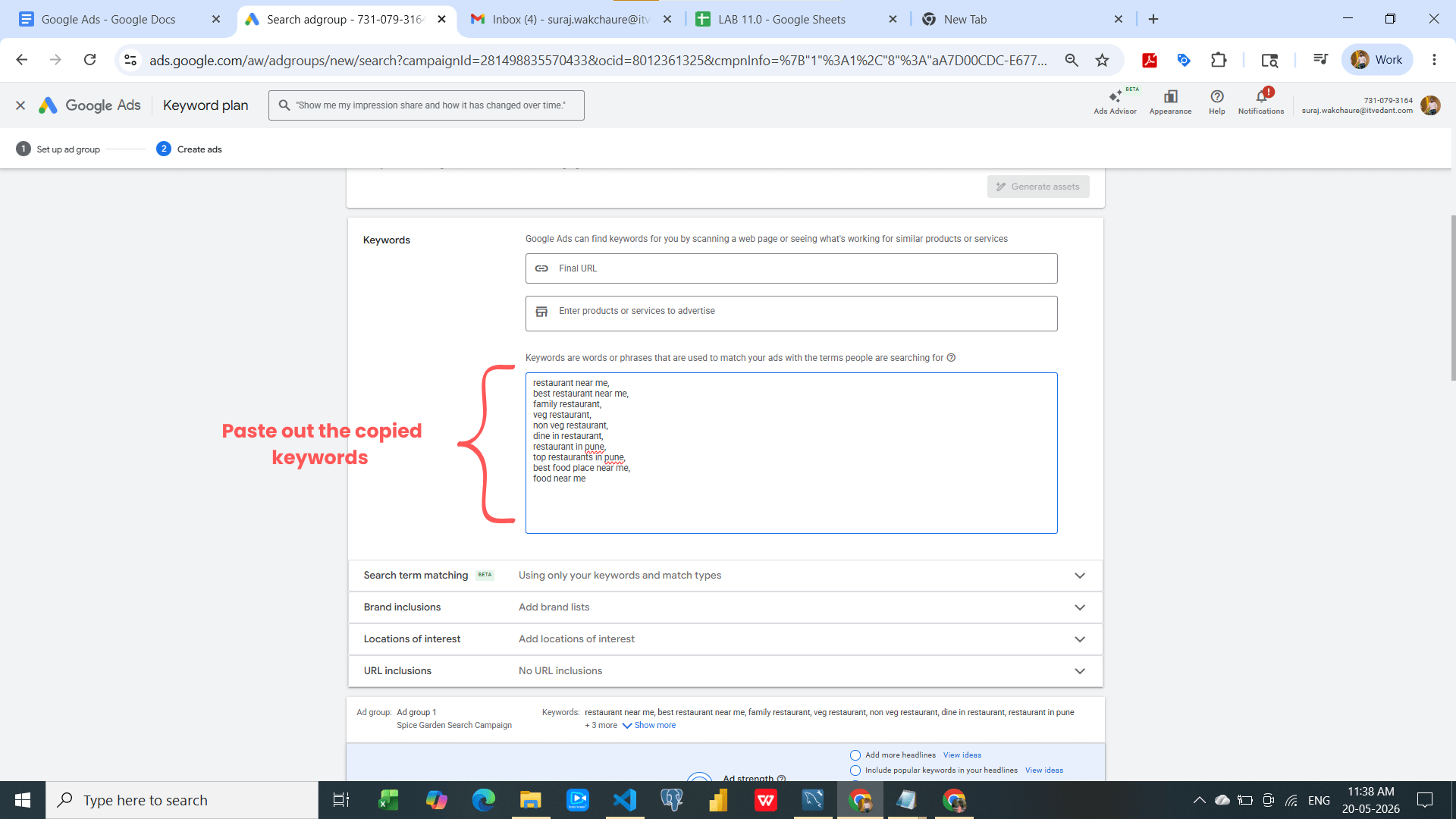
Come back to the Keyword and Ad group level setting and paste out the keyword which you copied.
Scroll down simply and setup the ad copy
Understand Keyword Match Types
| Match Type | Example |
|---|---|
| Broad Match | restaurant near me |
| Phrase Match | “family restaurant” |
| Exact Match | [veg restaurant pune] |
Imp note - Try to use the Phrase Match and exact match type more to get better results.
Task 6: Create Ad Creative
Step-by-Step Procedure
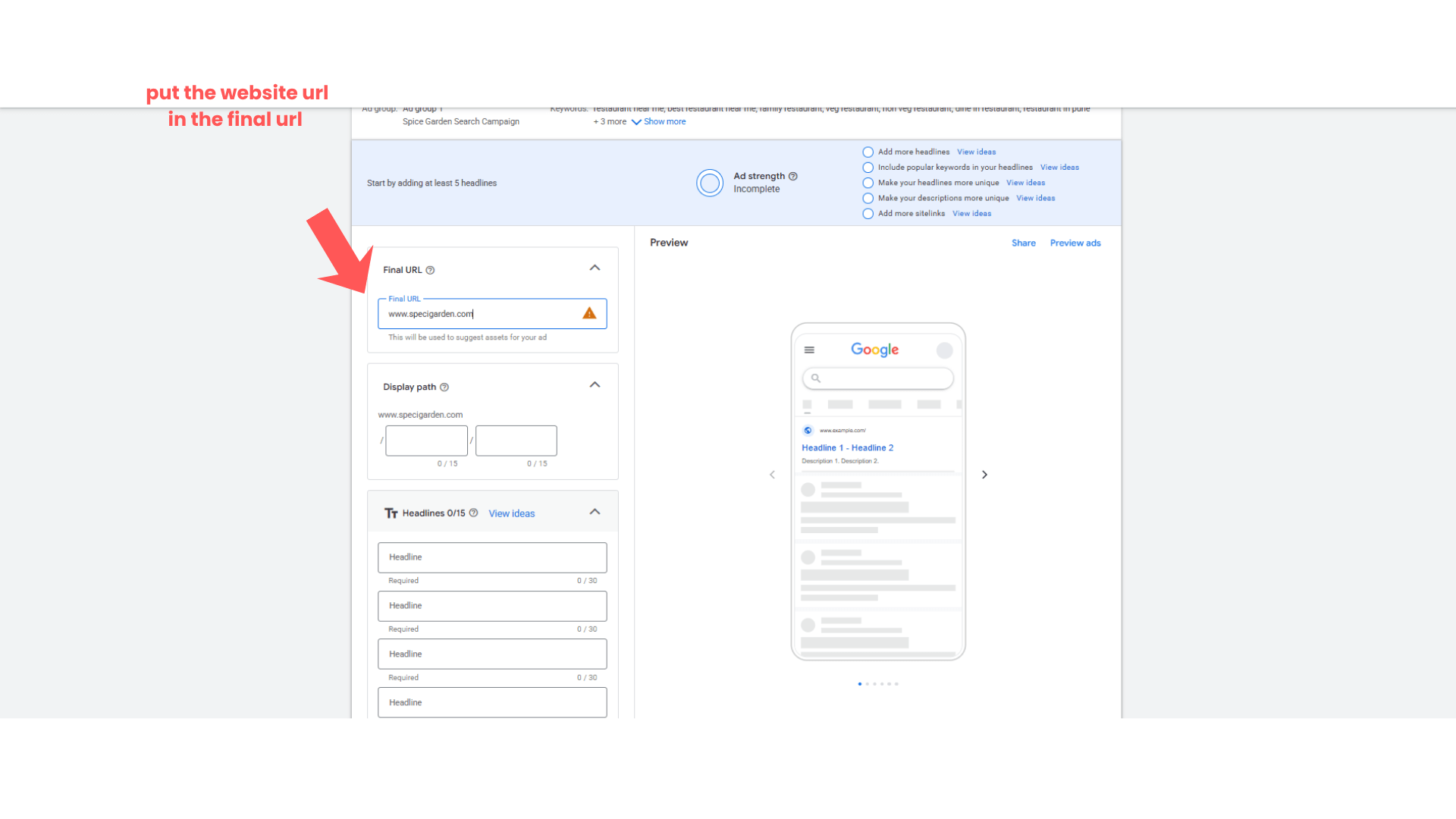
Final Url
1
Copy the landing page url on which you have to drive the traffic.
Ex - www.spicegarden.com
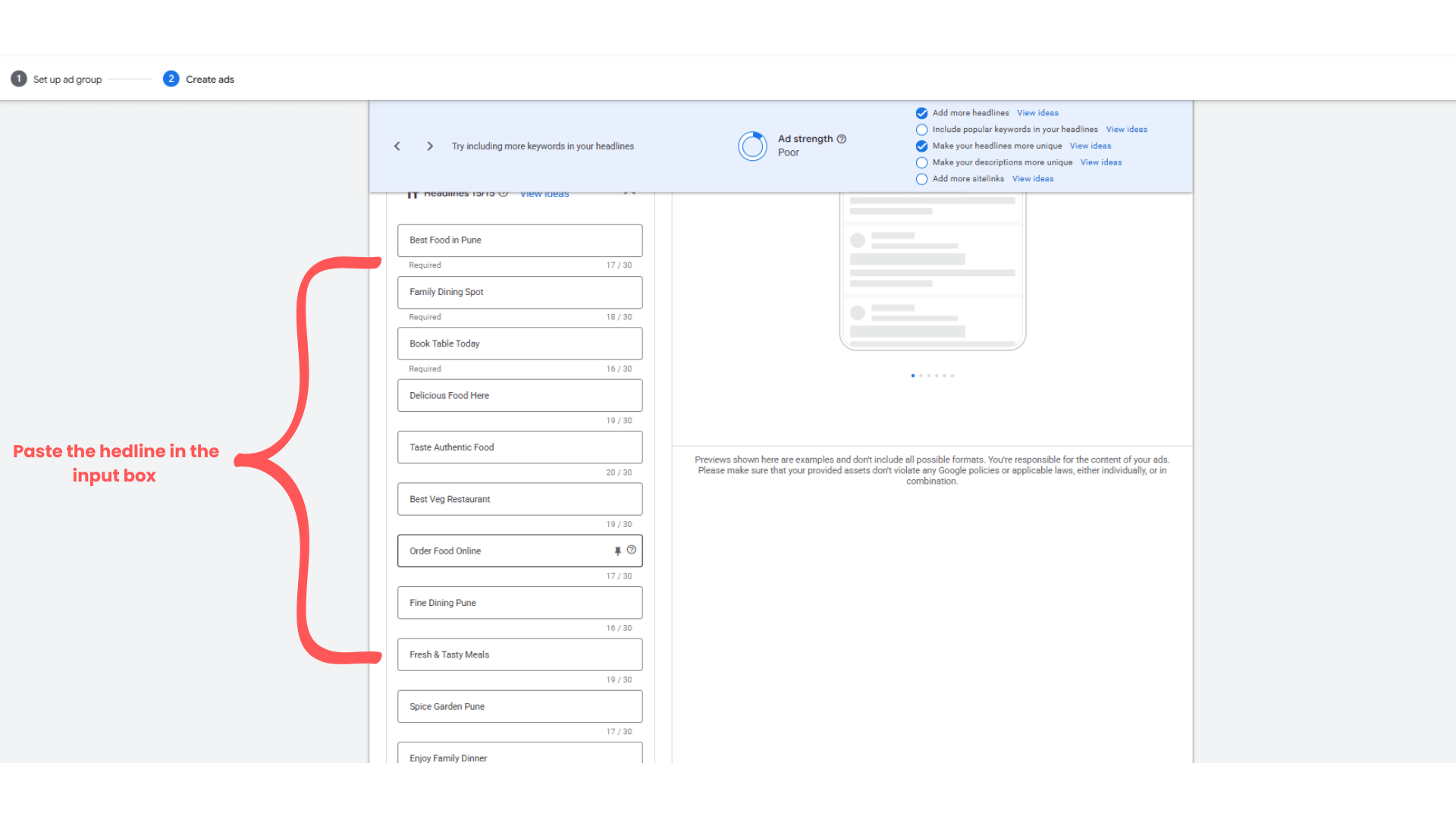
Optimizing the Headlines
2
Put the all the 15 headlines over there.
Ex - Best Food in Pune
Family Dining Spot
Book Table Today
Delicious Food Here
Taste Authentic Food
Best Veg Restaurant
Order Food Online
Fine Dining Pune
Fresh & Tasty Meals
Spice Garden Pune
Enjoy Family Dinner
Restaurant Near You
Hot & Spicy Meals
Reserve Your Table
Best Dinner Place
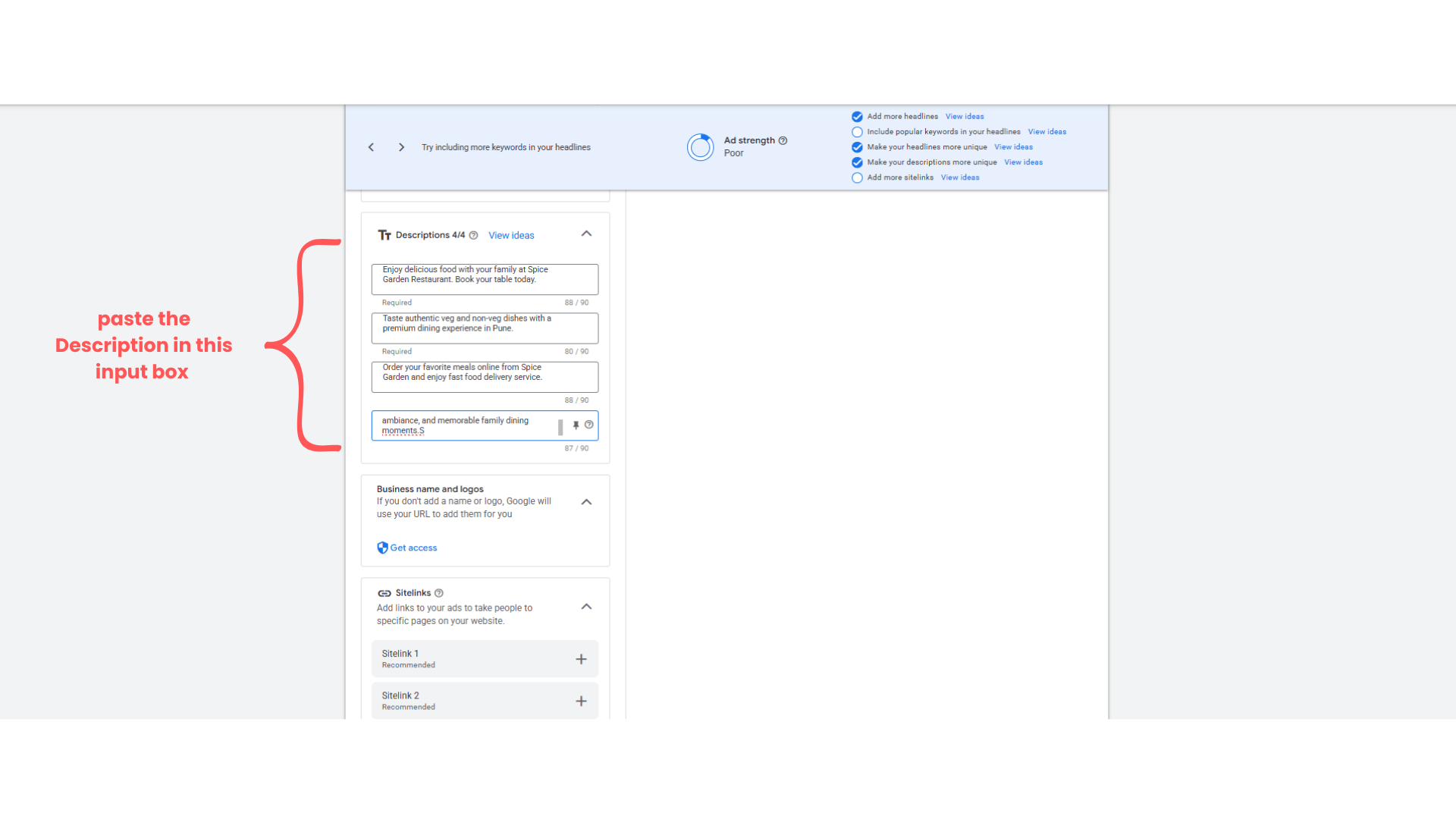
Define 4 Description at least
3
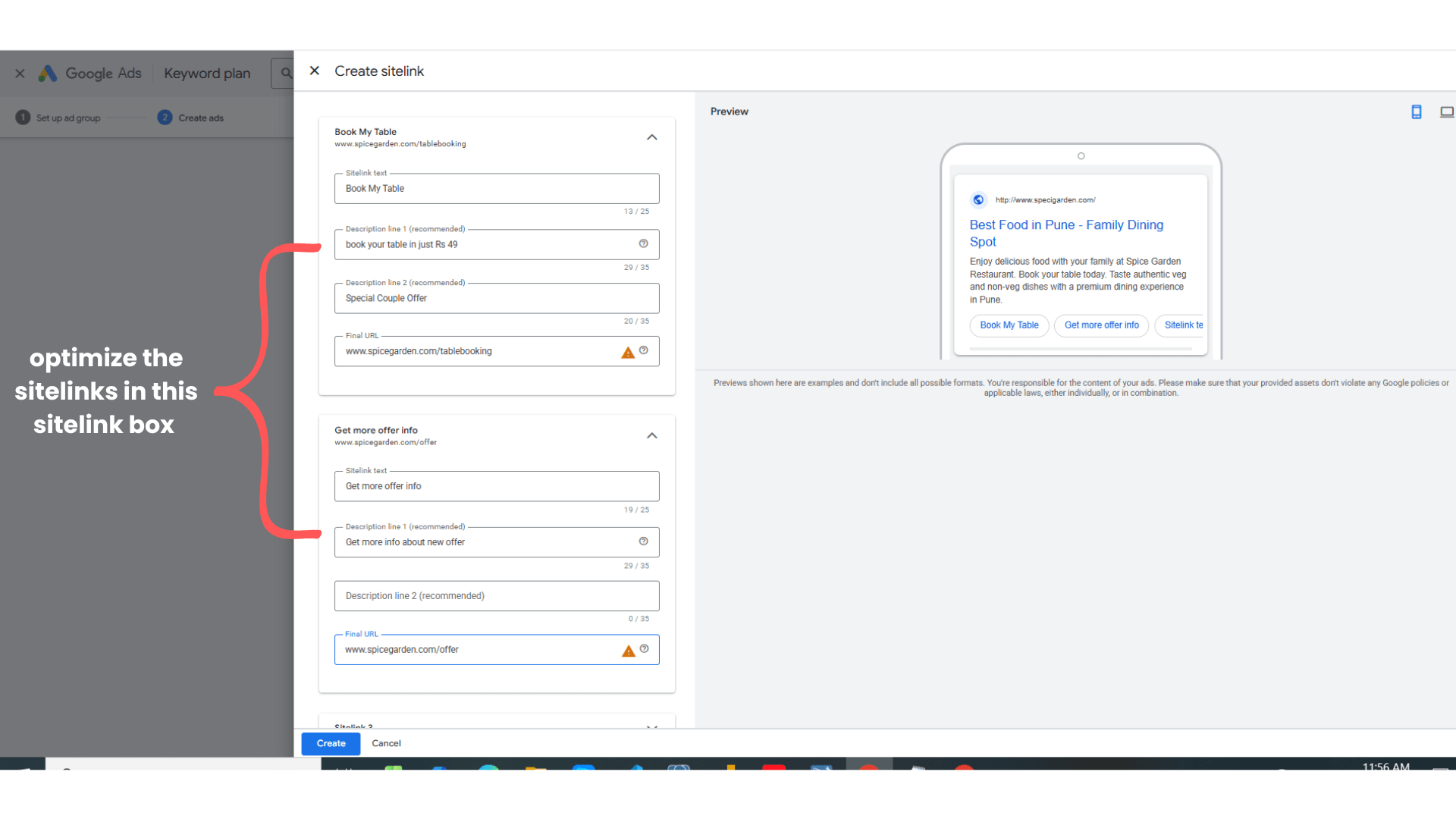
Add 4 to 5 sitelinks at least -
4
Sitelink 1
Link Text: Book Table Online
Sitelink 2
Link Text: Order Food Online
Description 1: Fast home delivery available
Description 2: Order your favorite meals
Final URL: https://www.spicegarden.com/order-online
Sitelink 3
Link Text: View Our Menu
Description 1: Explore delicious dishes
Description 2: Veg & non-veg options
Final URL: https://www.spicegarden.com/menu
Description 1: Reserve your table instantly
Description 2: Enjoy dining with family
Final URL: https://www.spicegarden.com/book-table
Save and Apply it
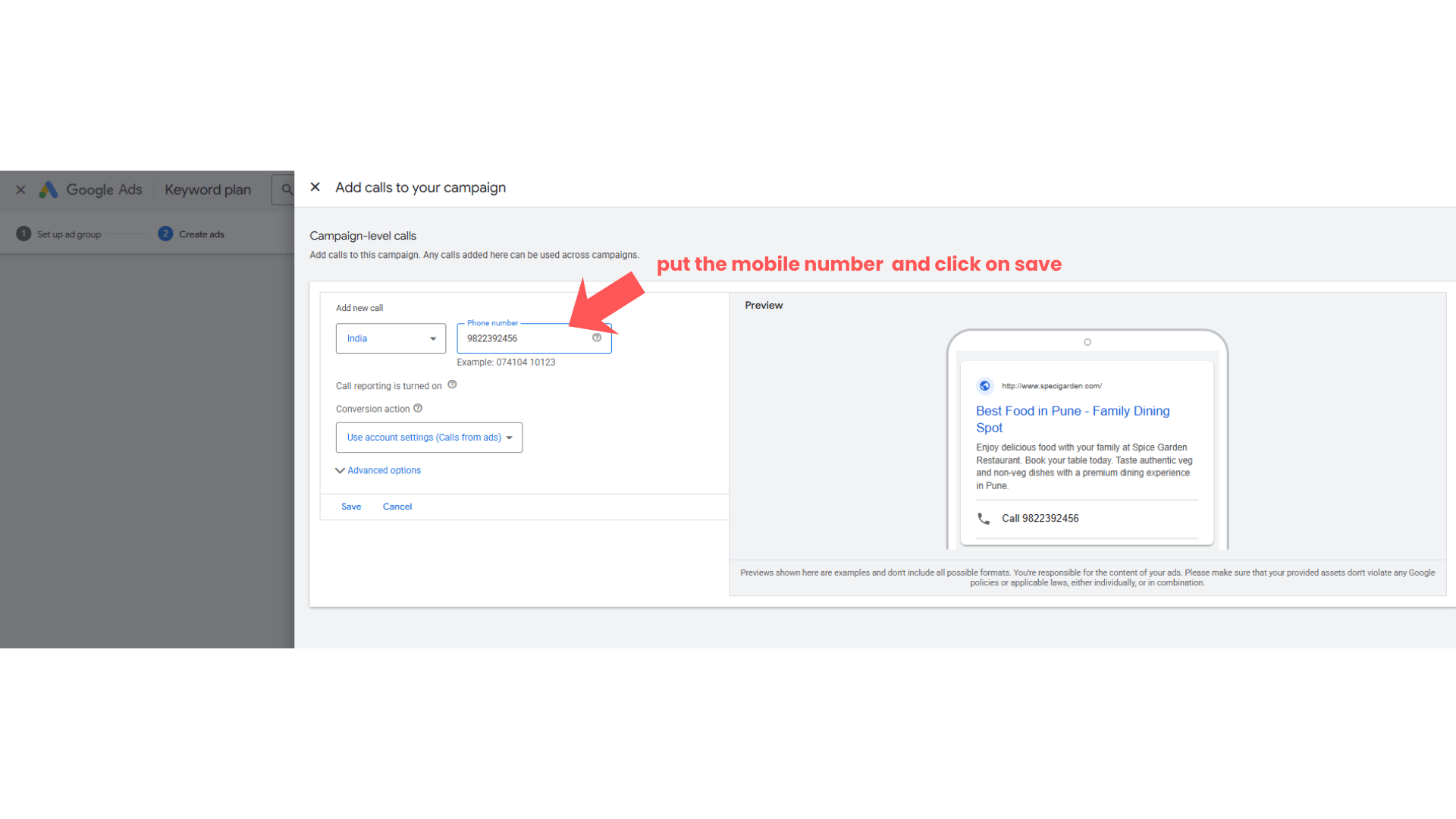
Add Mobile Number
5
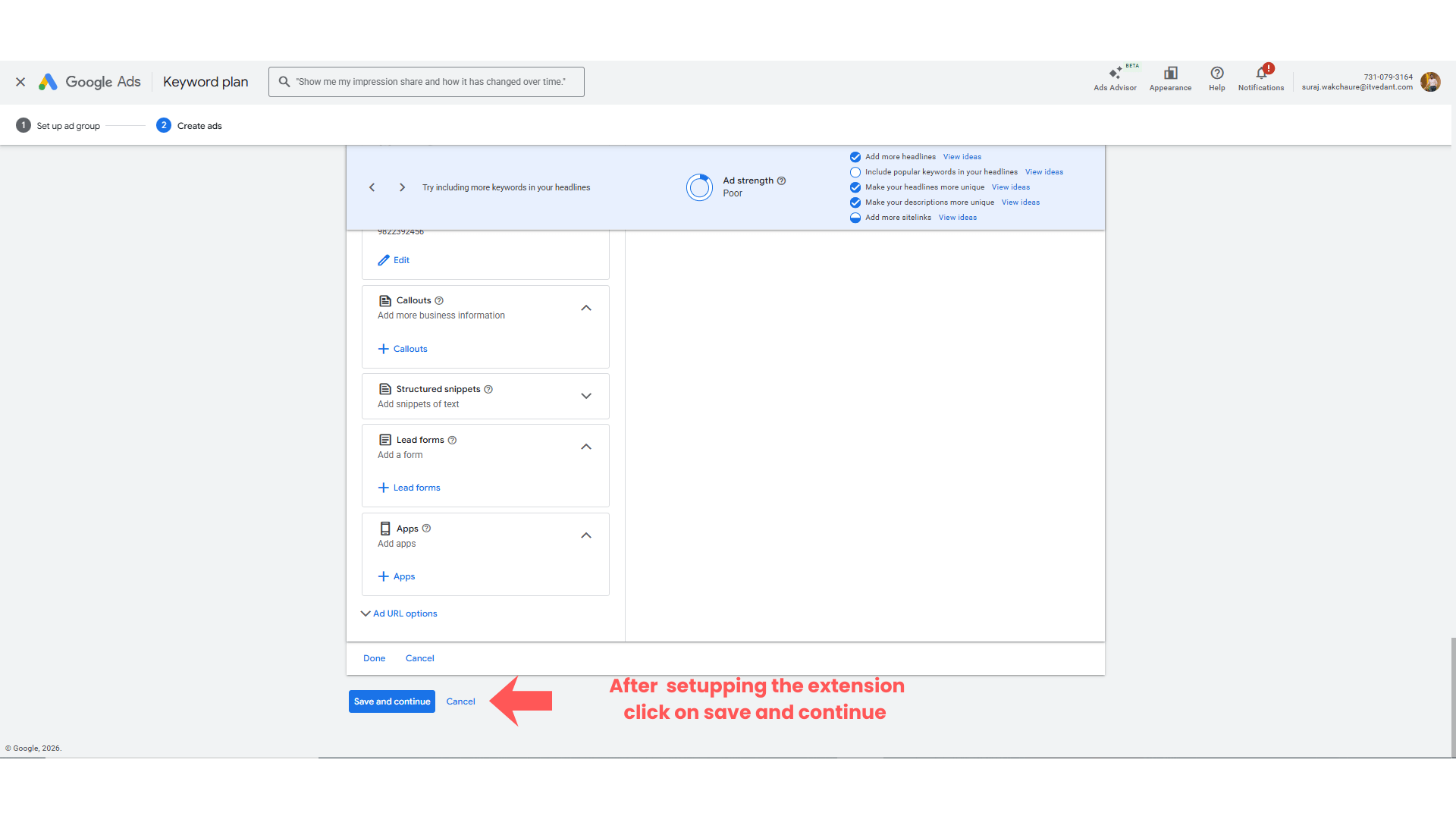
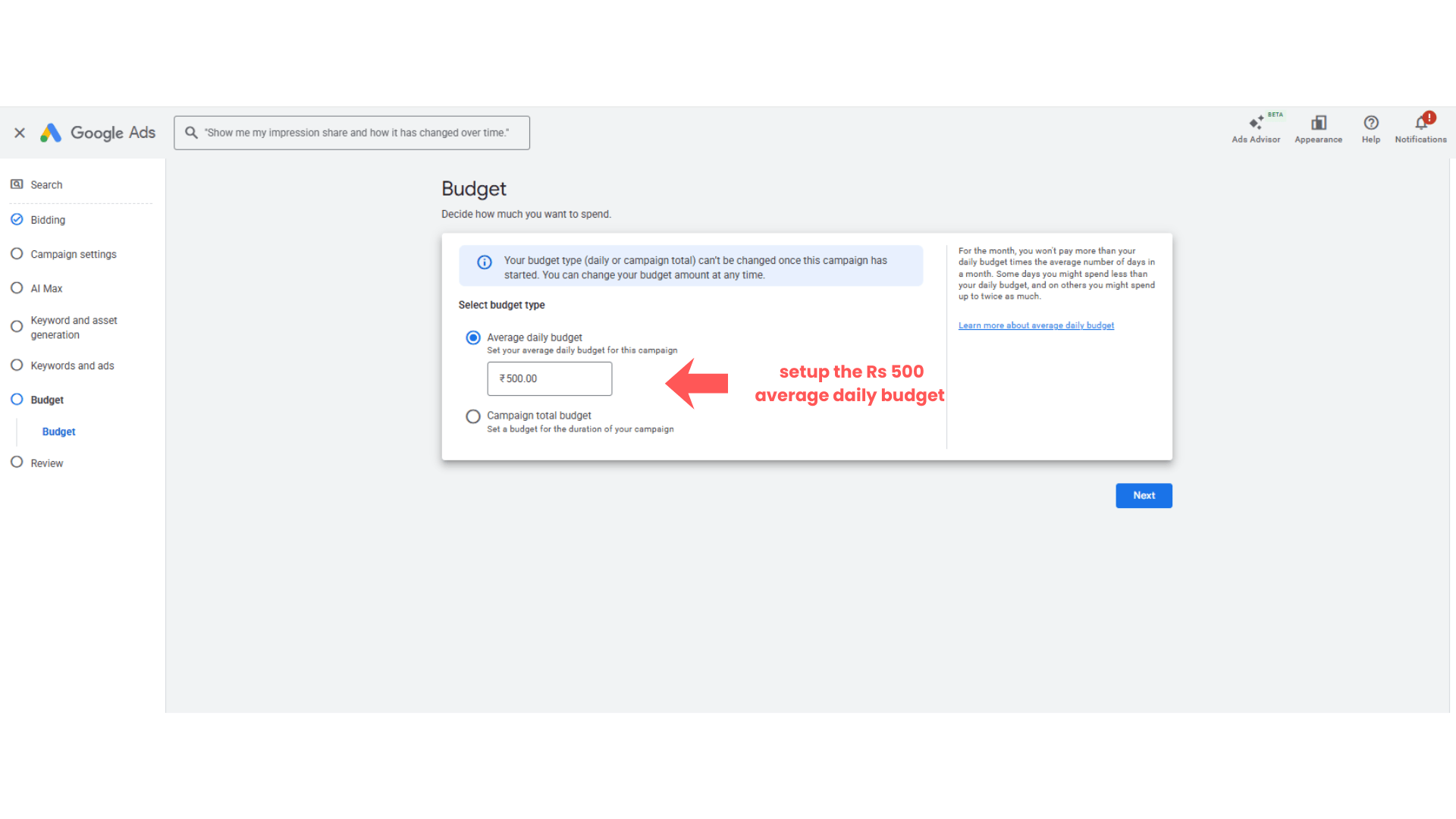
Setup the Daily budget or campaign total Budget
6
Click on NEXT
Expected Outcome
Create a Google Search Campaign
Set location targeting
Add keywords and match types
Create responsive search ads
Publish and verify campaigns
Congratulations!
You have successfully completed Spice Garden Search Ad Setup.
In this LAB, you learned how to:
Create a Search Campaign
Configure campaign settings
Add keywords and ad groups
Create search advertisements
Publish campaigns in Google Ads
Checkpoint
This practical setup will help you run search advertising campaigns for local businesses effectively.
By Content ITV