











Content ITV PRO
This is Itvedant Content department
Learning Outcome
5
Understand basic account setup
4
Identify role of campaigns and ad groups
3
Learn the 4-level account structure
2
Know how ads are shown on Google
1
Understand what Google Ads is
What is Google Ads?
Google Ads is a paid online advertising platform by Google where businesses show ads to people searching for products or services
Example:
If you search “best shoes near me”, the top results marked “Ad” are from Google Ads
How Google shows ads to the audience?
Google shows ads based on:
Keywords
1
Ad quality
3
Bid Amount
2
How Google shows ads to the audience?
Example:
Two shoe brands bid for “running shoes”
The one with better ad + good website can appear higher (not just highest money)
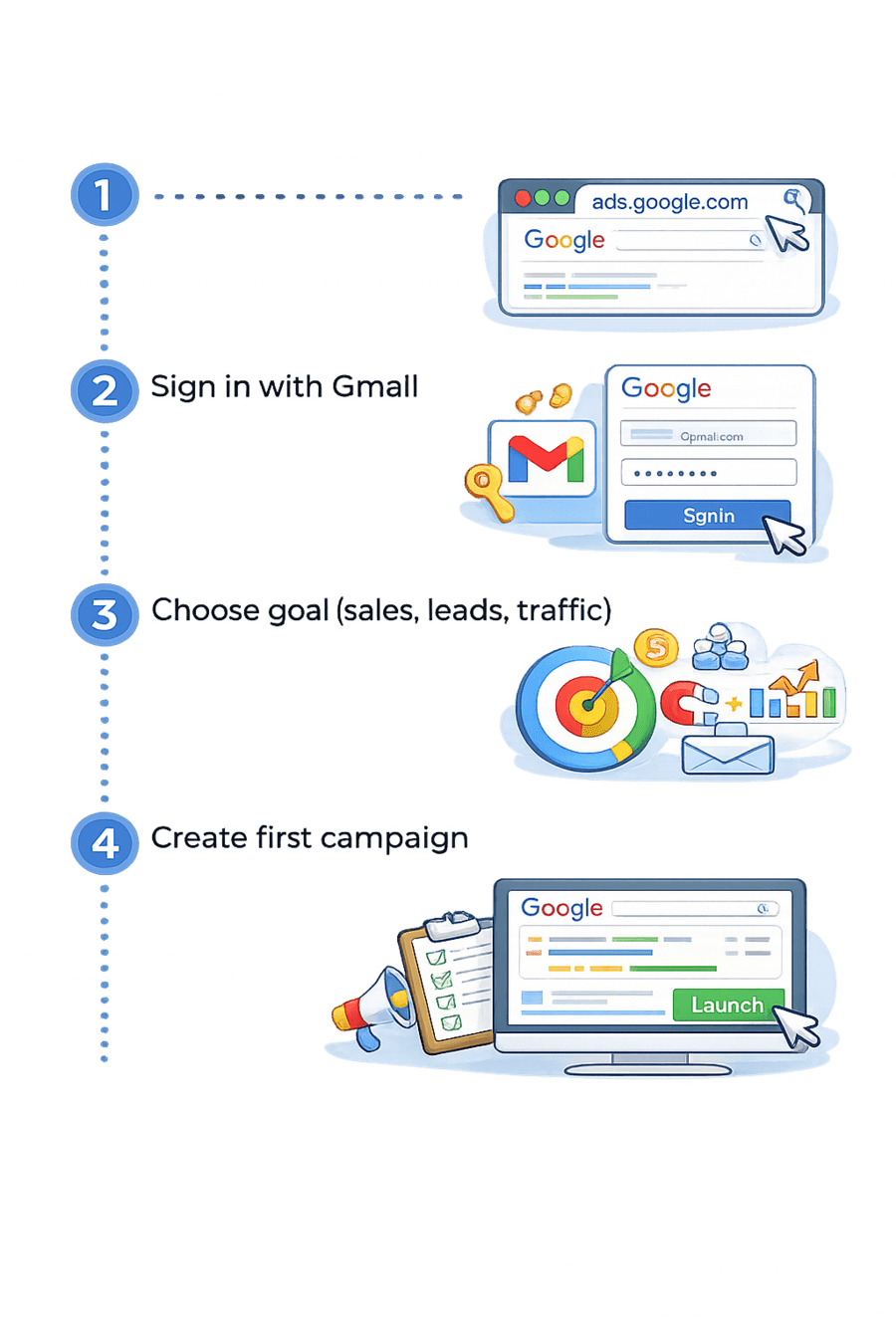
Process of Creating a Google Ads Account
Create first campaign
Choose goal (sales, leads, traffic)
Sign in with Gmail
ghvghvv
ghvghvv
ghvghvv
ghvghvv
Go to ads.google.com
Account Setup
Let Setup the Account with Business setup, payment method, etc practically
(UPI, card, net banking)
(name, country)
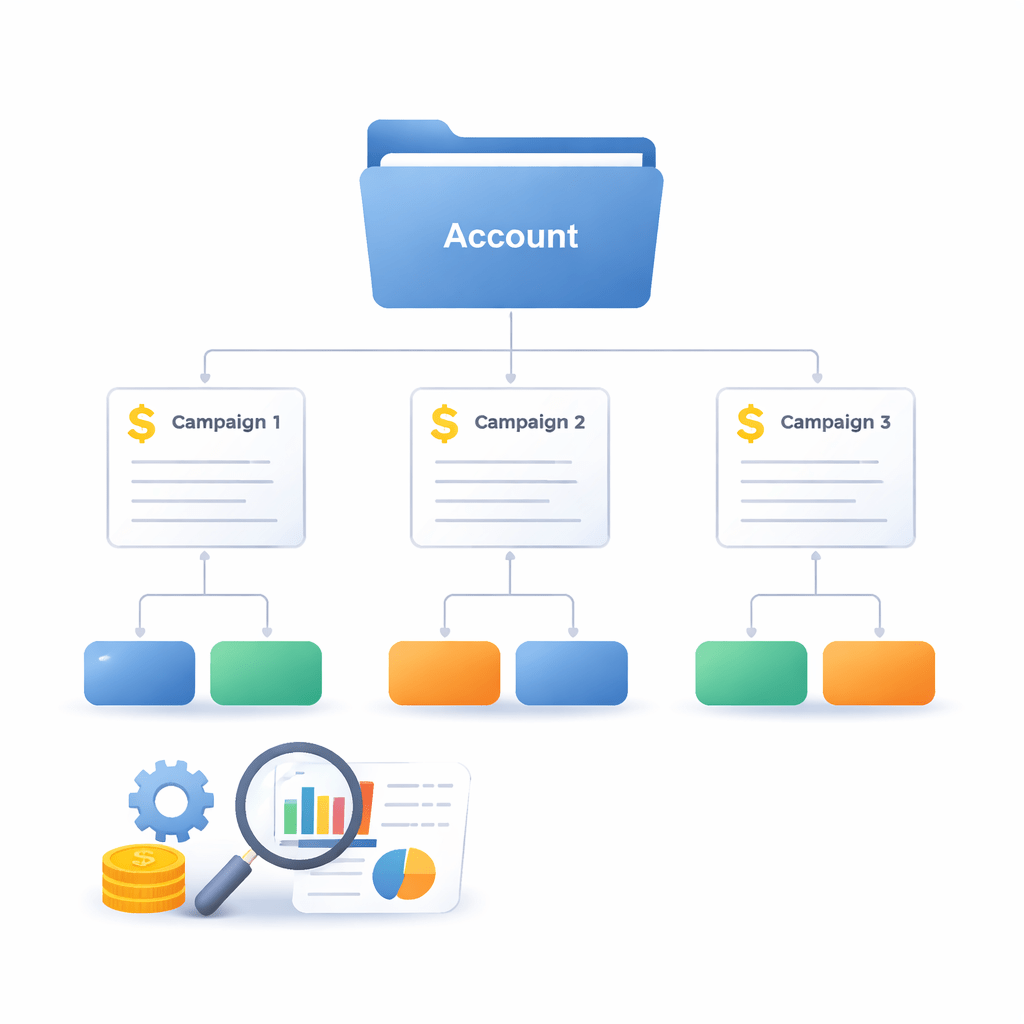
Google Ads Account Structure
Account
Example: Your full business account
Campaign
Example: Campaign = “Shoes Sale” with ₹500/day budget
Ad Group
Example: Men’s Shoes / Women’s Shoes
Google Ads Account Structure
Ads
Example: “Buy Men’s Running Shoes – 50% Off”
Summary
5
Ad groups organize ads by category
4
Campaign controls budget and goal
3
Structure: Account → Campaign → Ad Group → Ads
2
Ads appear based on search and Ad Rank
1
Google Ads is a paid ad platform
Quiz
In the Google Ads account hierarchy, which level is responsible for setting the daily budget and bidding strategy?
A. Ad Group Level
B. Keyword Level
C. Campaign Level
D. Account Level
Quiz
In the Google Ads account hierarchy, which level is responsible for setting the daily budget and bidding strategy?
A. Ad Group Level
B. Keyword Level
C. Campaign Level
D. Account Level
By Content ITV