




Content ITV
This is Itvedant Content department
CartSure API Load Testing with JMeter
Business Scenario
You are working as a Performance Tester on the CartSure project.
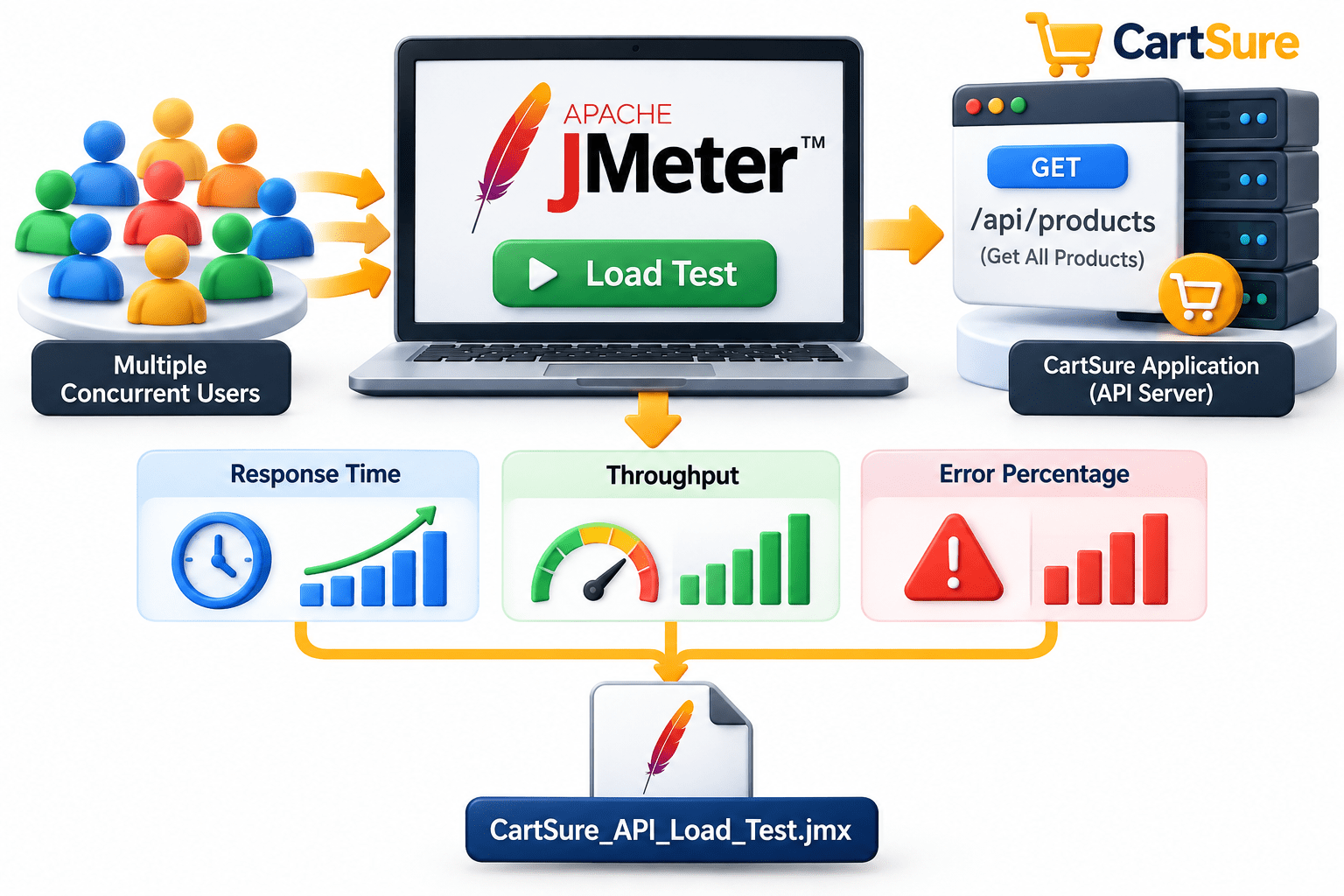
The CartSure application provides an API to retrieve all products. Your manager has assigned you the following task:
"Create a JMeter load test for the CartSure Get All Products API. Execute the API with multiple concurrent users and analyze response time, throughput, and error percentage under load."
The purpose of this lab is only to evaluate API performance under load.
You are working as a Performance Tester on the CartSure project.
The CartSure application provides an API to retrieve all products. Your manager has assigned you the following task:
"Create a JMeter load test for the CartSure Get All Products API. Execute the API with multiple concurrent users and analyse response time, throughput, and error percentage under load."
The purpose of this lab is only to evaluate
API performance under load.
You are not required to perform:
Login
Authentication
Token extraction
CSV parameterization
Payment processing
Dynamic correlation
The completed project must be saved as: CartSure_API_Load_Test.jmx
Git Pull
Create Test Plan
1
Task 1: Create the API Load Test
Open Apache JMeter.
a
Create a new Test Plan.
b
Rename it: CartSure API Load Test
c
Git Pull
git pull origin branchNameAdd a Thread Group:
d
Rename the Thread Group:CartSure API Users
e
CartSure API Load Test
|
+-- CartSure API Users
Configure Thread Group
2
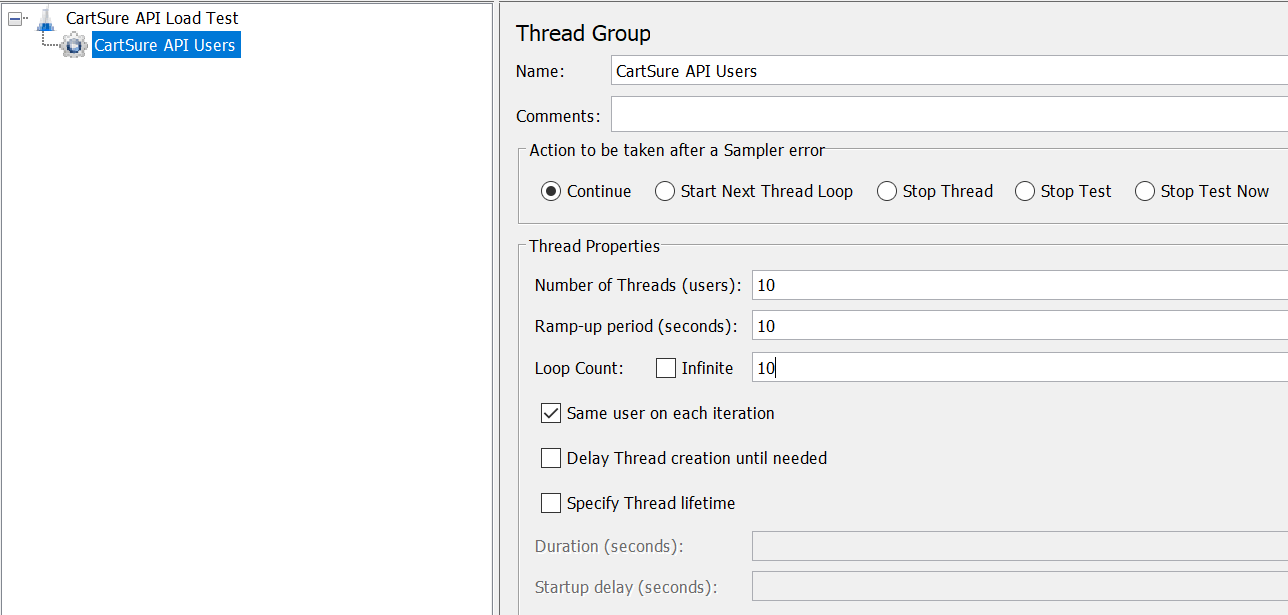
For the initial test, configure:
Number of Threads: 10
Ramp-Up Period: 10 seconds
Loop Count: 10
The Thread Group represents concurrent users accessing the API.
Add HTTP Request
1
Task 2: Add the API Request
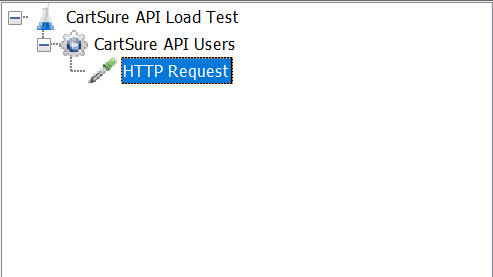
Right-click :- CartSure API Users
→ Add
→ Sampler
→ HTTP Request
a
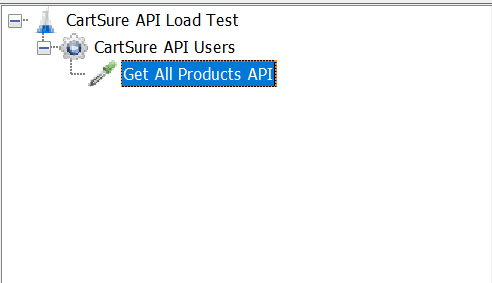
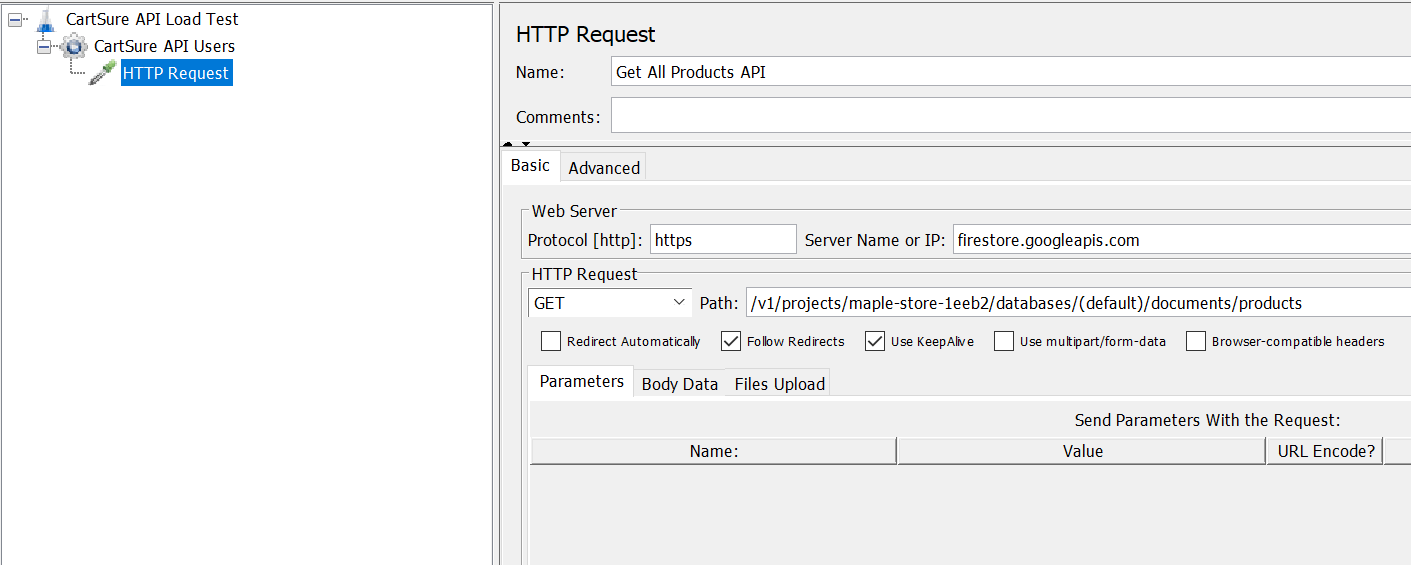
Rename it :- Get All Products API
b
Configure:
Protocol: https
Server Name: firestore.googleapis.com
Method: GET
Path:
/v1/projects/maple-store-1eeb2/databases/(default)/documents/products
Configure HTTP Request
2
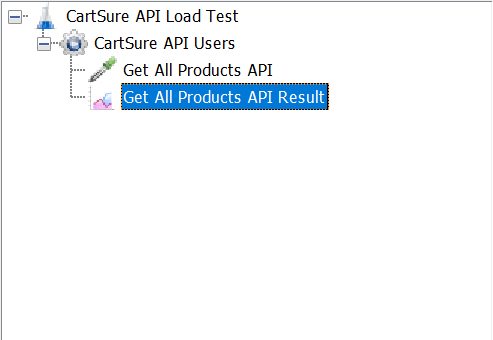
Add View Results Tree
1
Task 3: Execute and Analyze API Load
Right-click the Test Plan :- Test Plan
→ Add
→ Listener
→ View Results Tree
a
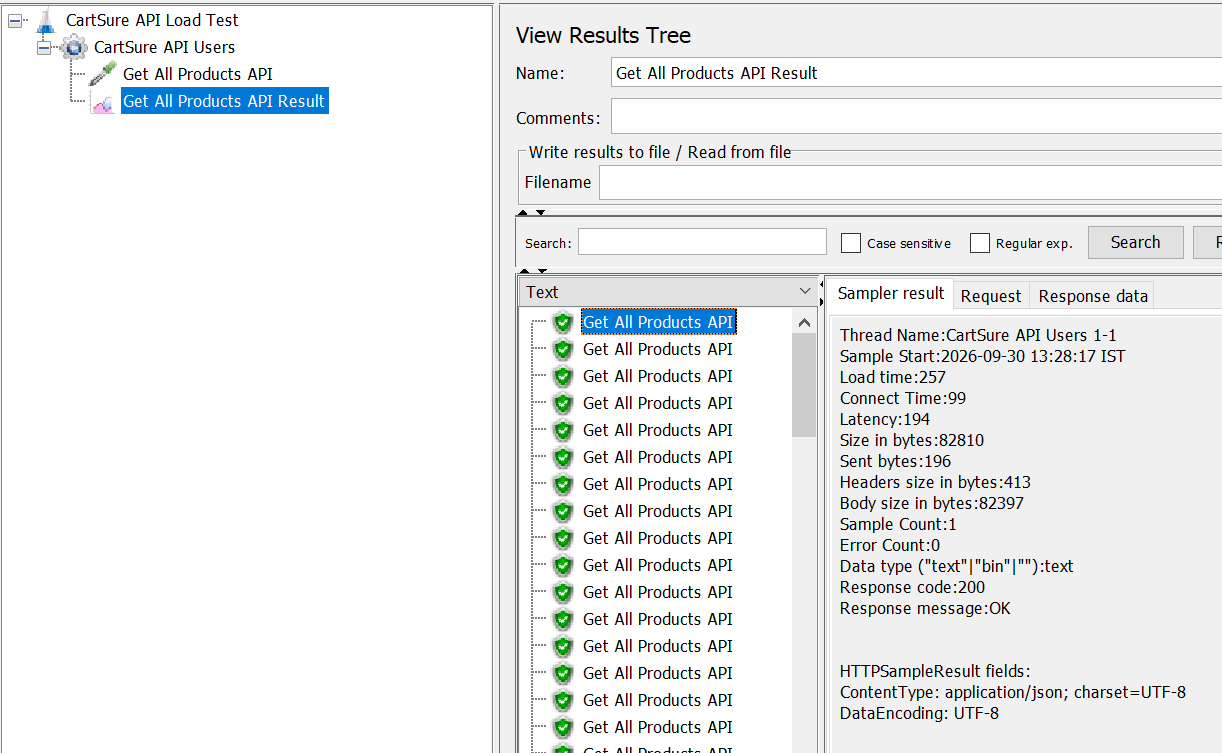
Use View Results Tree only for a small validation run.
b
Run the test.
For a real load test, avoid heavy listeners because they consume JMeter resources and can affect the load generator's performance.
Perform Load Test
2
Add Aggregate Report
3
Add: Test Plan
→ Add
→ Listener
→ Aggregate Report
a
After execution, examine :-
b
| Metric | Meaning |
|---|---|
| Samples | Total API requests |
| Average | Average response time |
| Min | Fastest response |
| Max | Slowest response |
| 90% Line | 90th percentile response time |
| 95% Line | 95th percentile response time |
| 99% Line | 99th percentile response time |
| Error % | Percentage of failed requests |
| Throughput | Requests processed per second |
Run the API with different numbers of users.
Test 1 – Baseline
Threads: 1
Ramp-Up: 1 sec
Loop Count: 10
Test 2 – Low Load
Threads: 10
Ramp-Up: 10 sec
Loop Count: 10
Test 3 – Medium Load
Threads: 25
Ramp-Up: 25 sec
Loop Count: 10
Test 4 – Higher Load
Threads: 50
Ramp-Up: 50 sec
Loop Count: 10
Task 4: Execute Different Load Levels and Save
Run the API with different numbers of users.
Test 1 – Baseline
Threads: 1
Ramp-Up: 1 sec
Loop Count: 10
Test 2 – Low Load
Threads: 10
Ramp-Up: 10 sec
Loop Count: 10
Test 3 – Medium Load
Threads: 25
Ramp-Up: 25 sec
Loop Count: 10
Test 4 – Higher Load
Threads: 50
Ramp-Up: 50 sec
Loop Count: 10
Great job!
In this lab, you learned the fundamentals of API Load Testing using Apache JMeter.
You learned how to:
Create a JMeter test plan for API load testing.
Configure a Thread Group with multiple virtual users.
Configure ramp-up time and loop count.
Create and execute an HTTP API request.
Validate the API response.
Measure API response time.
Analyze API throughput.
Identify API errors during load execution.
Use View Results Tree for request and response validation.
Use Aggregate Report to analyze performance results.
Compare API performance at different load levels.
You also learned how increasing the number of concurrent users can affect:
Response time
Throughput
Error percentage
Overall API performance
By completing this lab, you are now able to create and execute a basic JMeter API Load Test and analyse how an API behaves under different levels of concurrent user load.
Final Project File:
CartSure_API_Load_Test.jmx
Checkpoint
Great job!
In this lab, you learned the fundamentals of API Load Testing using Apache JMeter.
You learned how to:
Create a JMeter test plan for API load testing.
Configure a Thread Group with multiple virtual users.
Configure ramp-up time and loop count.
Create and execute an HTTP API request.
Validate the API response.
Measure API response time.
Analyze API throughput.
Identify API errors during load execution.
Use View Results Tree for request and response validation.
Use Aggregate Report to analyze performance results.
Compare API performance at different load levels.
You also learned how increasing the number of concurrent users can affect:
Response time
Throughput
Error percentage
Overall API performance
By completing this lab, you are now able to create and execute a basic JMeter API Load Test and analyse how an API behaves under different levels of concurrent user load.
Final Project File:
CartSure_API_Load_Test.jmx
Checkpoint
Great job!
In this lab, you learned the fundamentals of API Load Testing using Apache JMeter.
You learned how to:
Create a JMeter test plan for API load testing.
Configure a Thread Group with multiple virtual users.
Configure ramp-up time and loop count.
Create and execute an HTTP API request.
Validate the API response.
Measure API response time.
Analyze API throughput.
Identify API errors during load execution.
Use View Results Tree for request and response validation.
Use Aggregate Report to analyze performance results.
Compare API performance at different load levels.
You also learned how increasing the number of concurrent users can affect:
Response time
Throughput
Error percentage
Overall API performance
By completing this lab, you are now able to create and execute a basic JMeter API Load Test and analyse how an API behaves under different levels of concurrent user load.
Final Project File:
CartSure_API_Load_Test.jmx
Checkpoint
Git Push
git push origin branchNameBy Content ITV