















Content ITV PRO
This is Itvedant Content department
Learning Outcome
5
Implement template inheritance to build reusable layouts
4
Build clean, dynamic,user-friendly web pages using Django templates
3
Pass data from views to templates using context
2
Use Django Template Language (DTL) syntax for dynamic content
1
Understand the role of templates in Django’s MVT architecture
Recall
python manage.py makemigrations
python manage.py migrate
Migration Commands
Understanding the role of models in Django’s MVT architecture
Commonly used Django model fields
Eg. CharField, TextField, IntegerField, FloatField, BooleanField, DateField /, DateTimeField, EmailField, ImageField / FileField
Have you ever used variables in HTML?
Can HTML change content dynamically?
Have you written if–else conditions in HTML?
Can we use loops in HTML to repeat elements?
If the same header is needed on 10 pages,
Do we rewrite it 10 times?
Before learning Django Templates, let’s think about plain HTML...
HTML is static
Content does not change automatically
No built-in support for:
Let’s now learn how Django Templates solve these HTML limitations by using Django Template Language (DTL).
Django Template Language (DTL)
Django Template Language (DTL) is used to create dynamic HTML pages.It allows displaying data sent from views.Keeps presentation logic separate from business logic
Variable Interpolation
Decision Control Instructions
Loop Control Instructions
Template Filters
Reusability with Templates
Template Inheritance
Now that we know what DTL is, let’s see how data actually appears inside HTML.
When you log in to any application:
After login:
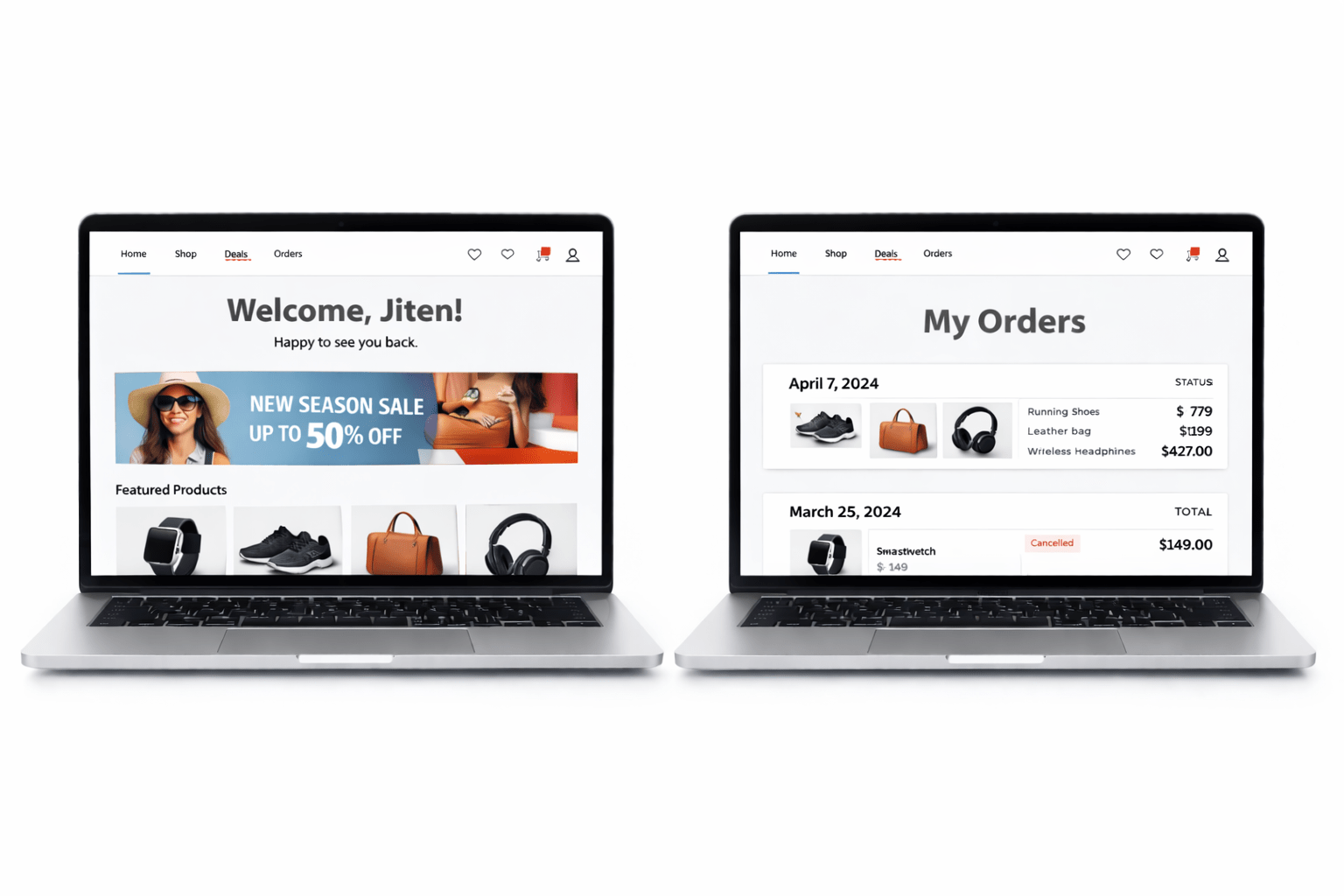
“Welcome, Jiten”
“Welcome, Amit”
How does HTML display different names without changing the file?
Same page, different usernames
Variable Interpolation
Used to display dynamic data in templates
Data is sent from the view
Displayed using syntax:
{{ variable_name }}Example Use Cases
Display username
Show product price
Show student details
Where Templates Live ?
Create a folder named templates/
Possible locations:
App level → app_name/templates/
Project level → project/templates/
Django looks for HTML files inside this folder
Template Configuration (settings.py)
import os
TEMPLATES = [
    {
        'BACKEND': 'django.template.backends.django.DjangoTemplates',
        'DIRS': [os.path.join(BASE_DIR, 'templates')],
        'APP_DIRS': True,
    },
]
1
2
Create HTML Template ( home.html )
3
<h2>{{ greet }}</h2>5
URL Mapping
URL → View → Template
urlpatterns = [
    path('', views.home, name='home'),
]
4
Handles request
Prepares data
Sends data using context
Create View Function
def home(request):
    context = {}
    context['greet'] = 'Hello Amit'
    return render(request, 'home.html', context)
View acts as a bridge between Python data and HTML
User logged in → show Logout
User not logged in → show Login
Imagine
How does the page decide what to show and what to hide
Decision Control Instructions
Apply conditions inside templates
Conditions depend on data from views
Used for conditional rendering
{% if %}
{% elif %}
{% else %}
{% endif %}
Common DTL Tags
What if we need to show multiple items instead of just one?”
Loop Control Instructions
Iterate over:
Lists
QuerySets
Same HTML repeats for every record
{% for item in items %}
{{ item }}
{% endfor %}
Key DTL Syntax
Loop Control Instructions
def product_list(request):
    context = {
        'products': [
            {'name': 'Laptop', 'price': 55000},
            {'name': 'Mobile', 'price': 20000},
            {'name': 'Headphones', 'price': 3000}
        ]
    }
    return render(request, 'products.html', context)
Practical Example
views.py
Loop Control Instructions
<table border="1">
    <tr>
        <th>Product Name</th>
        <th>Price (₹)</th>
    </tr>
    {% for product in products %}
    <tr>
        <td>{{ product.name }}</td>
        <td>{{ product.price }}</td>
    </tr>
    {% endfor %}
</table>
Products.html
Imagine Same header, footer, and navbar on every page. Only content changes
How can we use the same header, footer, and navbar on all pages without writing them again?
Template Inheritance
Reuse common layout
Override only dynamic sections
Follow DRY principle
DRY (Don’t Repeat Yourself) means:
Write common code only once
Reuse it everywhere
Avoid duplicate logic and layout
Common DTL Tags
{% extends 'base.html' %}

{% block content %}

{% endblock %}

{% include 'navbar.html' %}
Inherit from base template
Define replaceable sections
Close block
Used to insert another template inside the current template
Summary
5
Display multiple records using for loops
4
Apply decision control using if, elif, else
3
Send data from views using context dictionaries
2
Display dynamic data using variables
1
Importance of separating logic from presentation
Quiz
Which syntax is used to display dynamic data in a Django template?
A.{% variable %}
B.{{ variable }}
C.[[ variable ]]
D.<% variable %>
Which syntax is used to display dynamic data in a Django template?
A.{% variable %}
B.{{ variable }}
C.[[ variable ]]
D.<% variable %>
Quiz-Answer
By Content ITV