


Content ITV PRO
This is Itvedant Content department
Practical Exploration of DNS and Secure Web Communication
Business Scenario
Welcome!
You are working as a Network Security Intern at a company , where you need to analyze how DNS converts domain names to IP addresses and study the difference between HTTP and HTTPS.
Your task is to use tools like nslookup, ping, and Wireshark to observe network traffic and understand how secure communication protects data.
Pre-Lab Preparation
Topic : Networking Fundamentals
1) Introduction to Networking.
2) IP Addressing.
3) DNS fundamentals.
4) HTTP/HTTPS protocols.
git pull origin branchNameGit Pull
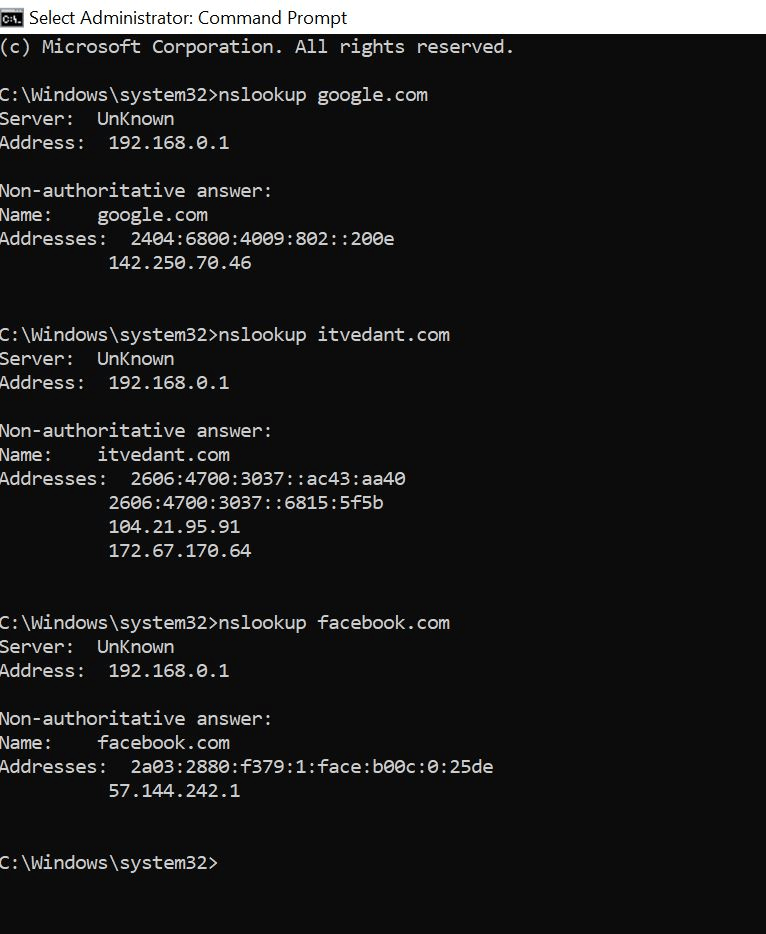
Open Command Prompt and type:
Observe:
DNS Server used
IP address of domain
Task 1: Understand how DNS converts domain → IP
nslookup google.com
nslookup itvedant.com
nslookup facebook.com
Use nslookup
1
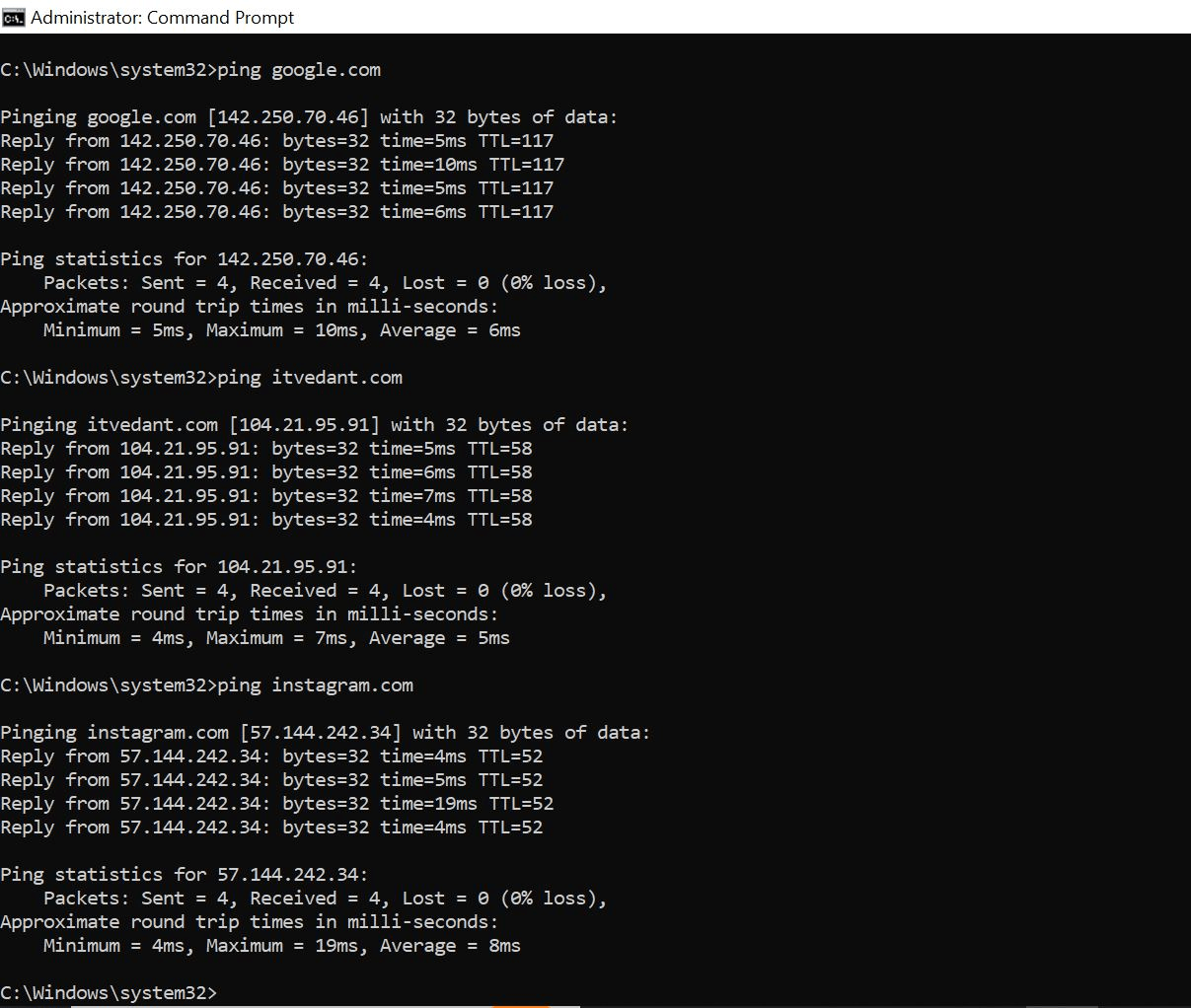
Open Command Prompt and type:
ping google.com
ping itvedant.com
ping instagram.com
Use ping
2
Observe:
Domain automatically resolved to IP
Response time
Packet Capture (Wireshark)
3
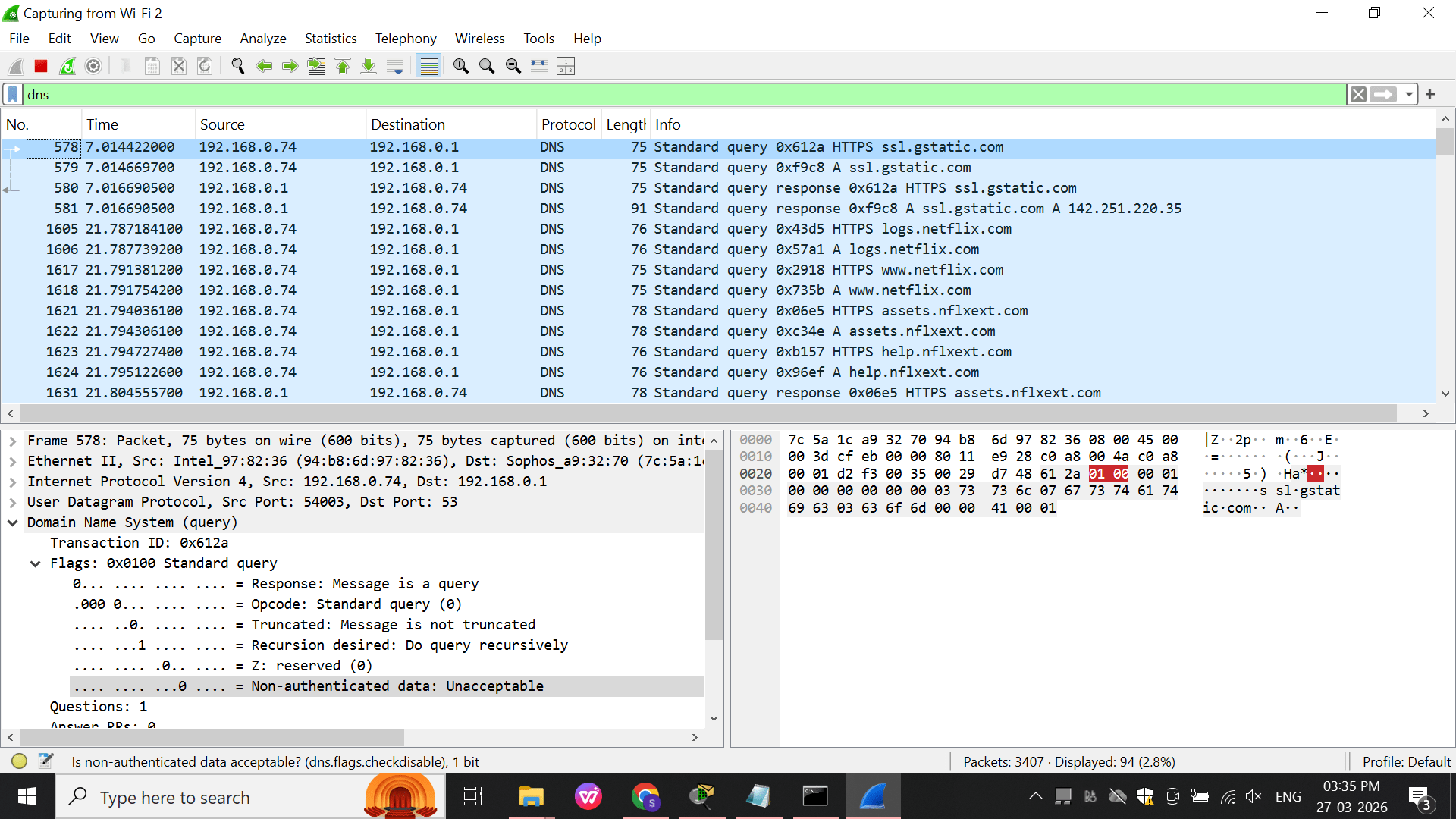
Start Wireshark → select network interface → Start capture
a
Apply filter: dns
b
Now open browser and visit: any Website
c
Observe:
DNS Query (A record request)
DNS Response (IP returned)
Task 2: DNS Practical Lab – Understanding DNS Records
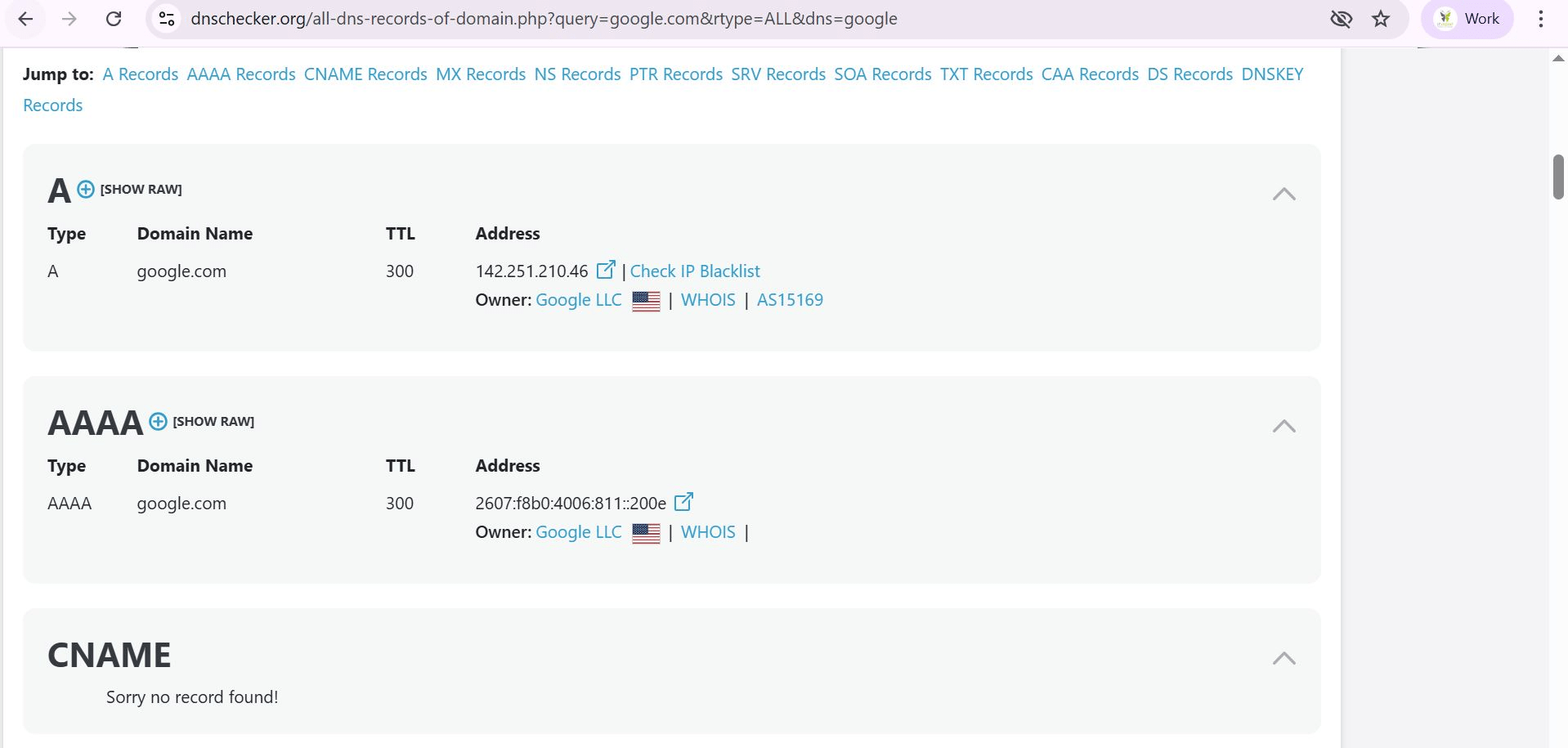
Verify IP addresses and services linked to a domain
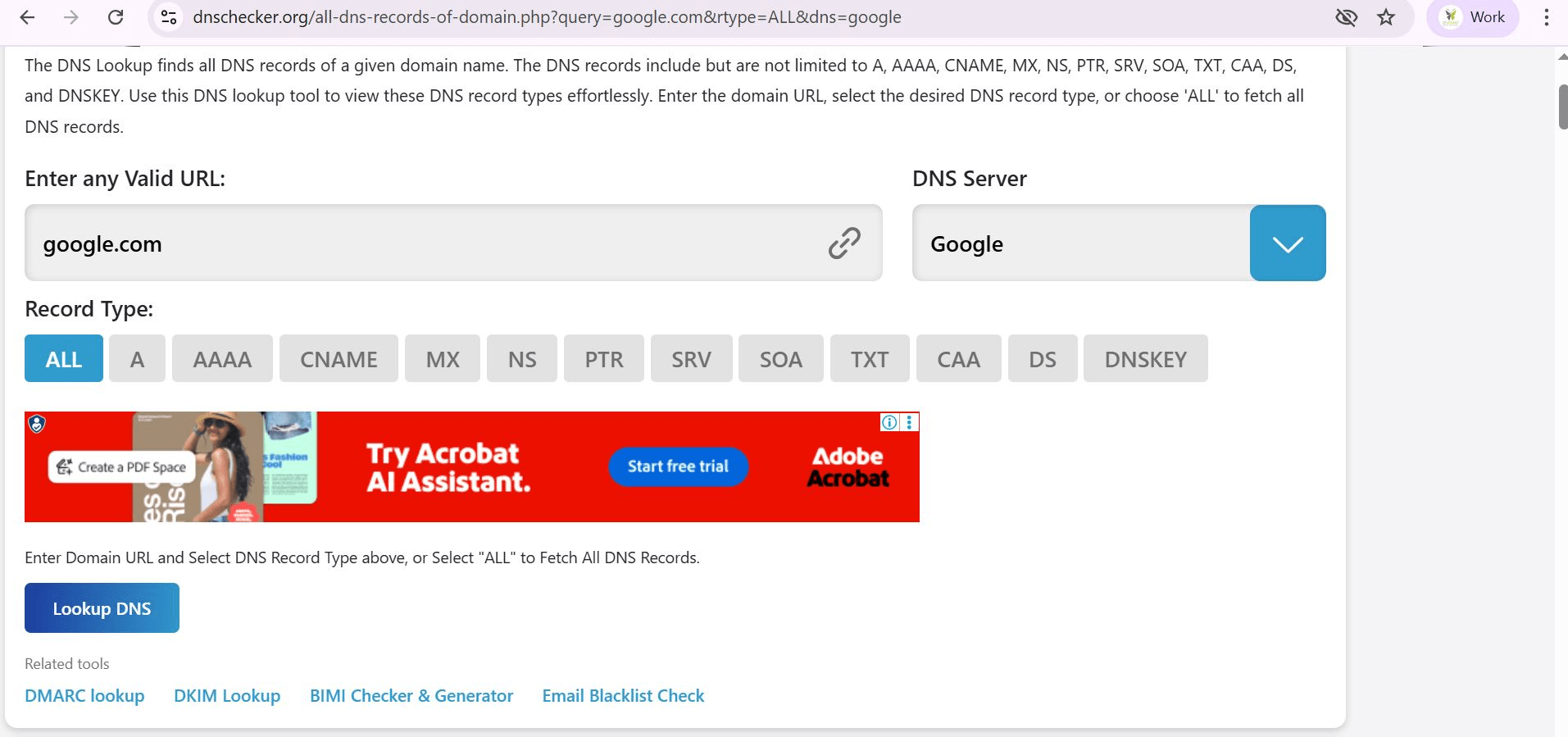
Open DNS Lookup Tool
1
Open browser (Chrome/Edge)
a
Go to: DNSChecker
b
Enter Domain
2
In Enter any Valid URL, type: google.com
a
Select: Record Type = ALL
b
Click: Lookup DNS
c
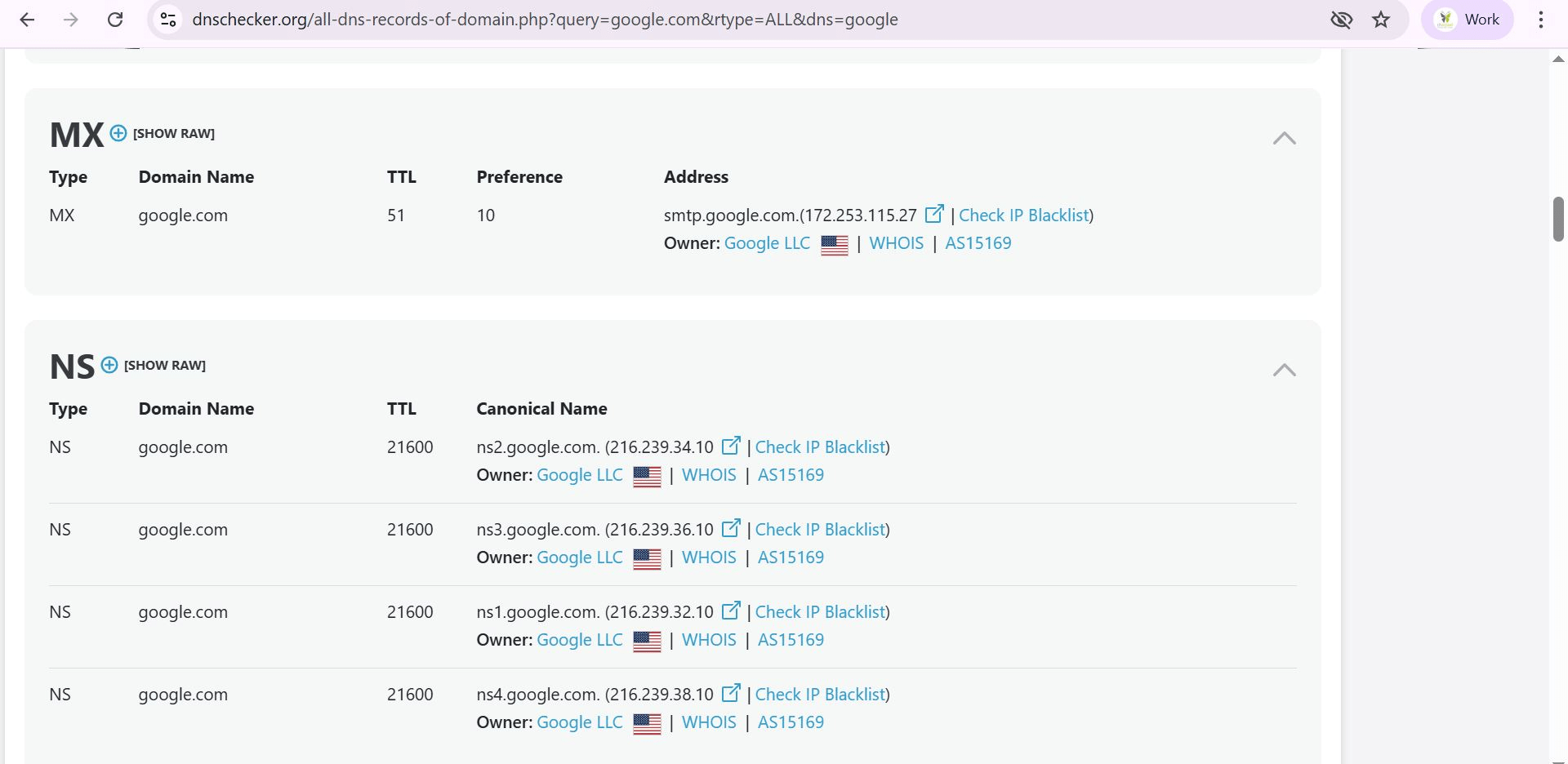
You will see:
3
Domain input box
a
Record type options (A, AAAA, MX, NS, etc.)
b
When a user types google.com:
DNS query is sent
NS server responds
A/AAAA record gives IP
System connects to server
This is called DNS Resolution Process.
Task 3: Observe HTTP vs HTTPS communication Analyze real web traffic
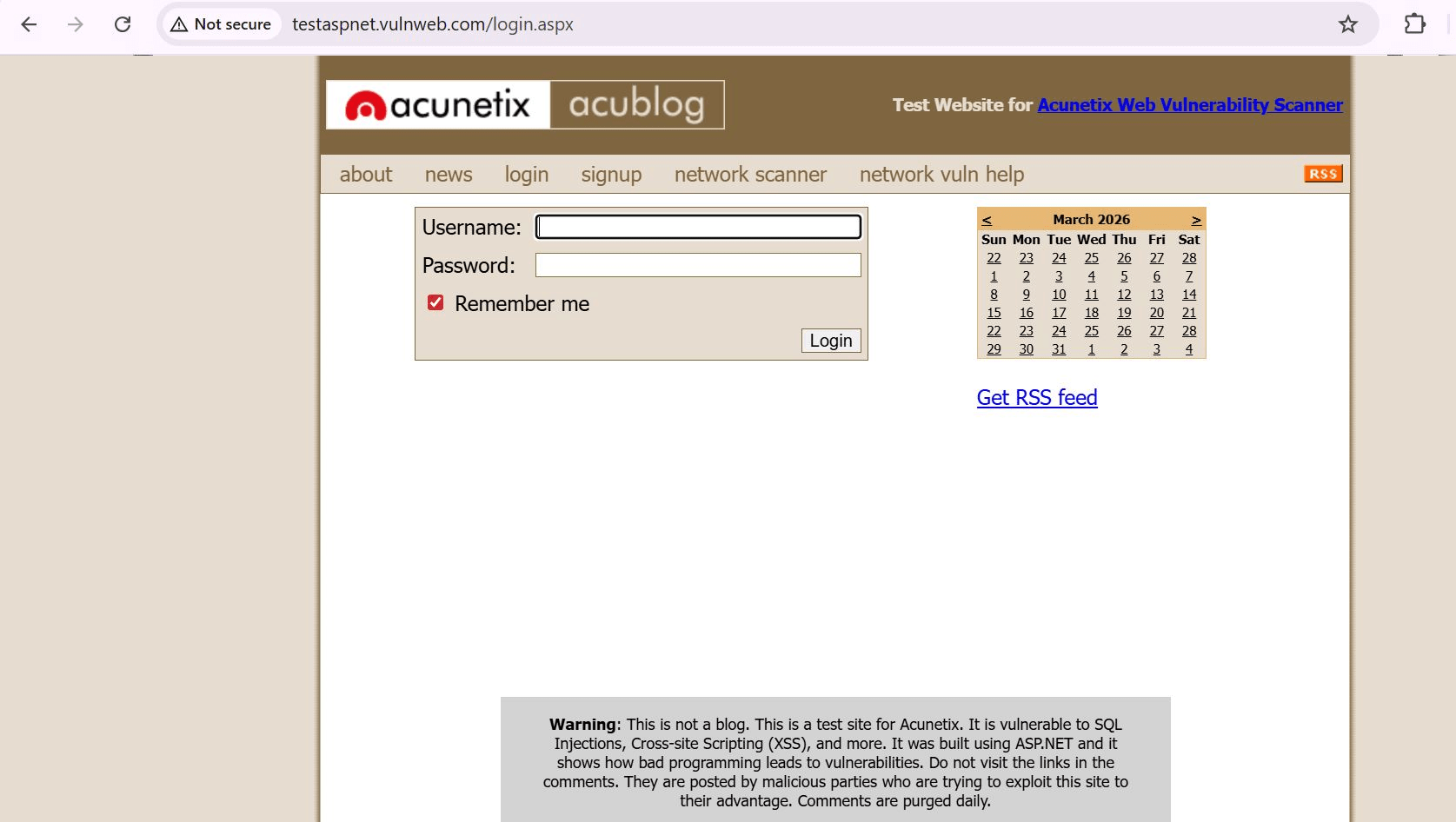
Visit HTTP Site
1
Open Webiste : testaspnet.vulnweb.com
a
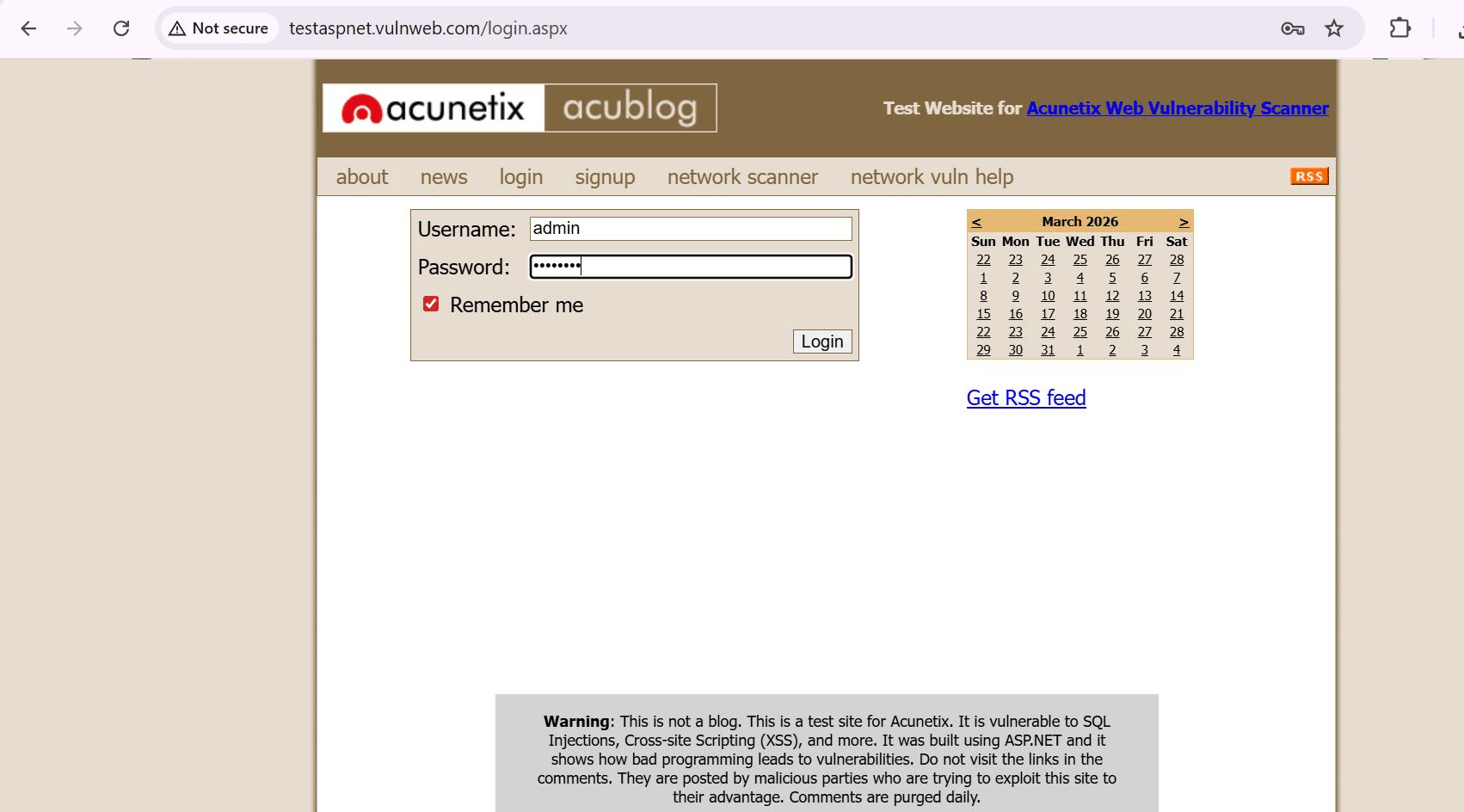
Enter Username and Password
b
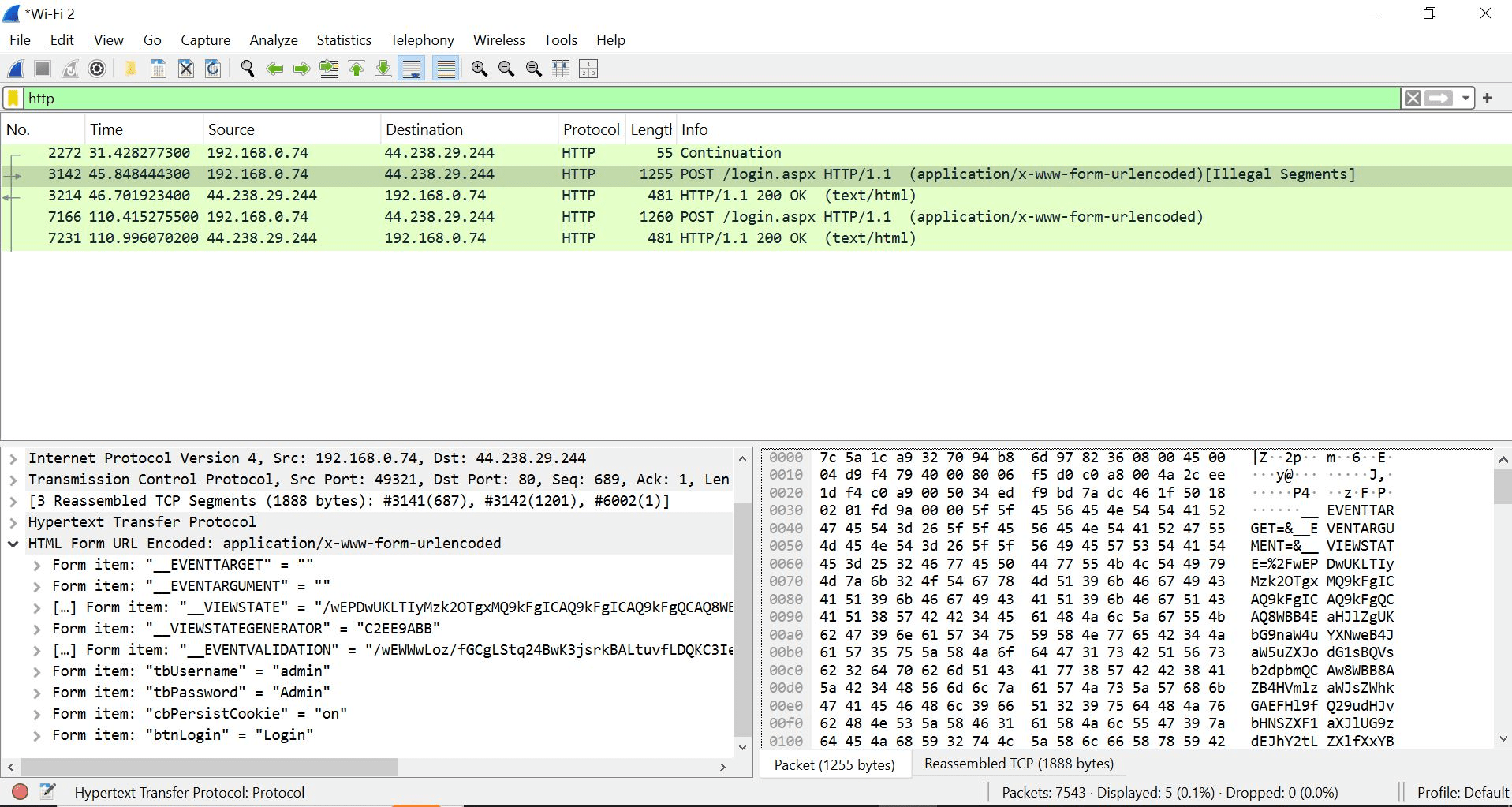
Open the Wireshark In filter search - http
Observe:
Plain text requests
GET request visible
No encryption
Visit HTTPS Site
2
Open Website : https://google.com
a
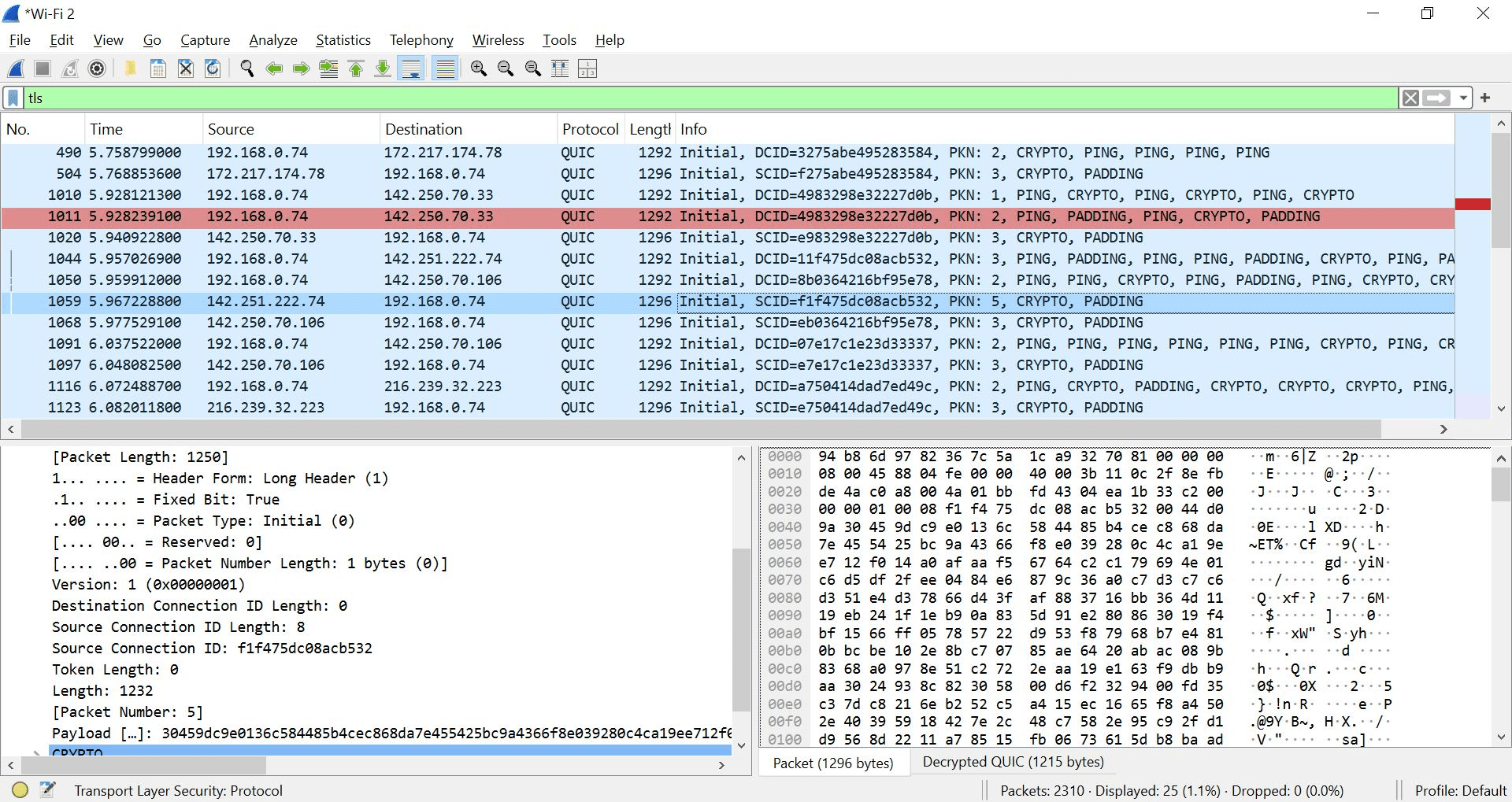
Open the Wireshark and Apply filter: tls
b
Observe:
TLS handshake
Encrypted packets
No readable content
Great job!
You have successfully completed your lab on DNS and Secure Web Communication.
In this lab, you have: Understood DNS Resolution (Domain → IP), Used nslookup and ping tools, Captured traffic using Wireshark, Compared HTTP (Insecure) vs HTTPS (Encrypted) communication
You are now ready to move to the next stage of Network Security Analysis
Checkpoint
Next-Lab Preparation
Git Push
git push origin branchNameTopic : Working with a Text and Listin HTML
1) Power of HTML text tags
2) Customizing your style with CSS
3) Listing it right using HTML
4) HTML Link up , attributes of tag, block vs inline elements
Text box Width : 887
Business Scenario, Pre-lab Preparation, Next-lab Preparation, Task, Activity, Checkpoint : 90%.
Steps : 1,2,3 [Sub Steps - a,b,c]
Normal Text, Topic Name : 80%
Subtopic : 70%
Code Box font Size : 16px
By Content ITV