

























Content ITV PRO
This is Itvedant Content department
Learning Outcome
5
Validate API responses using assertions and verifications
4
Write and execute basic API test cases
3
Set up a REST Assured project using Java and Maven
2
Explain the purpose and benefits of REST Assured
1
Understand the role of API automation in modern testing environments
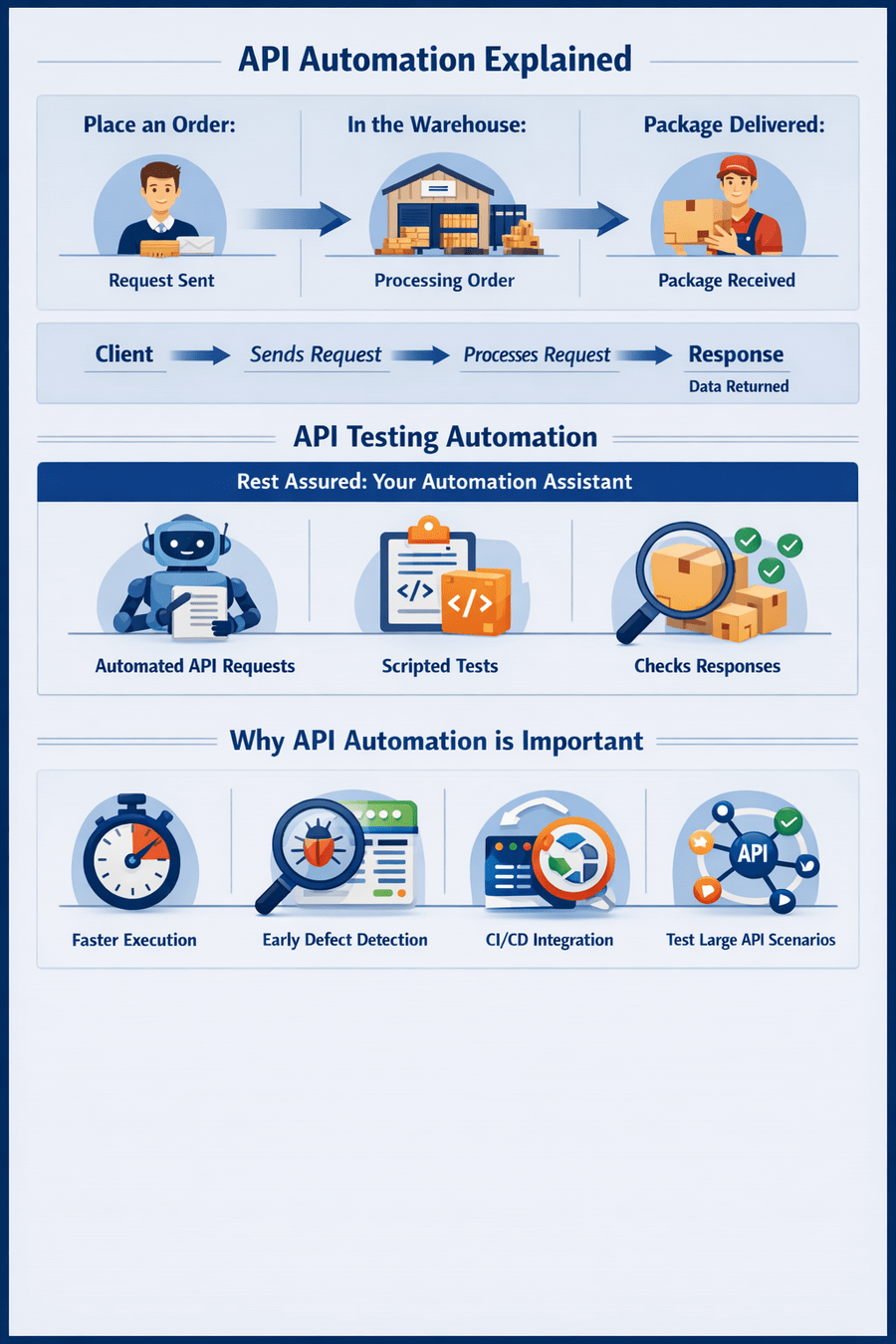
API Automation Explained
Think about a Package delivery service
Rest Assured : Your Automation Assistant
Why API Automation is important
Faster Executes
Early Defect Detention
CI/CD Integration
Test Large API scenerio
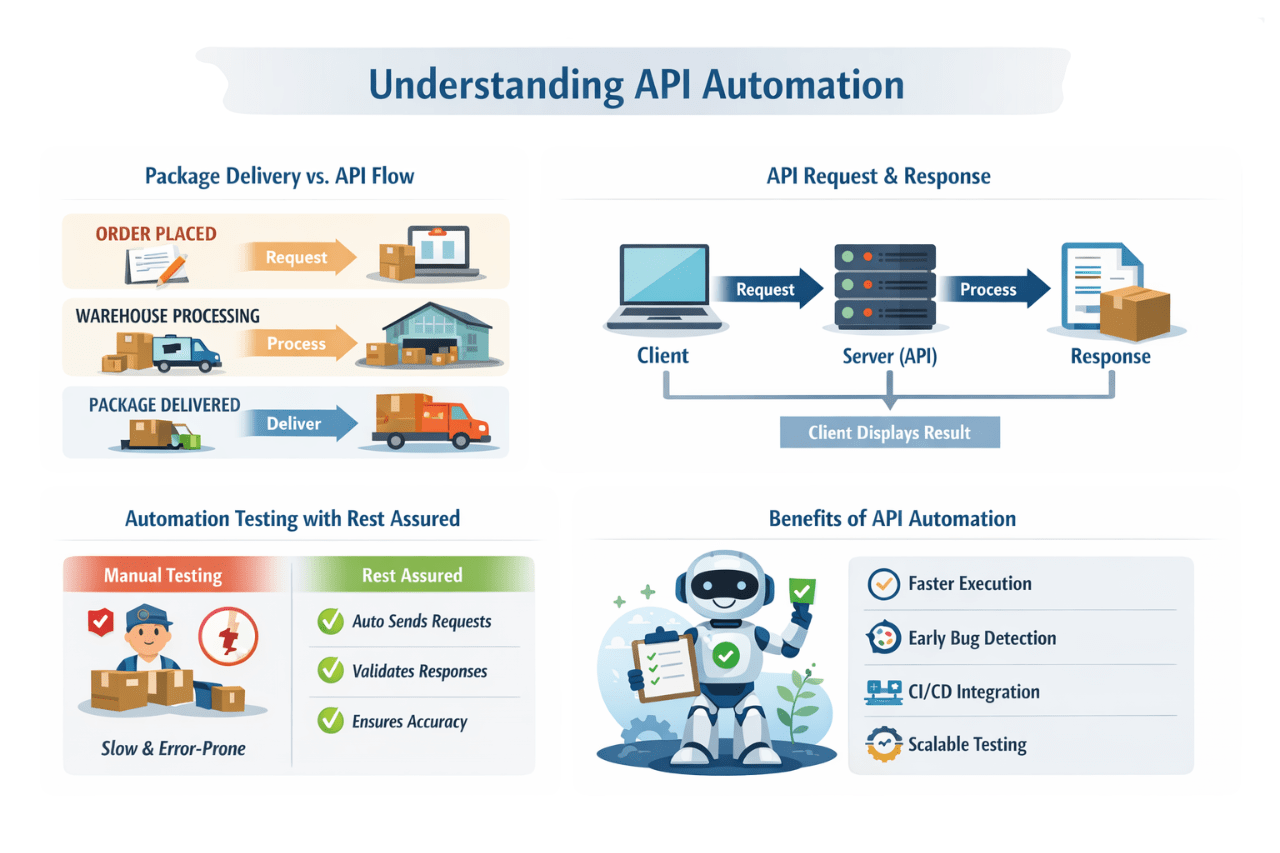
Manual Testing
Rest Assured
Slow & Error Prone
Auto Sends Requests
Validates Responses
Ensures Accuracy
Automation Testing with Rest Assured
Benefits of API Automation
Faster Execution
Early Bug Detection
CI/CD Integration
Scalable Testing
What is REST Assured?
REST Assured is a Java API testing framework for efficient RESTful API testing
Built on top of Java HTTP clients (like Apache HttpClient)
Seamlessly integrates with popular testing frameworks
Key Features
Fluent & Readable
Syntax
JSON & XML Assertions
Functional & Integration Testing
Easy to understand and maintain test cases
Easily validate API responses in various formats
Covers various real-world testing scenarios
Why use REST Assured
Java Developer Friendly
BDD- Style Syntax
Method Chaining
CI/CD Integration
Easy to learn with familiar Java syntax
Tests read like natural language specifications
Create clear and readable test flows
Works seamlessly with automation pipelines
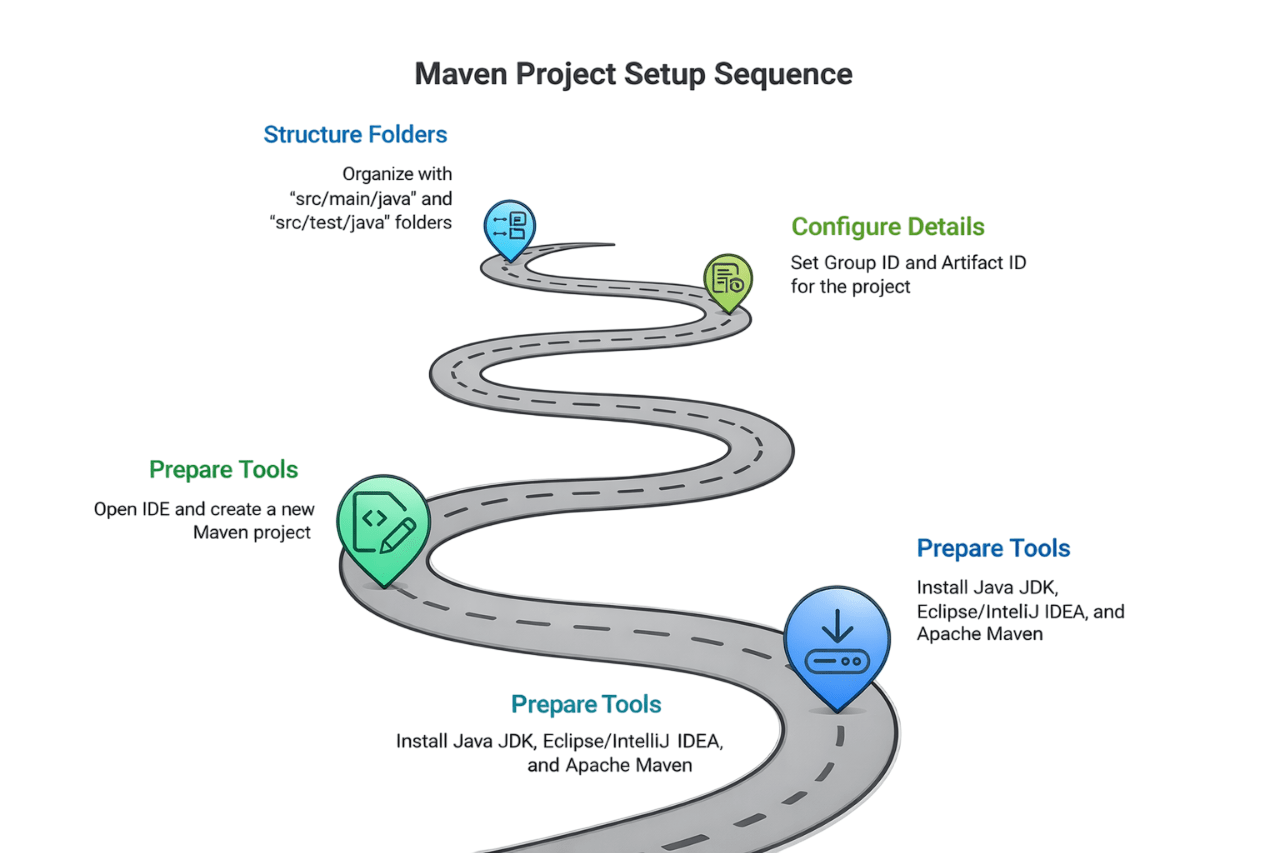
Maven Project Setup
Prepare Tools
Create Project
Configure Details
Structure Folders
Install Java JDK 8+, Eclipse/IntelliJ IDEA, and Apache Maven
Open IDE and create a Maven project
Set Group ID and Artifact ID for your project
Organize with src/main/java and src/test/java
Add Dependencies in pom.xml
<dependencies>

    <dependency>
        <groupId>io.rest-assured</groupId>
        <artifactId>rest-assured</artifactId>
        <version>5.3.0</version>
        <scope>test</scope>
    </dependency>

    <dependency>
        <groupId>org.testng</groupId>
        <artifactId>testng</artifactId>
        <version>7.8.0</version>
        <scope>test</scope>
    </dependency>

</dependencies>
Add these dependencies in pom.xml
Rest Assured
TestNG
Scope: test
Used for API automation testing
Used for test execution & reporting
Dependencies are used only during testing
Build and Validate Project
import static io.restassured.RestAssured.*;
import org.testng.annotations.Test;
public class SampleTest {
@Test
public void testStatusCode() {
get("https://jsonplaceholder.typicode.com/posts/1")
.then()
.statusCode(200);
}
}
Save pom.xml
Maven downloads dependencies automatically
Verify Libraries
Check External/Referenced Libraries in your IDE
Run Sample Test
Execute a test to confirm everything is working
Choosing between TestNG and JUnit
Both frameworks are supported by REST Assured
Choose based on project requirements
TestNG Benefits
Parallel test execution
for faster feedback
Advanced listeners for custom reporting
Test grouping for better organization
Dependency management between tests
JUnit Benefits
Widely adopted in open-source projects
Simple,lightweight architecture
Excellent IDE integration
Familiar to most Java developers
Recommended Project Structure
/src
├── /main
│ └── /java
│ └── (Utility Classes)
│
└── /test
└── /java
├── /tests
│ └── SampleTest.java
├── /base
│ └── BaseTest.java
└── /utils
├── JsonUtil.java
└── ConfigReader.java
Clear separation of test logic,setup, and utilities
tests
Contains actual test classes with API verifications
base
Shared setup and configuration classes
utils
Helper classes for JSON parsing & token generation
import io.restassured.RestAssured;
import org.testng.annotations.BeforeClass;

public class BaseTest {

    @BeforeClass
    public void setup() {
        RestAssured.baseURI = "https://reqres.in/api";
    }
}
Base Configuration
Centralize common setup for consistency
Environment properties
Manage environment configs efficiently
import java.io.FileInputStream;
import java.util.Properties;

public class ConfigReader {

    public static String getProperty(String key) {
        Properties prop = new Properties();
        try {
            FileInputStream fis = new FileInputStream("config.properties");
            prop.load(fis);
        } catch (Exception e) {
            e.printStackTrace();
        }
        return prop.getProperty(key);
    }
}
Modular Design
Build reusable and maintainable test components
import io.restassured.specification.RequestSpecification;
import static io.restassured.RestAssured.*;

public class RequestBuilder {

    public static RequestSpecification getRequest() {
        return given()
                .header("Content-Type", "application/json");
    }
}
Summary and Next Steps
Project Setup
Framework Choice
Next steps
Set up a Maven project
Add REST Assured dependencies
Ensure correct configuration
Choose between:
TestNG
JUnit Based on project requirements
Start writing API test cases
Use REST Assured syntax validate responses
Structure
Follow modular structure
Separate
Improves maintainability
Summary
5
Tools like REST Assured simplify automation
4
Supports continuous testing (CI/CD)
3
API Automation increases speed
2
Checks backend functionality
1
API Testing validates communication
Quiz
Which of the following is a benefit of API automation?
A. Slower execution
B. Requires more manual effort
C. Faster and repeatable testing
D. Only used for UI testing
Quiz-Answer
A. Slower execution
B. Requires more manual effort
C. Faster and repeatable testing
D. Only used for UI testing
Which of the following is a benefit of API automation?
By Content ITV