Integrating Kubernetes with AWS Container Registry (ECR)

Pre-Lab Preparation
-
Amazon EKS Cluster is running
-
kubectl is configured
-
AWS CLI is configured
-
Docker is installed
-
EC2 administration server is available
-
ECR permissions are available

Task 1: Verify AWS and Kubernetes Connectivity
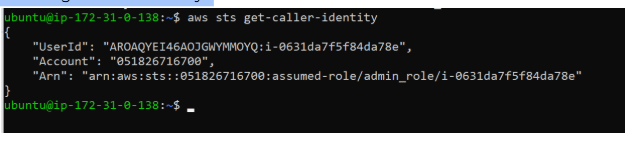
Verify AWS account:
aws sts get-caller-identity
Verify EKS cluster:
kubectl cluster-info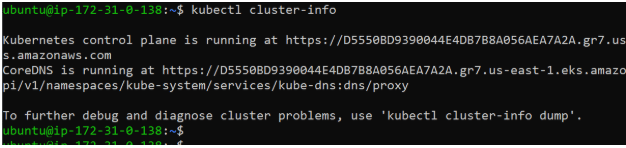
Verify nodes:
kubectl get nodes

Task 2 : Create Amazon ECR Repository
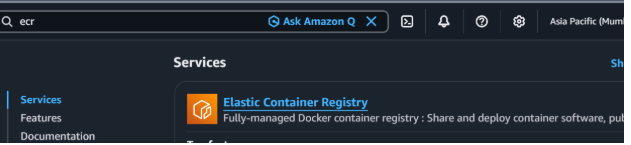
Open AWS Console.
Navigate to: Elastic Container Registry (ECR)
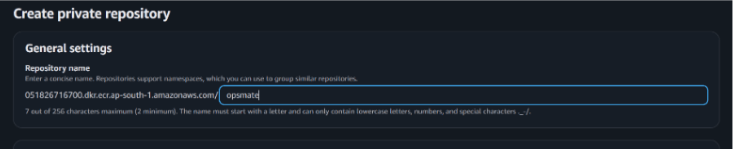
Click: Create Repository
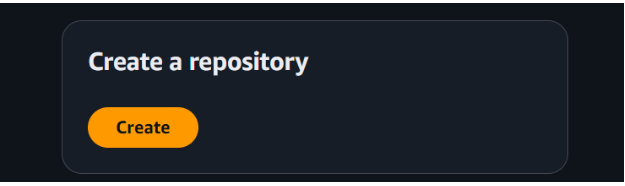
Repository Configuration
Repository Name: opsmate
Click: Create Repository
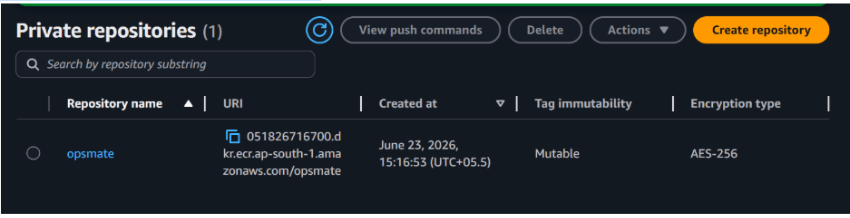
After creation, copy Repository URI.
Example:123456789012.dkr.ecr.us-east-1.amazonaws.com/opsmate
Keep this value for later steps.
Task 3 : Create Sample OpsMate Application
Create project directory
mkdir opsmate
cd opsmate


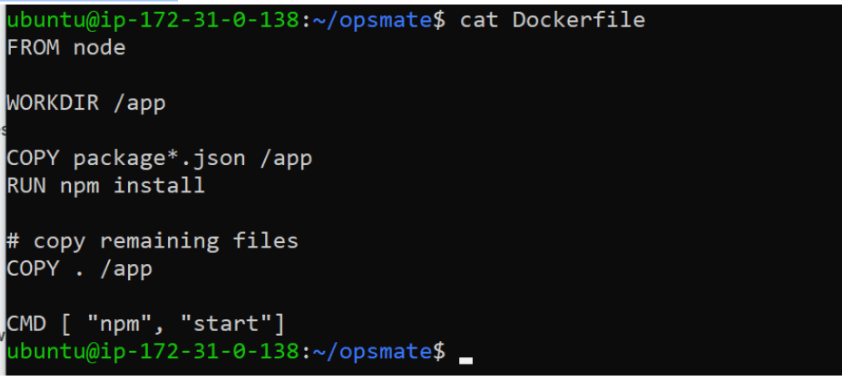
Task 4: Create Dockerfile
Create Dockerfile
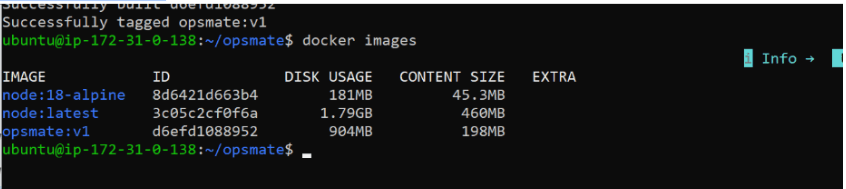
Task 5: Build Docker Image
Build image
docker build -t opsmate:v1 .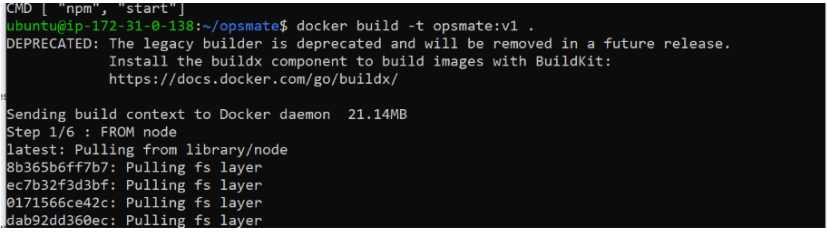
Verify image
docker images
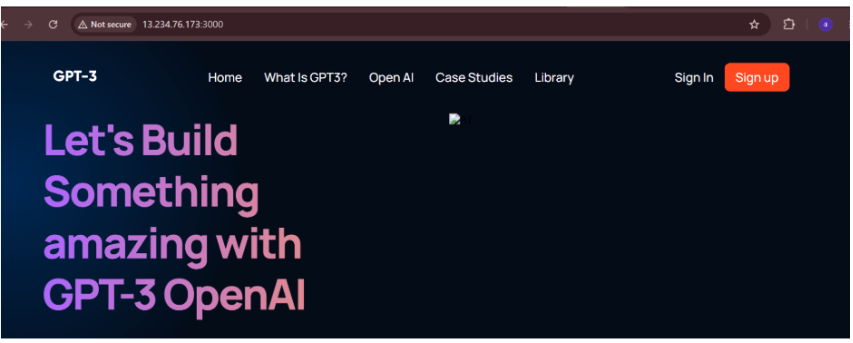
Test locally
docker run -d -p 3000:3000 opsmate:v1

Open browser:http://localhost:3000
Task 6 : Authenticate Docker with ECR
Login to ECR
aws ecr get-login-password --region ap-south-1 | docker
login --username AWS
 --password-stdin 051826716700.dkr.ecr.ap-south-1.amazonaws.com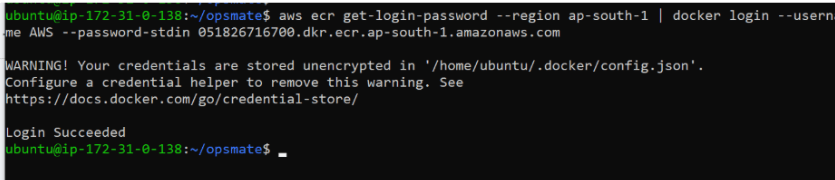
Task 7: Tag Docker Image
Tag image with repository URI
docker tag opsmate:v1 051826716700.dkr.ecr.ap-south-1.amazonaws.com/opsmate:v1

Verify
docker images
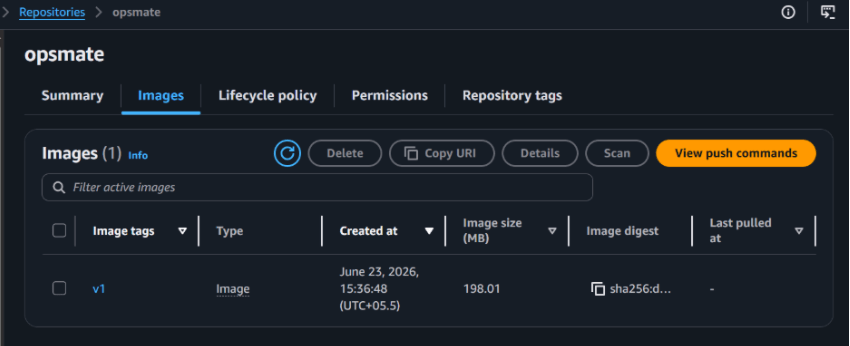
Task 8: Push Image to ECR
Push image
docker push 123456789012.dkr.ecr.us-east-1.amazonaws.com/opsmate:v1
Verify image upload: AWS Console →ECR → Repositories → opsmate
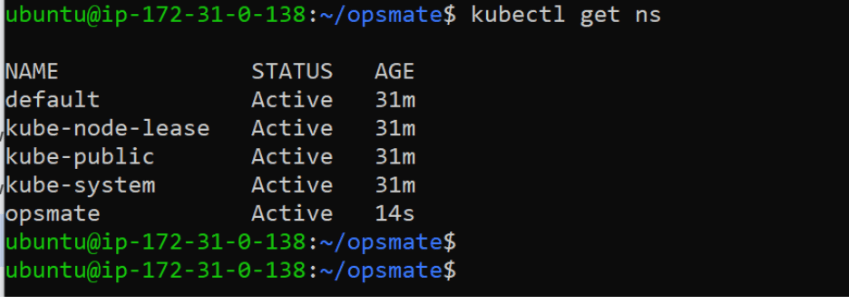
Task 9: Create Namespace for OpsMate
Create namespace:
kubectl create namespace opsmate
Verify:
kubectl get ns
Set namespace context
kubectl config set-context --current --namespace=opsmate

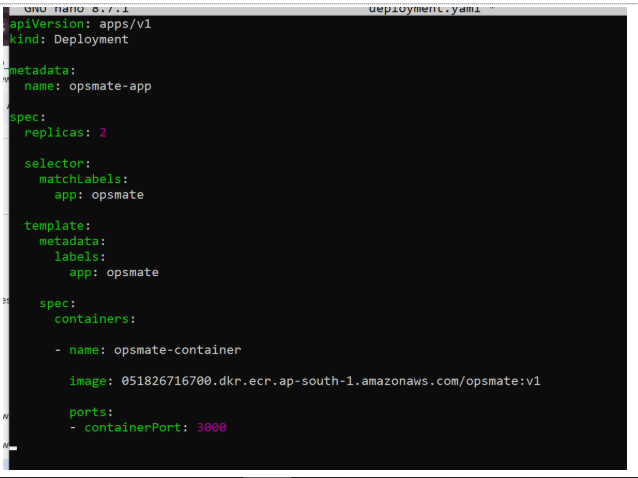
Task 10: Create Kubernetes Deployment
Create deployment file:
nano deployment.yaml
Apply deployment
kubectl apply -f deployment.yamlTask 11: Expose Application
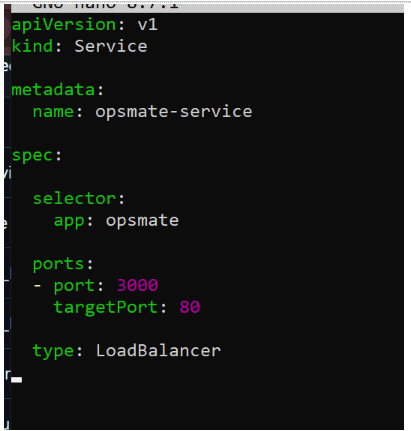
Create service
nano service.yaml
Apply service
kubectl apply -f service.yaml
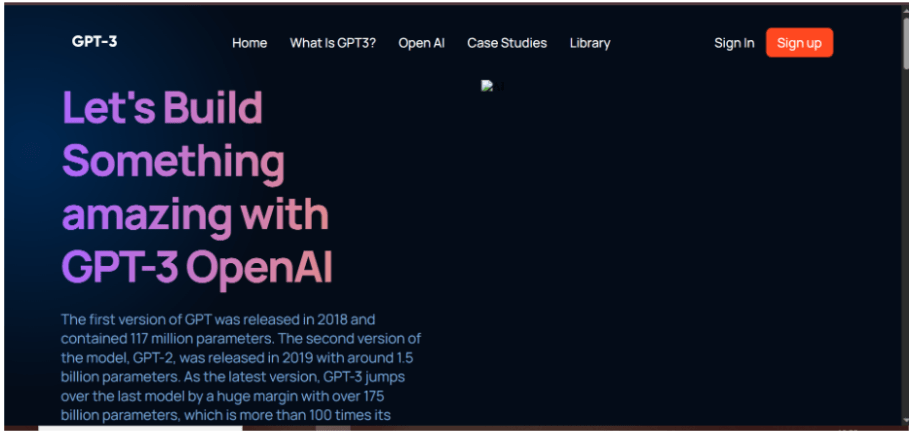
Task 12 : Verify Application Access
Open browser:

Task 13 : Verify Running Resources
Check Pods
kubectl get pods -o wide

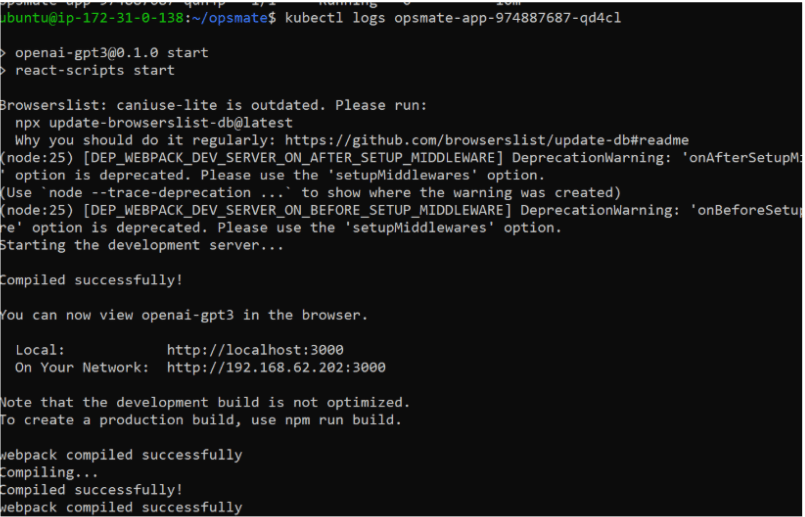
Check Logs
kubectl logs opsmate-app-974887687-qd4cl
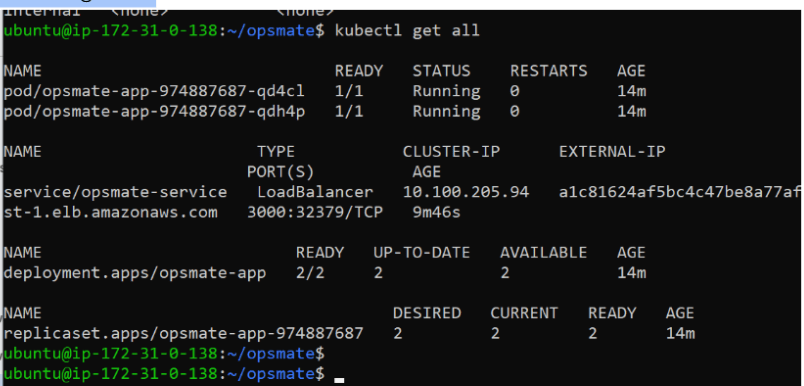
Check all resources
kubectl get all
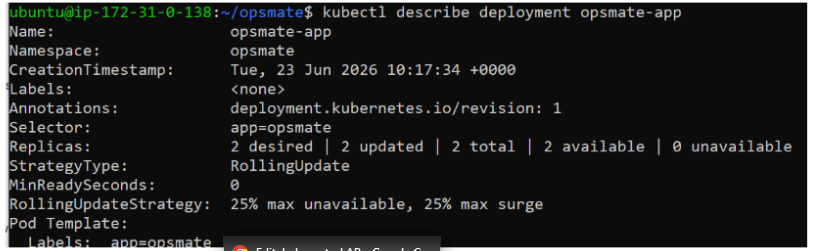
Describe Deployment
kubectl describe deployment opsmate-app
Great job!
-
Created Amazon ECR repository
-
Built OpsMate Docker image
-
Authenticated Docker with ECR
-
Tagged and pushed images to ECR
-
Created Kubernetes Deployment using ECR image
-
Exposed application using LoadBalancer Service
-
Verified application accessibility
-
Updated application image and performed deployment update
Checkpoint