Sales Campaign

Business Scenario
The Spice Garden Restaurant has successfully created a product catalogue in Meta Commerce Manager. The next step is creating a Sales Campaign to encourage customers to complete valuable actions such as placing food orders, purchasing meal combos, or making online reservations. In this activity, you will create a Meta Sales Campaign, select the appropriate conversion location, define the target audience, and use the product catalogue to promote menu items.

Task : Setup the Sales campaign for Spice Garden Products.
Objective:
To create a Meta Sales Campaign that drives online orders and conversions for Spice Garden Restaurant using the product catalogue.
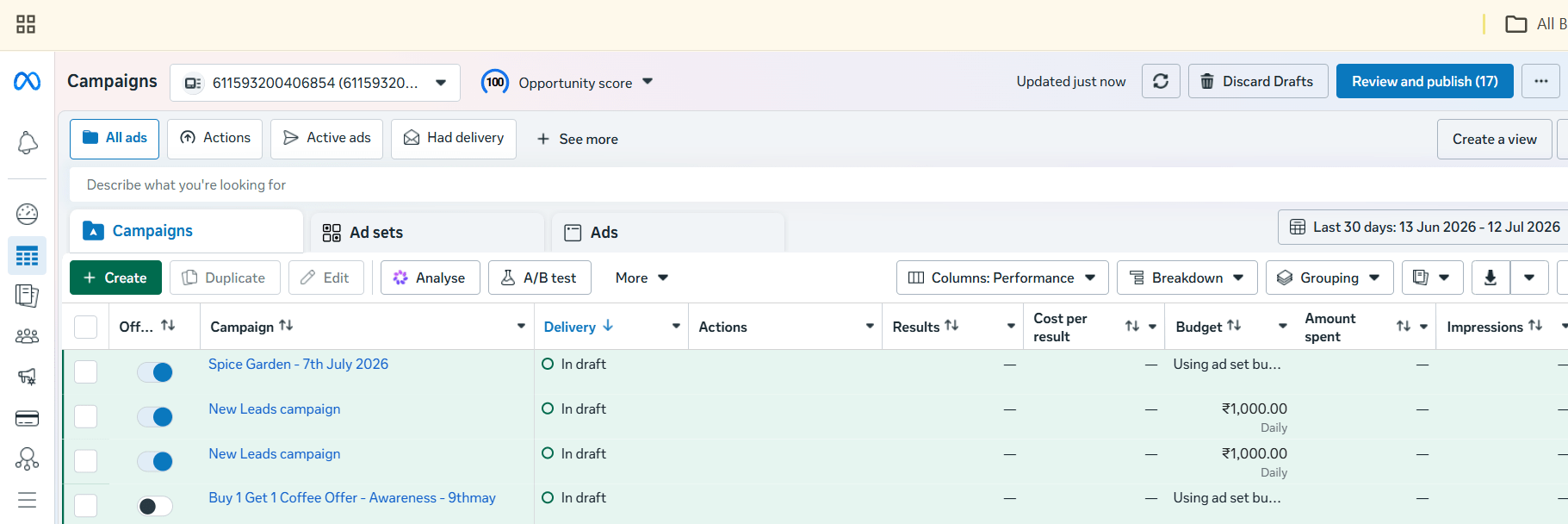
Open Meta Ads Manager
1
- Log in to Meta Business Suite.
- Navigate to Ads Manager.
- Click Create to start a new campaign.
Select the Campaign Objective
2
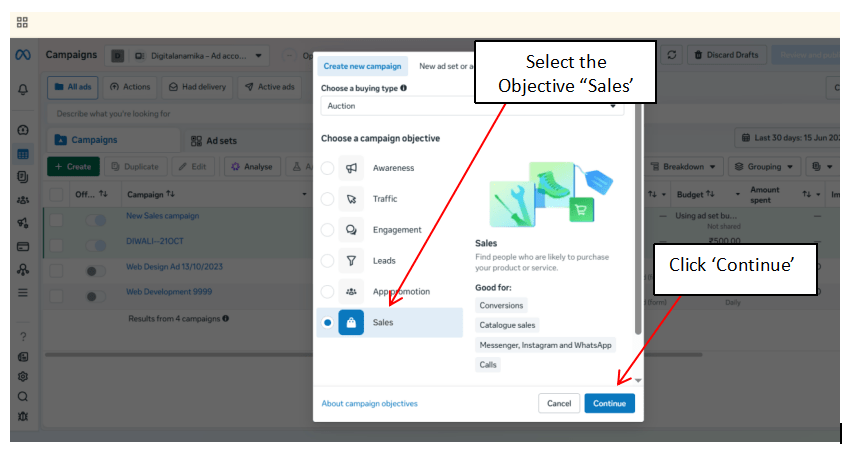
- Choose the Sales campaign objective.
- Click Continue.
- Review the campaign objective before proceeding.
Configure Campaign Settings
3
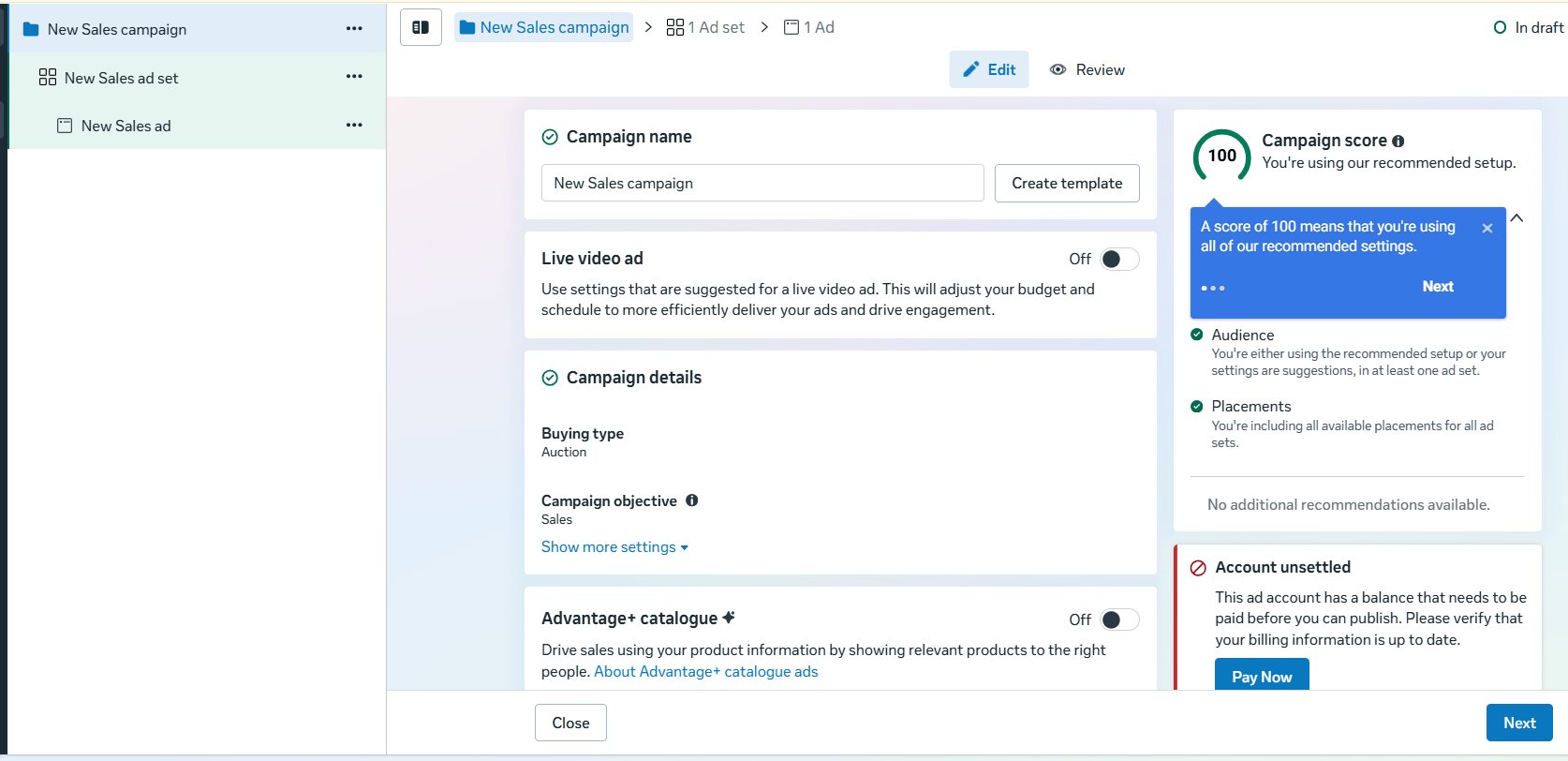
Enter the campaign details.
Configure:
-
Campaign Name
-
Buying Type (Auction)
-
Campaign Objective (Sales)
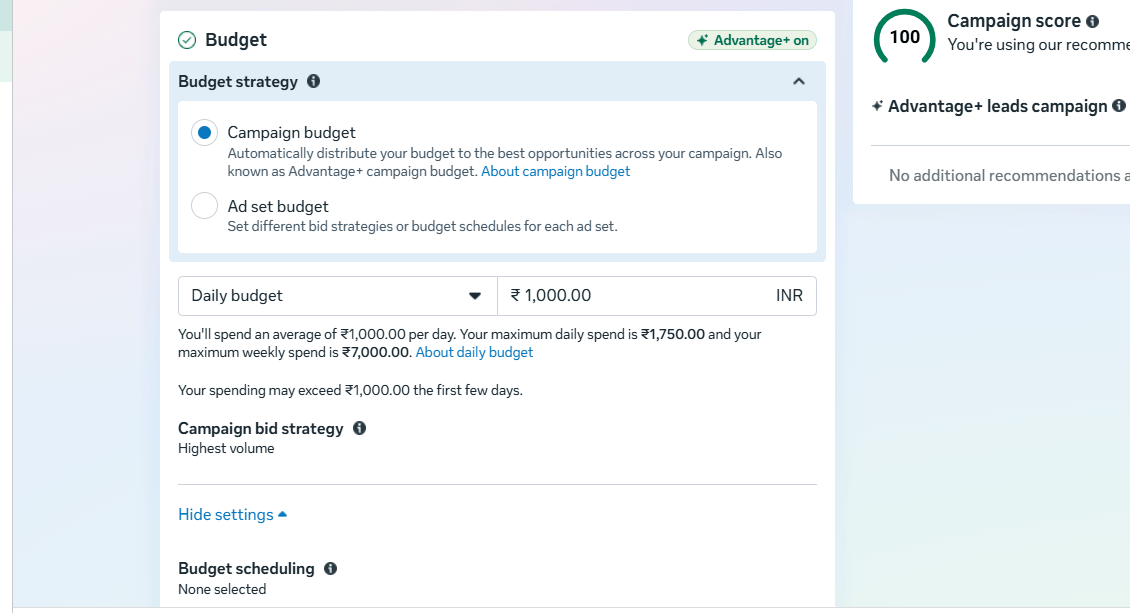
Enable Advantage Campaign Budget if required.
Set the campaign budget and schedule.
Select the Conversion Location
4
Choose where the conversion should occur.
Examples:
-
Website
-
Website and App (if applicable)
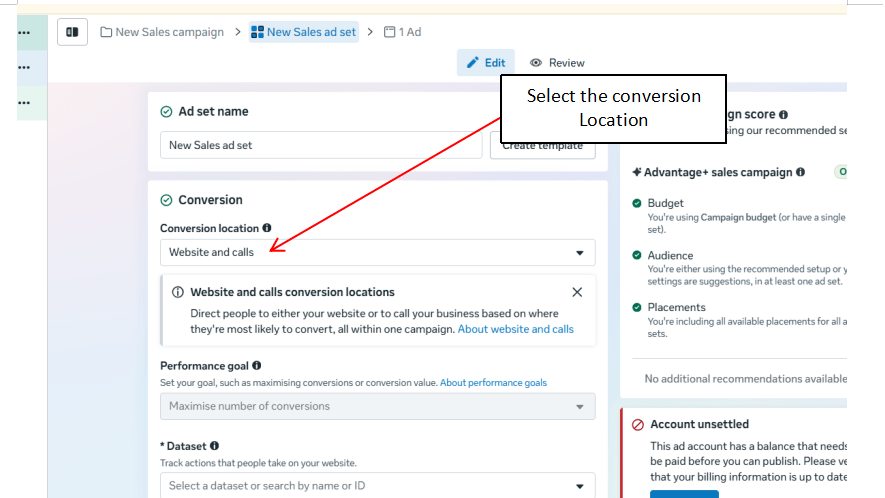
Select Website as the conversion location.
Choose the Meta Pixel configured for the Spice Garden website.
Select the conversion event to optimize for, such as:
-
Purchase
-
Place Order
-
Complete Reservation
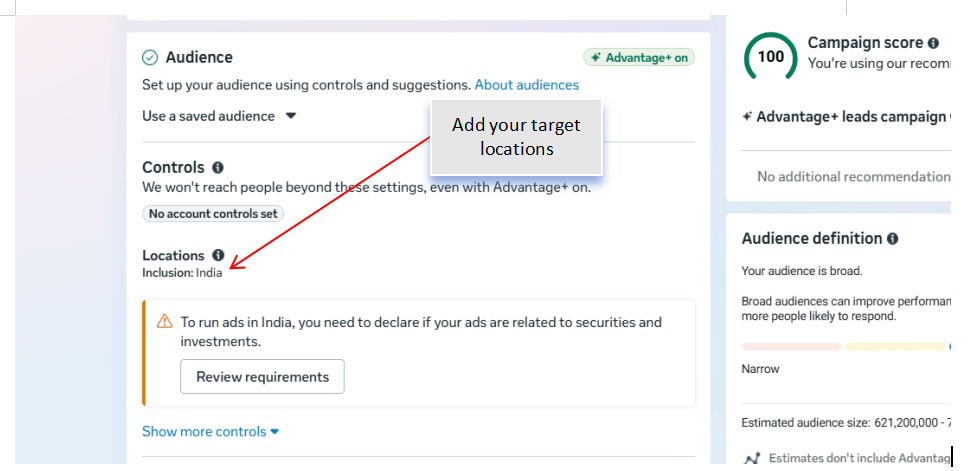
Define the Target Audience
5
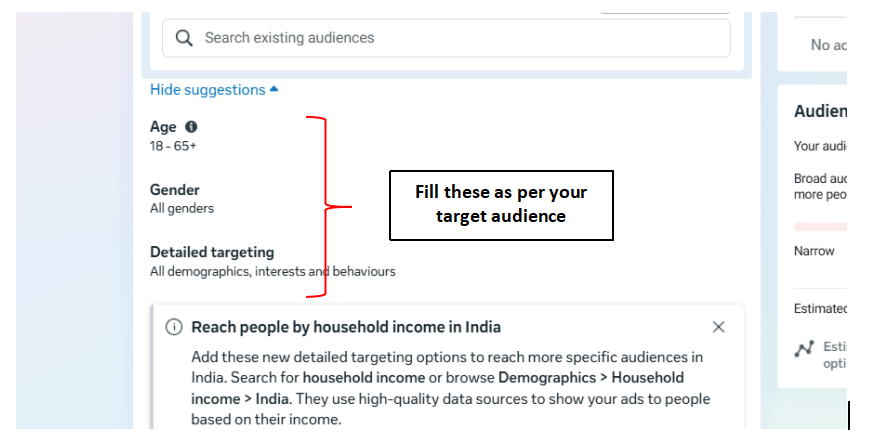
Configure the audience using:
-
Location
-
Age Group
-
Gender
-
Language
-
Interests
Examples:
-
Food Lovers
-
Restaurant Visitors
-
Online Food Ordering
-
Chinese Cuisine
Review the estimated audience size.
Configure Ad Placements
6
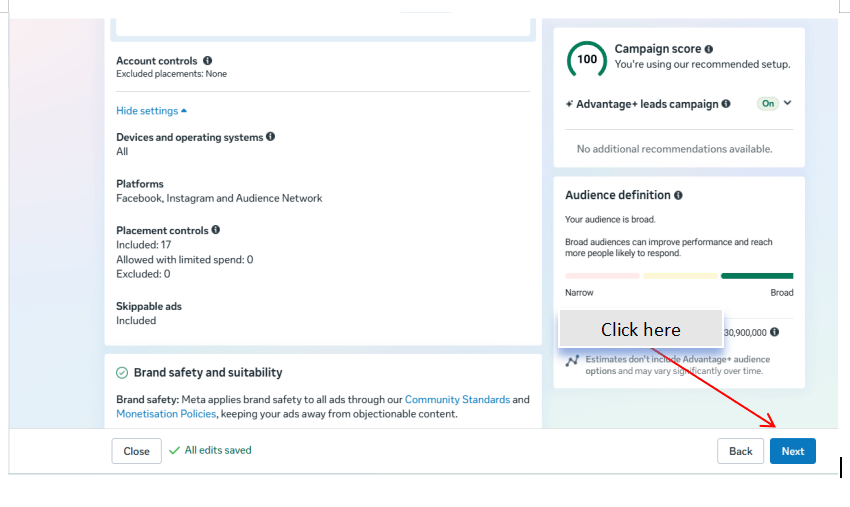
Select the placement option.
Choose:
-
Advantage+ Placements (Recommended)
or
-
Manual Placements
Review the available placements.
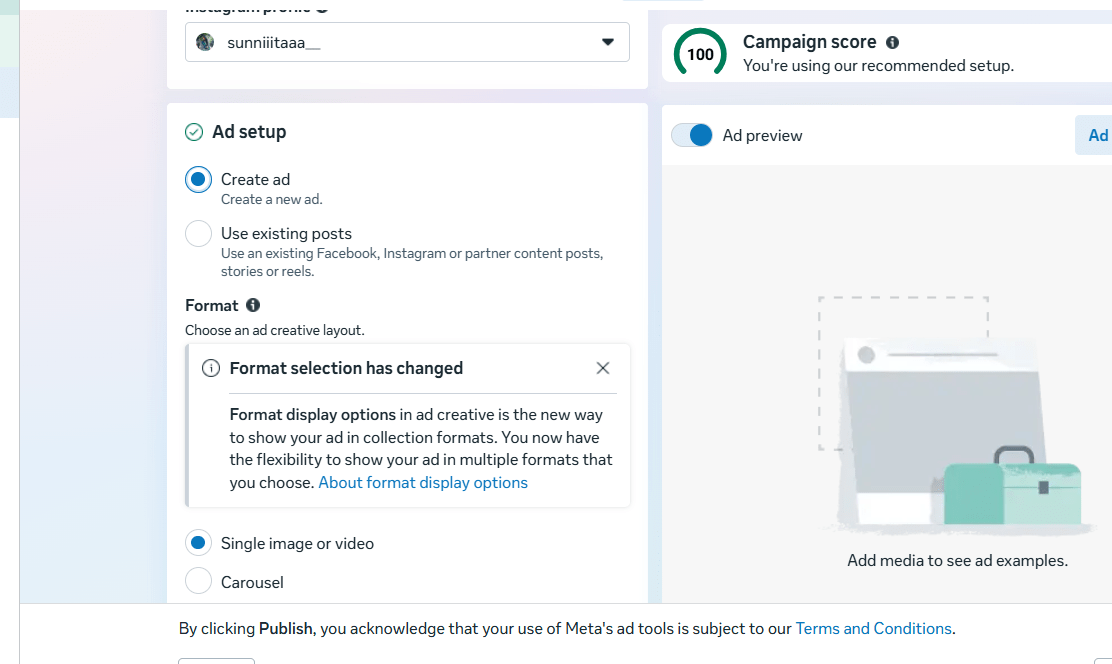
Create the Sales Advertisement
7
Create the advertisement by adding:
-
Campaign Image or Video
-
Primary Text
-
Headline
-
Description
-
Website URL
-
Call-to-Action
Examples of CTA:
-
Order Now
-
Book Now
-
Shop Now
Ensure the advertisement clearly promotes the restaurant's products or offers.
Use the Product Catalogue
8
- Attach the Spice Garden Product Catalogue created in Commerce Manager.
- Select the products or menu items to be promoted.
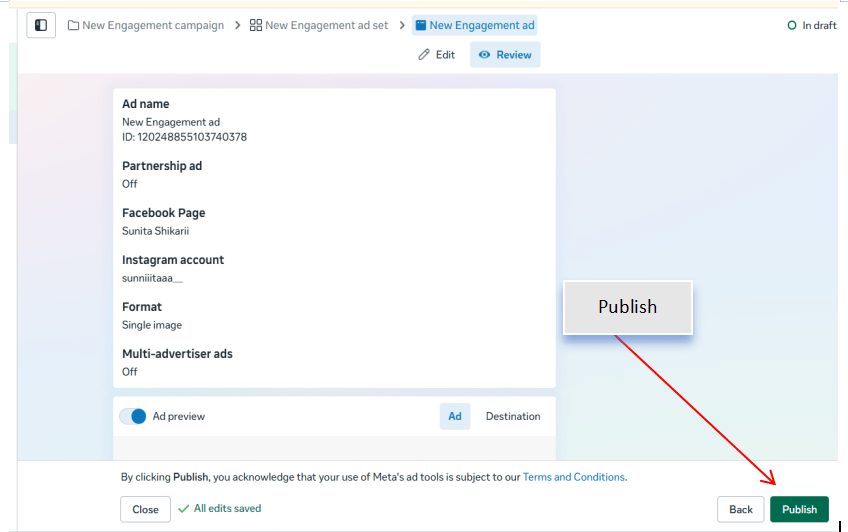
Review and Publish the Campaign
9
Before publishing, verify:
-
Campaign Objective
-
Conversion Event
-
Meta Pixel
-
Target Audience
-
Budget
-
Placements
-
Product Catalogue
-
Advertisement Creative
Click Publish to launch the campaign.
- Verify that the correct product information and images are displayed.
Monitor Campaign Performance
10
After the campaign starts delivering, monitor the following metrics in Ads Manager:
-
Purchases or Orders
-
Conversion Rate
-
Cost per Purchase
-
Return on Ad Spend (ROAS)
-
Click-Through Rate (CTR)
-
Reach and Impressions
Record the campaign performance for future optimization.
Activity
Now it's your turn!
Create a Meta Sales Campaign for Spice Garden Restaurant.
You need to:
-
Create a new Sales campaign
-
Configure campaign settings
-
Select the website as the conversion location
-
Choose the Meta Pixel and conversion event
-
Define the target audience
-
Configure ad placements
-
Create the sales advertisement
-
Attach the product catalogue
-
Review and publish the campaign
-
Monitor campaign performance
Congratulations!
You have successfully completed Sales Campaign LAB for Spice Garden.
In this LAB, you learned how to:
-
How to create a Sales Campaign in Meta Ads Manager
-
How to configure website conversion tracking
-
How to optimize a campaign for sales objectives
-
How to use a product catalogue in advertisements
Checkpoint
-
How to select conversion events
-
How to monitor campaign performance using sales metrics