Create Engagment Campaign

Business Scenario
After creating Awareness, Traffic, and Lead Generation campaigns, the next step is encouraging users to interact with the Spice Garden Restaurant's social media content. An Engagement Campaign is designed to increase likes, comments, shares, post interactions, and page engagement. In this activity, you will create a Meta Engagement Campaign to improve audience interaction and strengthen the restaurant's online presence.

Pre-Lab Preparation
Topic : Inorganic Marketing (Paid Ads)
1) Ad Manager Overview & Ad Objectives
2) Auction & Bidding Strategies
3) Awareness Ad Setup on Meta
4) Traffic Ad Setup on Meta
5) Lead Generation Ad Setup on Meta
6) Engagement Ad Setup on Meta
7) AB Testing on Meta
8) Campaign Budget Optimizatin/ Advantage Campaign Budget
9) Commerce Manager | Catalogue Creation
10) Sales Ad Setup on Meta
11) Payment Setup on Meta and Automation Rules
12) Awarness Ad Setup on LinkedIn
13) Lead Generation Ad Setup on LinkedIn
Task 1: Setup Lead Geneartion Ad for Spice Garden Restaurant.
Objective:
To create a Meta Engagement Campaign that increases audience interactions with the Spice Garden Restaurant's social media content.
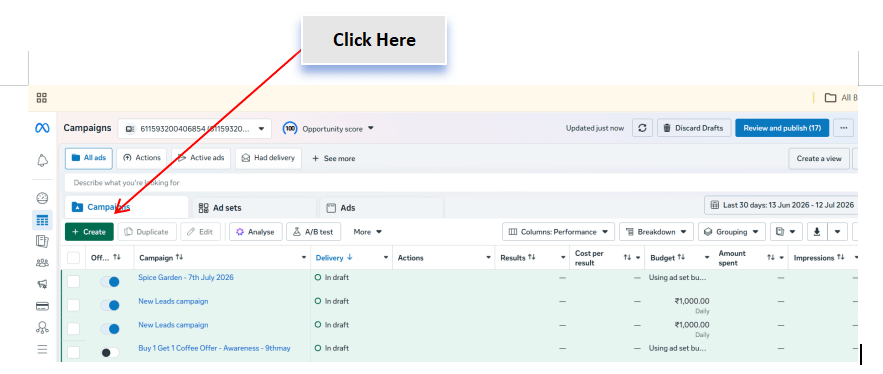
Open Meta Ads Manager
1
- Log in to Meta Business Suite.
- Navigate to Ads Manager.
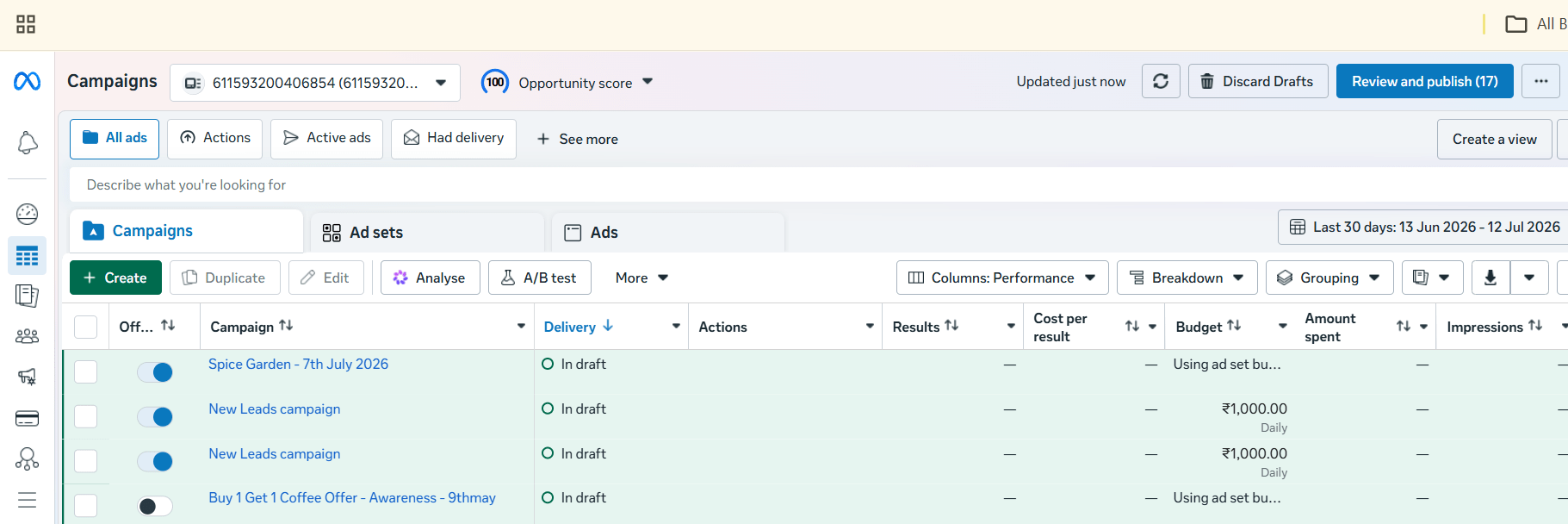
- Click Create to begin a new campaign.
Select the Campaign Objective
2
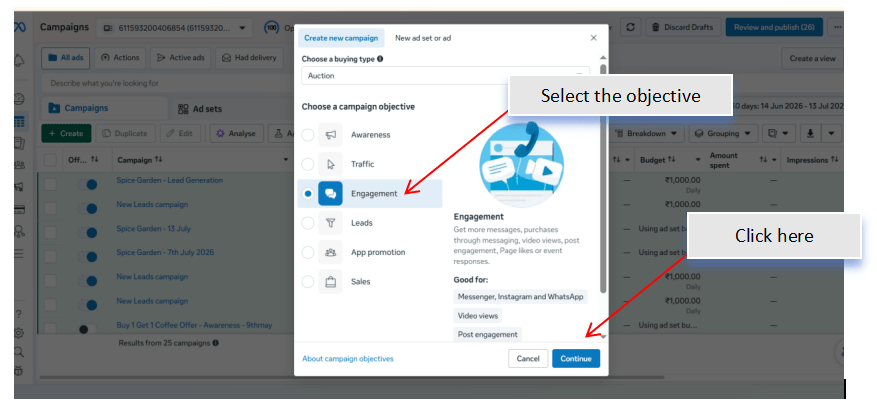
- Choose the Engagement campaign objective.
- Click Continue to proceed with the campaign setup.
- Review the objective before moving to the next step.
Configure Campaign Settings
3
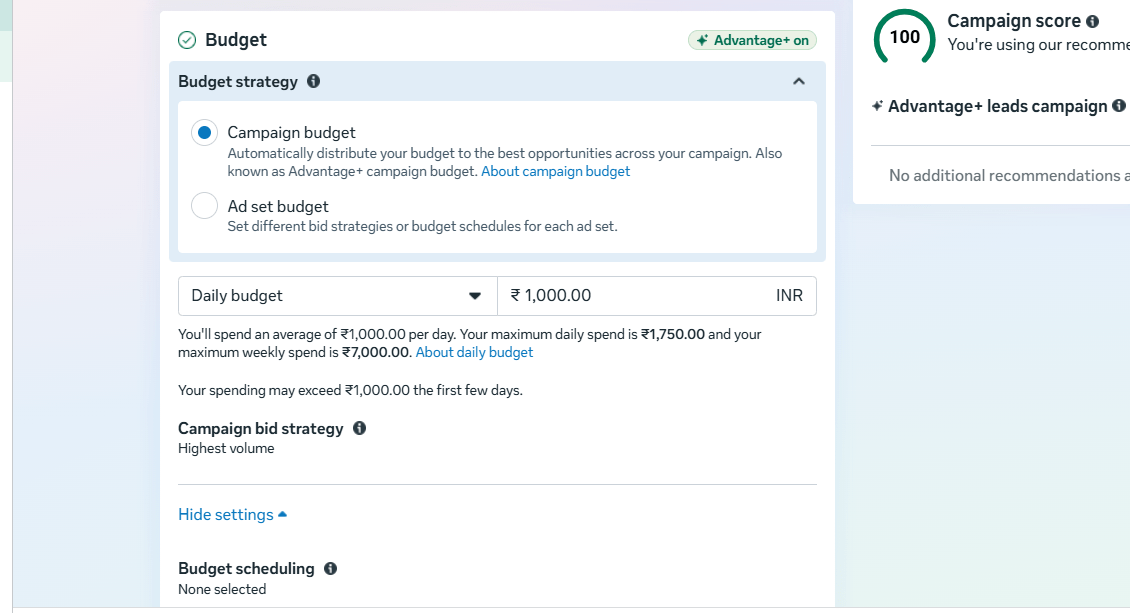
-
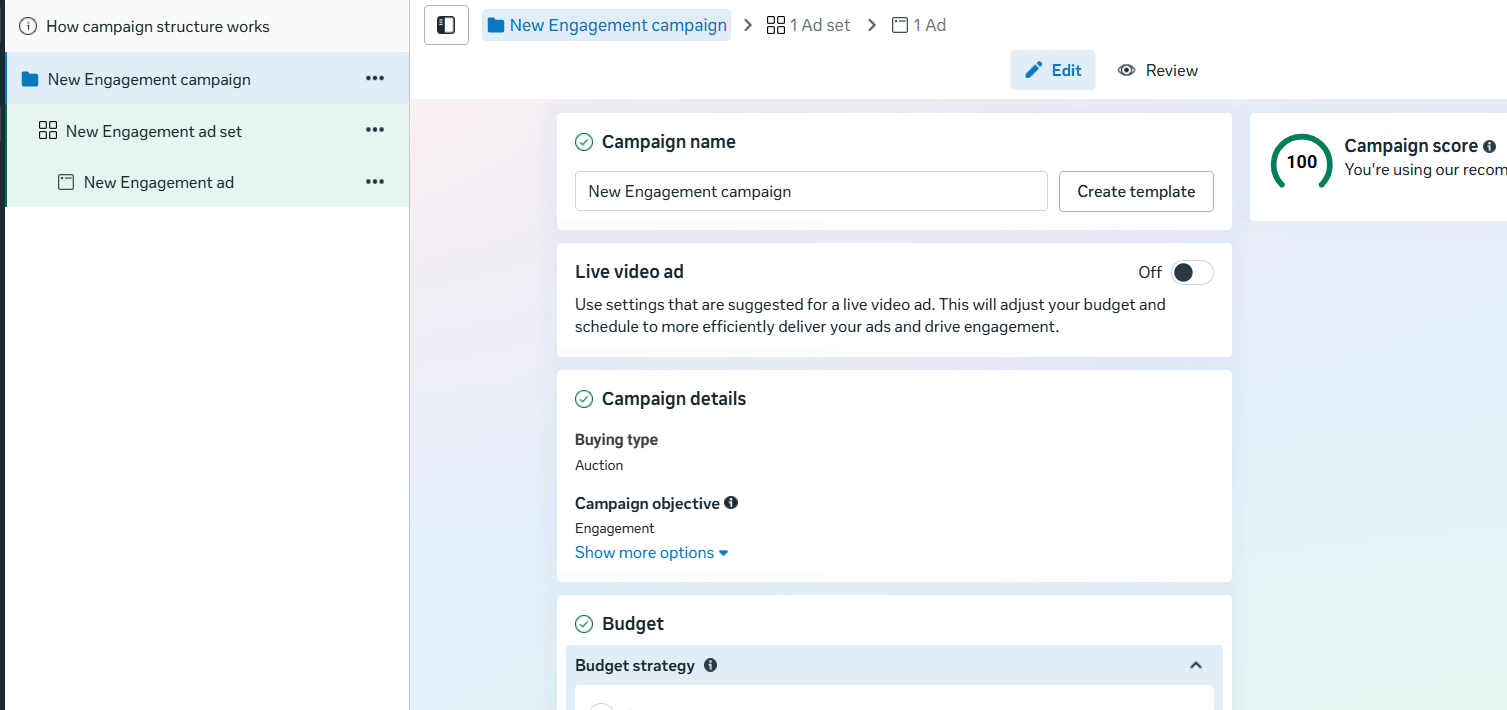
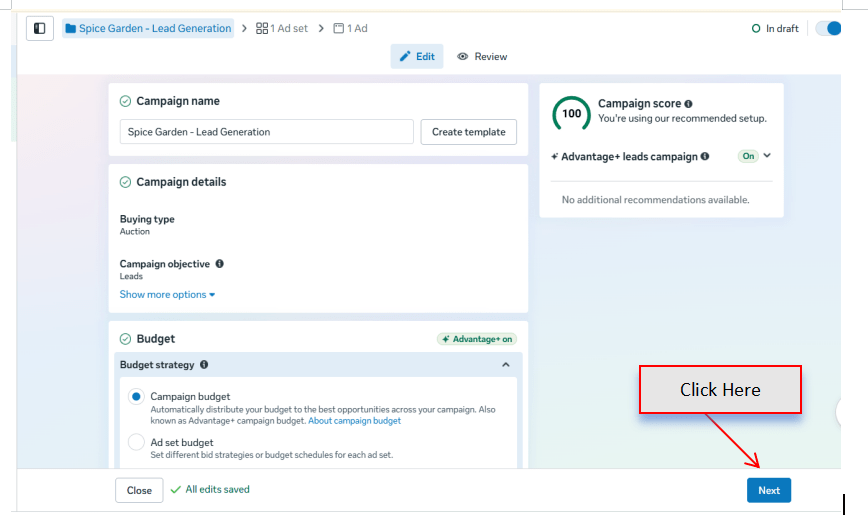
Enter the campaign details.
Configure:
-
Campaign Name
Enable Advantage Campaign Budget if required.
Set the campaign budget.
-
Buying Type (Auction)
-
Campaign Objective (Engagement)
Select the Engagement Goal
4
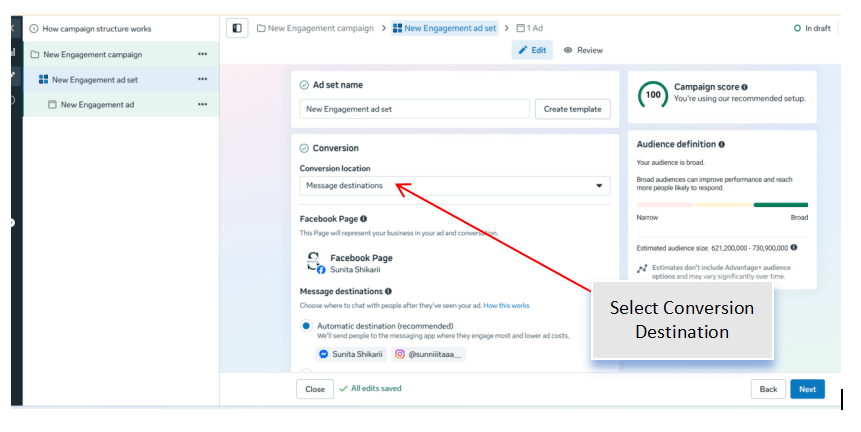
Choose the engagement type based on the campaign objective.
Examples:
-
Post Engagement
-
Page Likes
-
Event Responses
-
Video Views (if applicable)
Select Post Engagement for this activity.
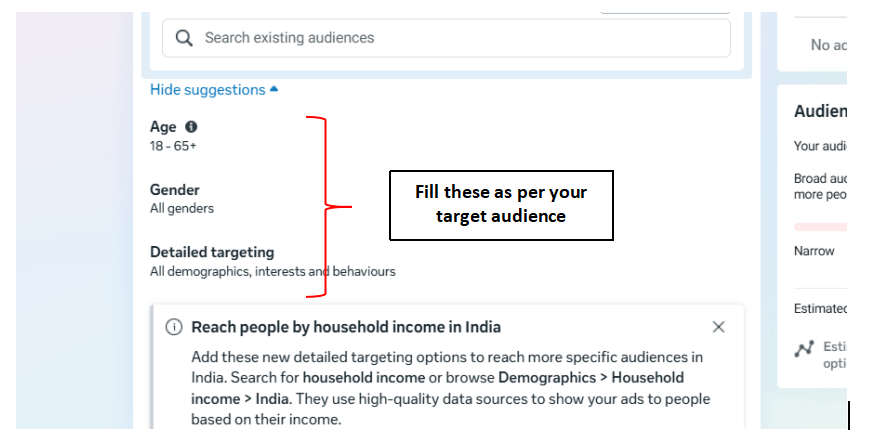
Define the Target Audience
5
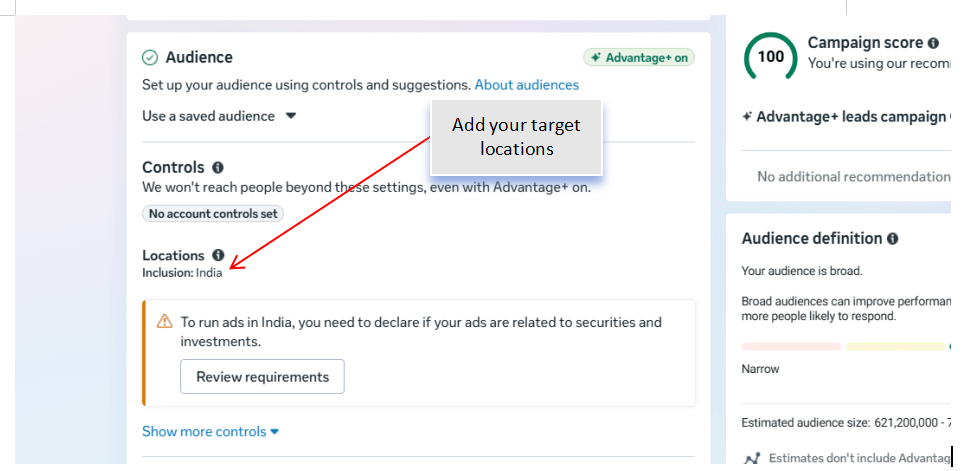
Configure the audience using:
-
Location
-
Age Group
-
Gender
-
Language
-
Interests
Example interests:
-
Food
-
Restaurants
-
Continental Cuisine
-
Food Bloggers
Review the estimated audience size.
Configure Ad Placements
6
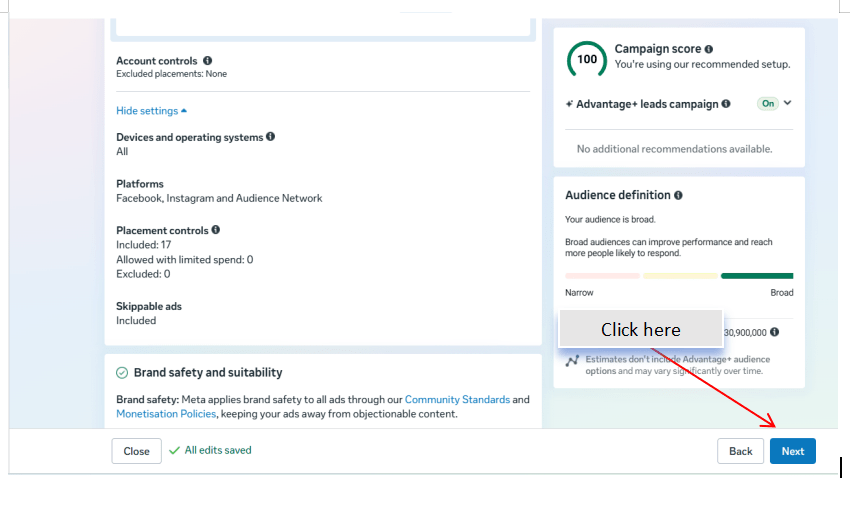
Choose the placement option.
Select:
-
Advantage+ Placements (Recommended)
or
-
Manual Placements
Review placements such as:
-
Facebook Feed
-
Instagram Feed
-
Stories
-
Reels
Create the Advertisement
7
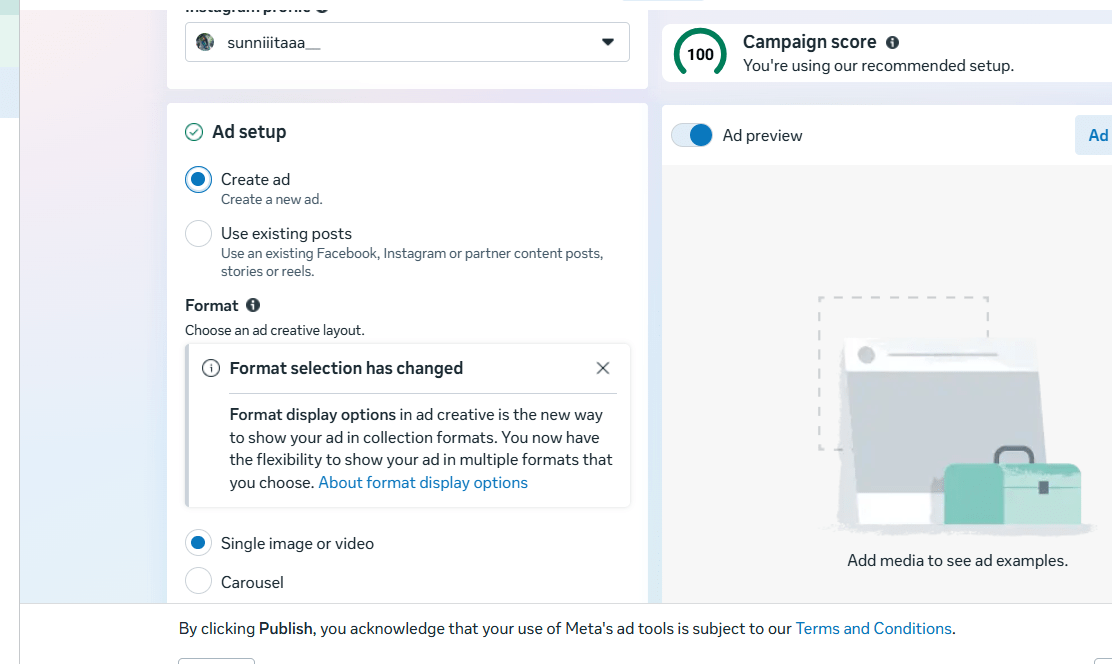
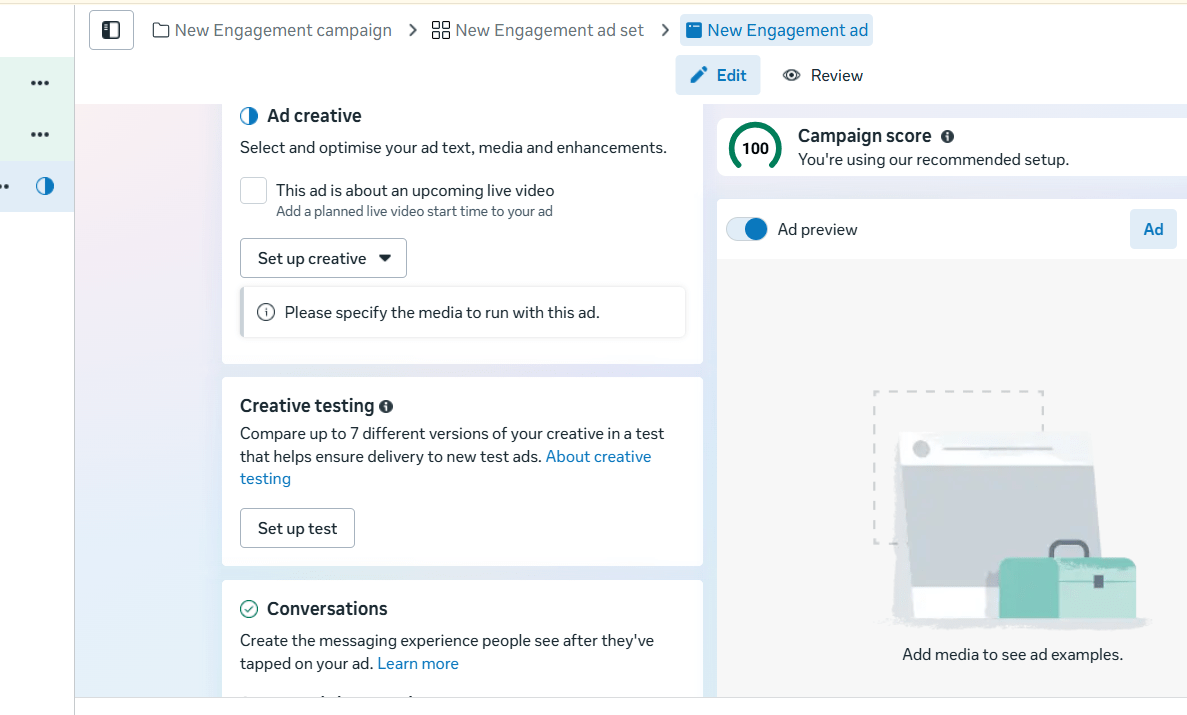
Select an existing Spice Garden post or create a new engagement ad.
Include:
-
High-quality Image or Video
-
Engaging Caption
-
Clear Message
-
Relevant Hashtags
If creating a new ad, choose a suitable Call-to-Action (CTA) such as:
-
Like Our Page
-
Follow Us
-
Learn More
-
Send Message
Preview the advertisement before publishing.
Review Campaign Settings
8
Verify the following:
-
Campaign Objective
-
Engagement Goal
-
Budget
-
Target Audience
-
Placements
-
Advertisement Creative
Ensure all campaign settings are accurate.
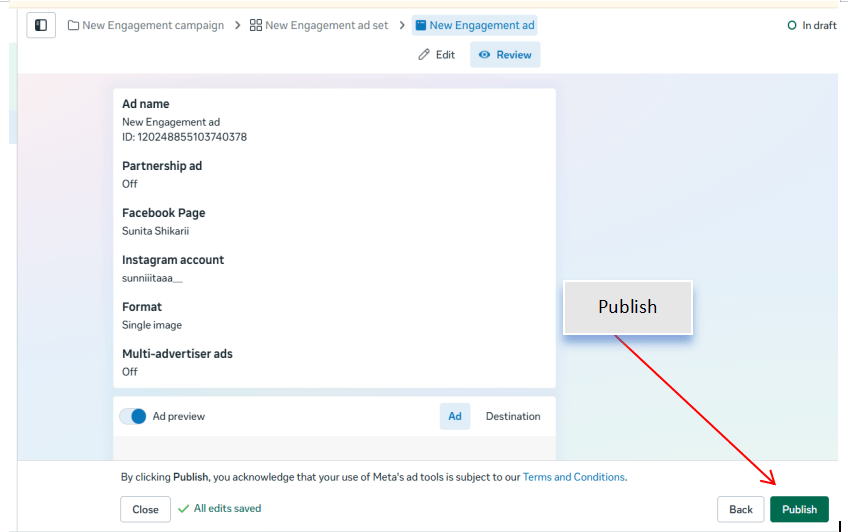
Publish and Monitor the Campaign
9
Click Publish to launch the campaign.
After publishing, monitor the campaign performance in Ads Manager.
Track engagement metrics such as:
-
Post Likes
-
Comments
-
Shares
-
Reactions
-
Post Engagement
-
Cost Per Engagement (CPE)
Record your observations.
Activity
Now it's your turn!
Create a Meta Engagement Campaign for Spice Garden Restaurant.
You need to:
-
Create a new Engagement campaign
-
Configure the campaign settings
-
Select the engagement goal
-
Define the target audience
-
Configure ad placements
-
Create or select an engagement post
-
Review and publish the campaign
-
Monitor engagement performance
Congratulations!
You have successfully completed Create Engagment Campaign LAB for Spice Garden.
In this LAB, you learned how to:
-
How to create an Engagement Campaign in Meta Ads Manager
-
How to select the appropriate engagement goal
-
How to target the right audience
-
How to create engaging advertisements
-
How to monitor engagement metrics
-
How to evaluate the performance of an engagement campaign
Checkpoint