Create Video Ads (Spice Garden)

Business Scenario
In the previous Lab we optimize the basic campaign level setting of Video campaign.
In this lab we will see the Ad group level optimization and its further settings.

Pre-Lab Preparation
Topic : Video Ad
1) Types of Video Ad
2) Related Video for Ad
3) Audience Targeting
4) Topic & Placement Targeting
5) Ad Optimization
Task : Create Spice Garden video ad & script; optimize with topic & placement targeting
Setup of Ad Group
1
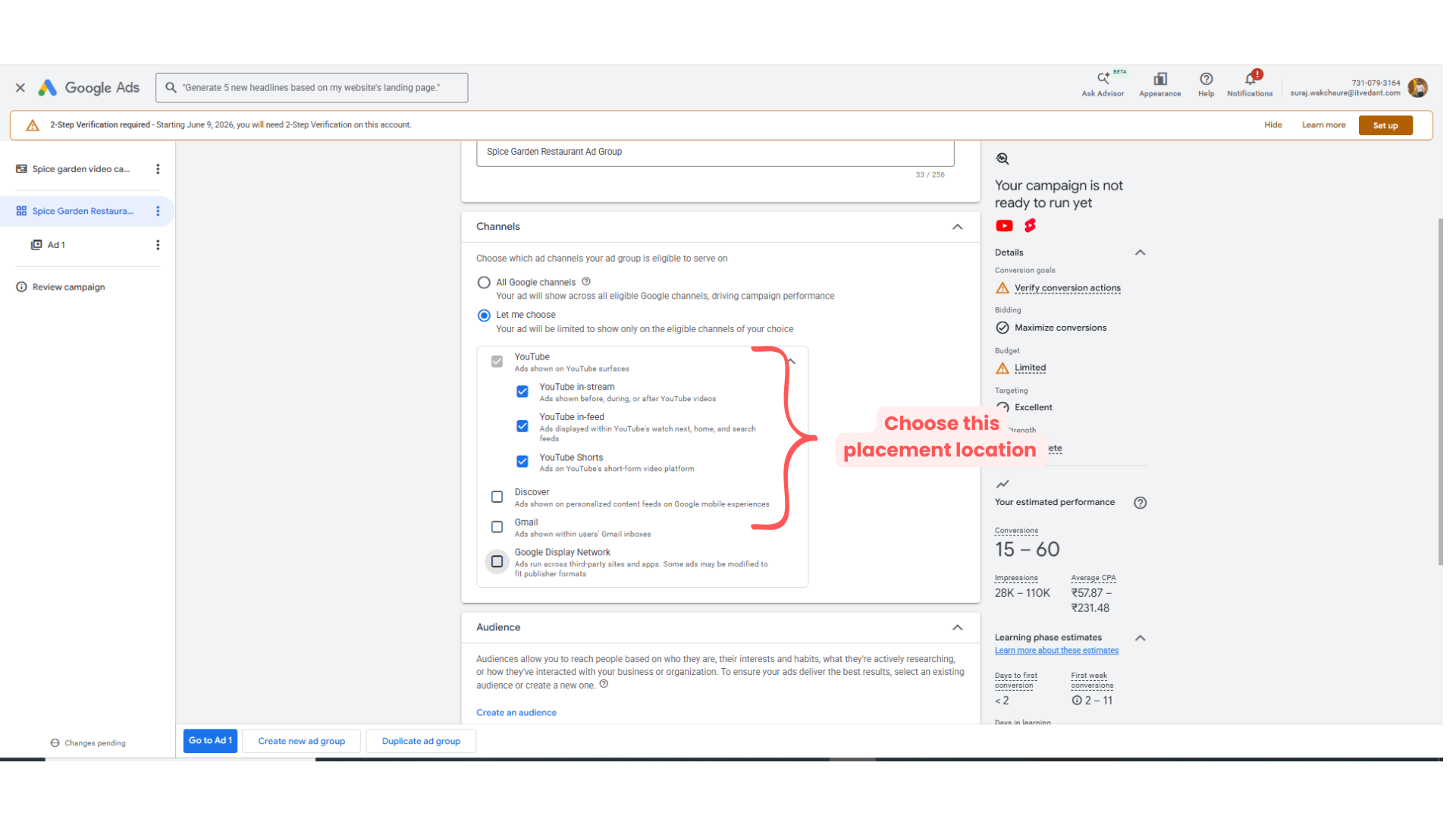
Give name to the Ad Group → Spice Garden Restaurant Ad Group
Choose channel → Let me choose →
-
Youtube in-stream
-
Youtube in-feed
-
Youtube Shorts
Check all the above fields
Setuping the Audience Setting
2
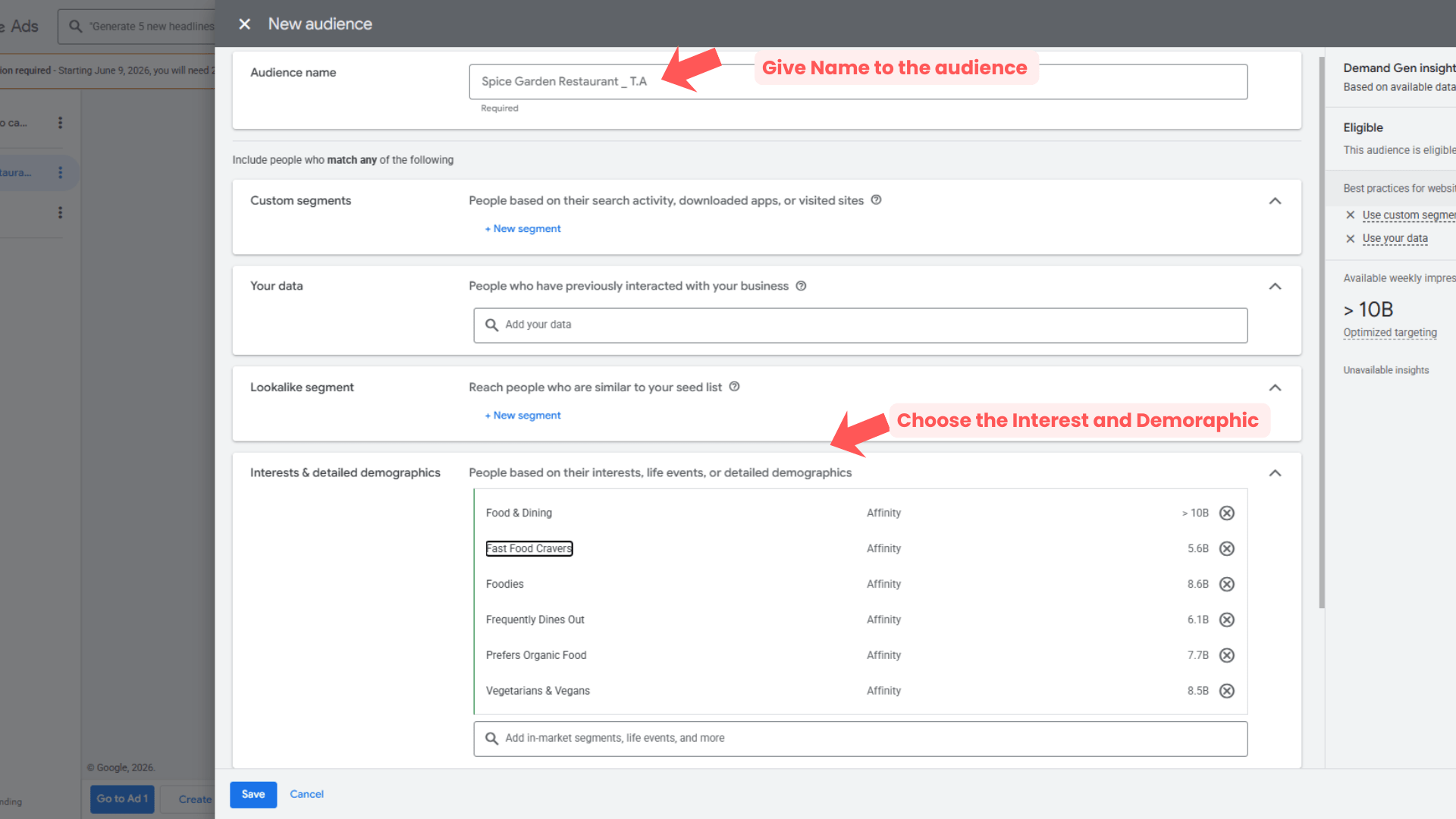
Audience Name - Spice Garden Restaurant_T.A ( T = Target, A= Audience )
Then select → interest and detail demographic → browse → Affinity → Food & dining → select the below things
-
Fast Food Cravers
-
Foodies
-
Frequently Dines out
-
Prefers Organic Food
-
Vegetarian & Vegan
-
Then click on
‘Save’
Setup optimize targeting
3
Choose the Ad type
4
Checked the
-
Use optimized targeting
Then
Click on ‘Go to Ad 1’
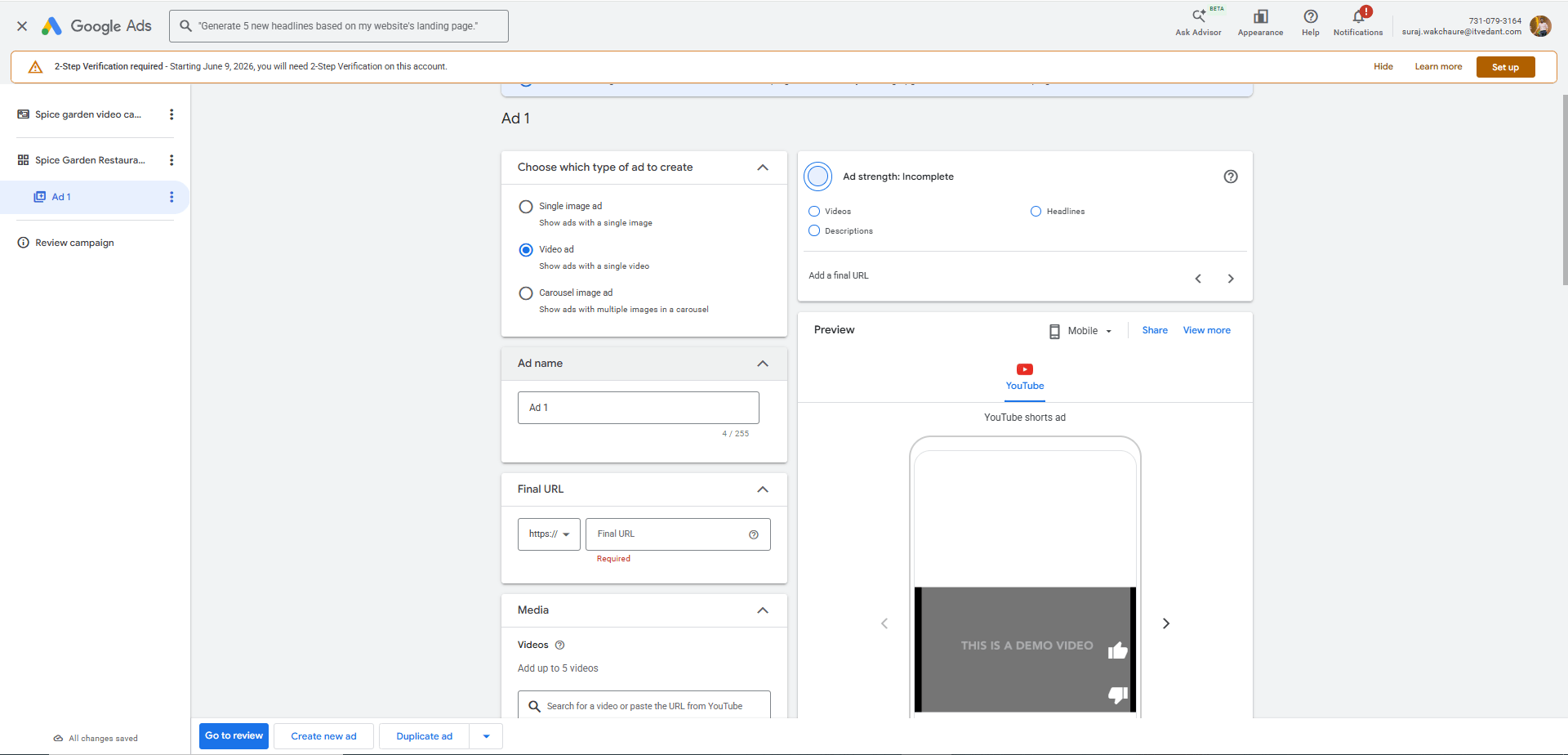
Choose Ad Type as → Video Ad
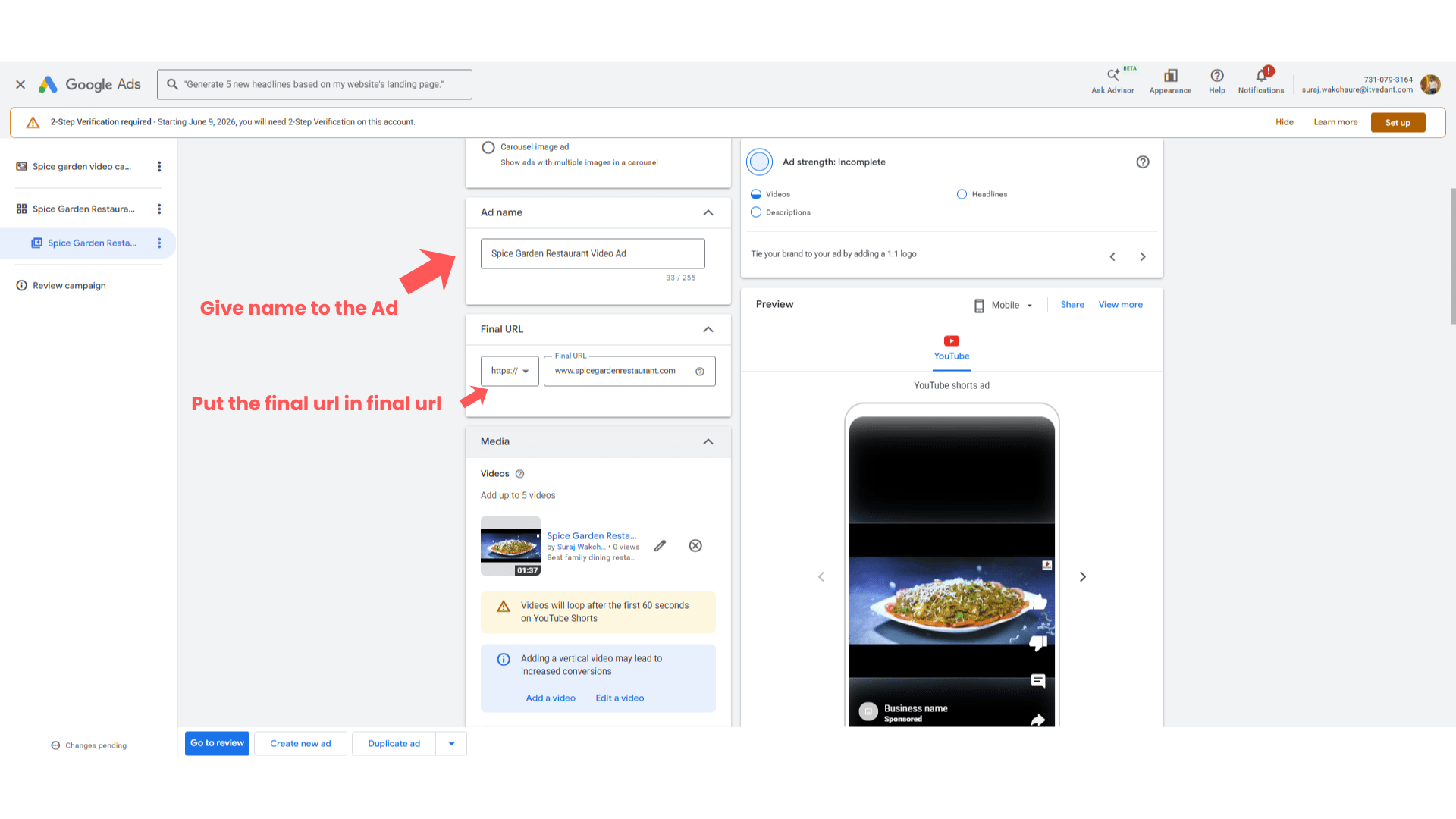
Give Name to the Ad → Spice Garden Restaurant Ad
Final url - www.spicegardenrestaurant.com
Video - copy paste the video which we uploaded on youtube
- Add logo
Add Headlines, Long headlines and Description
5
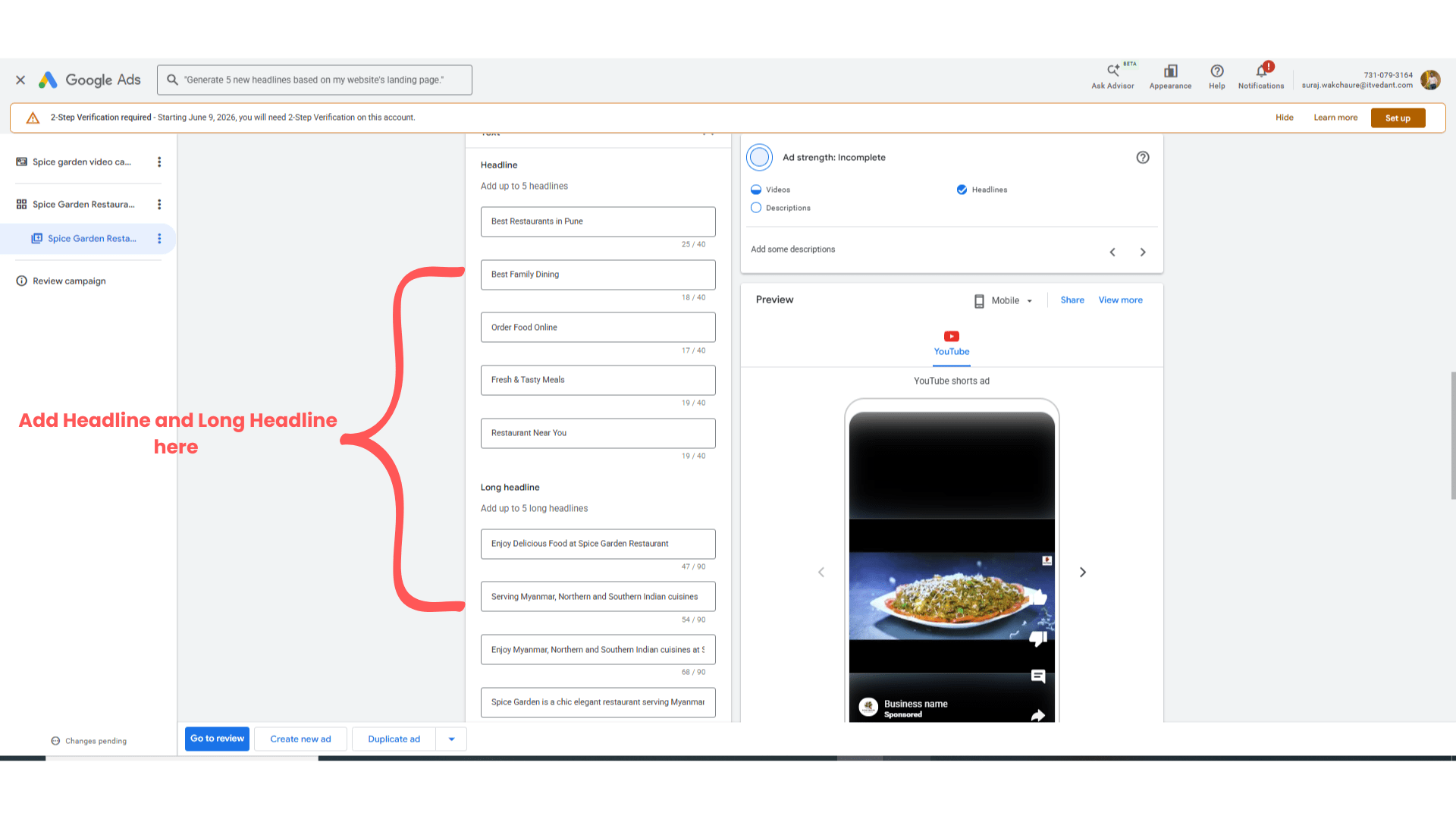
- After this review the campaign level and Ad group level settings and publish the campaign.
Expected Outcome
After completing this LAB, learners will be able to:
-
Create promotional restaurant videos
-
Use Canva video editor
-
Upload videos to YouTube
-
Create Video Ads Campaigns
-
Configure audience targeting
Congratulations!
You have successfully completed the Video Advertisement LAB for Spice Garden.
In this LAB, you learned how to:
-
Optimize Ad Group level setting for the video campaign
Checkpoint
This knowledge will help you create engaging video marketing campaigns for businesses.
Next-Lab Preparation
Topic : Performance Max & Discover ad
1) How the Performace Ad Work
2) Peformance Ad Setup
3) Discover Ad Setup
4) Ad Optimization