Perform Threat Detection and Investigation in Cloud Environments Using SIEM

Business Scenario
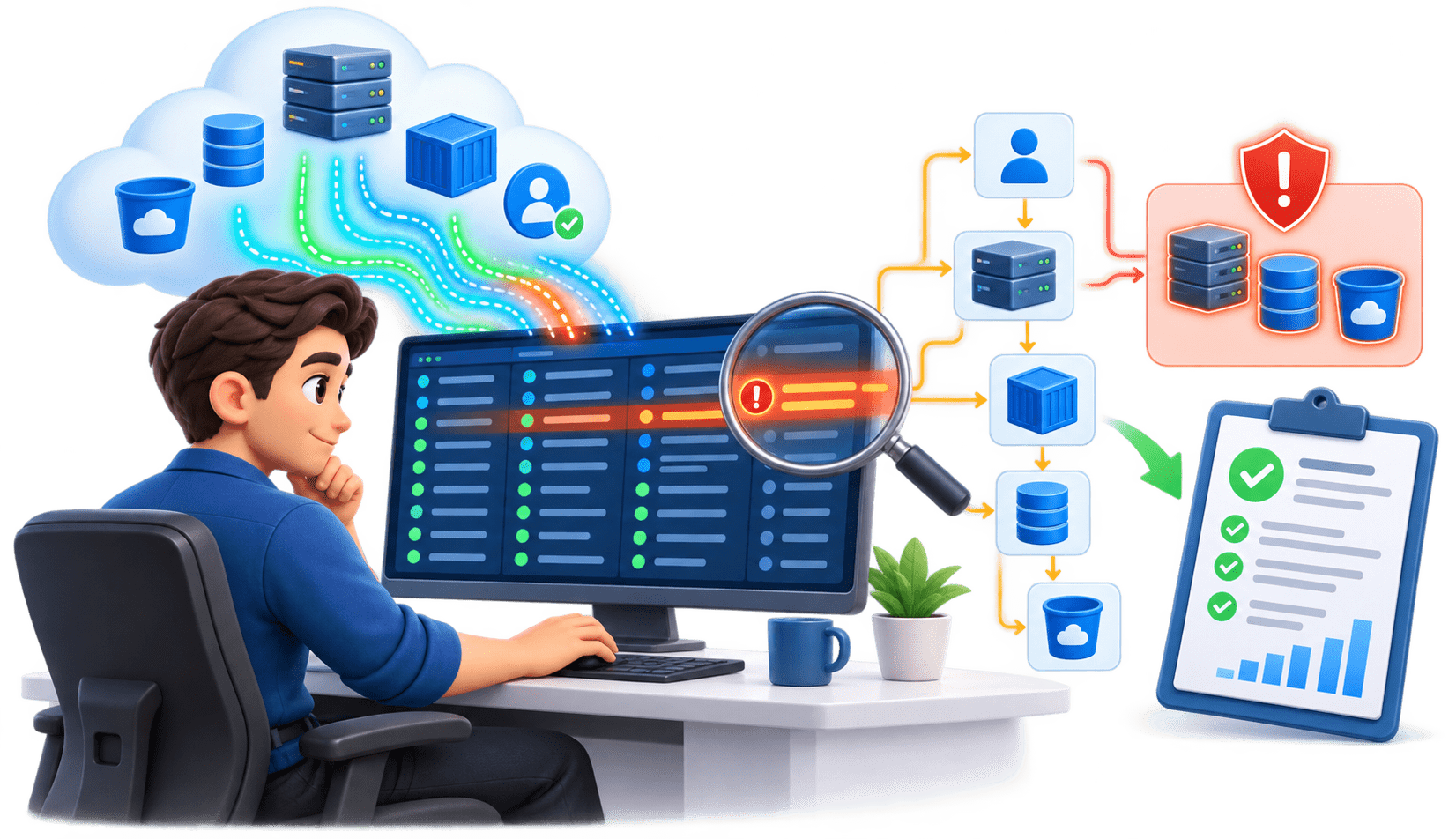
You are a Cloud SOC Analyst at CyberSecure Solutions. The SIEM has detected suspicious activity in the organization's cloud environment.
Your task is to analyse cloud logs, identify the suspicious activity, investigate the incident, determine its impact, and document your findings.

Pre-Lab Preparation
Git Pull

git pull origin branchNameTopic: Cloud Monitoring and Visibility
1) Cloud Environment Visibility & Architecture
2) Cloud Logging & Monitoring
3) Threat Detection in Cloud Environments
Objective
Understand what information is available in cloud logs.
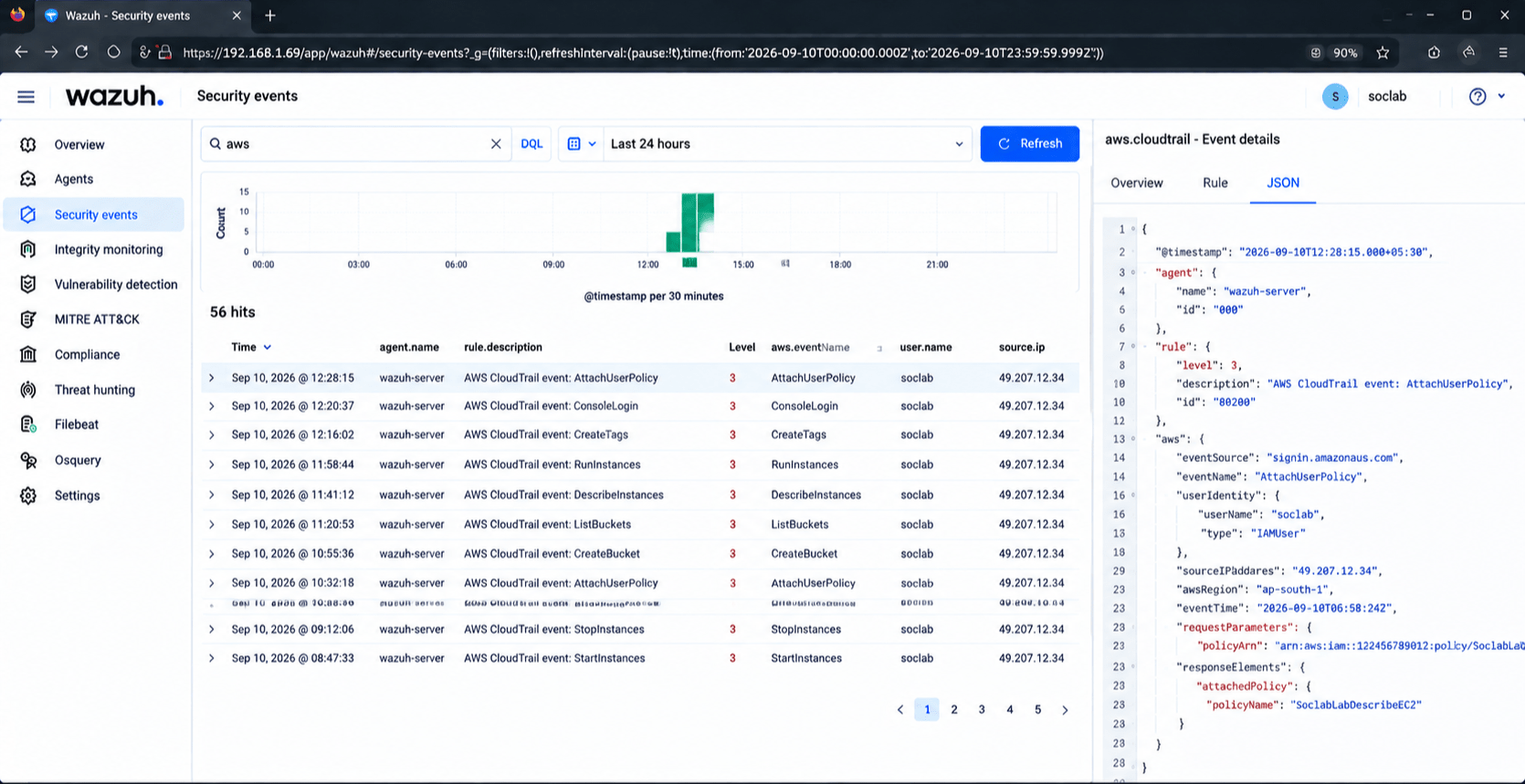
Open the SIEM dashboard.
1
Navigate to cloud security events.
2
Select the assigned time range.
3
Review events containing:
4
Task 1: Review Cloud Security Logs
-
Username
-
Source IP
-
Resource
-
Action
-
Timestamp
-
Event status
Expected Output
-
Username
-
Source IP
-
Resource
-
Action
-
Timestamp
-
Event status
Identify unusual events.
5
Activity
Students identify relevant cloud events for investigation.
Task 2: Detect Suspicious Activity
Objective
Identify potential threats from cloud events.
Repeated failed logins.
1
Login from an unexpected source.
2
IAM permission changes.
3
New user creation.
4
Look for activities such as:
Unusual resource creation.
5
Security configuration changes.
6
Unexpected resource deletion.
7
Example
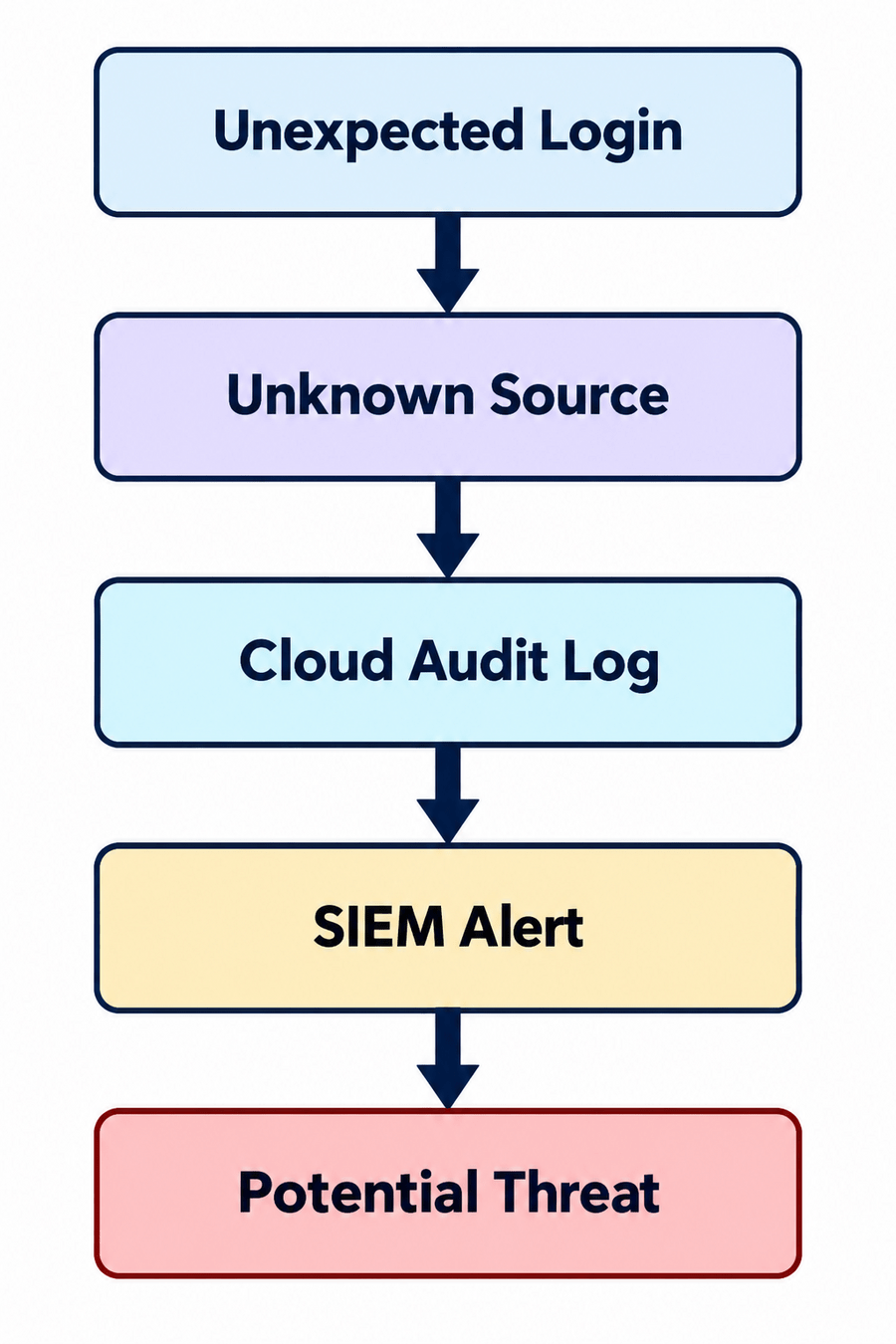
Expected Output
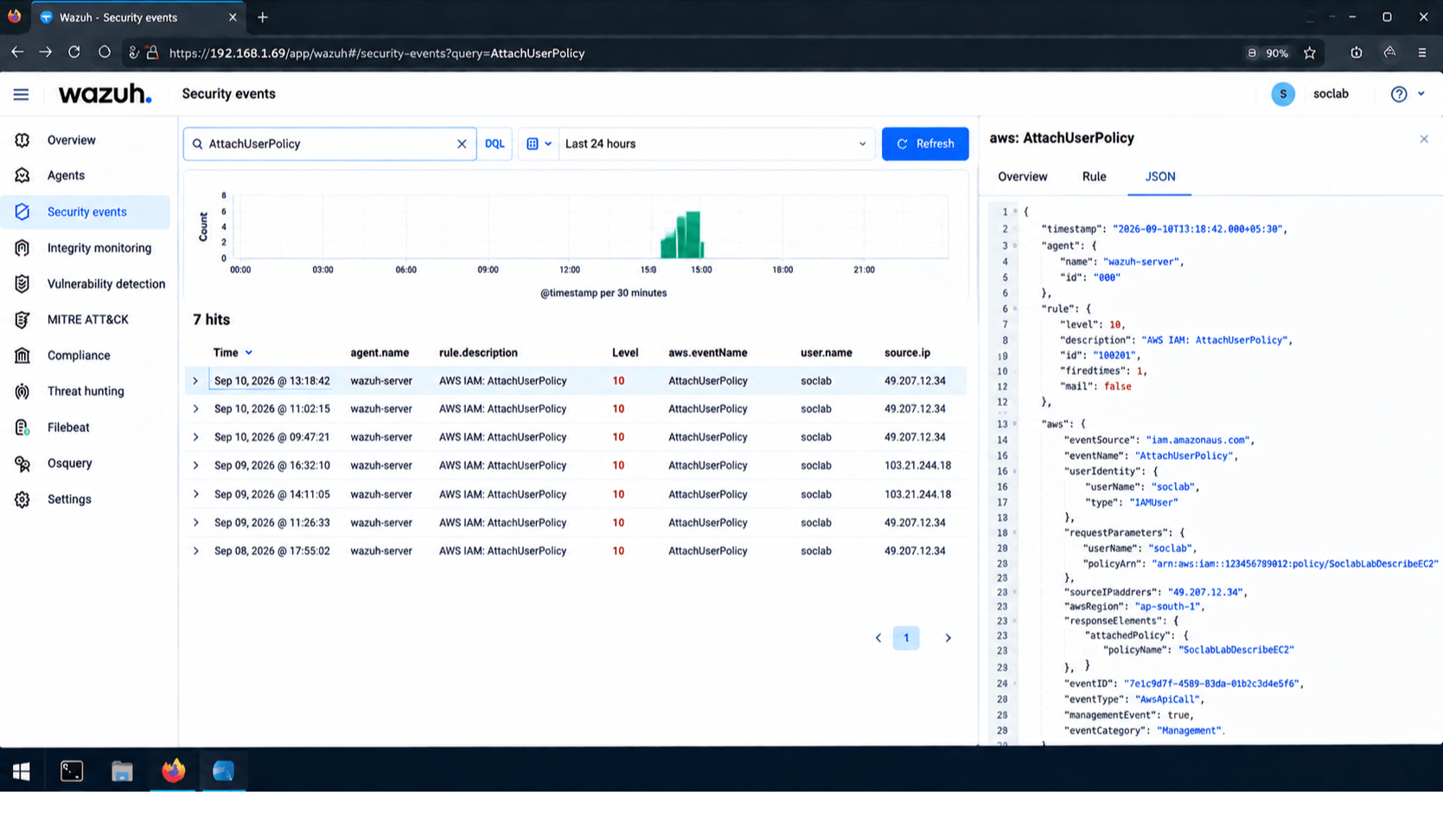
Activity
Students identify at least one suspicious cloud activity.
Objective
Determine whether the activity represents a real security incident.
Open the SIEM alert.
1
Identify the:
2
-
User
-
Source IP
-
Cloud resource
-
Timestamp
-
Action
Task 3: Investigate the Alert
Search for related events.
3
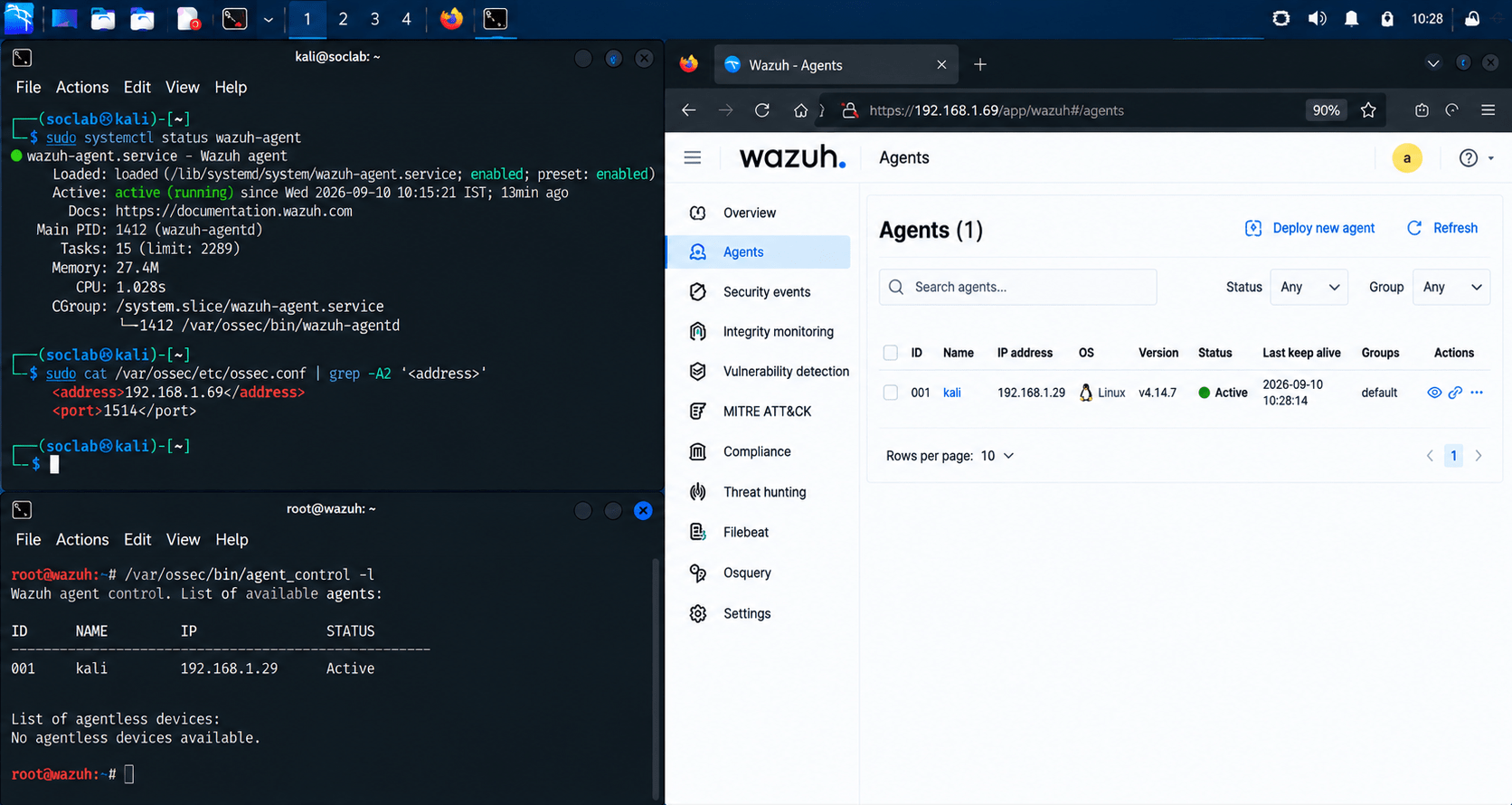
The endpoint appears as an active agent in the SIEM.
Check what happened before and after the alert.
4
Build a simple incident timeline.
5
Objective
Verify that endpoint logs are being sent to the central system.
Task 4: Collect Endpoint Logs
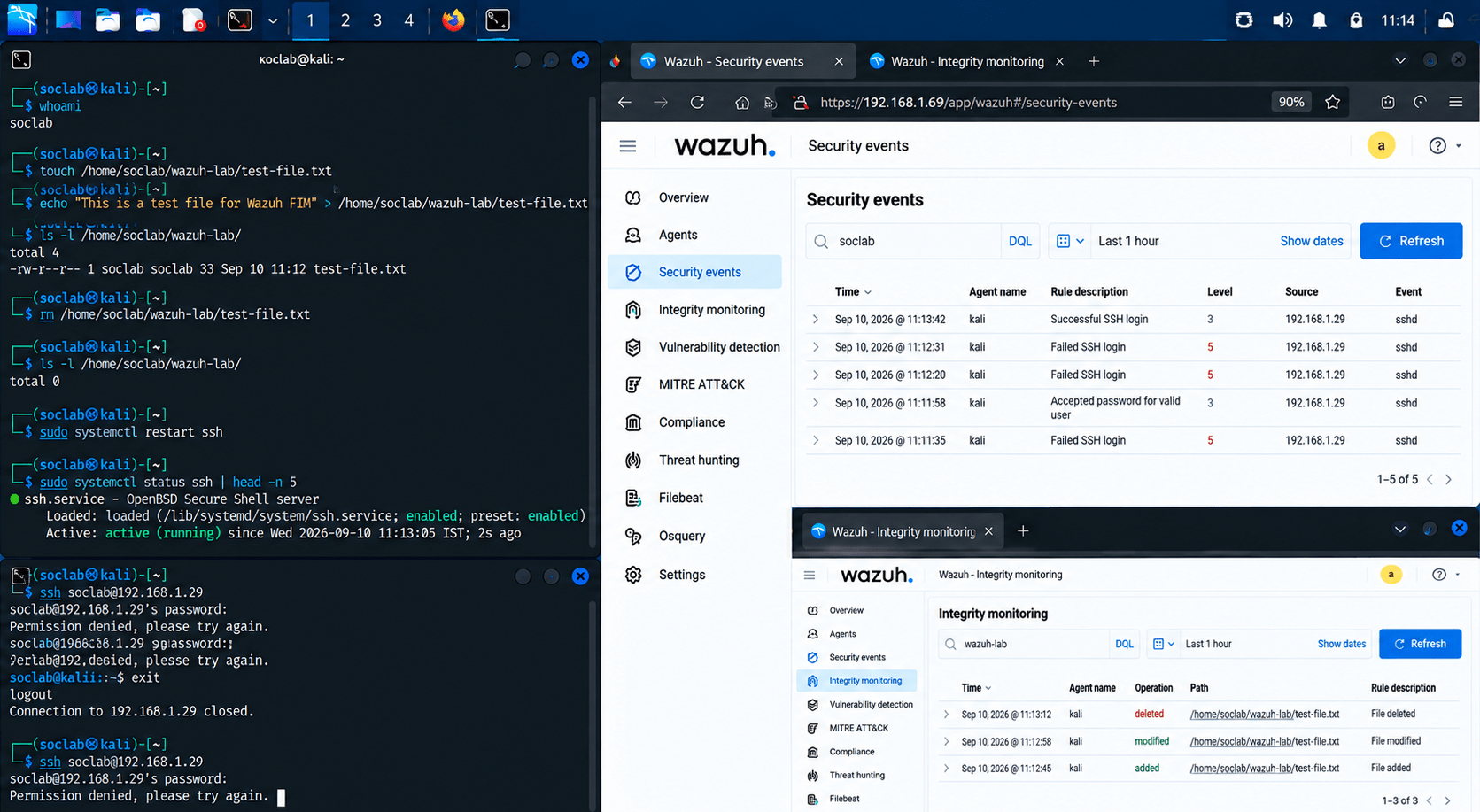
Generate simple test activities on the endpoint:
1
-
Successful login.
-
Failed login.
-
File creation.
-
File deletion.
-
Service start/stop.
Open the SIEM dashboard.
2
Search for the generated events.
3
Example
Verify that the events came from the correct endpoint.
4
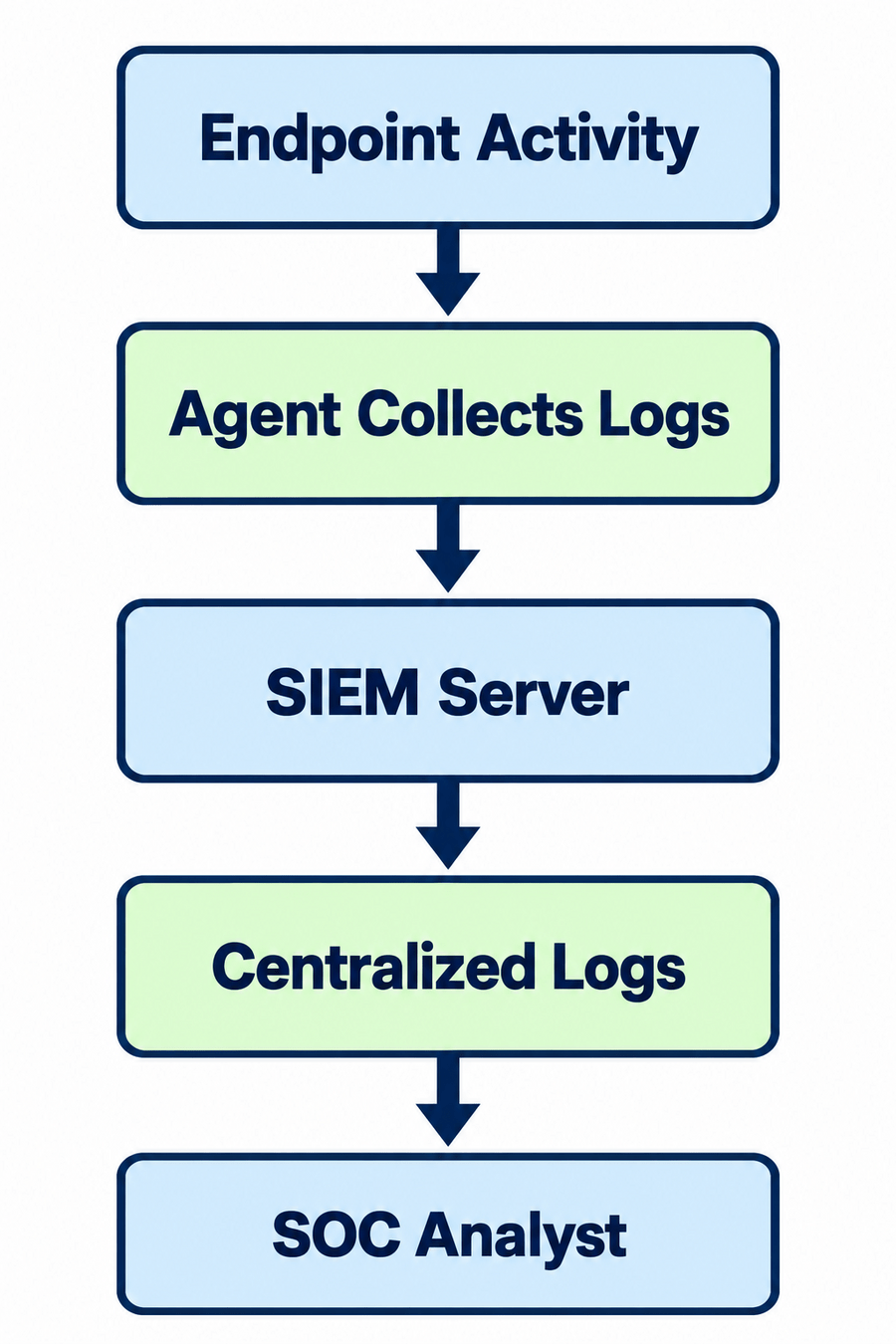
Expected Output
Activity
Students can see endpoint events in the central SIEM.
Objective
Understand how centralised logs can be used for monitoring.
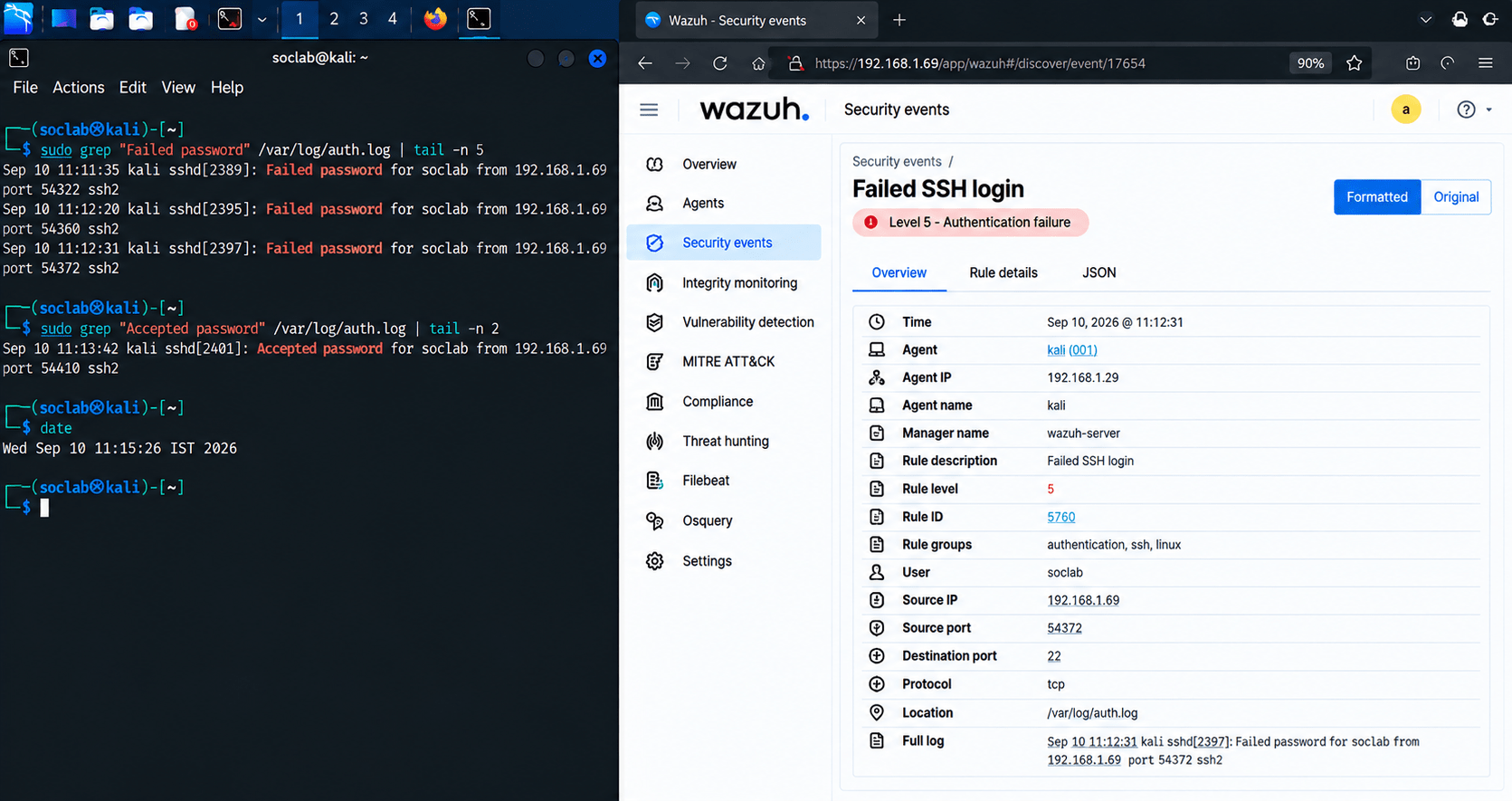
Select one collected event.
1
Review:
2
-
Timestamp
-
Hostname
-
Username
-
Event type
-
Source
-
Severity
Determine whether the event is normal or suspicious.
3
Task 5: Analyze the Collected Logs
Record your findings.
4
Expected Output
Activity
Students analyze an endpoint event using centralized SIEM data.
Objective
Understand common reasons why logs may not appear.
If logs are not being received, check:
Task 6: Troubleshoot Log Collection
Is the agent service running?
1
Is the endpoint connected to the network?
2
Is the SIEM server reachable?
3
Is the agent correctly registered?
4
Is the required firewall/network communication allowed?
5
Check the agent logs for errors.
6
Restart the agent if required.
7
Verify log collection again.
8
Expected Output
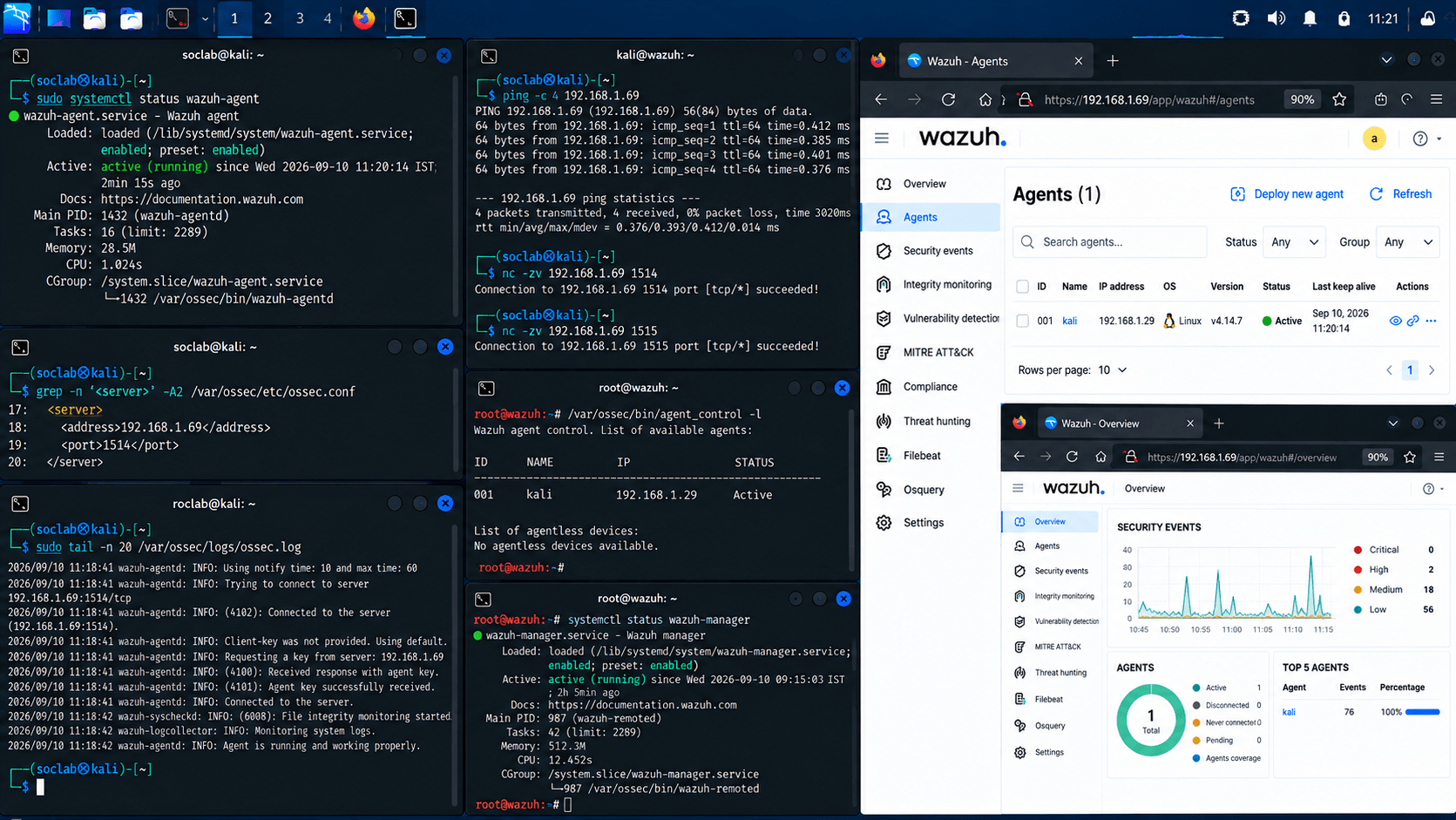
The endpoint successfully communicates with the SIEM and sends logs.
Task 7: Document the Implementation
Objective
Create a basic centralised logging report.
Record:
| Field | Example |
|---|---|
| Agent Name | TEST-PC01 |
| OS | Windows |
| IP Address | 192.168.1.20 |
| SIEM Server | 192.168.1.10 |
| Agent Status | Active |
| Logs Received | Yes |
| Log Types | Authentication/System |
| Status | Successfully Configured |
Example Finding
Endpoint: TEST-PC01
Implementation:
A SIEM agent was installed and connected to the
central monitoring server.
Verification:
The endpoint successfully sent authentication
and system events to the SIEM.
Status:
Centralized log collection successfully implemented.
Example Finding
Endpoint: TEST-PC01
Implementation:
A SIEM agent was installed and connected to the
central monitoring server.
Verification:
The endpoint successfully sent authentication
and system events to the SIEM.
Status:
Centralized log collection successfully implemented.
Expected Output
Great job!
After completing this lab, students will be able to explain centralised log collection, understand the role of SIEM agents, install and configure an endpoint agent, connect endpoints to a central SIEM, verify log collection, analyse centralised endpoint logs, and troubleshoot basic agent connectivity issues.
Checkpoint
Git Push
git push origin branchNameNext-Lab Preparation
Topic: Log Management and Analysis
- Log collection and log analysis