Implement Cloud Monitoring and Alerting Using SIEM Tools

Business Scenario
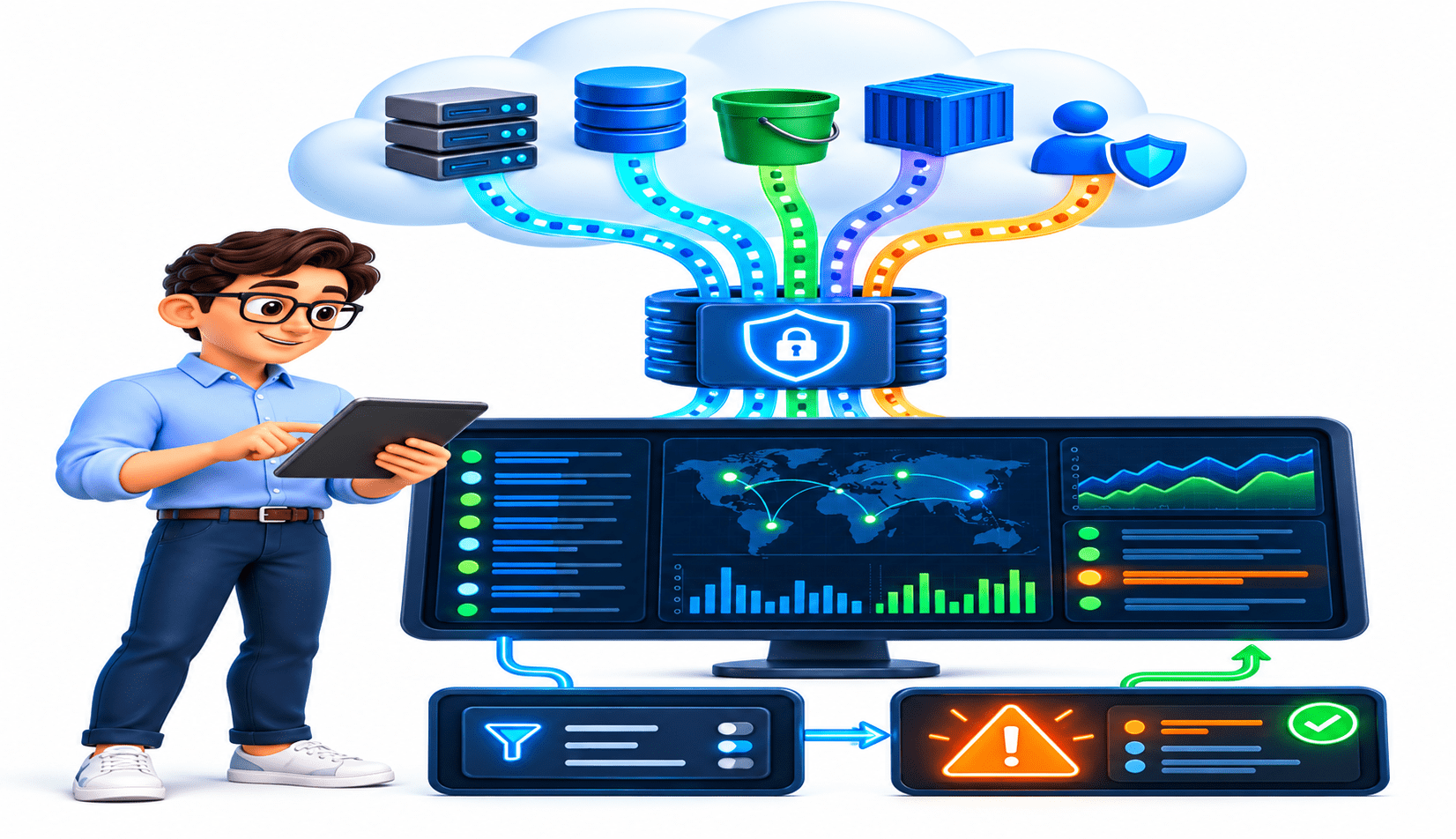
You are a Cloud Security Analyst at CyberSecure Solutions. The organisation wants to monitor cloud activity and receive alerts when suspicious actions occur.
Your task is to connect cloud logs to a SIEM, monitor cloud events, create a basic alert rule, and verify that the alert is generated.

Pre-Lab Preparation
Git Pull

git pull origin branchNameTopic: Cloud Monitoring and Visibility
1) Cloud Environment Visibility & Architecture
2) Cloud Logging & Monitoring
3) Threat Detection in Cloud Environments
Objective
Make cloud activity visible in the SIEM.
Log in to the authorized cloud account.
1
Enable the cloud provider's audit/activity logging.
2
Configure the logs to be collected by the SIEM.
3
Open the SIEM dashboard.
4
Task 1: Connect Cloud Logs to SIEM
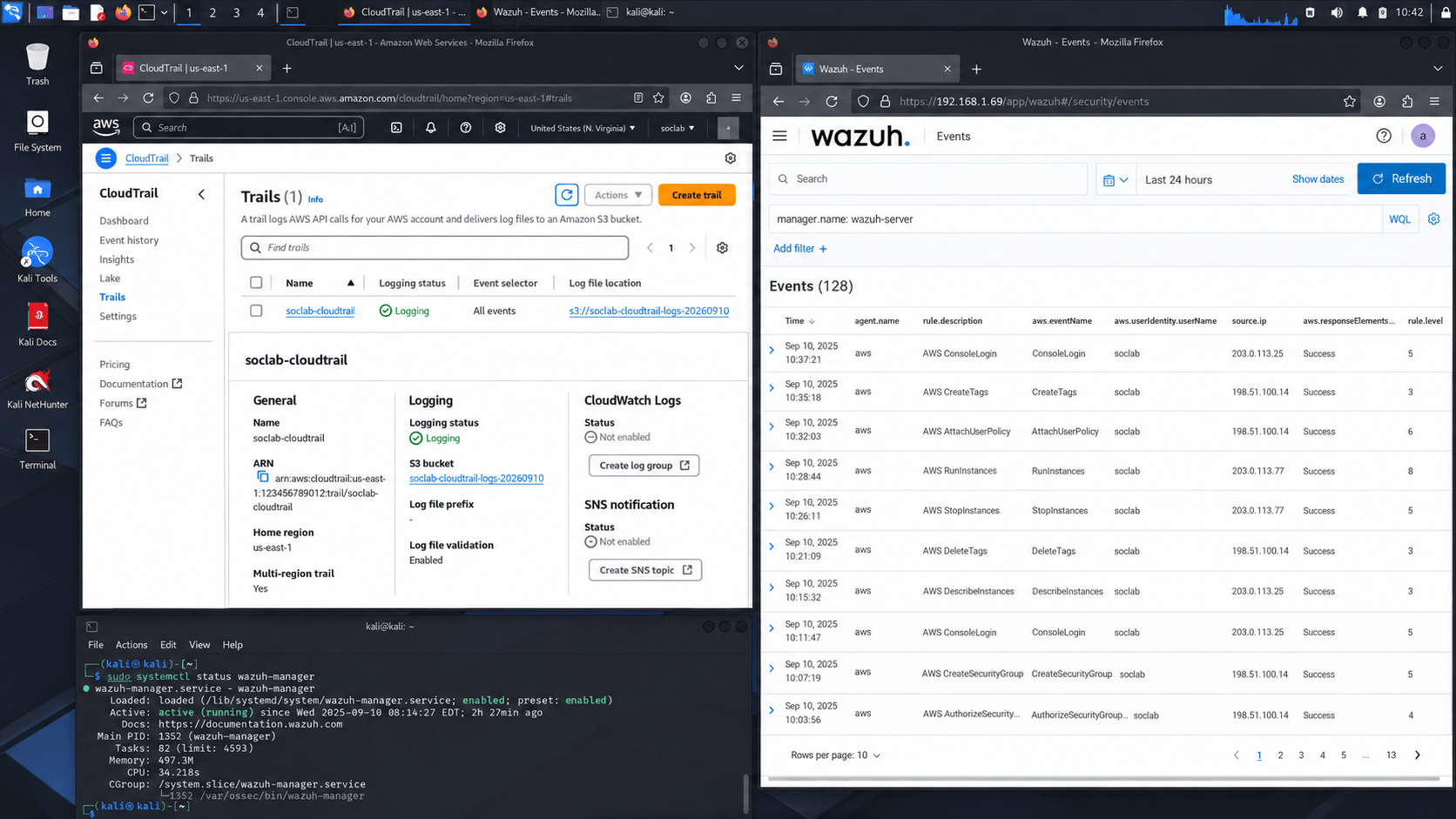
Verify that the cloud log source is connected.
5
Confirm that cloud events are being received.
6
Expected Output
Example
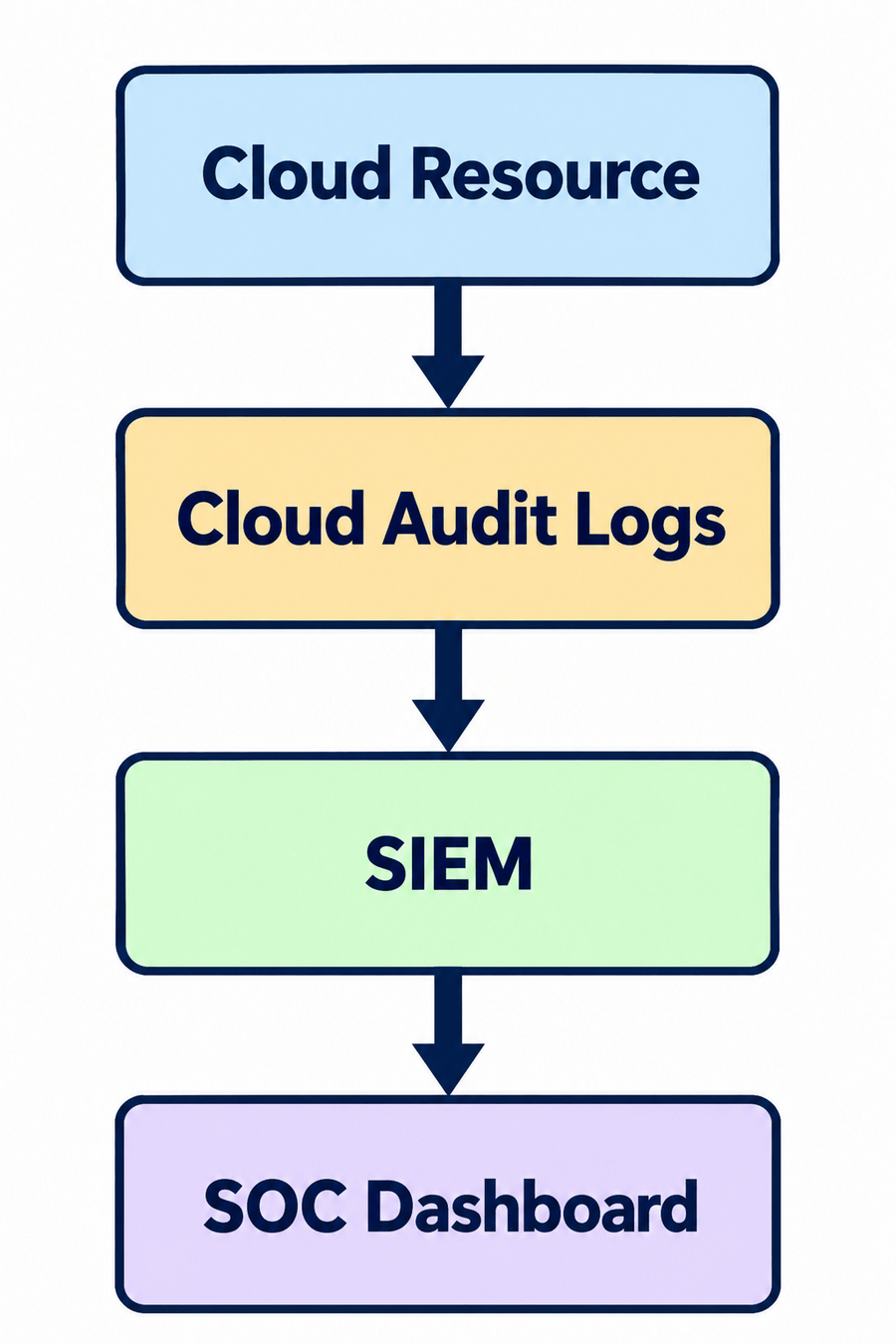
Cloud activity logs are visible in the SIEM.
Objective
Observe normal and security-related cloud activities.
Open the SIEM event dashboard.
1
Search for cloud events.
2
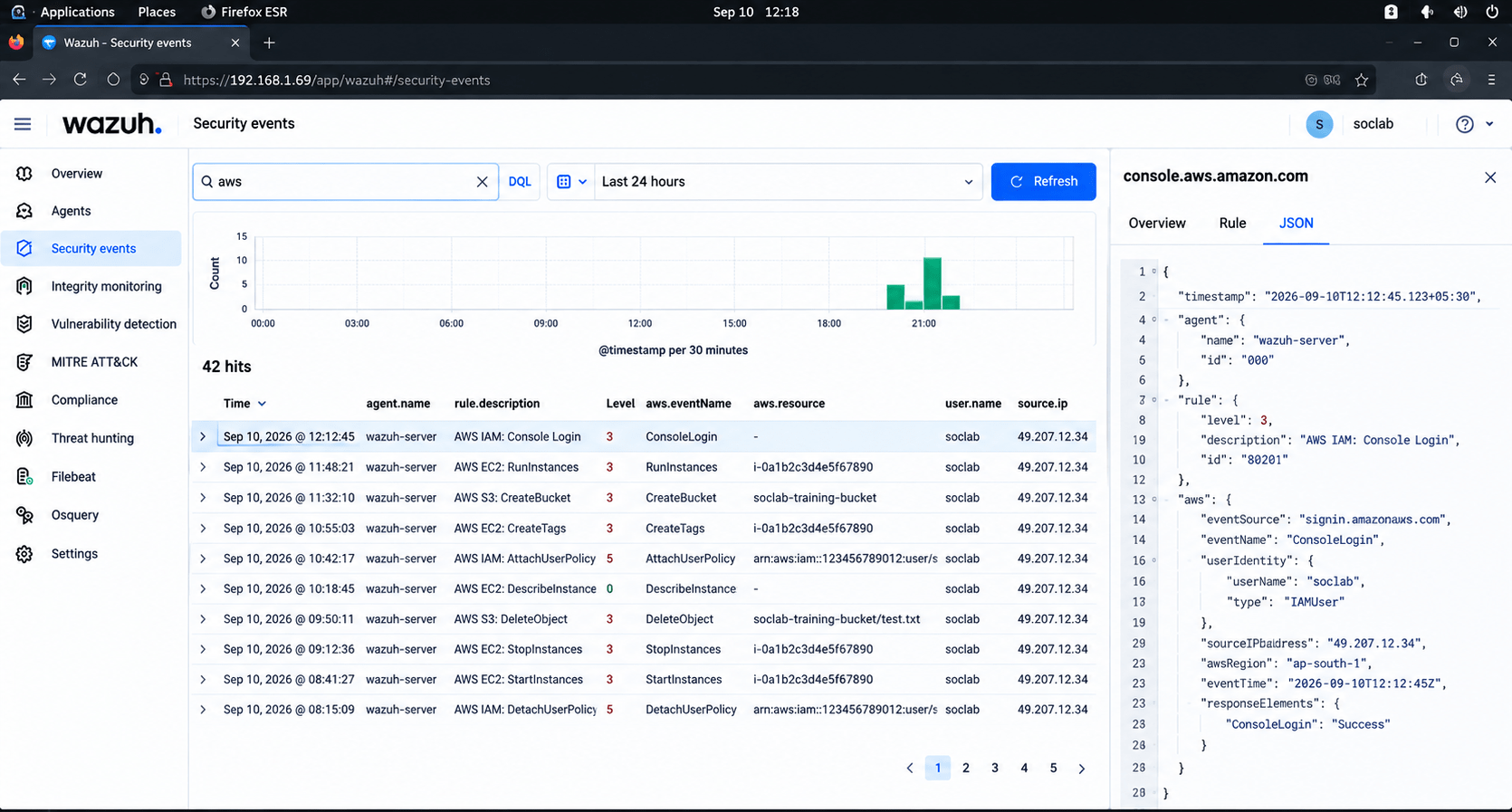
Monitor activities such as:
3
Record:
4
Task 2: Monitor Cloud Activities
-
User login
-
Resource creation
-
Resource modification
-
Permission changes
-
Resource deletion
-
User
-
Resource
-
Action
-
Timestamp
-
Source IP
-
Status
Expected Output
Activity
Students can monitor cloud activity from the SIEM.
Objective
Configure the SIEM to generate an alert for suspicious activity
Example Scenario
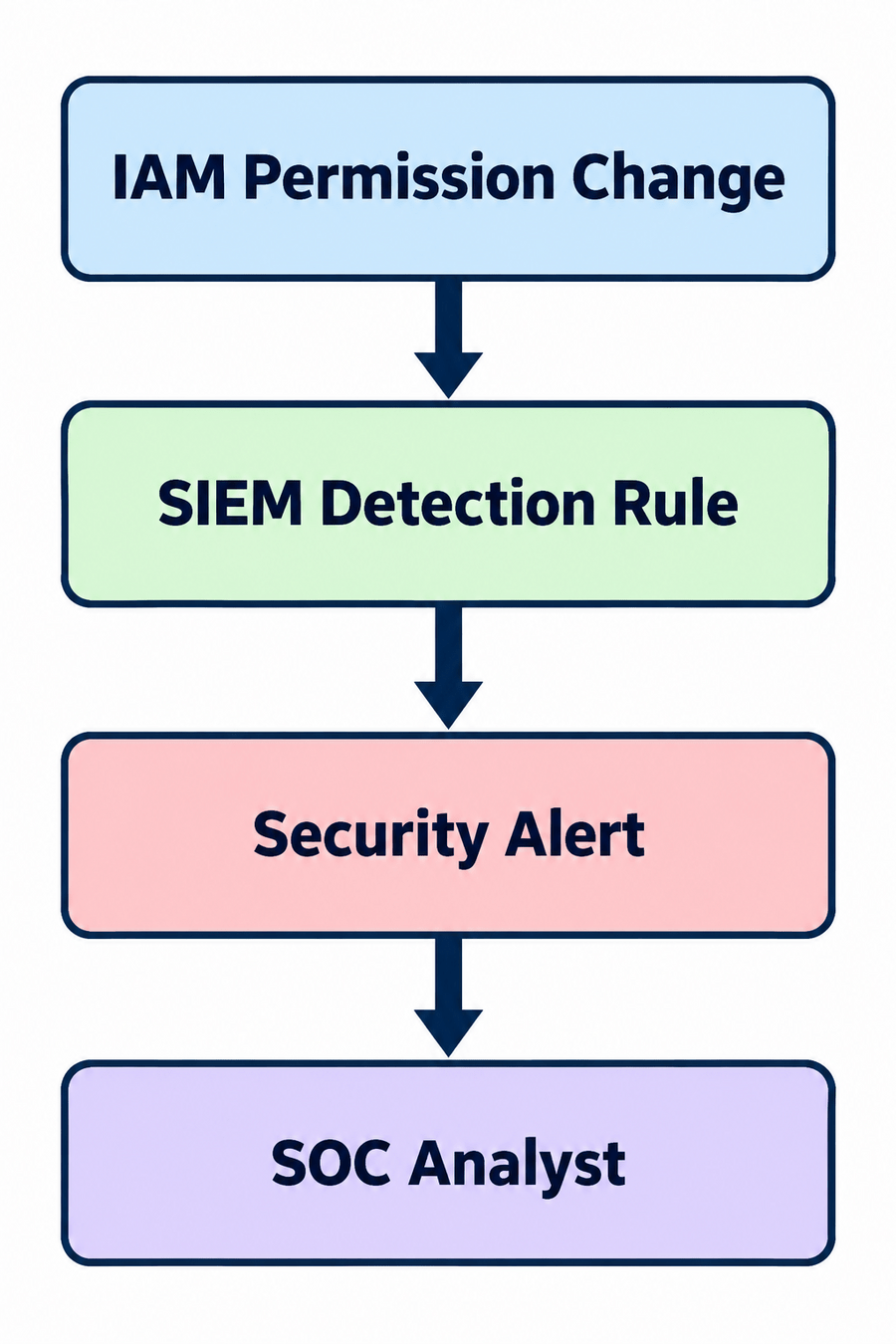
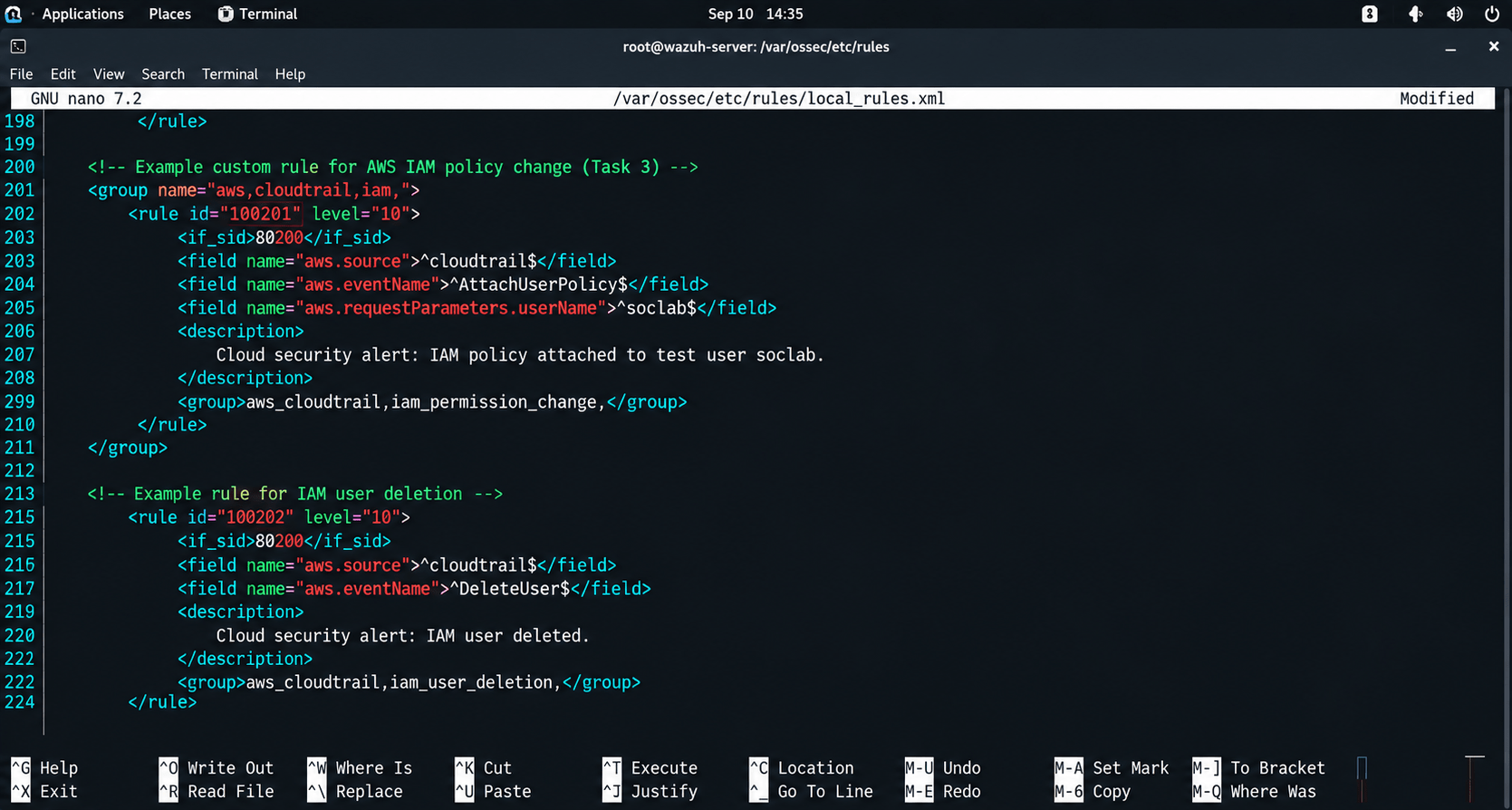
Alert when a privileged IAM permission is changed.
Open the SIEM detection/rule configuration.
1
Select the relevant cloud event.
2
Define the detection condition.
3
Task 3: Create a Cloud Alert Rule
Set an appropriate severity.
4
Save the rule.
5
Expected Output
Test the rule using the authorised training environment.
6
Example
A cloud security alert rule is successfully configured.
Objective
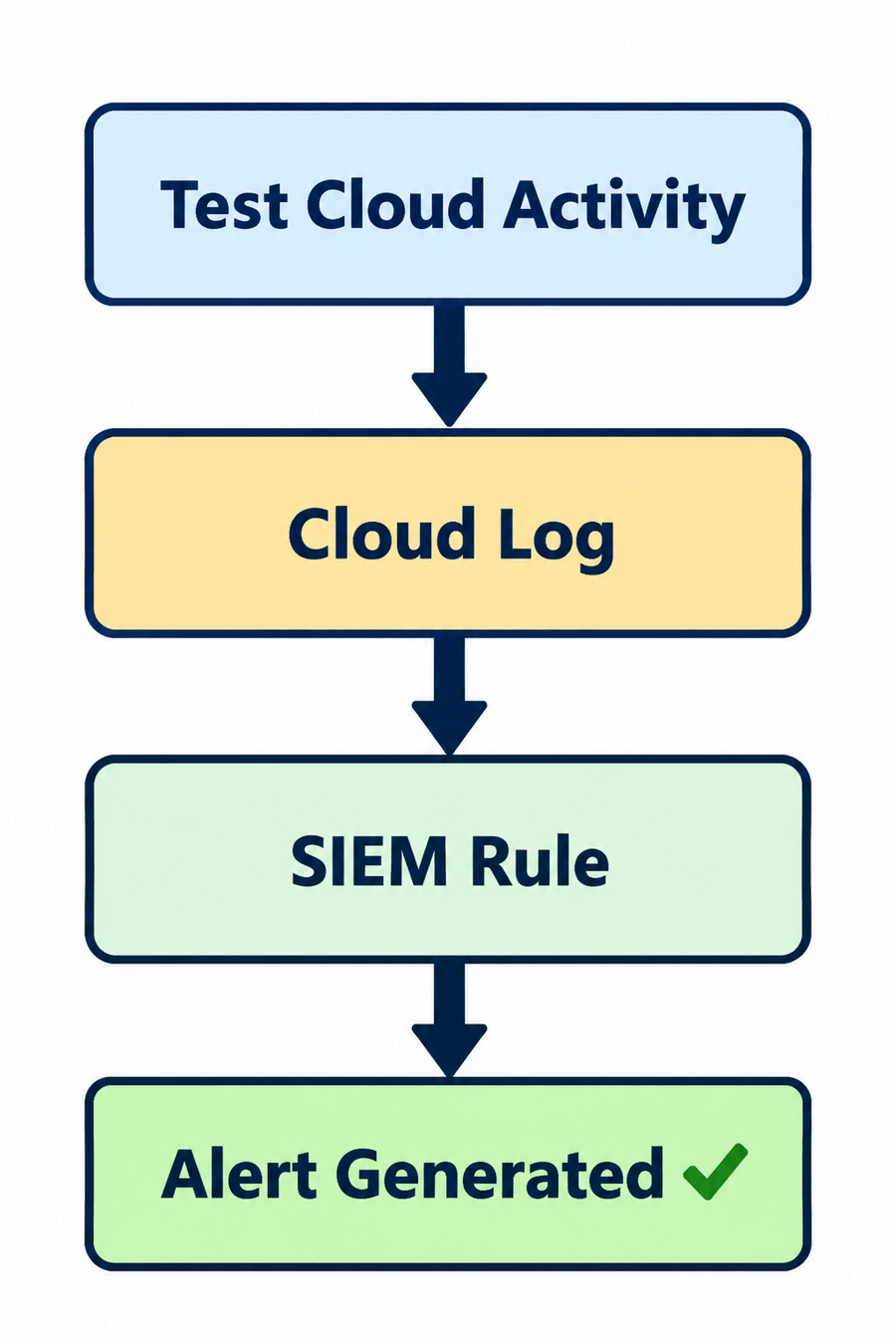
Verify that the alert works correctly.
Task 4: Generate a Test Event
Use a test IAM account.
1
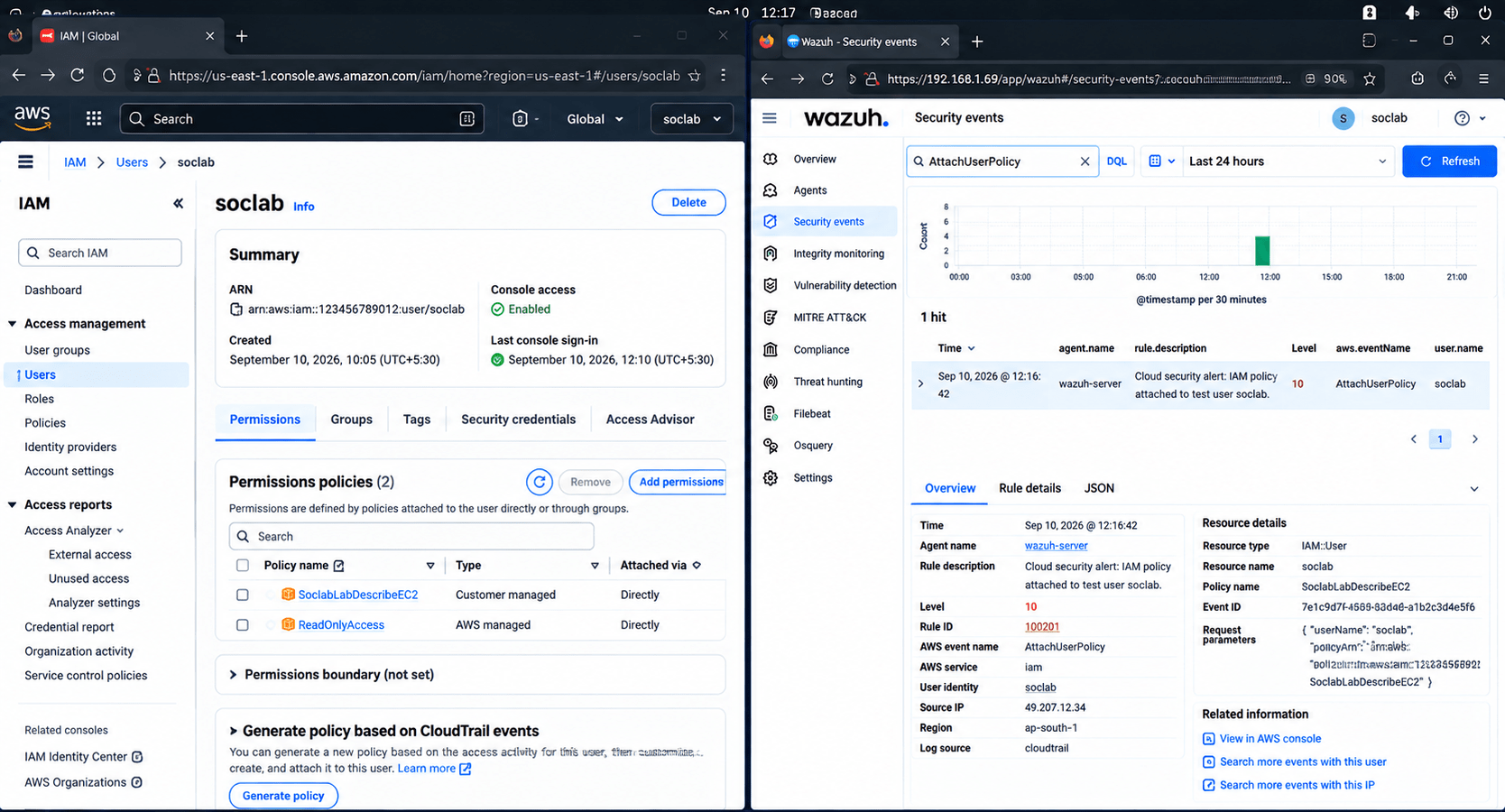
Verify that the SIEM generated an alert.
5
Record the alert details.
6
Open the SIEM dashboard.
3
Search for the event.
4
Perform the approved activity that matches the rule.
2
Expected Output
Objective
Analyse the cloud alert like a SOC analyst.
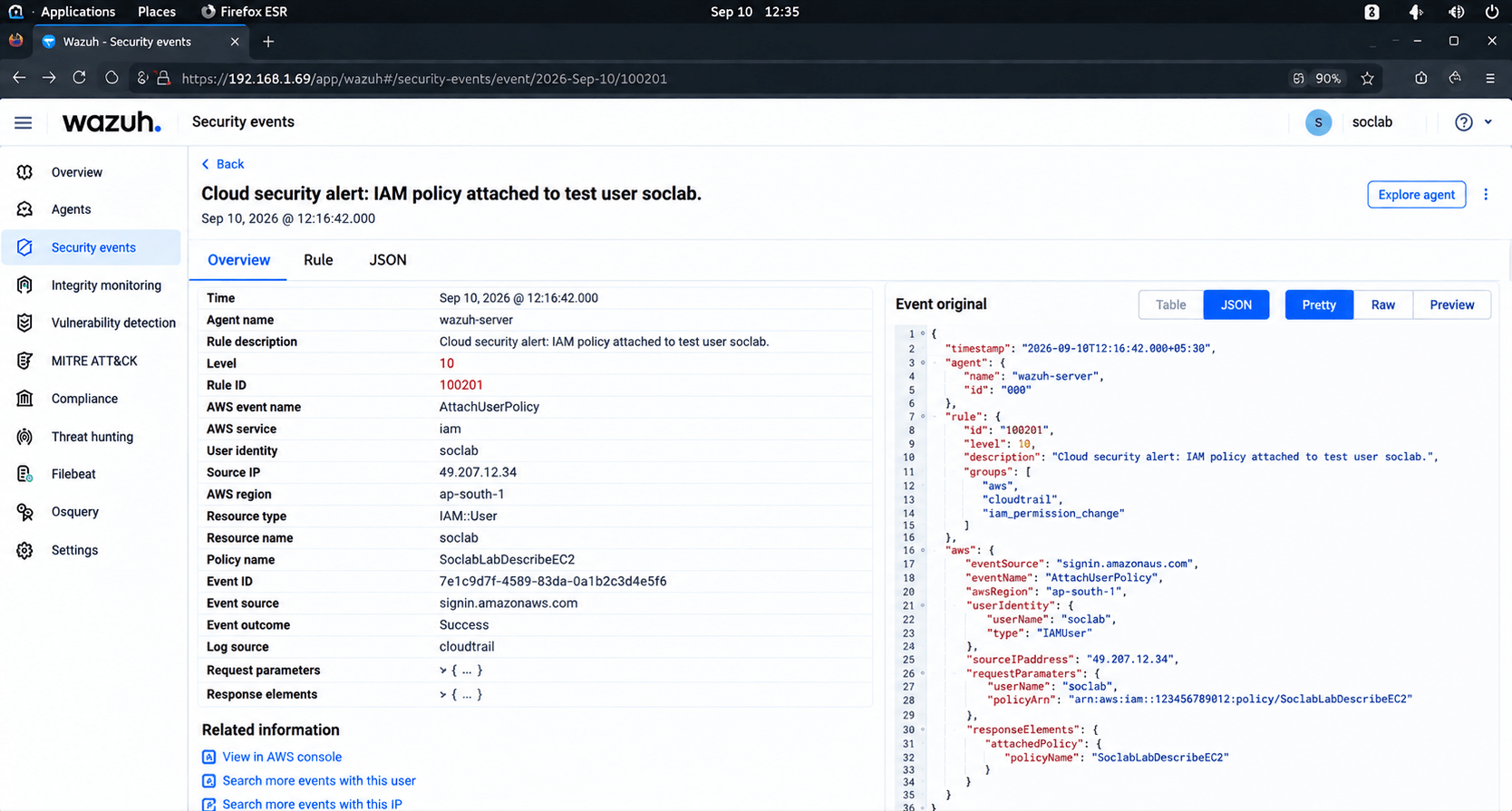
Open the generated alert.
1
Review:
2
-
Username
-
Source IP
-
Resource
-
Action
-
Timestamp
-
Severity
Check related cloud events
3
Task 5: Investigate the Alert
Determine whether the activity is:
4
-
Normal
-
Suspicious
-
Potential Incident
Expected Output
Activity
Students complete a basic cloud-alert investigation.
Objective
Respond to suspicious cloud activity.
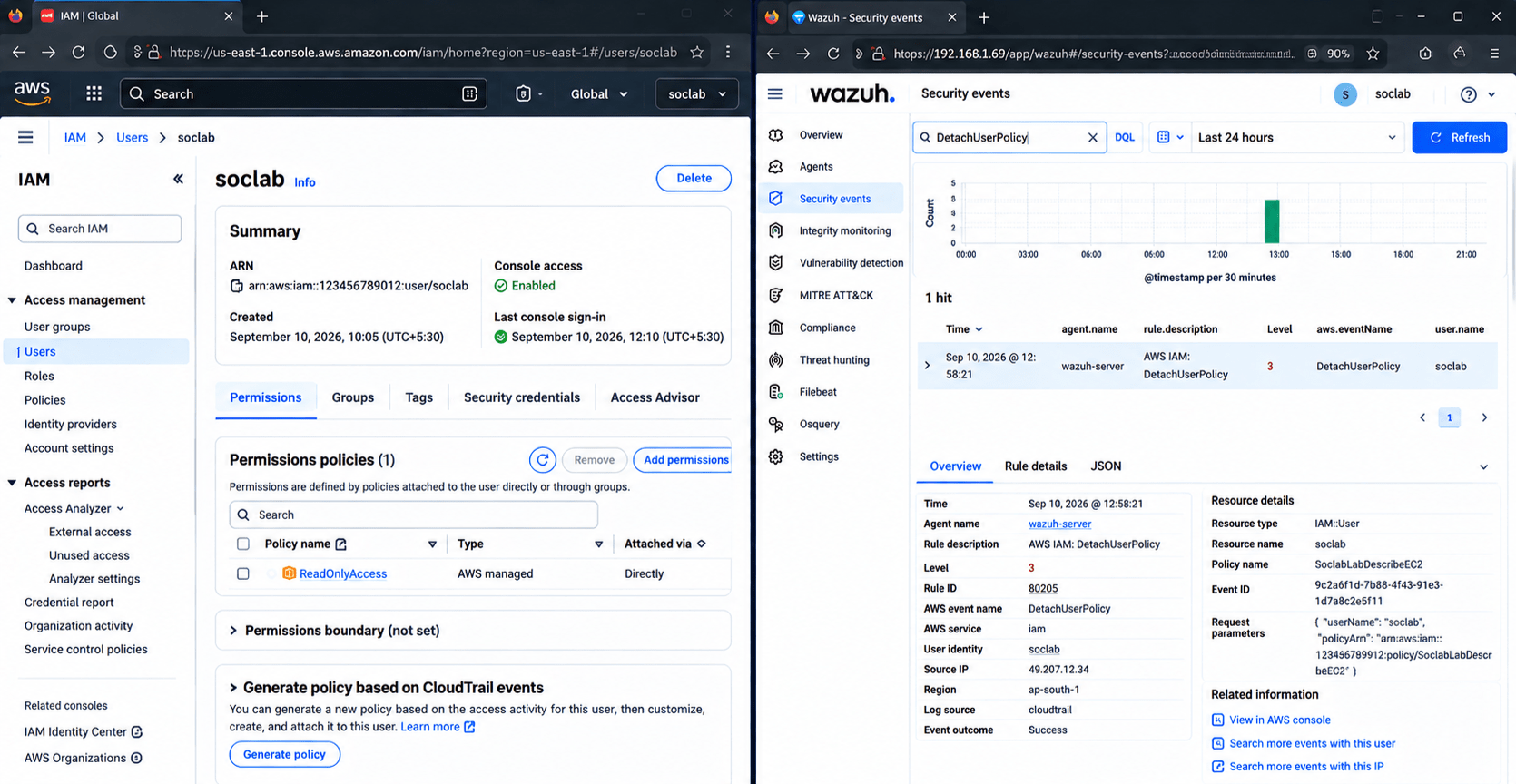
If the activity is considered suspicious in the training scenario:
Disable the test account, or
1
Remove unnecessary permissions, or
2
Revert the unauthorized configuration.
3
Continue monitoring the SIEM.
4
Verify that the suspicious activity has stopped.
5
Task 6: Apply a Defensive Action
Expected Output
Task 7: Document the Implementation
Objective
Create a basic cloud security alert report.
Record:
Activity
Students demonstrate a basic detect → investigate → respond workflow.
| Field | Example |
|---|---|
| Alert ID | CLOUD-SIEM-001 |
| Alert | IAM Permission Change |
| User | TestUser |
| Resource | Test-IAM |
| Source IP | 192.168.1.50 |
| Severity | High |
| Action | Permission change |
| Response | Permissions reverted |
| Status | Resolved |
| Field | Example |
|---|---|
| Alert ID | CLOUD-SIEM-001 |
| Alert | IAM Permission Change |
| User | TestUser |
| Resource | Test-IAM |
| Source IP | 192.168.1.50 |
| Severity | High |
| Action | Permission change |
| Response | Permissions reverted |
| Status | Resolved |
Example Finding
Alert: Unauthorised IAM Permission Change
Detection:
The SIEM generated an alert when a privileged permission
was changed on a test IAM account.
Investigation:
The user, source IP, timestamp and affected resource
were reviewed.
Response:
The unauthorized permission was removed.
Status:
Incident resolved.
Example Finding
Alert: Unauthorised IAM Permission Change
Detection:
The SIEM generated an alert when a privileged permission
was changed on a test IAM account.
Investigation:
The user, source IP, timestamp and affected resource
were reviewed.
Response:
The unauthorized permission was removed.
Status:
Incident resolved.
Expected Output
Great job!
After completing this lab, students will be able to understand cloud monitoring, integrate cloud logs with a SIEM, monitor cloud activities, create basic alert rules, detect suspicious cloud events, investigate cloud security alerts, apply basic defensive measures, and document cloud incidents effectively.
Checkpoint
Git Push
git push origin branchNameNext-Lab Preparation
Topic: Cloud Monitoring and Visibility
1) Cloud Environment Visibility & Architecture
2) Cloud Logging & Monitoring
3) Threat Detection in Cloud Environments