Store and Manage Data Using Variables

Business Scenario
Welcome!

Today is your third day as a Junior Data Analyst at the Indian Railways Reservation Department. Previously you learned basic fundamentals of Python
Today, your manager wants you to improve the system by storing and managing passenger ticket information dynamically using advanced calculations in Python variables.
Pre-Lab Preparation
To complete this task successfully, you will use Python variables and operators to:
-
Store details
-
Perform calculations
-
Manage information dynamically
Topic : Store and Manage Ticket Data Using Variables
1) Store passenger details, ticket price and seat number
2) Perform fare calculations
3) Manage ticket-related information
git pull origin branchName
Git Pull
1
Task 1: Store Passenger Details Using Variables
Create variables to store passenger details
passenger_name = "Rahul Sharma"
passenger_age = 28
gender = "Male"
mobile_number = 9876543210
Display passenger details using print() function.
2
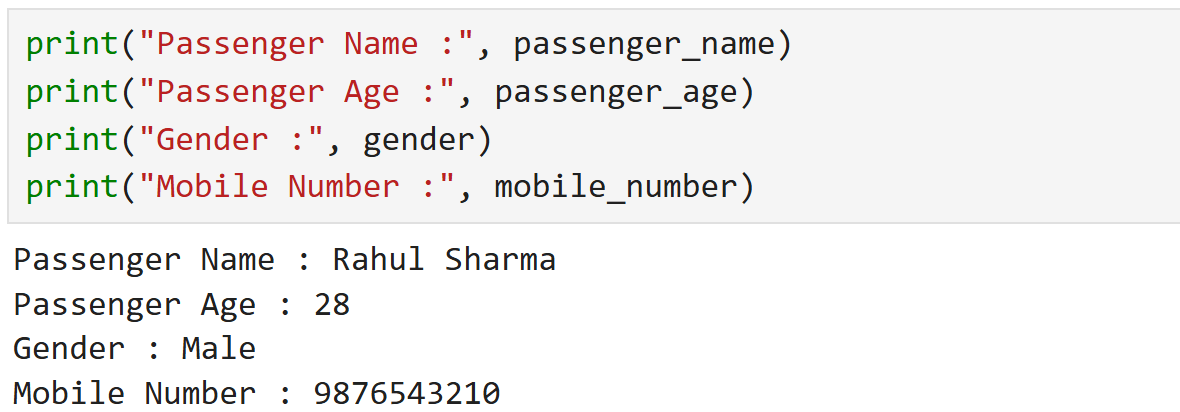
print("Passenger Name :", passenger_name)
print("Passenger Age :", passenger_age)
print("Gender :", gender)
print("Mobile Number :", mobile_number)
Output
3
Task 2: Store Ticket Price and Seat Number
1
Create variables for ticket information
Display ticket information using print() function
2
train_name = "Rajdhani Express"
seat_number = "B2-45"
ticket_price = 2450
journey_date = "25-May-2026"
print("Train Name :", train_name)
print("Seat Number :", seat_number)
print("Ticket Price :", ticket_price)
print("Journey Date :", journey_date)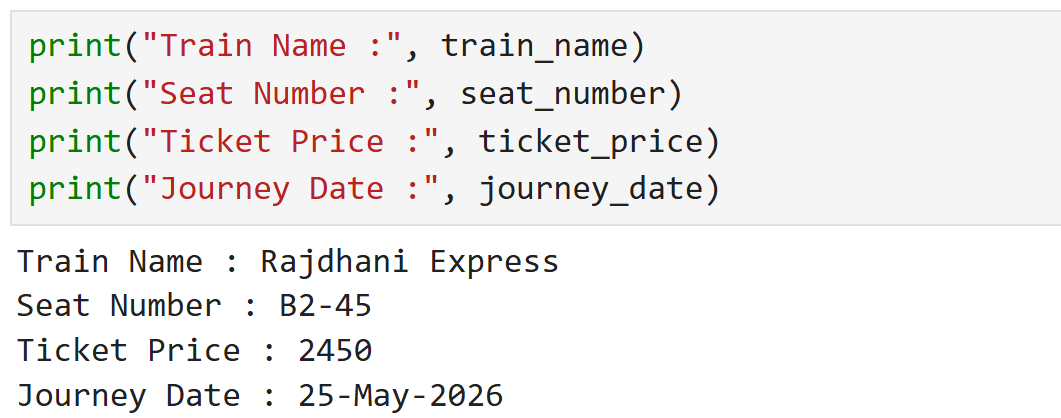
Output
3
Task 3: Perform Ticket Fare Calculations
1
Create variables for passenger count and fare calculation
number_of_passengers = 3
ticket_price = 2450
Calculate total ticket amount
2
total_fare = number_of_passengers * ticket_price
print("Total Fare :", total_fare)
Task 4: Calculate GST on Ticket Fare
1
Create a GST percentage variable
Calculate GST amount
2
gst_percentage = 5gst_amount = (total_fare * gst_percentage) / 100
print("GST Amount :", gst_amount)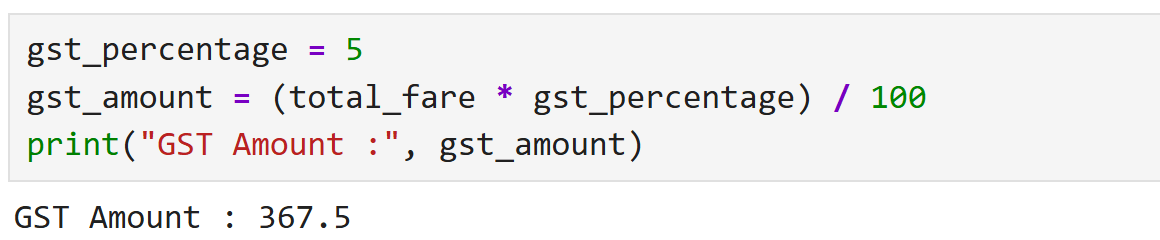
Calculate final payable amount
3
final_amount = total_fare + gst_amount
print("Final Payable Amount :", final_amount)
Task 5: Display Complete Railway Ticket Information
1
Display all passenger and ticket details in formatted structure
print("----------- Indian Railways Ticket -----------")
print("Passenger Name :", passenger_name)
print("Train Name 	:", train_name)
print("Seat Number	:", seat_number)
print("Journey Date   :", journey_date)
print("Passengers 	:", number_of_passengers)
print("Ticket Fare	:", total_fare)
print("GST Amount 	:", gst_amount)
print("Final Amount   :", final_amount)
print("----------------------------------------------")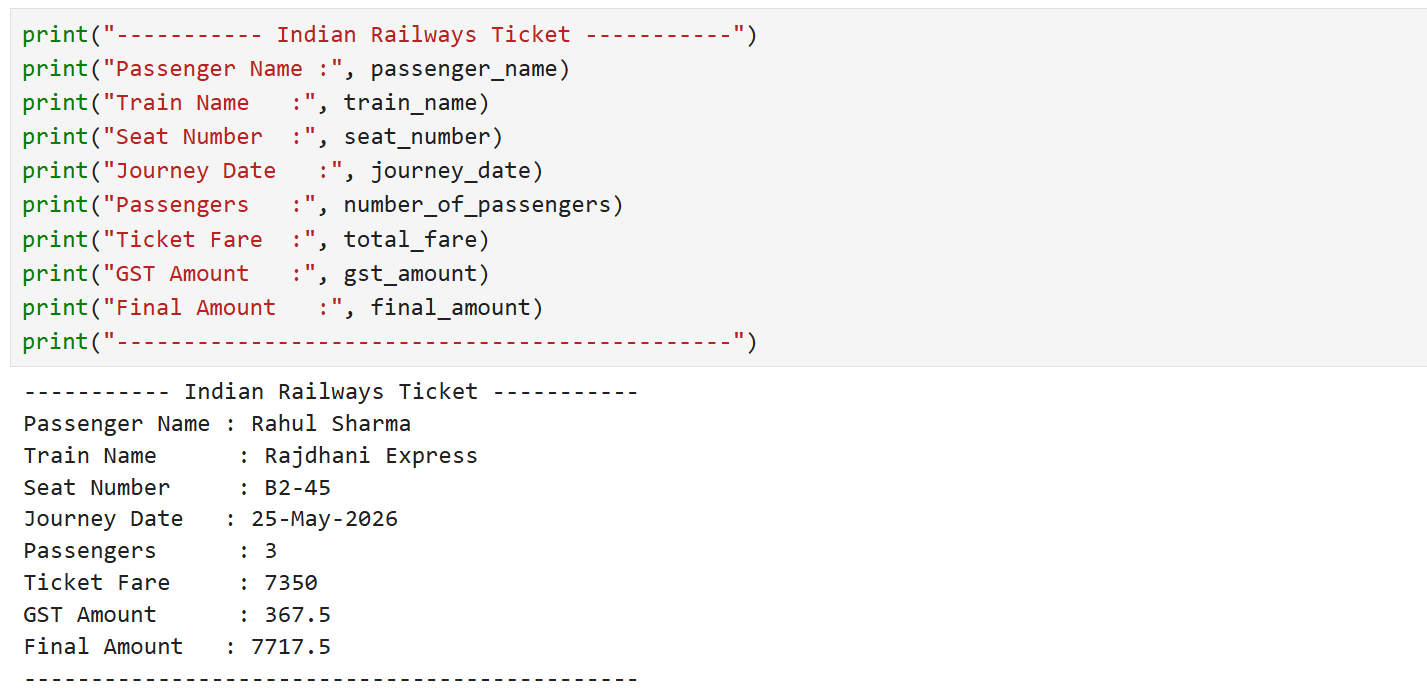
Save the File as : ticket_management_system.ipynb
3
Output
2
Great job!
You have successfully completed passenger details, ticket information, and seat allocation data using Python variables and Enhanced the Railway Reservation Output System by adding ticket data management functionality.
Checkpoint
Git Push
git push origin branchNameNext-Lab Preparation
Topic: Implementing Logic Using Conditions
1) Introduction to Conditional Statements
2) Indentation in Python
3) If, Else & Elif Statement