PayFlow AI-Assisted CI/CD Optimisation & Debugging

Business Scenario
Welcome back to the PayFlow Project.
In the previous lab, you learned how to monitor Jenkins pipelines, generate test reports, track failures, and analyse console logs. As a DevOps QA Engineer, your next responsibility is to use Artificial Intelligence (AI) to improve the efficiency of the CI/CD pipeline.

Pre-Lab Preparation
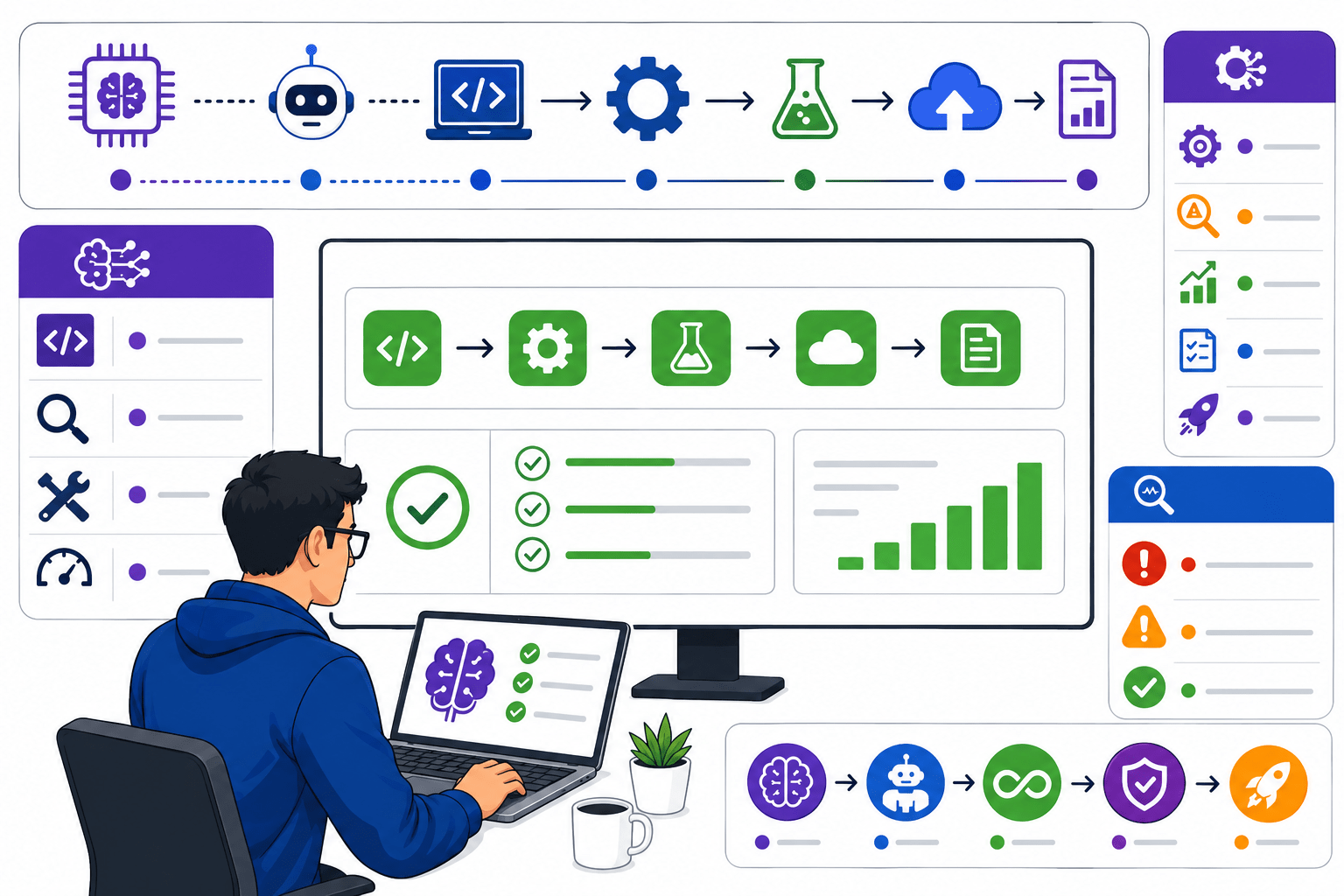
As your QA Manager, I want you to understand that modern DevOps teams use AI tools to reduce manual effort, identify pipeline issues faster, optimise workflows, and improve test execution. AI can assist in generating pipeline configurations, analysing build failures, suggesting fixes, and optimising automation strategies. In this lab, you will use AI tools to configure Jenkins pipelines, debug CI/CD failures, optimise pipeline workflows, and improve automation test efficiency. By the end of this lab, you will understand how AI enhances DevOps productivity and supports faster, more reliable software delivery.
Topic: DevOps for Q
1)Use AI for pipeline configuration
2)Debug CI/CD failures using AI
3)Optimise workflows
4)Improve test efficiency
git pull origin branchNameGit Pull

Task 1: Configure CI/CD Pipeline Using AI
Learning Objective
The objective of this task is to learn how Artificial Intelligence (AI) can assist in configuring a Jenkins CI/CD pipeline. You will understand how AI tools like ChatGPT and GitHub Copilot help generate Jenkins pipeline scripts, suggest best practices, identify configuration mistakes, and reduce manual effort while setting up the PayFlow CI/CD pipeline.
Understand AI in CI/CD Pipeline Configuration
1
Step Objective
Learn how AI assists DevOps engineers in configuring CI/CD pipelines.
What is AI-Assisted Pipeline Configuration?
AI-Assisted Pipeline Configuration is the process of using AI tools to automatically generate, improve, or validate Jenkins pipeline scripts and CI/CD workflows. AI helps developers and QA engineers create pipelines faster with fewer errors.
How Does It Work?
-
Open an AI tool (ChatGPT or GitHub Copilot).
-
Enter a pipeline-related prompt.
-
AI generates a Jenkins pipeline script.
-
Review the generated code.
-
Use the script in Jenkins.
Example (PayFlow Project)
Prompt:
"Generate a Jenkins pipeline to build the PayFlow Maven project and execute Selenium tests."
AI generates a basic Jenkinsfile containing Checkout, Build, Test, and Report stages.
Step Objective
Learn how AI assists DevOps engineers in configuring CI/CD pipelines.
What is AI-Assisted Pipeline Configuration?
AI-Assisted Pipeline Configuration is the process of using AI tools to automatically generate, improve, or validate Jenkins pipeline scripts and CI/CD workflows. AI helps developers and QA engineers create pipelines faster with fewer errors.
How Does It Work?
-
Open an AI tool (ChatGPT or GitHub Copilot).
-
Enter a pipeline-related prompt.
-
AI generates a Jenkins pipeline script.
-
Review the generated code.
-
Use the script in Jenkins.
Example (PayFlow Project)
Prompt:
"Generate a Jenkins pipeline to build the PayFlow Maven project and execute Selenium tests."
AI generates a basic Jenkinsfile containing Checkout, Build, Test, and Report stages.
Activity
Introduce AI tools.
Demonstrate prompt writing.
Show a generated Jenkins pipeline.
Activity
-
Open ChatGPT.
-
Generate a sample Jenkinsfile.
-
Review the generated script.
Generate a Jenkins Pipeline Using AI
2
What is AI Pipeline Generation?
AI Pipeline Generation uses AI tools to create a Jenkinsfile based on project requirements automatically.
How Does It Work?
-
Describe the project requirements.
-
Ask AI to generate the Jenkinsfile.
-
Review the generated stages.
-
Modify the script if required.
-
Save the Jenkinsfile.
Example (PayFlow Project)
Prompt:
"Create a Jenkins Declarative Pipeline for the PayFlow project using Maven and Selenium."
AI generates:
-
Checkout
-
Build
-
Test
-
Publish Reports
What is AI Pipeline Generation?
AI Pipeline Generation uses AI tools to create a Jenkinsfile based on project requirements automatically.
How Does It Work?
-
Describe the project requirements.
-
Ask AI to generate the Jenkinsfile.
-
Review the generated stages.
-
Modify the script if required.
-
Save the Jenkinsfile.
Example (PayFlow Project)
Prompt:
"Create a Jenkins Declarative Pipeline for the PayFlow project using Maven and Selenium."
AI generates:
-
Checkout
-
Build
-
Test
-
Publish Reports
Activity
-
Demonstrate pipeline generation.
-
Explain each pipeline stage.
Activity
-
Generate the pipeline.
-
Review the stages.
-
Save the script.
Review and Validate AI Suggestions
3
What is AI Validation?
AI-generated code should always be reviewed to ensure it matches project requirements and follows best practices.
How Does It Work?
-
Review the Jenkinsfile.
-
Check pipeline stages.
-
Verify plugins.
-
Validate syntax.
-
Correct any issues.
Example (PayFlow Project)
The AI-generated pipeline includes all required stages but misses the JUnit report publishing step. The QA Engineer updates the script before using it.
Activity
-
Explain code review.
-
Demonstrate validation.
Activity
-
Compare AI output with project requirements.
-
Identify missing configurations.
Configure the AI-Generated Pipeline in Jenkins
4
What is Pipeline Configuration?
Pipeline Configuration is the process of adding the Jenkinsfile to Jenkins so the pipeline can be executed automatically.
How Does It Work?
-
Open Jenkins.
-
Create a Pipeline Job.
-
Paste the Jenkinsfile.
-
Save the configuration.
-
Run the pipeline.
Example (PayFlow Project)
The AI-generated Jenkinsfile is added to the PayFlow Pipeline Job and executed successfully.
What is Pipeline Configuration?
Pipeline Configuration is the process of adding the Jenkinsfile to Jenkins so the pipeline can be executed automatically.
How Does It Work?
-
Open Jenkins.
-
Create a Pipeline Job.
-
Paste the Jenkinsfile.
-
Save the configuration.
-
Run the pipeline.
Example (PayFlow Project)
The AI-generated Jenkinsfile is added to the PayFlow Pipeline Job and executed successfully.
Activity
-
Demonstrate pipeline configuration.
-
Explain Jenkins Pipeline settings.
Activity
-
Compare AI output with project requirements.
-
Identify missing configurations.
Activity
-
Configure the pipeline.
-
Save the Jenkins Job.
-
Execute the pipeline.
Verify AI Pipeline Execution
5
What is Pipeline Verification?
Pipeline Verification ensures that all pipeline stages execute successfully without configuration errors.
How Does It Work?
-
Run the pipeline.
-
Monitor each stage.
-
Check build status.
-
Review reports.
-
Record observations.
Example (PayFlow Project)
The PayFlow pipeline completes:
-
Checkout ✔
-
Build ✔
-
Selenium Tests ✔
-
Reports ✔
Build Status: SUCCESS
What is Pipeline Verification?
Pipeline Verification ensures that all pipeline stages execute successfully without configuration errors.
How Does It Work?
-
Run the pipeline.
-
Monitor each stage.
-
Check build status.
-
Review reports.
-
Record observations.
Example (PayFlow Project)
The PayFlow pipeline completes:
-
Checkout ✔
-
Build ✔
-
Selenium Tests ✔
-
Reports ✔
Build Status: SUCCESS
Activity
-
Demonstrate pipeline execution.
-
Explain build verification.
Activity
-
Compare AI output with project requirements.
-
Identify missing configurations.
-
Execute the pipeline.
-
Verify each stage.
-
Record results.
Task 2: Debug CI/CD Failures Using AI
What is AI-Based Debugging?
AI-Based Debugging uses AI tools to analyse build logs, error messages, and pipeline failures to identify the root cause and recommend possible solutions quickly.
How Does It Work?
-
Copy the Jenkins error log.
-
Paste it into an AI tool.
-
AI analyses the error.
-
AI suggests the root cause.
-
Apply the recommended fix.
Example (PayFlow Project)
A Jenkins build fails because Maven dependencies are missing. The QA Engineer pastes the error into ChatGPT, which suggests checking the Maven configuration and dependency versions.
Understand AI-Based Debugging
1
What is AI-Based Debugging?
AI-Based Debugging uses AI tools to analyse build logs, error messages, and pipeline failures to identify the root cause and recommend possible solutions quickly.
How Does It Work?
-
Copy the Jenkins error log.
-
Paste it into an AI tool.
-
AI analyses the error.
-
AI suggests the root cause.
-
Apply the recommended fix.
Example (PayFlow Project)
A Jenkins build fails because Maven dependencies are missing. The QA Engineer pastes the error into ChatGPT, which suggests checking the Maven configuration and dependency versions.
Activity
-
Explain AI debugging.
-
Demonstrate error analysis.
Activity
-
Review a failed build.
-
Copy the error message.
-
Analyse it using AI.
What is AI Log Analysis?
AI Log Analysis is the process of using AI to understand Jenkins Console Logs and explain technical error messages in simple language.
How Does It Work?
-
Open Jenkins Console Output.
-
Copy the log.
-
Paste it into ChatGPT.
-
Review AI's explanation.
-
Identify the failed stage.
Example (PayFlow Project)
Console Output:
BUILD FAILURE
Could not resolve dependencies.
AI explains that the required Maven dependency is missing and suggests updating the pom.xml file.
Analyse Jenkins Console Logs Using AI
2
What is AI Log Analysis?
AI Log Analysis is the process of using AI to understand Jenkins Console Logs and explain technical error messages in simple language.
How Does It Work?
-
Open Jenkins Console Output.
-
Copy the log.
-
Paste it into ChatGPT.
-
Review AI's explanation.
-
Identify the failed stage.
Example (PayFlow Project)
Console Output:
BUILD FAILURE
Could not resolve dependencies.
AI explains that the required Maven dependency is missing and suggests updating the pom.xml file.
Activity
-
Demonstrate Console Log analysis.
-
Explain AI-generated explanations.
Activity
Analyse Console Logs.
Compare AI suggestions with actual errors.
Identify Root Cause Using AI
3
What is Root Cause Identification?
Root Cause Identification is the process of finding the actual reason for a pipeline failure using AI-generated insights.
How Does It Work?
-
Review AI suggestions.
-
Identify the failed component.
-
Confirm the root cause.
-
Record observations.
Example (PayFlow Project)
AI identifies that the Payment Test failed because the API endpoint URL is incorrect.
What is Root Cause Identification?
Root Cause Identification is the process of finding the actual reason for a pipeline failure using AI-generated insights.
How Does It Work?
-
Review AI suggestions.
-
Identify the failed component.
-
Confirm the root cause.
-
Record observations.
Example (PayFlow Project)
AI identifies that the Payment Test failed because the API endpoint URL is incorrect.
Activity
-
Demonstrate root cause analysis.
-
Discuss validation of AI suggestions.
What is AI-Based Issue Resolution?
AI suggests possible fixes for build or test failures, which the QA Engineer reviews and applies.
How Does It Work?
-
Review AI suggestions.
-
Modify the pipeline or project configuration.
-
Save the changes.
-
Commit the updates.
-
Trigger a new build.
Example (PayFlow Project)
AI recommends updating the Maven plugin version. After applying the change, the Jenkins build completes successfully.
Apply AI Suggestions to Fix Issues
4
Activity
-
Verify AI recommendations.
-
Record the root cause.
What is AI-Based Issue Resolution?
AI suggests possible fixes for build or test failures, which the QA Engineer reviews and applies.
How Does It Work?
-
Review AI suggestions.
-
Modify the pipeline or project configuration.
-
Save the changes.
-
Commit the updates.
-
Trigger a new build.
Example (PayFlow Project)
AI recommends updating the Maven plugin version. After applying the change, the Jenkins build completes successfully.
Activity
-
Demonstrate issue resolution.
-
Explain validation after fixes.
Activity
-
Apply the suggested fix.
-
Re-run the pipeline.
-
Verify the result.
What is AI Debugging Documentation?
It is the process of recording the error, AI recommendations, applied solution, and final result for future reference.
How Does It Work?
-
Record the build number.
-
Document the error.
-
Record AI recommendations.
-
Note the applied solution.
-
Record the final build status.
Example (PayFlow Project)
Document AI Debugging Results
5
| Build No. | Error | AI Suggestion | Resolution | Status |
|---|---|---|---|---|
| #30 | Maven Dependency Error | Update dependency version | Dependency updated | Success |
Observation: AI-assisted debugging reduced troubleshooting time and helped resolve the pipeline failure successfully.
Activity
-
Demonstrate how to prepare a debugging report.
-
Review AI recommendations with learners.
Activity
-
Prepare an AI Debugging Report.
-
Submit the report for evaluation.
Task 3: Optimise CI/CD Workflow Using AI
Understand AI-Based Workflow Optimisation
1
What is AI Workflow Optimisation?
AI Workflow Optimisation is the process of using AI tools to analyse an existing CI/CD pipeline and suggest improvements that make the pipeline faster, more efficient, and easier to maintain.
Instead of manually reviewing every pipeline stage, AI analyses the workflow and recommends optimisation techniques.
How Does It Work?
-
Review the existing Jenkins pipeline.
-
Share the pipeline configuration with an AI tool.
-
AI analyses the workflow.
-
AI suggests improvements.
-
Apply the recommended optimisations.
Example (PayFlow Project)
The PayFlow pipeline contains multiple unnecessary build steps that increase execution time.
The QA Engineer shares the Jenkinsfile with ChatGPT.
AI recommends:
-
Removing duplicate build commands.
-
Running independent tasks in parallel.
-
Optimising pipeline stages.
What is AI Workflow Optimisation?
AI Workflow Optimisation is the process of using AI tools to analyse an existing CI/CD pipeline and suggest improvements that make the pipeline faster, more efficient, and easier to maintain.
Instead of manually reviewing every pipeline stage, AI analyses the workflow and recommends optimisation techniques.
How Does It Work?
-
Review the existing Jenkins pipeline.
-
Share the pipeline configuration with an AI tool.
-
AI analyses the workflow.
-
AI suggests improvements.
-
Apply the recommended optimisations.
Example (PayFlow Project)
The PayFlow pipeline contains multiple unnecessary build steps that increase execution time.
The QA Engineer shares the Jenkinsfile with ChatGPT.
AI recommends:
-
Removing duplicate build commands.
-
Running independent tasks in parallel.
-
Optimising pipeline stages.
Activity
-
Explain workflow optimisation.
-
Demonstrate AI analysis of a Jenkins pipeline.
-
Discuss optimisation benefits.
Activity
-
Review the PayFlow pipeline.
-
Use AI to analyse the workflow.
-
Record AI recommendations.
What is Pipeline Stage Optimisation?
Pipeline Stage Optimisation is the process of improving the sequence and execution of stages such as Checkout, Build, Test, and Report to reduce overall pipeline execution time.
How Does It Work?
-
Review each pipeline stage.
-
Identify slow or unnecessary stages.
-
Ask AI for optimisation suggestions.
-
Update the Jenkinsfile.
-
Execute the optimised pipeline.
Example (PayFlow Project)
Original Pipeline:
-
Checkout
-
Build
-
Test
-
Build Again
-
Report
AI identifies the duplicate Build stage and recommends removing it.
Optimised Pipeline:
-
Checkout
-
Build
-
Test
-
Report
Optimise Pipeline Stages
2
What is Pipeline Stage Optimisation?
Pipeline Stage Optimisation is the process of improving the sequence and execution of stages such as Checkout, Build, Test, and Report to reduce overall pipeline execution time.
How Does It Work?
-
Review each pipeline stage.
-
Identify slow or unnecessary stages.
-
Ask AI for optimisation suggestions.
-
Update the Jenkinsfile.
-
Execute the optimised pipeline.
Example (PayFlow Project)
Original Pipeline:
-
Checkout
-
Build
-
Test
-
Build Again
-
Report
AI identifies the duplicate Build stage and recommends removing it.
Optimised Pipeline:
-
Checkout
-
Build
-
Test
-
Report
Activity
-
Demonstrate stage optimisation.
-
Explain the impact of duplicate stages.
Activity
-
Compare the original and optimised pipelines.
-
Record the improvements.
What is Build and Test Optimisation?
Build and Test Optimisation is the process of reducing the time required to compile the application and execute automated test cases.
AI analyses the workflow and suggests methods to improve overall execution efficiency.
How Does It Work?
-
Review build execution time.
-
Analyse test execution reports.
-
Use AI to identify optimisation opportunities.
-
Apply the recommended changes.
-
Compare the execution time before and after optimisation.
Example (PayFlow Project)
Before Optimisation:
-
Build Time: 10 Minutes
-
Test Execution: 15 Minutes
AI Recommendation:
-
Optimise Maven build.
-
Execute Selenium tests in parallel.
After Optimisation:
-
Build Time: 7 Minutes
-
Test Execution: 9 Minutes
Improve Build and Test Efficiency
3
What is Build and Test Optimisation?
Build and Test Optimisation is the process of reducing the time required to compile the application and execute automated test cases.
AI analyses the workflow and suggests methods to improve overall execution efficiency.
How Does It Work?
-
Review build execution time.
-
Analyse test execution reports.
-
Use AI to identify optimisation opportunities.
-
Apply the recommended changes.
-
Compare the execution time before and after optimisation.
Example (PayFlow Project)
Before Optimisation:
-
Build Time: 10 Minutes
-
Test Execution: 15 Minutes
AI Recommendation:
-
Optimise Maven build.
-
Execute Selenium tests in parallel.
After Optimisation:
-
Build Time: 7 Minutes
-
Test Execution: 9 Minutes
Improve Build and Test Efficiency
3
Activity
Improve Build and Test Efficiency
3
-
Demonstrate execution time comparison.
-
Explain parallel test execution.
Activity
-
Compare execution reports.
-
Record the improvement in execution time.
What is Workflow Validation?
Workflow Validation is the process of executing the optimised pipeline and verifying that all stages complete successfully without introducing new issues.
How Does It Work?
-
Save the optimised Jenkinsfile.
-
Trigger the pipeline.
-
Monitor each stage.
-
Verify build success.
-
Compare results with the previous pipeline.
Example (PayFlow Project)
The optimised PayFlow pipeline completes successfully.
Results:
-
Checkout ✔
-
Build ✔
-
Selenium Tests ✔
-
Reports ✔
Pipeline execution time is reduced by 30%.
Validate the Optimised Workflow
4
Improve Build and Test Efficiency
3
What is Workflow Validation?
Workflow Validation is the process of executing the optimised pipeline and verifying that all stages complete successfully without introducing new issues.
How Does It Work?
-
Save the optimised Jenkinsfile.
-
Trigger the pipeline.
-
Monitor each stage.
-
Verify build success.
-
Compare results with the previous pipeline.
Example (PayFlow Project)
The optimised PayFlow pipeline completes successfully.
Results:
-
Checkout ✔
-
Build ✔
-
Selenium Tests ✔
-
Reports ✔
Pipeline execution time is reduced by 30%.
Activity
-
Demonstrate pipeline validation.
-
Explain build verification.
Improve Build and Test Efficiency
3
-
Demonstrate pipeline validation.
-
Explain build verification.
Activity
-
Execute the optimised pipeline.
-
Verify build status.
-
Record execution time.
Step Objective
Learn how to document AI-assisted workflow optimisation and compare the pipeline performance before and after optimisation.
What is Workflow Optimisation Documentation?
Workflow Optimisation Documentation is the process of recording the original workflow, AI recommendations, implemented changes, and the final performance improvements.
Why is Documentation Required?
Documentation helps to:
-
Maintain optimisation records.
-
Share improvements with the team.
-
Measure performance gains.
-
Support future pipeline enhancements.
How Does It Work?
-
Record the original workflow.
-
Document AI recommendations.
-
Record implemented changes.
-
Compare execution times.
-
Prepare the final optimisation report.
Document Workflow Optimisation Results
5
Improve Build and Test Efficiency
3
Step Objective
Learn how to document AI-assisted workflow optimisation and compare the pipeline performance before and after optimisation.
What is Workflow Optimisation Documentation?
Workflow Optimisation Documentation is the process of recording the original workflow, AI recommendations, implemented changes, and the final performance improvements.
Why is Documentation Required?
Documentation helps to:
-
Maintain optimisation records.
-
Share improvements with the team.
-
Measure performance gains.
-
Support future pipeline enhancements.
How Does It Work?
-
Record the original workflow.
-
Document AI recommendations.
-
Record implemented changes.
-
Compare execution times.
-
Prepare the final optimisation report.
Example (PayFlow Project)
Workflow Optimisation Report
| Parameter | Before Optimization | After Optimization |
|---|---|---|
| Build Time | 10 Minutes | 7 Minutes |
| Test Execution Time | 15 Minutes | 9 Minutes |
| Pipeline Status | Success | Success |
Observation: AI-assisted optimisation reduced the overall pipeline execution time and improved workflow efficiency while maintaining successful build execution.
Activity
-
Demonstrate how to prepare a Workflow Optimisation Report.
-
Review optimisation results with learners.
-
Explain best practices for maintaining optimised CI/CD pipelines.
Activity
-
Prepare the Workflow Optimisation Report.
-
Compare pipeline performance before and after optimisation.
-
Submit the report for evaluation.
-
Prepare the Workflow Optimisation Report.
-
Compare pipeline performance before and after optimisation.
-
Submit the report for evaluation.
Great job!
Congratulations! You have completed the PayFlow AI-Assisted CI/CD Optimisation & Debugging lab. In this lab, you learned how AI supports DevOps by assisting with Jenkins pipeline configuration, analysing CI/CD failures, optimising workflows, and improving automation testing efficiency. You also explored how AI can reduce manual effort, speed up troubleshooting, and improve software quality. These skills will help you build smarter and more efficient CI/CD pipelines using modern AI-powered DevOps practices.
Checkpoint
Git Push
git push origin branchNameNext-Lab Preparation
Git Push
git push origin branchNameTopic: DevOps for Q
1)Use AI for pipeline configuration
2)Debug CI/CD failures using AI
3)Optimise workflows
4)Improve test efficiency