Introduction to Playwright and Environment Setup


Introduction to Playwright


Recall
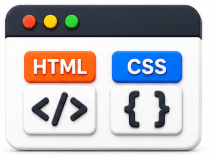




Learn HTML and CSS to understand web page structure and elements.
Know JavaScript basics to write Playwright automation scripts
Understand manual testing concepts before moving to automation.
Use Browser Developer Tools to inspect and locate web elements
Learn Git, Command Line, and Node.js to set up and manage Playwright projects.
Learning Outcome
5
Automate browser actions such as launching websites and retrieving page information
4
Create and execute a basic Playwright automation script.
3
Set up the Playwright Java environment using Maven
2
Explain the benefits of using Playwright for web automation testing.
1
Understand the fundamentals and features of Playwright.
Why Do We Need Playwright?




Automates Web Testing
Supports Multiple Browsers
Provides Fast and Reliable Execution
Handles Modern Web Applications
What If We Do Not Use Playwright?
Testing becomes time-consuming
Human errors increase
Regression testing becomes difficult
Software delivery is delayed





Imagine you own a restaurant with thousands of customers visiting every day.
Before opening the restaurant, you want to check:





Can customers enter the restaurant?
Is every table available?
Does the waiter take orders correctly?
Is the food served on time?
Does the payment counter work properly?

Core Concepts (Slide 6)
Core Concepts (Slide 7)
Core Concepts (.....Slide N-3)
Summary
5
Build strong branding
4
Use different marketing channels
3
Target the right audience
2
Create and communicate value
1
Understand customer needs
Quiz
Which platform is mainly used for professional networking and B2B marketing ?
A. Facebook
B. Instagram
C. LinkedIn
D. Snapchat

Quiz-Answer
Which platform is mainly used for professional networking and B2B marketing ?
A. Facebook
B. Instagram
C. LinkedIn
D. Snapchat
