Building and Controlling Workflows


Data Mapping and Scenario Execution


Learning Outcome
5
Connect History to fixing failed runs.
4
Apply static vs mapped values to fields.
3
Recognize the three ways a scenario runs.
2
Identify single values, collections, and arrays.
1
Understand how data mapping works in Make.
The Bank Clerk

A bank clerk fills your account form from your KYC documents: name from your PAN card, address from your Aadhaar. “Branch: Andheri West” is already printed on the form.
Every form is entered in a register, and incomplete ones wait in a pending tray.
Why are some parts of the form already printed?
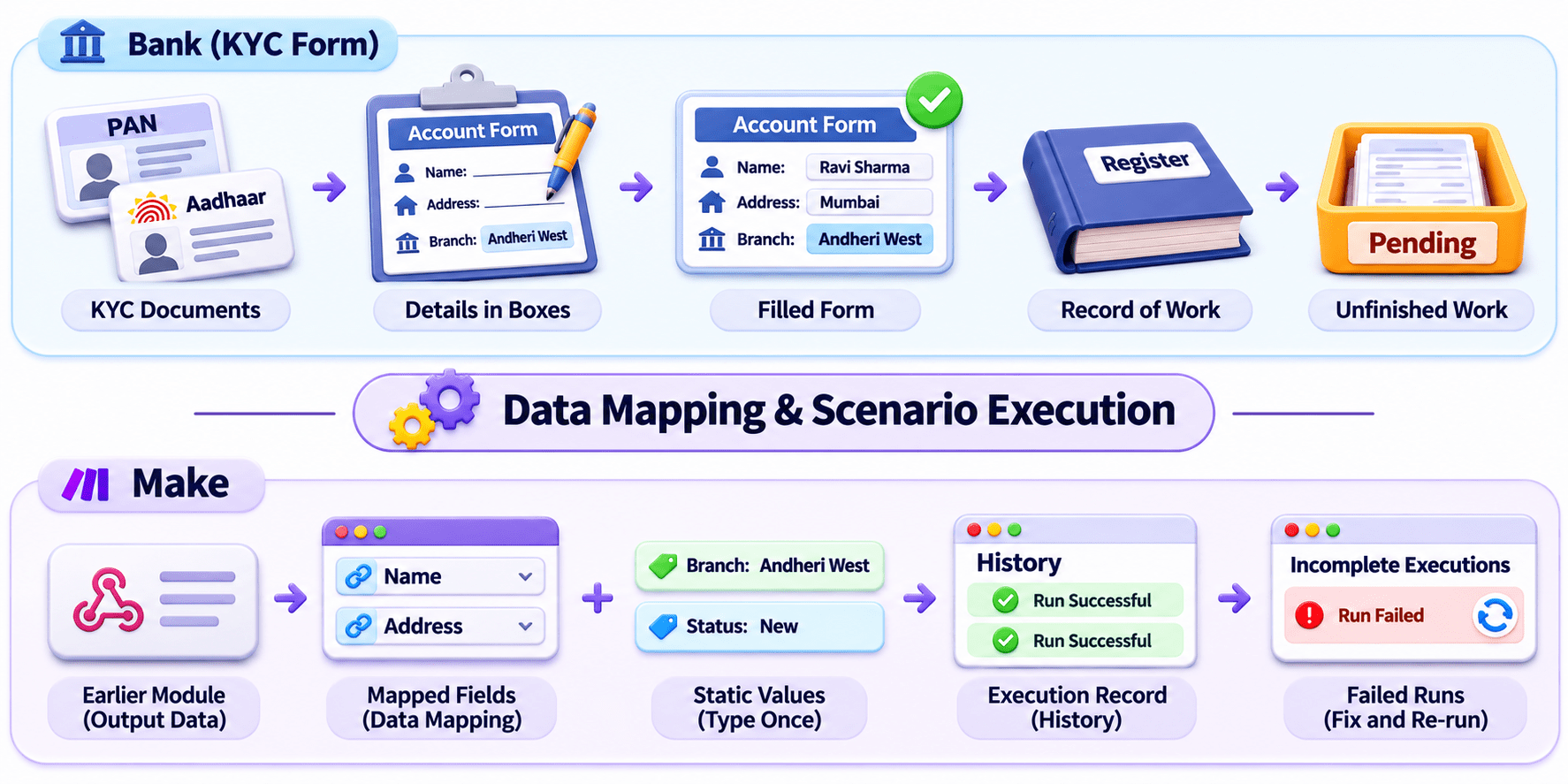
Every form needs the right details in the right boxes, a record of what was done, and a place for unfinished work.
Similarly, in Make, you tell each module which detail from an earlier module goes into which field (data mapping). Some fields are typed once and never change (static values); others change for every record (mapped values).
Each time the scenario runs (scenario execution), Make records it in History, and failed runs wait as incomplete executions to be fixed.
This is called Data Mapping and Scenario Execution.
What is Data Mapping?
Telling Make which item from an earlier module goes into which field.
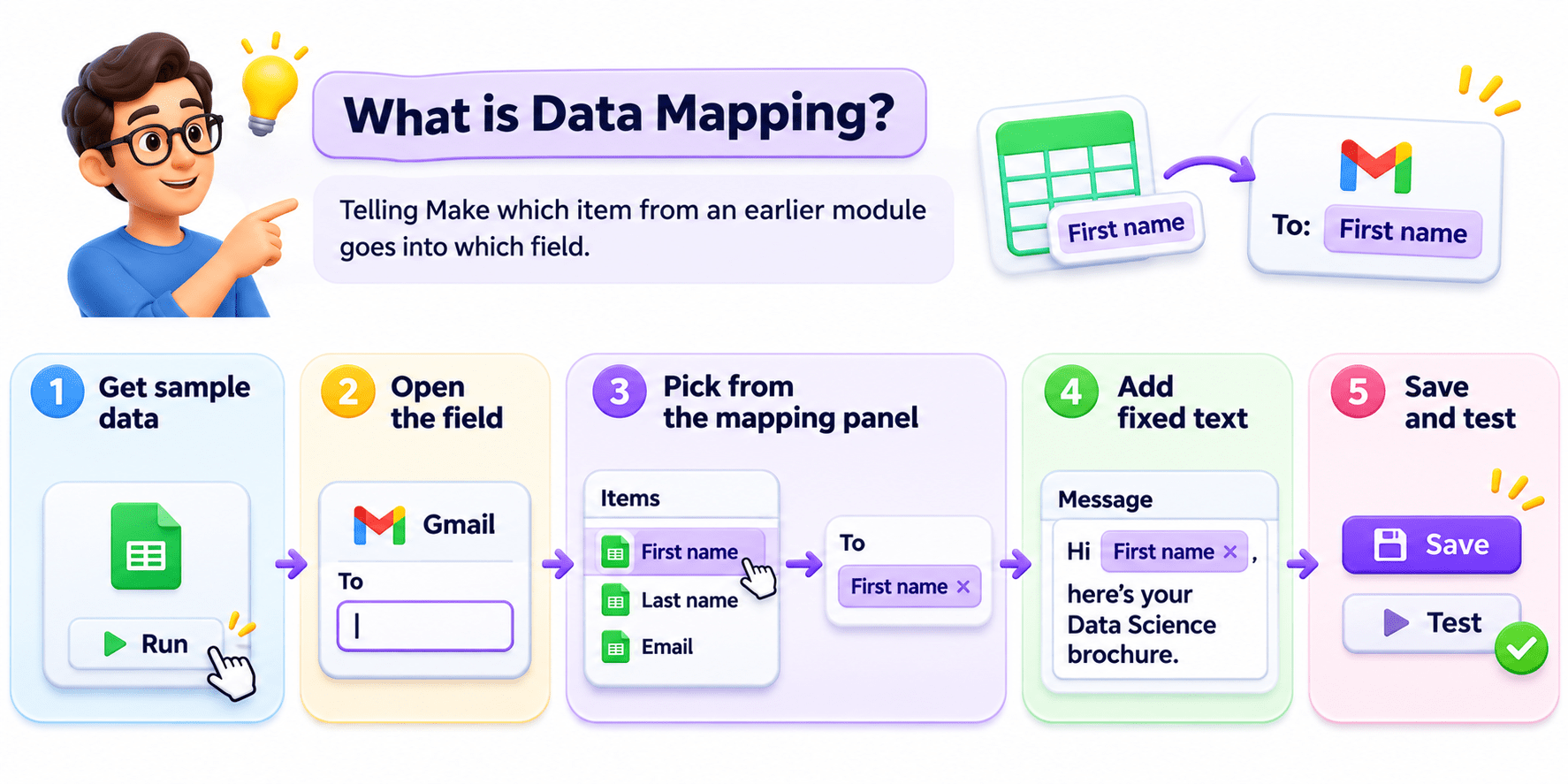
Key Point: An empty mapping panel means the earlier module hasn’t run yet.
What Can You Map?
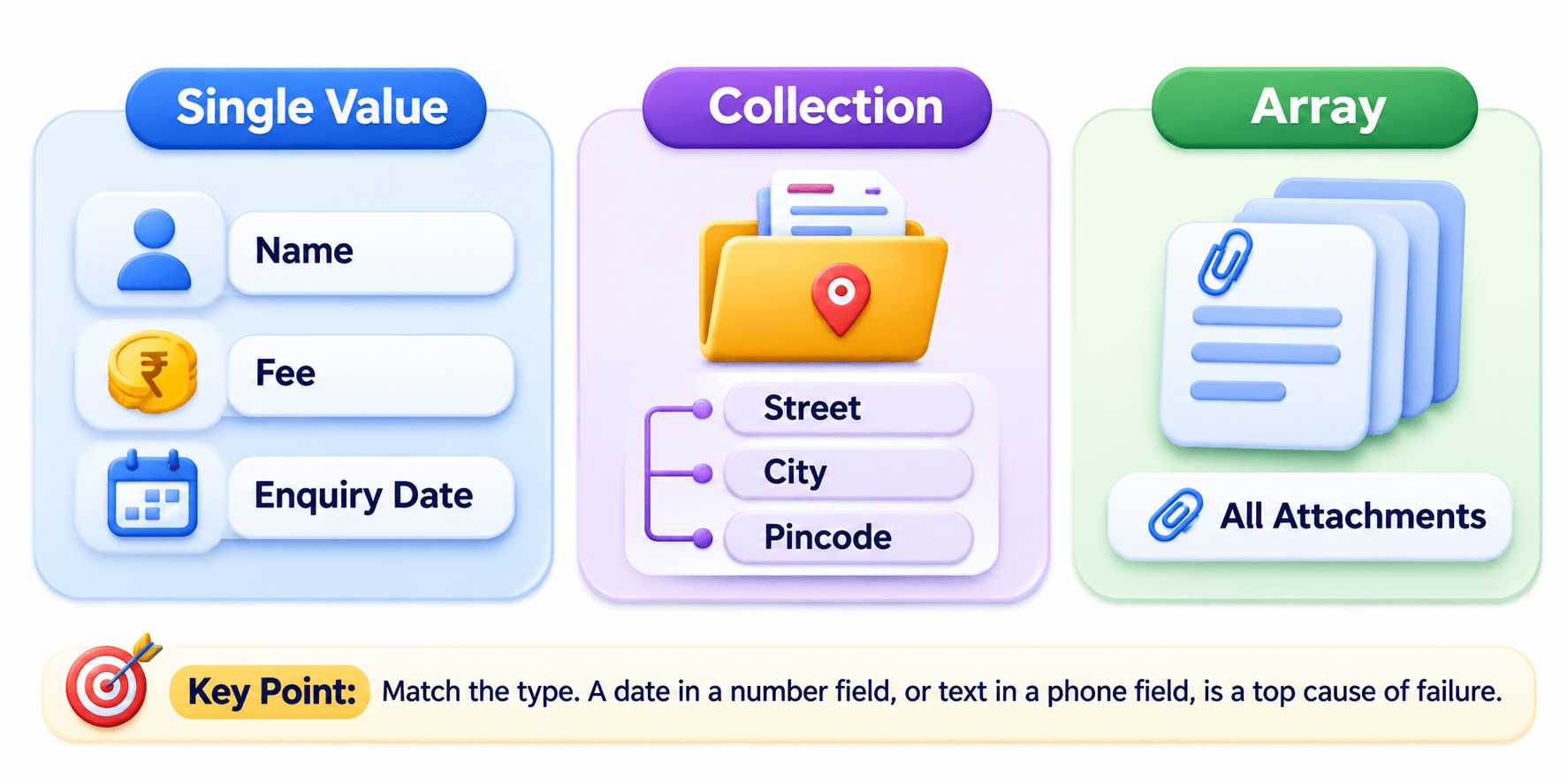
Key Point: Match the type. A date in a number field, or text in a phone field, is a top cause of failure.
What is Scenario Execution?
One run, from the trigger to the last module.
Runs via: Run once (testing), On a schedule, or Immediately as data arrives.
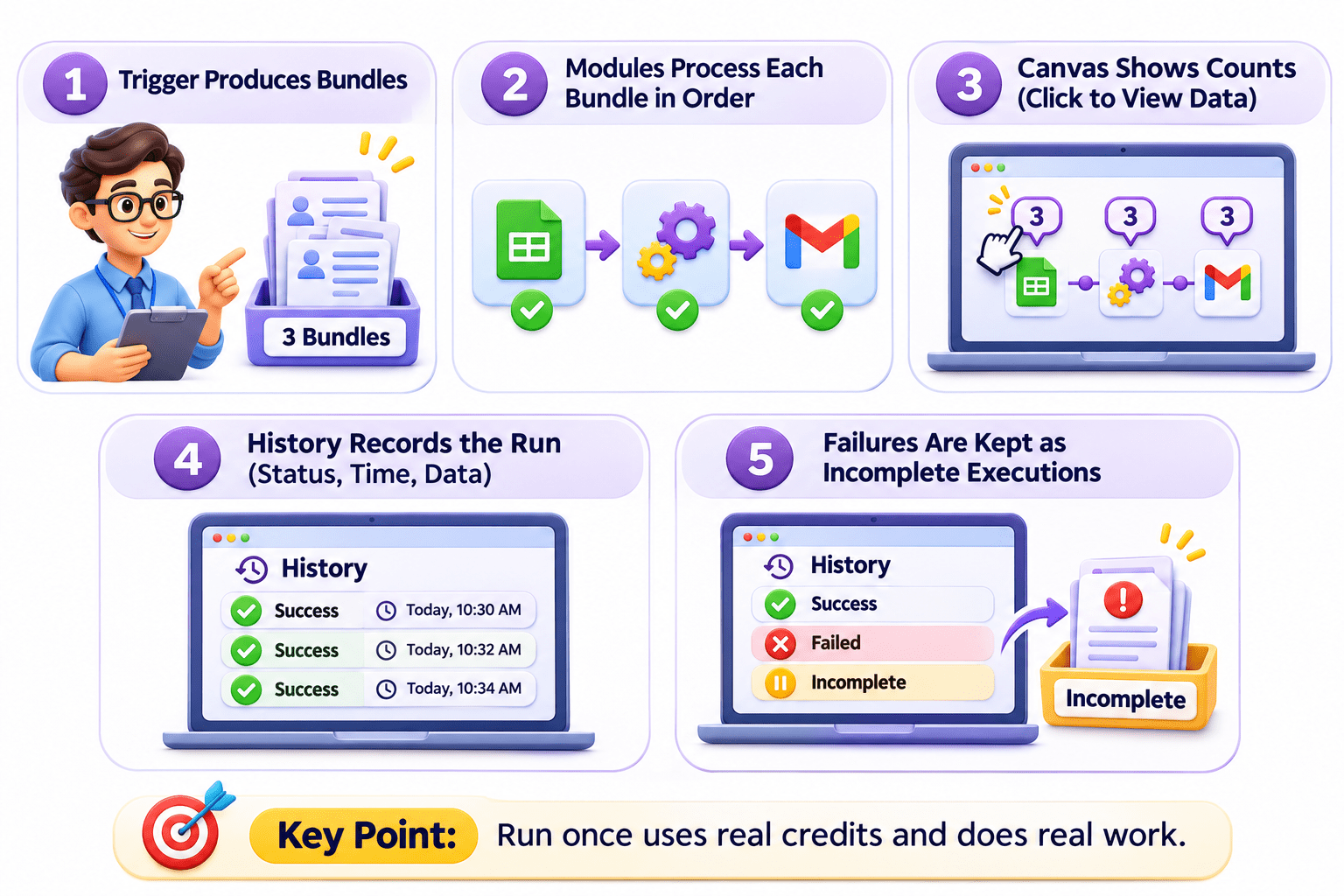
Checking a Run: History and Incomplete Executions
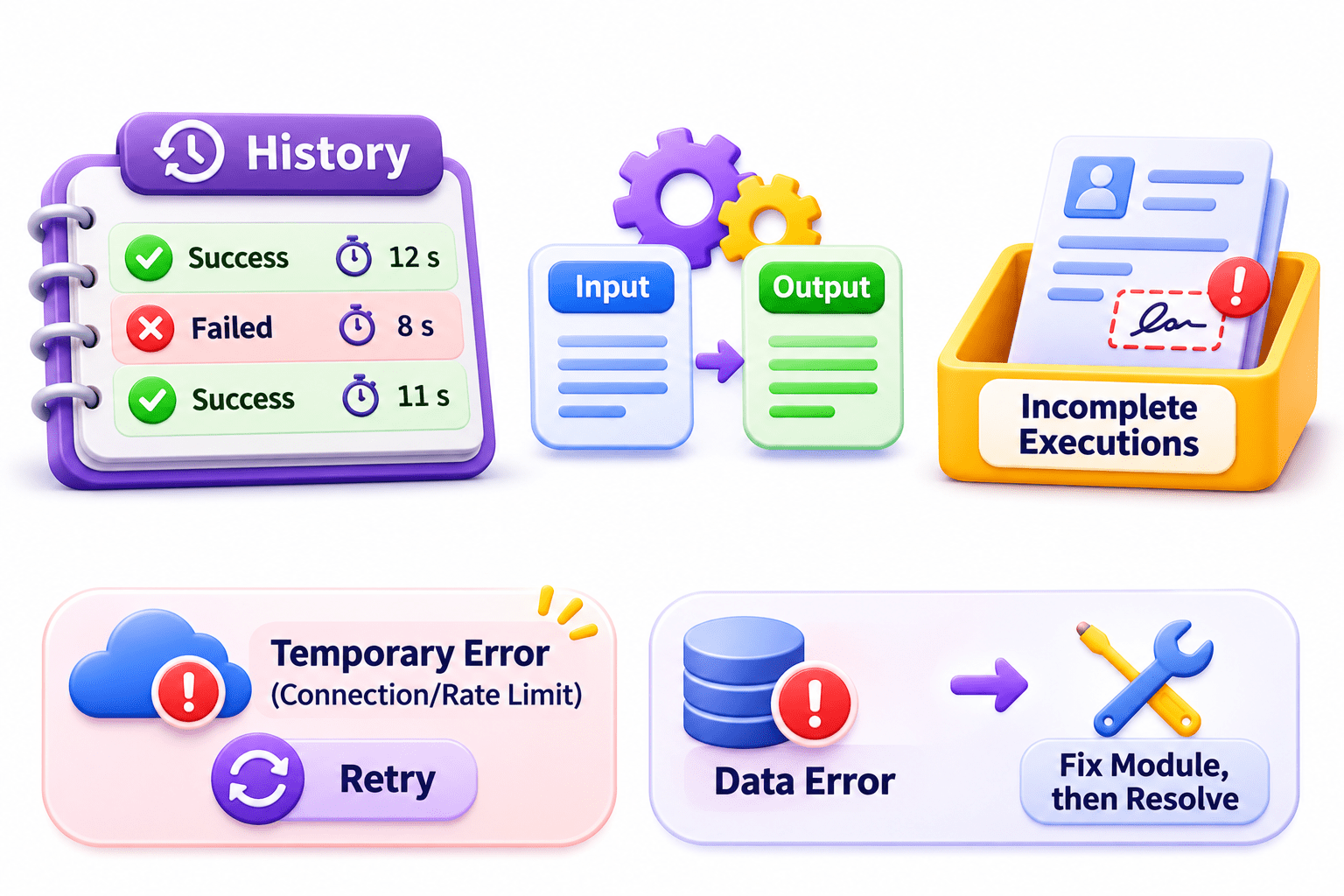
Input/Output: exactly what each module received and produced
Incomplete executions:
failed runs saved, not lost
History: every run with its status, duration, and data transferred
DataError → fix the module first, then resolve
Temporary errors
(ConnectionError, RateLimitError) → retry
Static Value vs Mapped Value (Comparison)
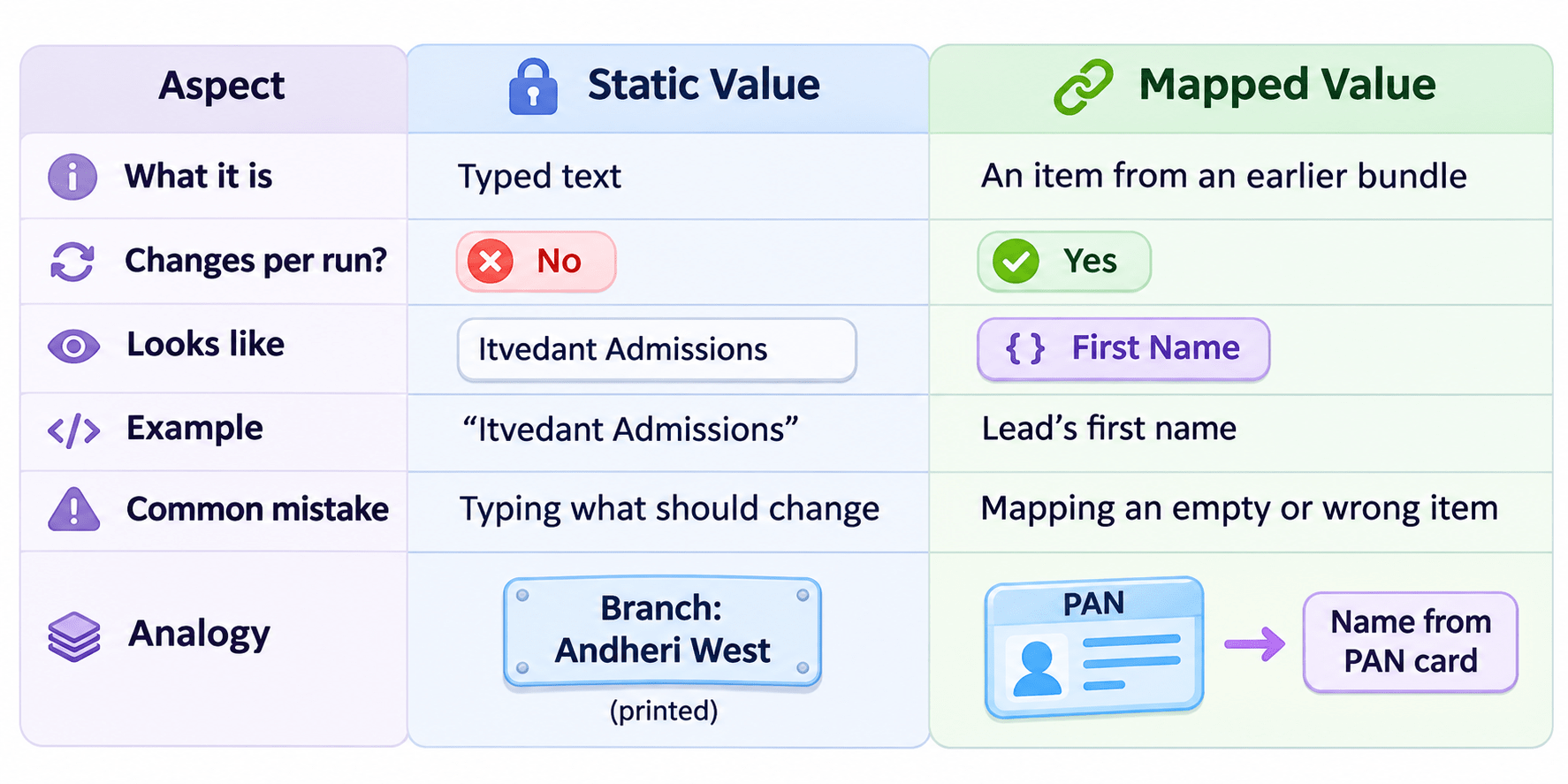
A Simple Way to Remember

Real-World Applications: Static or Mapped?
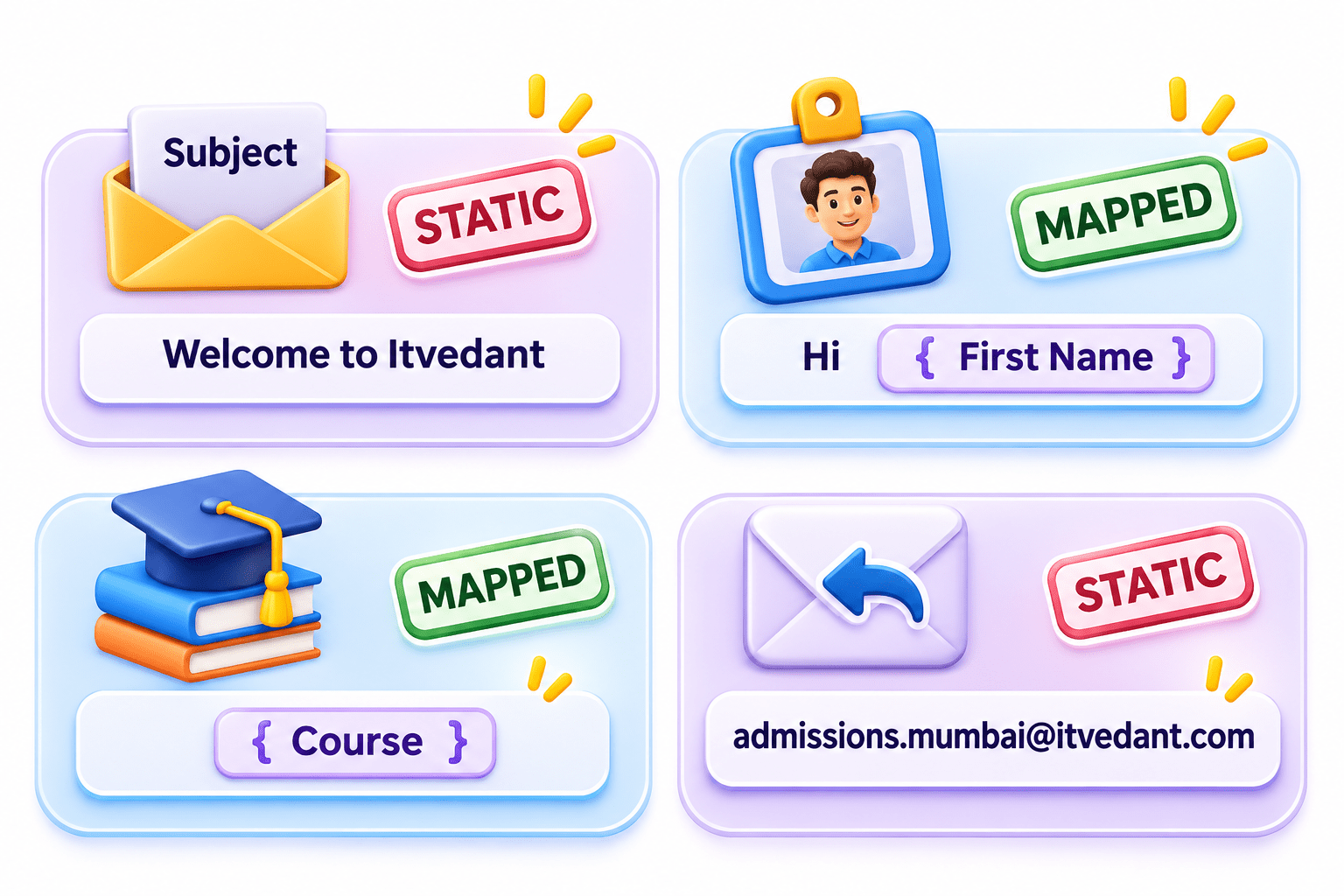
Subject “Welcome to Itvedant” → Static
“Hi” + the lead’s first name → Mapped
Course chosen on the form → Mapped
Mumbai admissions team’s reply-to address → Static
Real-World Applications: Static or Mapped?

What to do:-
Map the first four; type “Facebook” as a static Source
Situation:-
Facebook leads → Sheet (Name, Phone, Course, City, Source)
Real-World Applications: Static or Mapped?
What to do:-
Ran 3 times, so 3 emails were sent; click to view each input/output
Situation:-
“3” above Gmail after Run once
Real-World Applications: Static or Mapped?
What to do:-
Open History, fix the data or mapping,
resolve the incomplete execution
Situation:-
HubSpot error: text in the phone field
Key Point: Retrying bad data fails the same way. Fix the cause first.
Summary
5
Errors: Fix incomplete executions.
4
Execution: Process bundles and record History.
3
Data types: Match values, collections, and arrays.
2
Setup: Run the previous module to get data.
1
Mapping: Assign data to the correct fields.
Quiz
After Run once, “3” appears above the Gmail module. What does it mean?
A. 3 errors
B. It ran 3 times and sent 3 emails
C. 3 credits remaining
D. The 3rd run of the daySnapchat

After Run once, “3” appears above the Gmail module. What does it mean?
A. 3 errors
B. It ran 3 times and sent 3 emails
C. 3 credits remaining
D. The 3rd run of the daySnapchat
Quiz-Answer