Create a clear and structured vulnerability assessment report

Business Scenario
Welcome!
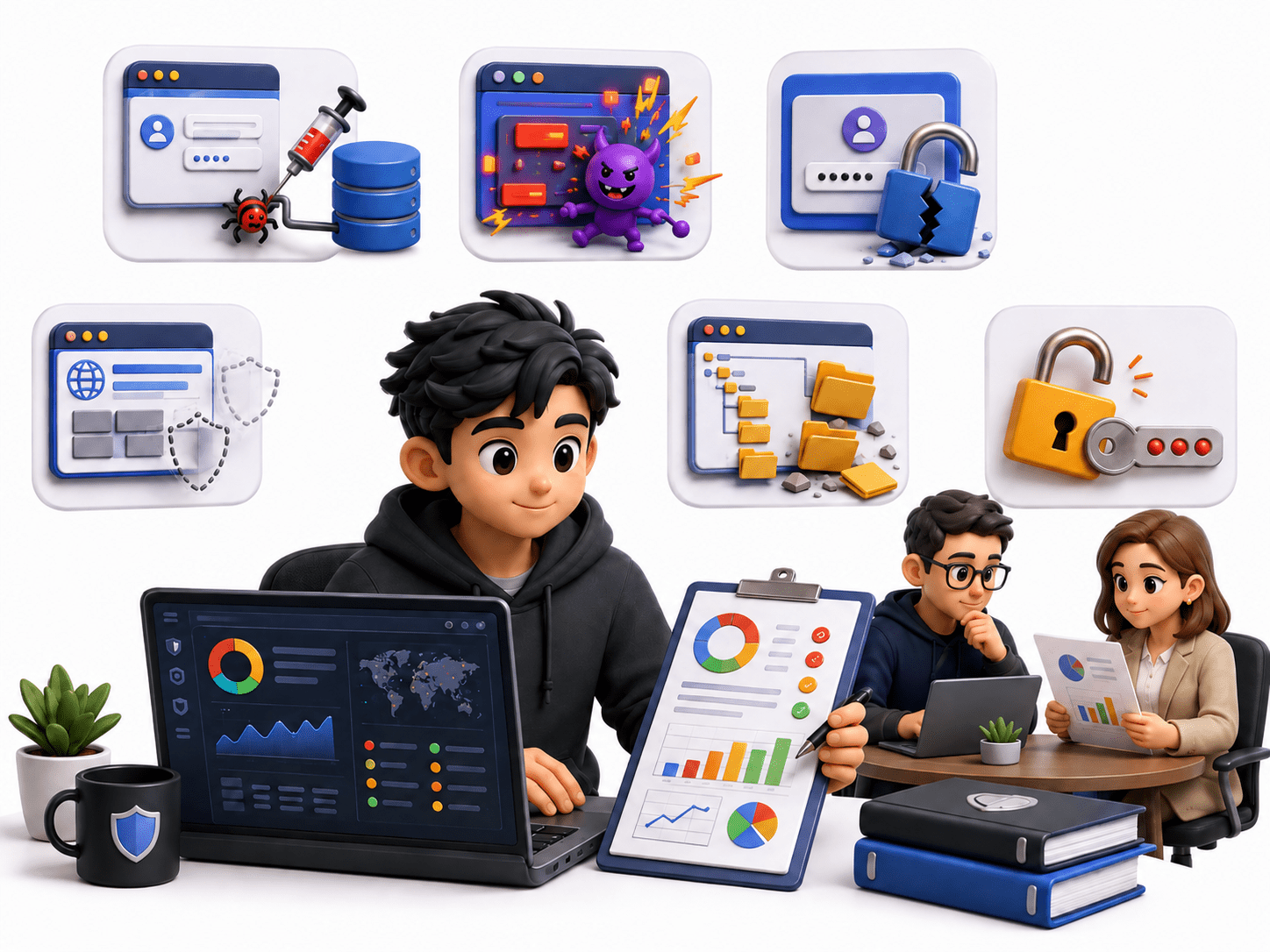
You are working as a Junior Penetration Tester for a cybersecurity consulting company. Your team has completed a security assessment of a deliberately vulnerable web application. During the assessment, the team identified several vulnerabilities, including:
-
SQL Injection
-
Cross-Site Scripting (XSS)
-
Weak Authentication

Pre-Lab Preparation
-
Missing Security Headers
-
Directory Listing
-
Weak Password Policy
The client has asked your team to prepare a professional VAPT report that clearly explains the vulnerabilities, their business impact, evidence, severity, and recommended remediation.
Your task is to convert the raw assessment findings into a structured and professional security report that can be understood by both technical teams and management.
Topic : Reporting and Security Practices
1) Writing vulnerability assessment and penetration testing reports
Task 1: Overview of VAPT Reporting
Understand why penetration-testing results need to be documented in a formal report.
Activity
Answer the following questions:
-
What is a VAPT report?
-
Why is vulnerability documentation important?
-
Who is the intended audience of a VAPT report?
-
What is the difference between an executive summary and a technical finding?
-
Why should screenshots be included as evidence?
-
Why is vulnerability severity important?
-
What information should be provided to developers for remediation?
Expected Outcome
1
Students should understand that a VAPT report is not simply a list of vulnerabilities. It should communicate:
Finding → Evidence → Risk → Impact → Recommendation
Task 2: Understand the VAPT Report Structure
Create the following report structure:
1. Cover Page
2. Document Control
3. Executive Summary
4. Assessment Overview
5. Scope
6. Methodology
7. Risk Rating
8. Summary of Findings
9. Detailed Vulnerability Findings
10. Evidence
11. Business Impact
12. Remediation Recommendations
13. Conclusion
14. Appendix
Activity
For each section, write 1–2 sentences explaining its purpose.
Task 3: Review Sample Assessment Data
Students are provided with the following sample findings:
| ID | Vulnerability | Severity | Affected Component | Evidence |
|---|---|---|---|---|
| VAPT-001 | SQL Injection | Critical | Login Page | SQL payload accepted |
| VAPT-002 | Stored XSS | High | Feedback Form | JavaScript executed |
| VAPT-003 | Weak Password Policy | Medium | User Account | Weak passwords accepted |
| VAPT-004 | Missing Security Headers | Low | Web Server | Headers not configured |
| VAPT-005 | Directory Listing | Medium | /uploads/ | Directory contents visible |
| ID | Vulnerability | Severity | Affected Component | Evidence |
|---|---|---|---|---|
| VAPT-001 | SQL Injection | Critical | Login Page | SQL payload accepted |
| VAPT-002 | Stored XSS | High | Feedback Form | JavaScript executed |
| VAPT-003 | Weak Password Policy | Medium | User Account | Weak passwords accepted |
| VAPT-004 | Missing Security Headers | Low | Web Server | Headers not configured |
| VAPT-005 | Directory Listing | Medium | /uploads/ | Directory contents visible |
Task 4: Define Report Sections
Students must create a new document and prepare the following sections.
Activity
Analyze the table and answer:
-
Which vulnerability has the highest severity?
-
Which vulnerabilities directly affect users?
-
Which vulnerability could expose sensitive files?
-
Which vulnerability requires immediate remediation?
-
Arrange the vulnerabilities from highest to lowest priority.
VULNERABILITY ASSESSMENT
AND
PENETRATION TESTING REPORT
Client:
ABC Corporation
Assessment Type:
Web Application VAPT
Prepared By:
Student Name
Assessment Date:
29 August 2026
Report Version:
1.0
VULNERABILITY ASSESSMENT
AND
PENETRATION TESTING REPORT
Client:
ABC Corporation
Assessment Type:
Web Application VAPT
Prepared By:
Student Name
Assessment Date:
29 August 2026
Report Version:
1.0
Executive Summary
1
Write a short management-level summary containing:
-
Purpose of assessment
-
Scope
-
Number of vulnerabilities
-
Overall security posture
-
Highest-risk vulnerability
-
General recommendation
Write a short management-level summary containing:
-
Purpose of assessment
-
Scope
-
Number of vulnerabilities
-
Overall security posture
-
Highest-risk vulnerability
-
General recommendation
Task 5: Document Vulnerabilities
Students must create a detailed finding for every vulnerability.
Use the following template:
Vulnerability ID:
VAPT-001
Vulnerability Name:
SQL Injection
Severity:
Critical
Affected Component:
Login Page
Description:
Explain what the vulnerability is and how it affects
the application.
Affected URL/Endpoint:
[Example endpoint]
Evidence:
[Insert screenshot]
Technical Details:
Explain the testing performed and the observed result.
Impact:
Explain what an attacker could potentially achieve.
Recommendation:
Explain how the vulnerability should be fixed.
References:
OWASP / CWE / CVE, where applicable
Vulnerability ID:
VAPT-001
Vulnerability Name:
SQL Injection
Severity:
Critical
Affected Component:
Login Page
Description:
Explain what the vulnerability is and how it affects
the application.
Affected URL/Endpoint:
[Example endpoint]
Evidence:
[Insert screenshot]
Technical Details:
Explain the testing performed and the observed result.
Impact:
Explain what an attacker could potentially achieve.
Recommendation:
Explain how the vulnerability should be fixed.
References:
OWASP / CWE / CVE, where applicable
Task 6: Add Evidence
For each vulnerability, students must provide appropriate evidence.
For each vulnerability, students must provide appropriate evidence.
Examples of evidence
1
-
Screenshot of vulnerable page
-
Burp Suite request/response
-
OWASP ZAP alert
-
Nmap output
-
Browser output
-
Error message
-
HTTP response headers
Evidence Format
2
Figure 1: SQL Injection Testing
[Insert Screenshot]
Observation:
The application accepts unexpected input and processes
the input without appropriate validation.
Rule
3
Never include unnecessary sensitive information in screenshots.
Students should blur or remove:
-
Passwords
-
API keys
-
Session tokens
-
Personal information
-
Sensitive client information
Task 7: Explain Business Impact
Students must explain the impact from two perspectives.
Technical Impact
1
Example:
An attacker may be able to manipulate database queries and access unauthorized application data.
Business Impact
2
Example:
Successful exploitation could result in unauthorized access to sensitive customer information, potentially causing financial loss, reputational damage, and compliance issues.
Students must write both technical impact and business impact for each finding.
Task 8: Provide Remediation
For every vulnerability, students must provide practical remediation.
SQL Injection
1
Recommendation:
-
Use parameterized queries/prepared statements.
-
Validate and sanitize user input.
-
Avoid dynamically constructed SQL queries.
-
Apply least-privilege database permissions.
-
Perform security testing after remediation.
Missing Security Headers
2
Recommendation:
-
Use parameterized queries/prepared statements.
-
Validate and sanitize user input.
-
Avoid dynamically constructed SQL queries.
-
Apply least-privilege database permissions.
-
Perform security testing after remediation.
Recommendation:
Configure appropriate HTTP security headers such as:
-
Content-Security-Policy
-
X-Content-Type-Options
-
Strict-Transport-Security
-
Referrer-Policy
Task 9: Create Vulnerability Summary
Create a summary table:
| ID | Vulnerability | Severity | Risk | Recommended Priority |
|---|---|---|---|---|
| VAPT-001 | SQL Injection | Critical | Login Page | SQL payload accepted |
| VAPT-002 | Stored XSS | High | Feedback Form | JavaScript executed |
| VAPT-003 | Weak Password Policy | Medium | User Account | Weak passwords accepted |
| VAPT-004 | Missing Security Headers | Low | Web Server | Headers not configured |
| VAPT-005 | Directory Listing | Medium | /uploads/ | Directory contents visible |
| ID | Vulnerability | Severity | Risk | Recommended Priority |
|---|---|---|---|---|
| VAPT-001 | SQL Injection | Critical | High | Immediate |
| VAPT-002 | Stored XSS | High | High | High |
| VAPT-003 | Weak Password Policy | Medium | Medium | Medium |
| VAPT-004 | Missing Security Headers | Low | Low | Low |
| VAPT-005 | Directory Listing | Medium | Medium | Medium |
Students should ensure that the detailed findings match the summary table.
Task 10: Final Report Formatting
Students must format their final report professionally.
| Col 1 | Col 2 | Col 3 |
|---|---|---|
| Row 1 | ||
| Row 2 | ||
| Row 3 |
Formula
Profit = Revenue - Cost
Task 2: Create WireFrame
Now that you understand the requirements, don’t jump into coding yet. Before development, we always visualize the layout.
Now lets create a simple wireframe for the homepage.
A wireframe is like a layout plan of a house. Before building, you decide where rooms, doors, and windows will be placed.Similarly, a wireframe helps you plan where elements like headers, images, and buttons will appear on a webpage—before adding design or colours.
Task 3: Code Editor Installation
Good work on completing the planning phase.
Now we will start development. Before that, make sure your system is ready with the required tools.
In this step we will install the VS code editor that will help to Write code efficiently,Organize files , Run and test your application
Go to the visual studio code official website
1
Click to download Homepage Wireframe : Homepage Wireframe
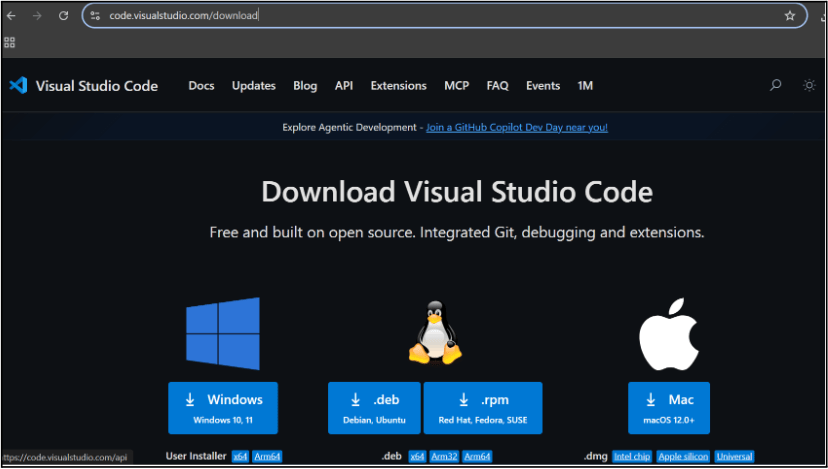
Choose your operating system(windows / Mac) and download the installation file.
Double click on the download app and Accept the agreement and click next
2
It is a long established fact that a reader will be distracted
b
Sub Steps
a
Double click on the download app and Accept the agreement and click next
public class MathSample {
    public static void main(String[] args) {
        int x = 10;
        int y = 20;
        int sum = x + y;

        System.out.println("The sum is: " + sum);
    }
}
public class MathSample {
public static void main(String[] args) {
int x = 10;
int y = 20;
int sum = x + y;
System.out.println("The sum is: " + sum);
}
}
public class MathSample {
public static void main(String[] args) {
int x = 10;
int y = 20;
int sum = x + y;
System.out.println("The sum is: " + sum);
}
}
Great job!
You have successfully completed your first lab on BiteBox Project Onboarding.
In this lab, you have: Understood the BRD, Created a wireframe, Set up your development environment, Organised your project structure, Run your first program
You are now ready to move to the next stage of development
Checkpoint
Next-Lab Preparation
Topic : Working with a Text and Listin HTML
1) Power of HTML text tags
2) Customizing your style with CSS
3) Listing it right using HTML
4) HTML Link up , attributes of tag, block vs inline elements
Text box Width : 887
Business Scenario, Pre-lab Preparation, Next-lab Preparation, Task, Activity, Checkpoint : 90%.
Steps : 1,2,3 [Sub Steps - a,b,c]
Normal Text, Topic Name : 80%
Subtopic : 70%
Code Box font Size : 16px